

TeamPCP Said No One Analyzed Their Malware. Challenge Accepted.
Overview
This is a deep analysis of TeamPCP’s second-stage payload targeting Windows machines that was dropped by the malicious Telnyx Python package version 4.87.2.
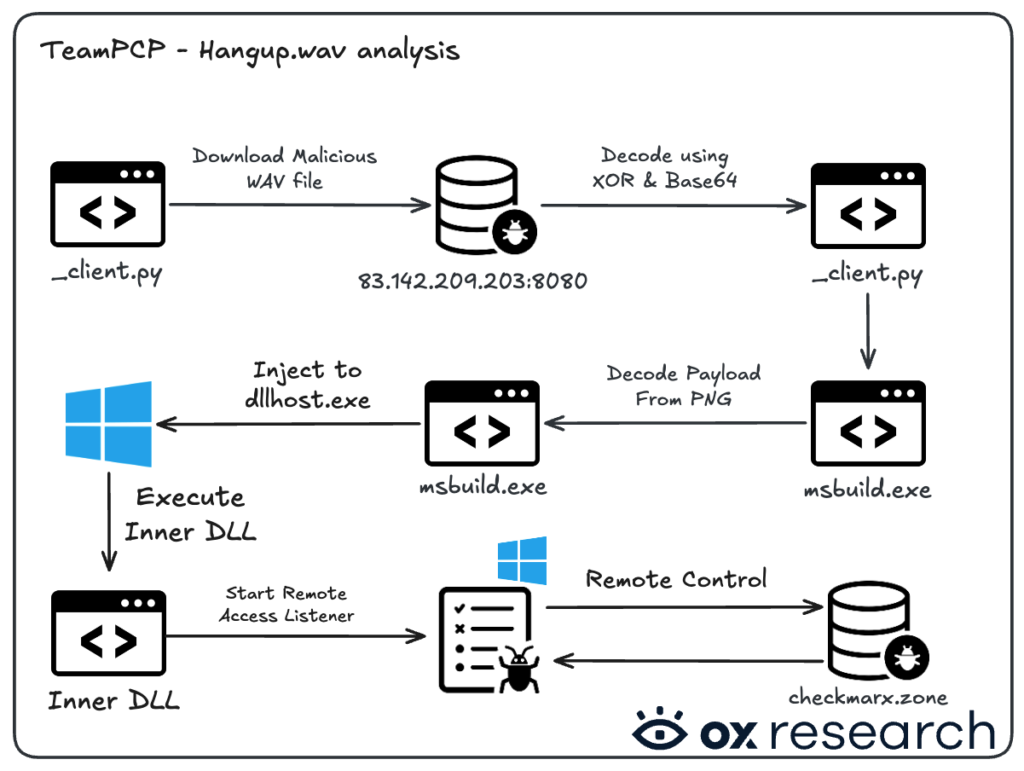
The malware is downloaded in the form of a WAV file from the remote C2 server when importing the malicious version of Telnyx, decoded using XOR, and then saved as an executable, which is later executed on the machine.
Big thanks to Justin Elze (@HackingLZ) and Giuseppe N3mes1s (@n3mes1s) for helping us get the payload and sharing with us their own findings and analysis.
Recommended Actions
If you’ve been infected by Telnyx or any other TeamPCP malware, take these immediate actions:
- Downgrade and Pin the Affected Package – for example:
- Unpinned – litellm
- Pinned – litellm==1.82.6
- Pinned but still vulnerable to new updates – litellm^=1.82.6
- Rotate All Exposed Credentials
- Access keys, API keys, passwords
- Remove Persistence Mechanisms
- If found, remove IOCs left such as
- %APPDATA%MicrosoftWindowsStart MenuProgramsStartup
- ~/.config/sysmon
- ~/.config/audiomon
- If found, remove IOCs left such as
- Block C2 Traffic
- Block access to TeamPCP’s servers
- 83[.]142[.]209[.]203
- modesl[.]litellm[.]cloud
- checkmarx[.]zone
- Block access to TeamPCP’s servers
The Threat Actors
Before our analysis, the threat actors – aka TeamPCP (@pcpcats, @KivuliFox & @xploitrsturtle2) – stated on their X accounts that they were sad no one had analyzed their msbuild.exe malware and that they would like some feedback.

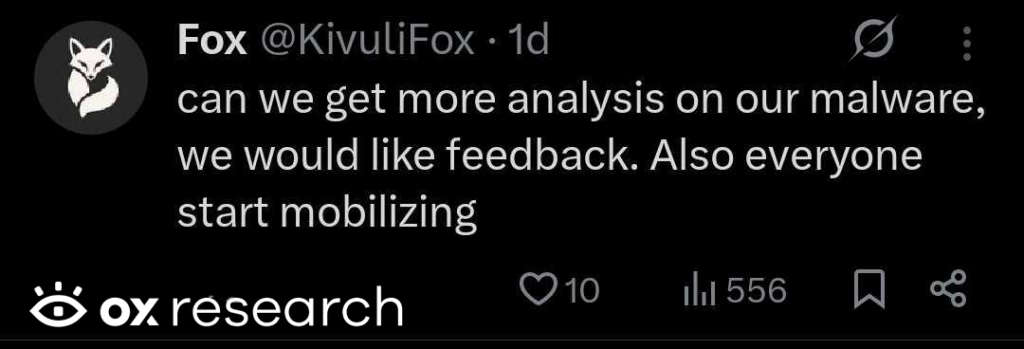
One of the threat actors asked cybersecurity journalists and intelligence agencies to calm down.
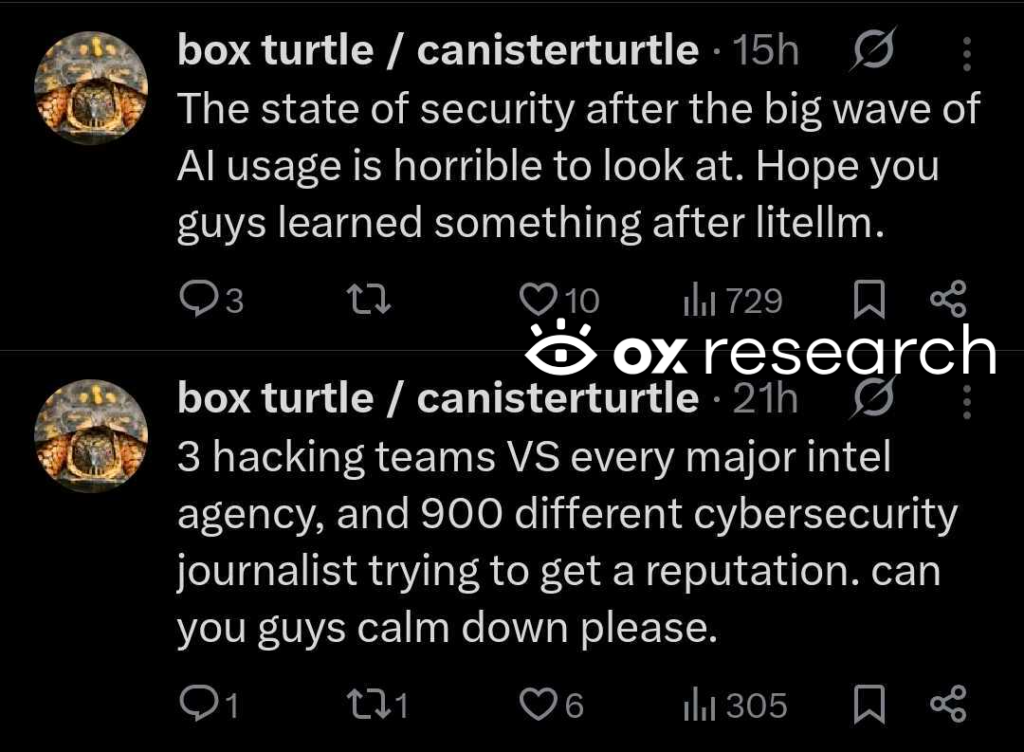
I’m sorry, “box turtle,” but analyzing malware is the only thing keeping us researchers calm.
Enjoy the blog 🙂
Technical Analysis
The malware uses a multi-stage approach, leveraging audio and image steganography to encode malicious payloads, inject them directly into the Windows operating system, and execute a remote access tool for full system control.
We used Ghidra for our analysis. Some code parts were kept as assembly, while others are shown as C pseudo code. We use Ghidra’s naming convention for functions and other values.
We were able to obtain the “hangup.wav” file, which was downloaded by the malware if it detected that it was running on a Windows machine. After decoding it, as shown in our original analysis, we see that it is a 180 kB Win64 executable.
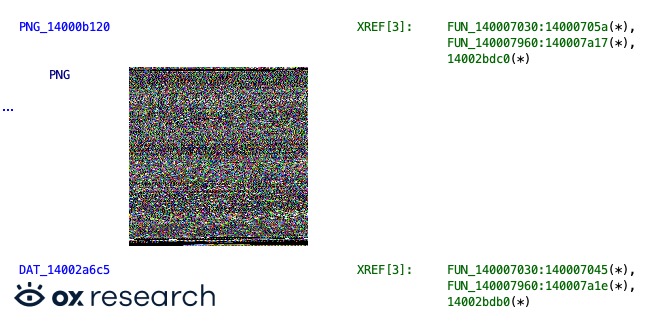
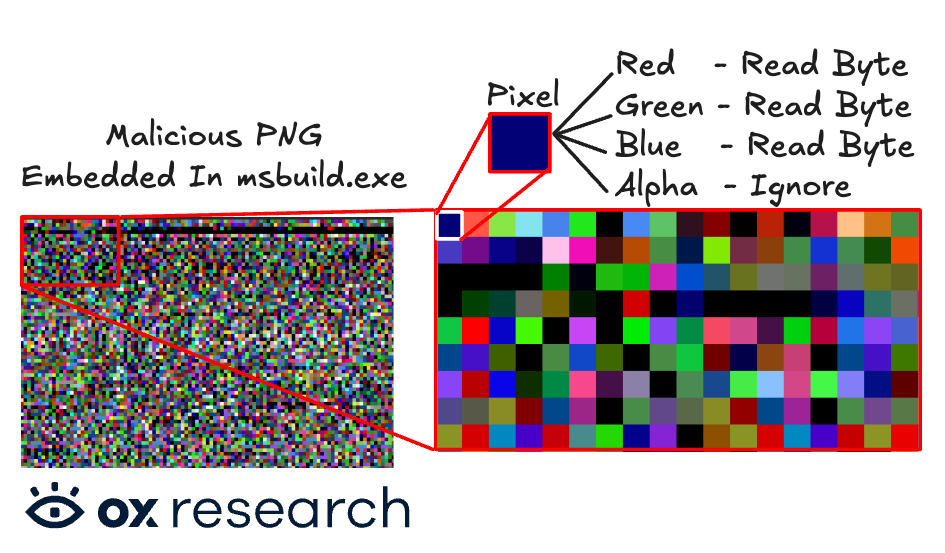
Embedded inside the executable itself is a malicious PNG file, which has the malicious payload encoded inside each pixel, with the color’s value.
Every pixel is built from four values: Red, Green, Blue, and Alpha. Each color is composed of two bytes, with values from 0 to 255 (or 00 to FF). The malware’s code takes each pixel, extracts its values, and continues until it reads the whole image as bytecode, then combines those values into the next payload.
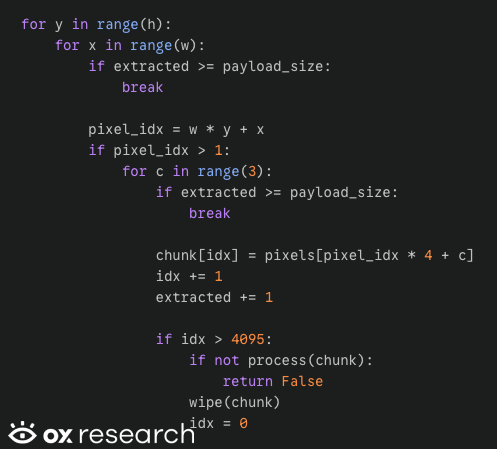
The core logic lies in the function FUN_140007070, which is responsible for taking the values of each color of each pixel in the image and combining them back into the malicious code, which is later loaded into memory through dllhost.exe.
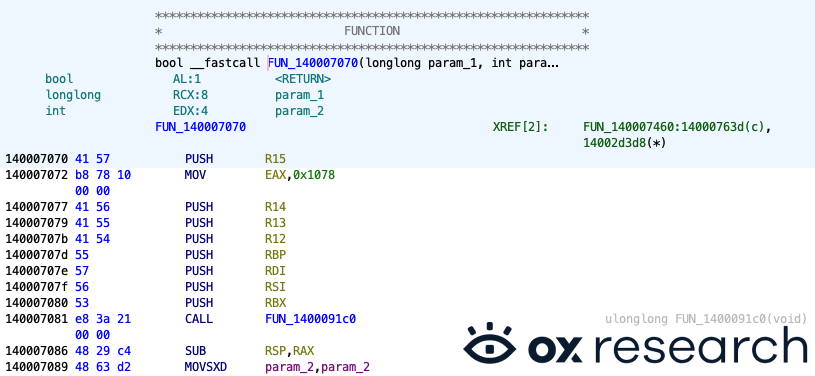
We created a pseudo-code of the pixel-to-bytecode logic:
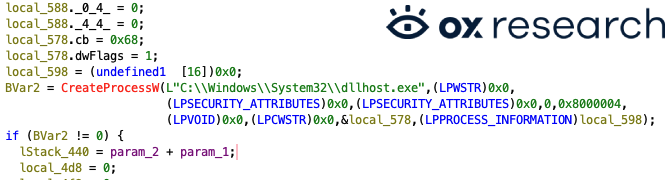
The next function – FUN_140007460 – receives the PNG image as input and starts the dllhost.exe process.
Collecting & Sending Sensitive Information
To evade detection, the DLL dynamically resolves its required Windows APIs. It finds kernel32.dll and wininet.dll, uses API hashing to locate functions like LoadLibraryA and ReadFile, and then enters its main beaconing loop.
The malware then collects and sends the following information to the remote C2 server checkmarx[.]zone
- It starts a remote access toolkit, which is remotely controlled by the threat actors, and can control the targeted machine
- Any file can be exfiltrated using this tool
- It also enables the threat actor to execute commands and pipe output, such as inspecting the inventory, running informational commands, and retrieving script or console output
But how does the DLL’s logic start?
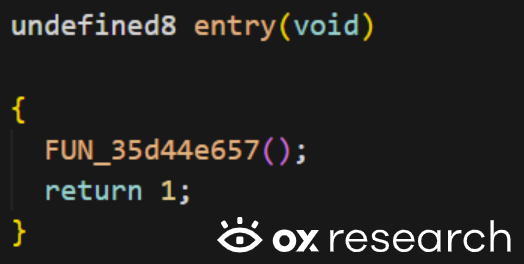
Inside the entry function, there is a call that starts the program by invoking the function FUN_35d44e657:
Inside it, another function is called to prepare the setup, which proceeds to the next step only if initialization succeeds.
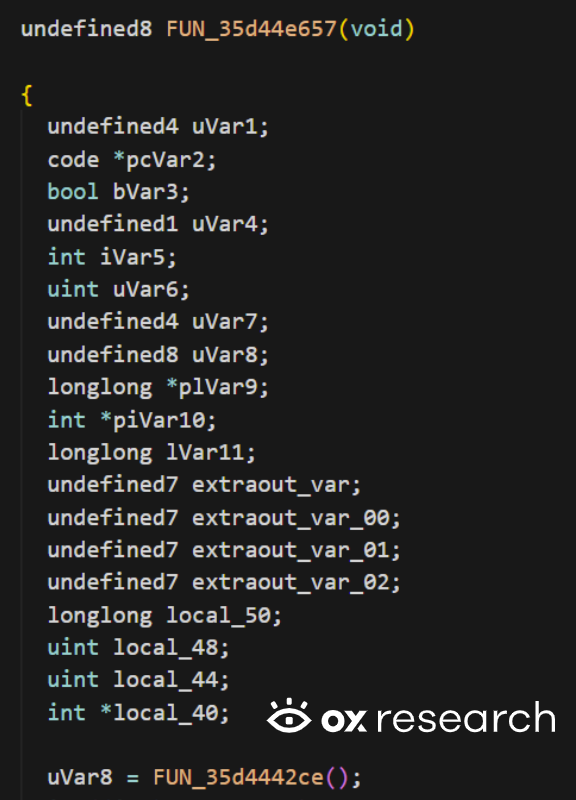
Let’s dive into uVar8 = FUN_35d4442ce(); first to understand how the initialization works.
Inside this function we are getting a call to the initialization function:

Looking into this function, we can find:
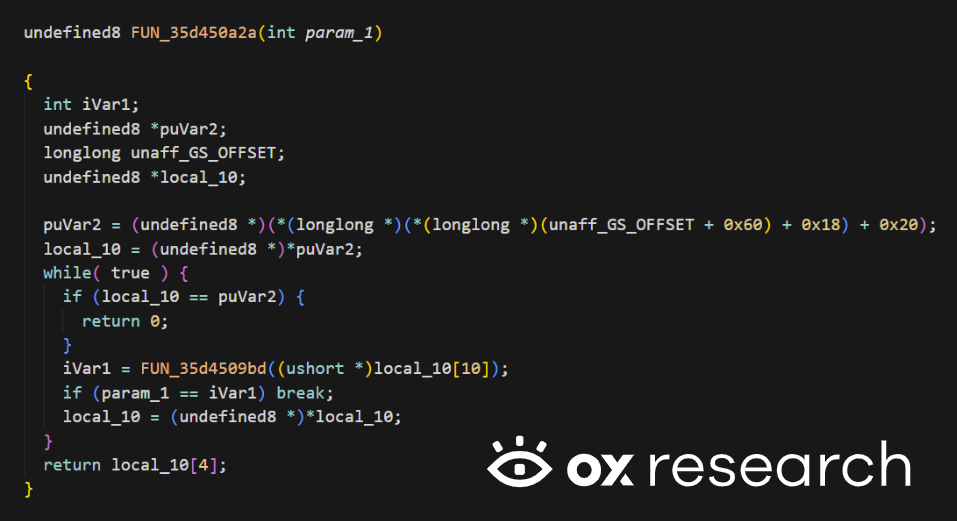
This function is responsible for iterating and looking for the variable we used as an input for this function: param_1
In our case, the parameter we are looking for is: 0x7b348614, which is kernel32.dll.
We replicated the behavior of this function in a simple python script in order to make sure we are getting the same output as was used in the script for kernel32.dll – and indeed we got the same value.
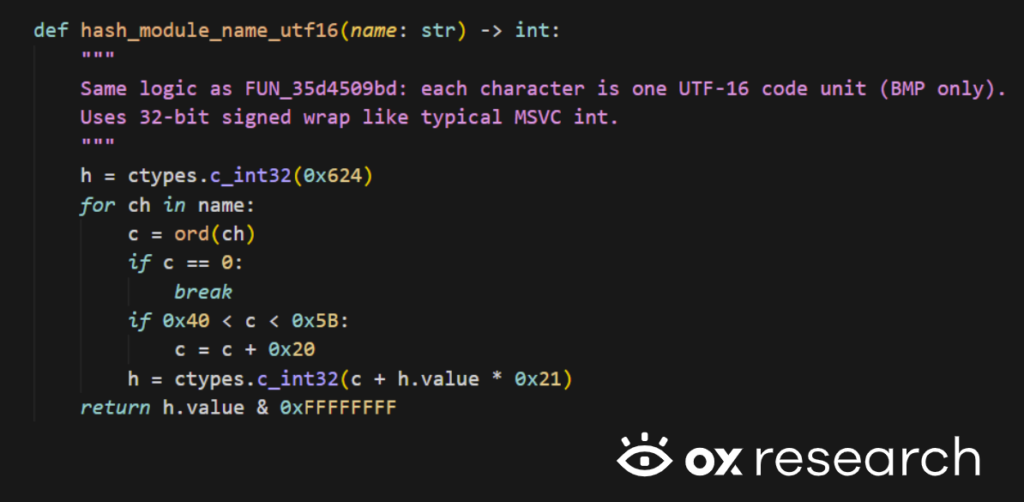
And indeed we’ve got:

So, now we have the base of kernel32 saved at:

Based on the same mechanism we just analyzed, the malware is also using LoadLibraryA from the function FUN_35d4442ce :
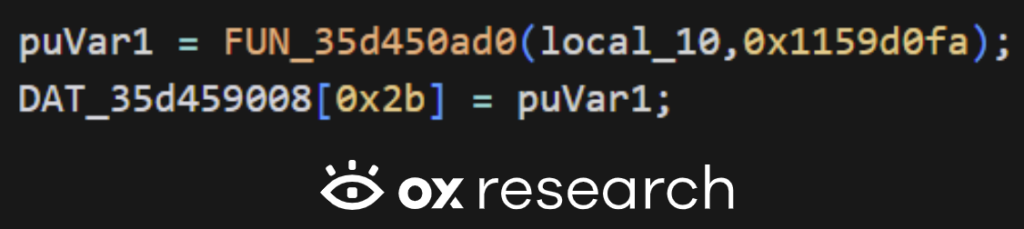
Then, once LoadLibraryA is saved in DAT_35d459008[0x2b], the malware loads wininet.dll when it initializes the HTTP client in FUN_35d4411c0. It builds the module name on the stack so wininet.dll does not appear as one plain string in the binary, then calls LoadLibraryA with:
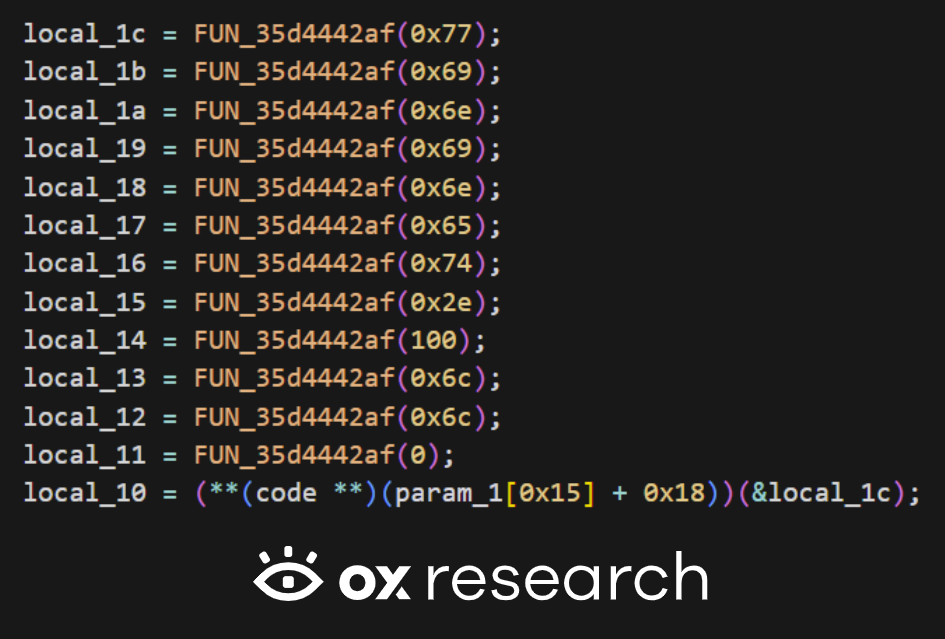
That is LoadLibraryA(”wininet.dll”). If it succeeds, local_10 is wininet’s base.
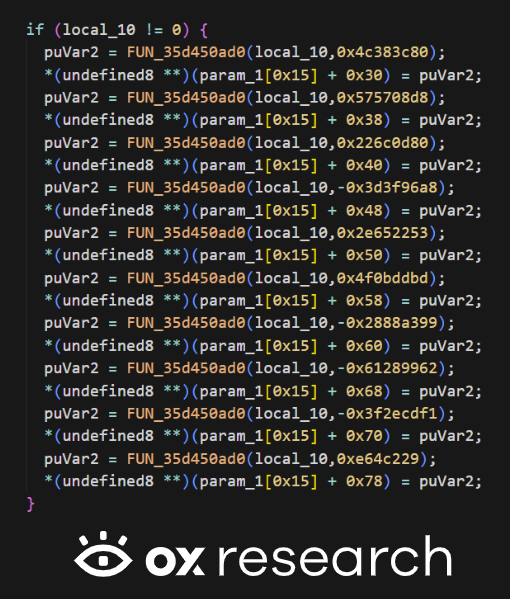
The malware then uses FUN_35d450ad0 on wininet with the same export-by-hash mechanism as on kernel32 to resolve the WinINet APIs it needs for opening connections and sending HTTP traffic later.
Now, we are left with the function of reading the data, which in our case is ReadFile, which is resolved inside FUN_35d4442ce,
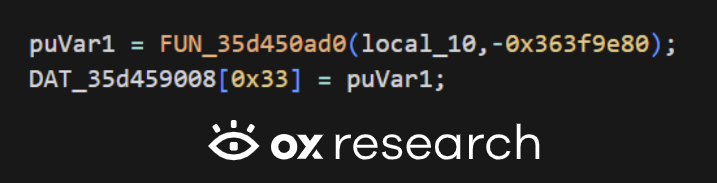
FUN_35d450ad0(local_10, …) walks kernel32’s PE export table and finds the export whose ANSI name hashes to -0x363f9e80 -> ReadFile
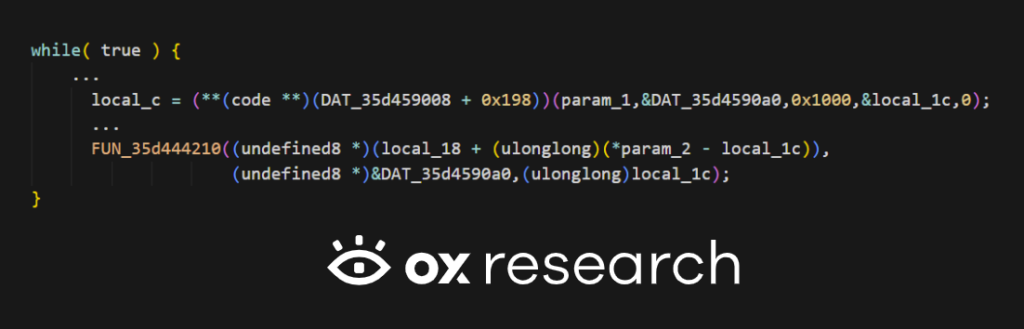
The returned address is stored in DAT_35d459008[0x33], which is the same slot as DAT_35d459008 + 0x198 (byte offset 0x33 * 8).
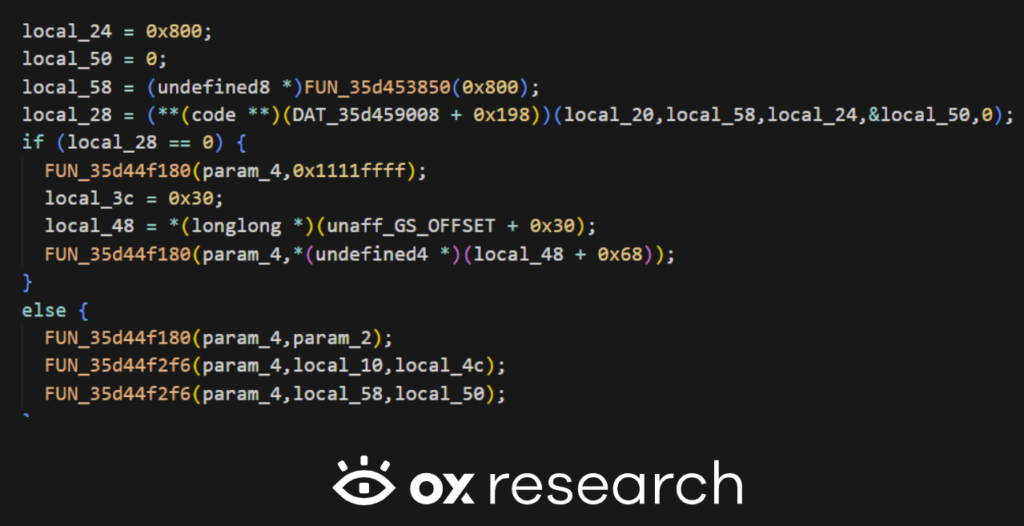
After we have the functions resolved, we are ready to:
open file, read up to 0x800 bytes into local_58, then append into the reply buffer param_4 (which is local_40 in the beacon loop):
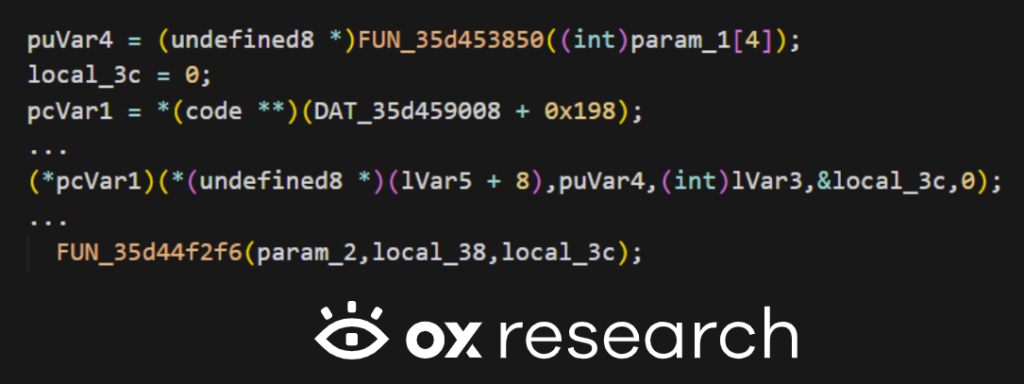
But this is not the only place data is read from; there is also reading from an open handle into a heap buffer, then appending into param_2 (again local_40 when called from the loop):
And also through Pipe / subprocess output:
After inbound data is processed, the loop fills local_40 from several subsystems (commands include the file-read path above via FUN_35d4487e8, then file jobs, then pipe I/O, etc.):
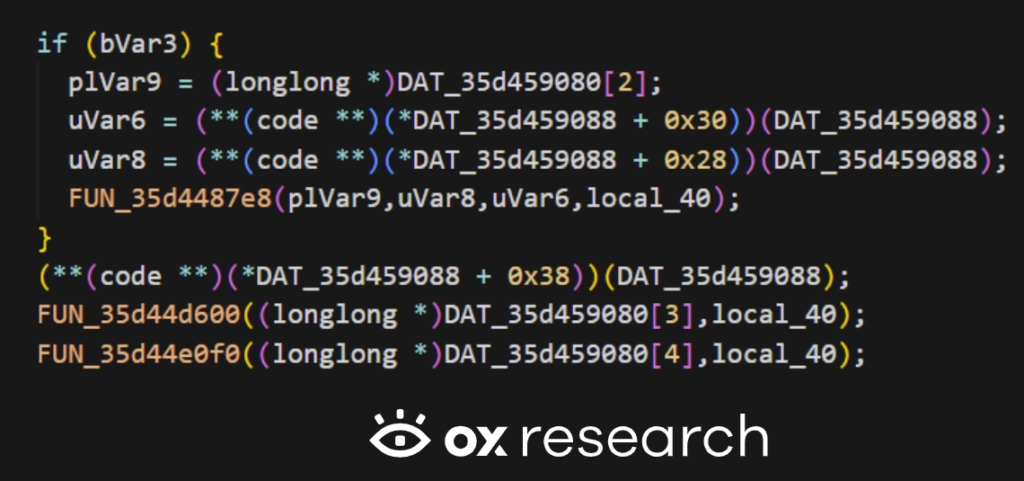
So: read -> append into local_40 (through helpers like FUN_35d44f2f6) happens inside those callees, local_40 is the shared outbound message.
Where is the channel for transmission of data created?
This line invokes the WinINet-backed client’s first vtable function, passing the configured C2 URL (local_50 / local_48) and related config so the implant can establish the HTTP session before the beacon loop runs:

Now, we are left with the last stage: Where is the sending happening?
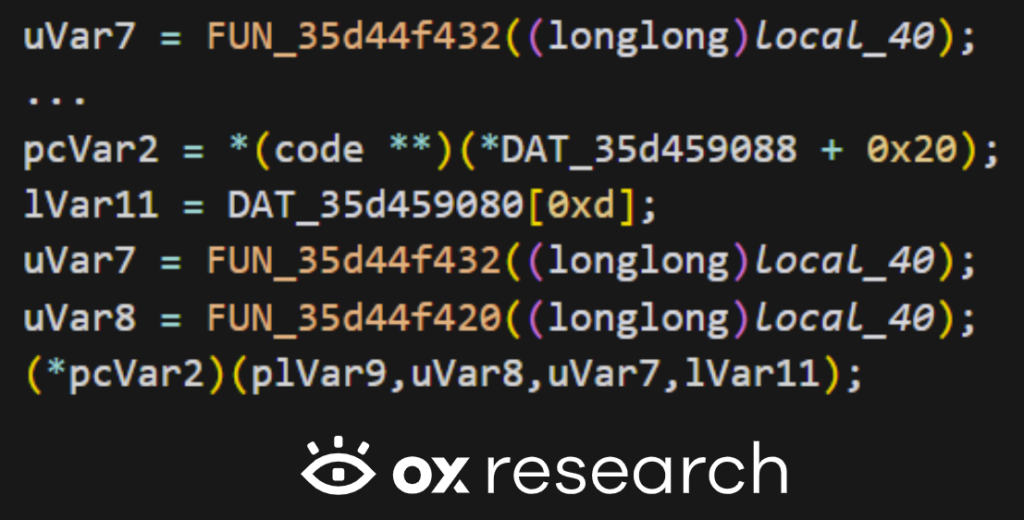
A pointer is passed + length from local_40 into the transport’s vtable + 0x20:
Conclusion
TeamPCP has made it clear that they are here to stay and will likely conduct even more sophisticated attacks in the coming weeks or days.
They are highly active in forums and social media, seemingly willing to do anything to reach their objectives and gain attention. While the general consensus is that they are financially motivated (given their crypto wallet-stealing code), their true motives could span espionage, ideology, or pure anarchy.
Some might question: Are we (the security community) doing them a favor by publishing an article on their malware, giving them the exact attention they wanted? No. They could conduct this same analysis themselves using automated tools. Our goal is to spread the word quickly to reduce TeamPCP’s impact and limit their reach across organizations.
Time is of the essence. Rotating keys and switching passwords is uncomfortable, but losing your organizational data is much worse. We know they steal credentials and keys – they have proven it by breaching companies sequentially.
- If your data was stolen: A simple key rotation could save your infrastructure, provided they haven’t used the keys yet.
- If your data wasn’t stolen: Constantly rotating keys significantly reduces your attack surface.
Act before they pivot to more aggressive methods like data encryption and ransomware. Make sure to follow best practices:
- Install only safe and pinned package versions.
- If possible, implement a 1-day or 7-day limit for package installation date; installing a package that’s been out for a week significantly reduces its potential of being malicious.
- Rotate API keys constantly; a stolen access key is a threat actor’s best friend.
- Change credentials frequently to combat adversaries buying data from old password breaches.
- Block unknown network traffic, implement URL filtering, and utilize DNS blocking to prevent telemetry from reaching malicious remote servers.
List of IOCs
| Name | SHA256 |
| msbuild.exe | 7290353a3bc2b18e9ea574d3294b09e28edaa6b038285bb101cf09760f187dcd |
| Embedded Malicious PNG | 7e270255567866d37ad56e3f06977b695e39530eede74a10a0848ba71560cb45 |
| Inner DLL | dafc1cc5d39bc303562d8587b698b6351e843b77c01764efa8b423a36b88fa6d |