[0:03] Hello everyone, and welcome to our webinar, “From Hidden Risks to Complete Control: Expanding Software and API Inventories for Modern Compliance and Visibility.” During this webinar we’ll discuss the limitations and challenges of the traditional SBOM, our new BOM Overview with SBOM, SaaS, and APIs and how they empower organizations across the software supply...
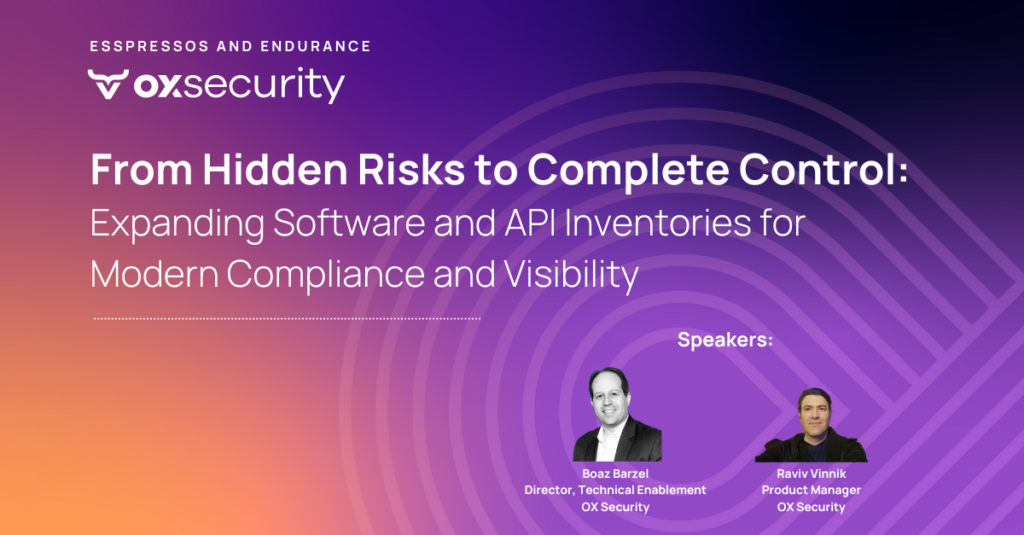
[0:03] Hello everyone, and welcome to our webinar, “From Hidden Risks to Complete Control: Expanding Software and API Inventories for Modern Compliance and Visibility.” During this webinar we’ll discuss the limitations and challenges of the traditional SBOM, our new BOM Overview with SBOM, SaaS, and APIs and how they empower organizations across the software supply chain to identify, assess, and mitigate risks, and topics like Shadow SaaS, Shadow API, protecting PII exposure, and unauthorized SaaS incident flagging. My name is Boaz Barzel and I’m leading product enablement at OX Security.
[0:50] And my name is Raviv Vinnik, I’m a product manager at OX Security. We’d like to start with something a little different: we’re going to use role play and enact a scenario between a CISO and a VP of R&D. I will play the CISO.
[1:14] And I will play the VP of R&D. So let’s begin. Boaz, I heard the news that there’s a Sisense breach, and I received an email that we need to reset credentials. I don’t even remember if we use Sisense in our company, but I told all my development teams to check all the repos to verify everything, and in one or two days I’ll have the answers.
[1:40] One or two days? You don’t really need to ask your team, because I can show you right now in this dashboard, because we’re using OX. We have our SaaS BOM, and in the SaaS BOM we have all the places that Sisense is listed.
[1:57] Wow, that’s awesome, very useful. I didn’t know we could use OX to know so quickly that we’re using Sisense, but tell me, how is OX able to discover the usage of Sisense?
[2:08] We’re doing it from code, and here you can see the evidence of all the places that Sisense is connected from code.
[2:18] Oh wow. Until now I knew what an SBOM is, now I know about this SaaS BOM, but I see here you also have something called an API BOM. What’s an API BOM?
[2:33] An API BOM provides an inventory of all the APIs that were discovered from your repositories.
[2:42] Wow, so for SaaS services we can know their place in the repositories and the code, and we also have an API BOM, that’s very useful. Now tell me, what should we do about the Sisense breach?
[2:54] As I was reading through the Sisense breach, we need to reset credentials and replace certificates. Next we should review the attack vectors the attacker was using, and then look at secrets and active secrets in code and the Git posture, and of course we can do everything with OX.
[3:11] Sounds like a good plan. Now let’s go back to reality. I’m back to being Raviv, a product manager at OX Security, and we’ll start by explaining the BOM Overview page. I’ll share my screen.
[3:30] We now see the BOM Overview page, whose purpose is to provide high-level information about each of the BOMs: API BOM, SBOM, and SaaS BOM. It also provides a quick and easy way to navigate to each full BOM page by clicking the section name. Under each section name we see the number of APIs exposed by OX (API BOM), the number of libraries (SBOM), and the number of SaaS services discovered by OX (SaaS BOM). There’s also graphical information for each BOM. For the SaaS BOM, a pie chart shows the distribution of the SaaS services discovered by OX; the inner part shows categories (AI, logging, ticketing, and more), and per category the actual services, such as Jira and Monday for ticketing. The bottom part shows the SaaS services discovered most recently. For the API BOM we use a pie chart showing API distribution by language and framework, and I think the coolest graph is the bubble chart for the SBOM issues. Boaz, would you like to take it from here?
[5:31] Yes. The bubble chart is shaped like an OX palm, intentionally, and it’s divided into categories: packages that have vulnerabilities, packages not used in code that you should probably remove, unpopular packages that people aren’t maintaining or using, and unapproved licenses, which is really important from a compliance standpoint. If I click the ones that have vulnerabilities, we follow to the SBOM page; you can see the filter on the left with all packages in your code and applications and their licenses. Let’s take those that have deprecated packages, meaning the license is fine but the package is not maintained anymore. If I click on “express-fileupload,” the drawer opens; the problem is, on the npm site I’ll see it’s deprecated, and I have critical CVEs in that package that nobody’s going to fix, so the solution is different: I’ll have to find another package or branch to use. The SBOM lets me search; for example we had the XZ Utils issue, and clearing the filters immediately shows me the XZ packages, the vulnerable package if it exists in code, the version, licensing issues, the source, and the application. All that information can be exported by entire org to CycloneDX or CSV, or using our saved filters, so you can tie it to compliance or regulatory aspects.
[7:55] Let’s go back to the SBOM, and Raviv, please explain more.
[7:59] Sure. Let’s have a closer look at the API BOM; I’ll navigate from the BOM Overview by clicking the section name. The API BOM provides the inventory of all the APIs discovered in the organization’s repositories. OX discovers APIs in two ways: from the code in the repositories, or from the OpenAPI/Swagger files. We see a list of API endpoints, and for each, details such as the endpoint name, the HTTP method, when it was first discovered, how it was discovered (the source, either code or OpenAPI), and I can click to see the API definition. We also see the repository where each endpoint was discovered, and for endpoints discovered by code, the functions executed upon invocation. I can click a function and be redirected to its place in the code in the repository, which is very useful when investigating APIs. The most interesting column, in my opinion, is the highest-severity exposing issues, showing the groups of severity of issues exposed by each endpoint. I can click, open the drawer to see the exposed issue statistics and breakdowns, and navigate to those issues.
[10:08] We look at this endpoint, and navigate to the issues page; we see those two issues. I want to show you something very cool: I can open an issue’s attack path in a full page, and you can see that for this issue, these are the endpoints exposing it.
[10:35] That’s amazing. So for every API that’s exposing an issue, we can provide that kind of graph?
[10:49] Exactly. All those endpoints are here, and per each I can see the framework, the function, and a call stack that shows the path from the API definition via the handler function to the actual location of the issue in the code.
[11:11] So we can actually see the API that’s exposing the issue and then follow it, through code hops and jumps, all the way back to the original function.
[11:23] Exactly. And right now we’re showing just the API part of the attack path; we’ll have a full webinar this month on the attack path that elaborates on its capabilities.
[11:40] I’m looking forward to watching that. So we navigate back to the BOM Overview. We spoke about the SBOM and the API BOM; last but not least is the SaaS BOM. This is what we were seeing in the role play, the screen we looked at when we searched for Sisense, right?
[12:01] Exactly. Let’s navigate to it by clicking the section name. The SaaS BOM provides an inventory of the SaaS services discovered in the organization’s repositories. For each SaaS we see the category it belongs to (messaging, AI, logging), the repo where it was identified, and when it was identified. We also see how it was identified; those icons each represent a type of evidence of finding it in the code, like a dependency, an import, or a token or secret. We can see them all in the drawer. I can also search by the name of a SaaS; let’s do Sisense. We found Sisense, it belongs to the data analytics category, this is the repository where it was identified, and those are the evidence of finding it, plus when it was identified.
[13:15] So now, if I read about a breach on some SaaS, I can just connect OX and understand where that SaaS is connected, and by that understand my risk.
[13:33] Exactly, and the evidence provided helps you get full visibility. So we went over each of the BOMs: API BOM, SBOM, and SaaS BOM. Boaz, what else would you like to share?
[13:51] This is very interesting, and one thing I’d like to address is, can I deploy that now? The answer is yes. What you see in the BOM Overview is what we learn from code, and OX has an open PLG platform. If you browse right now to ox.security, you can book a demo and we’ll do the entire guidance with you, but feel free to click login. Once you register, all you have to do, and you can do it through a first-time wizard, is connect your source control. Immediately we’ll start all that scanning, code security, secrets, SCA, SBOM, and IaC, and we’ll also automatically build the SBOM, API BOM, and SaaS BOM for you. One thing I’d highlight is that from a Shadow API or Shadow SaaS perspective, we see a lot of cases where visibility is critically missing, especially with new development projects, understanding what developers are doing and what is connected, especially with regulation and compliance. So it’s more than just the SBOM; it’s what SaaS apps I’m exposing my code to, for example PII exposed through APIs that I don’t know about. As we go along, I’d like to invite you to share your questions, which we’ll answer in the last few minutes.
[16:31] As we talk about the BOM, I’d like to go through the dashboard. As you connect your source control, you can also connect your CI/CD, registry, and cloud, and we’ll do a lot of other amazing things, one being the attack-path reachability, which Raviv will cover in a webinar. As you can see, you can immediately understand the entire pipeline; we call it the AppSec data fabric, and it shows all the different issues, then consolidates, aggregates, and re-prioritizes based on multiple factors from an attack, business, and environment perspective. It automatically maps all the different applications, giving each a business priority, tagging, and the actual app flow, which we take into consideration when prioritizing. And the best thing is what we call the evidence: it’s not just that we show this is a critical issue with critical business priority, we give you all the evidence, the cloud deployed connector, the cloud platform, machine type, and instance, whether there’s a public exploit available or community buzz, whether it processes PII, and the compliance aspects. So on one hand we have the BOM Overview, and on the other we can show it per issue or per application, scope it the way you want, create and save filters, so you understand the critical issues to focus on right now.
[19:03] Let’s look at the Q&A. The question is around how we know an issue is exposed to PII. Let’s go back to the API BOM; I can access it from the BOM Overview or directly. For API endpoints discovered by code, we show the groups of severity of issues exposed by the endpoint. Let’s open the exposed issues, where we can see statistics such as the category (code security, open-source security), the severity, the issue owner, and the source tool. Let’s navigate to a few of them; we see four issues exposed by the endpoint, and the attack path shows that the specific issue I selected is exposed not only by one endpoint but several. We see the issue name and the endpoints exposing it, which helps get full visibility, and for each endpoint exposing the issue we have the call stack, which you can click to see the full path from the API definition via the handler function to the location of the issue in the code.
[21:04] In that case, I also want to show that for every issue, it’s not just that we show it, we also show the intelligence, the detection and response, and the different severity factors. One way I’d suggest to use it is to get the attention of management and developers to understand why we say something is critical. This part, for example, exposes an issue that processes PII and payment information, which is critical for us; it shows that the library we’re using is not maintained, which means even if there’s a vulnerability or bug, there’s no one to fix it, so we need to replace it. We can understand more about the vulnerabilities and the compliance frameworks and controls breached by this issue. So it’s not just exposed by API, it’s more than that. On the left, in detection and response, we see the actual committer and when it was done and by whom, which helps see the full picture.
[22:43] And specifically for this issue, as a response you can open a PR directly from here, and once approved it appears; you can have a Jira ticket, or in this case I’d send a Jira ticket or a Slack message, because we understand the package is not maintained and we need to upgrade to a different branch. And this month we’ll also have the webinar about the full attack path, showing a lot more of its capabilities.
[23:23] There’s another question I’d like to answer: is there a way to view connected SaaS per application? Through the SaaS BOM we see all the SaaS connected across the repos and all applications, but I have my own crown jewels and want to learn about specific applications. Is there a way to view that from an application standpoint?
[23:54] Yes. One way is using a filter on this page, but another way is directly from the application page. Through the active applications page, one of the elements you can see is tags; those tags can be added manually or learned automatically by the connected SaaS, the type of PII information, or connections to databases like PostgreSQL. In this case you can see Monday, Slack, Google Maps, and so on. So one way is using filters with the app tags; let’s take Jira as an example, search for Jira, and search for a specific application. Both of these applications had Jira detected on them; I’ll open some of the issues related to this application. It doesn’t matter which one, because eventually all the issues belong to this application. Let me open the attack path again; the attack path has another element that shows the SaaS services identified per this repo, another way to get the full picture. We see Jira, and I can click and get all the evidence of how we identified Jira in this repository.
[26:02] So this means we’re connecting the issue through APIs and containers, and then putting all the SaaS services connected to that specific application and that issue.
[26:15] And actually we do much more, but that will be covered in the attack-path webinar, stay tuned. So we’re close to the end of the webinar; if you have any questions, please write them down.
[26:40] If you want to start by yourself, feel free to browse to the OX Security website and click login; you can connect your source control and start yourself, or feel free to book a demo with us and we can go through other aspects OX can provide. I’d like to thank Raviv, who joined me, and you, our audience, for participating. I hope we created something that gives you higher value in your operations.
[27:29] It was a pleasure for me too. Thank you all for joining us, and thank you Boaz for having me.
[27:35] Thank you very much, bye-bye.