
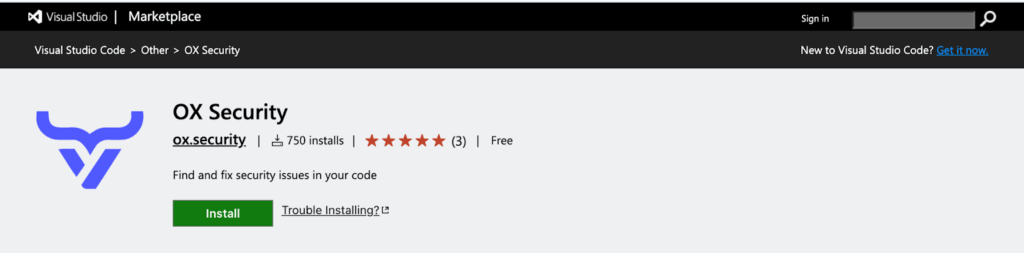
We’re excited to announce that the OX Security IDE Extension is now live on the Visual Studio Code Marketplace. Developers can now scan code for vulnerabilities, secrets, and misconfigurations directly inside their IDE—before pushing changes to a shared repository.
This new extension brings OX’s risk-focused approach closer to developers’ daily workflows, helping teams detect and remediate issues earlier and with less friction.
Why an IDE Extension?
Shifting security left has always been a goal, but it’s not always practical. Full repository scans remain essential for complete coverage, but developers need fast feedback while writing code. That’s where the OX IDE Extension fits in:
- Catch vulnerabilities and secrets before they’re exposed
- Prevent malicious or risky code from reaching shared environments
- Resolve issues earlier, when fixes are faster and less disruptive
This isn’t about replacing full scans—it’s about giving developers a complementary, lightweight tool to validate their code changes in real time.
Bringing Security Into the Flow of Work
With the OX IDE Extension, developers no longer need to wait until code is pushed to a repository to understand whether changes introduce risk. Instead, security checks run locally in Visual Studio Code (and compatible environments such as Cursor, Windsurf, and VSCodium).
Scan results appear directly in the IDE, linked to the exact line of code in question. Each issue includes details such as severity, type (e.g., open source security, IaC, secrets/PII), and a recommended fix. Developers can filter or group issues by severity or category, allowing them to focus first on what’s critical and address related issues systematically.
Fast Setup, Immediate Value
Getting started is easy:
- Install the extension from the Visual Studio Code Marketplace.
- Generate an IDE/CLI integration API key in the OX Security platform.
- Add the key in the extension’s settings.
From there, developers can begin scanning immediately. The extension runs seamlessly in the background, surfacing actionable insights without disrupting the coding experience.
Why It Matters
Security often slows down development because feedback is provided late in the lifecycle. By enabling early-stage local scans, the OX IDE Extension helps teams move faster without sacrificing risk. Developers stay focused, non-critical alerts are reduced, and issues are fixed before they become exploitable vulnerabilities.
It’s one more way OX Security enables organizations to focus on urgent risk—now embedded directly into developer workflows.
Install the OX Security IDE Extension today and bring real-time security scanning into your IDE.