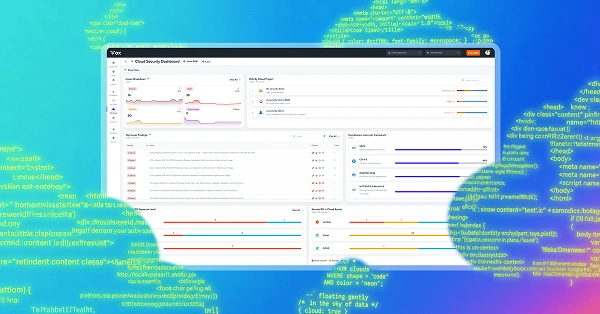

Secure your code at the speed you write it.
Security tooling should meet you where you actually write code. With OX Security in the Cursor MCP Directory, now it does — and getting started takes less than five minutes.
OX Security is now officially listed in the Cursor MCP Directory. No hunting down documentation, no manually configuring a mcp.json file.
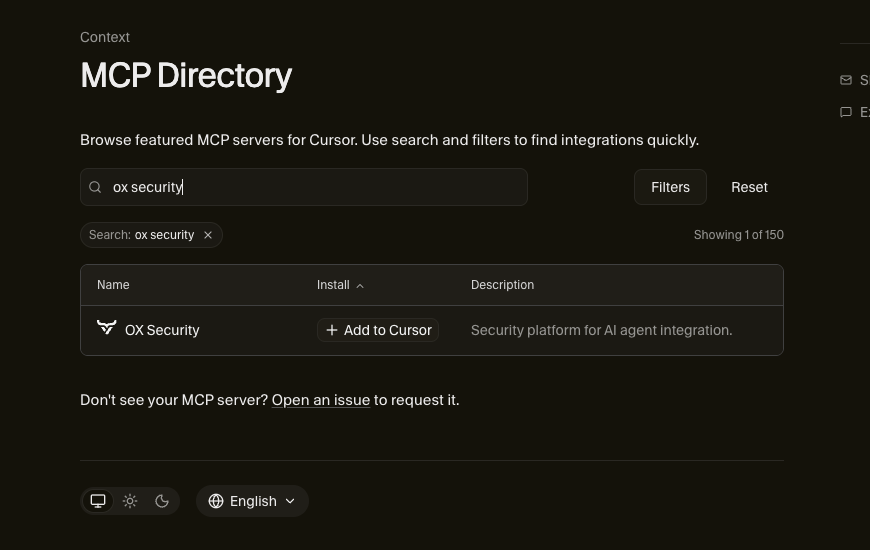
Search for OX Security, click + Add to Cursor, drop in your AUTH_TOKEN, and you’re in.
What Does It Actually Do?
The OX Security MCP connects your live security data directly to Cursor’s AI chat. Think of it as giving your IDE a security engineer who never sleeps, always has context, and always has the answer ready.
That’s not hyperbole – here’s what you can do right now:Get instant vulnerability intel. Working on a feature branch and curious what high or critical issues exist in that project? Just ask. The MCP surfaces them directly in your chat window, prioritized and ready to act on.
Fix issues without leaving the conversation. Found a SQL injection? Cross-site scripting? Ask the MCP to remediate it. The fix happens in the conversation, in context, without you having to break your flow or open a separate dashboard.
Make sprint planning smarter. This is where things get genuinely useful. Instead of combing through issue trackers and spreadsheets, try a prompt like this:
“I’m planning a 3-week security sprint. I have 40 developer hours available. Using our current OX Security issues, create a prioritized sprint plan organized by severity and business impact. Group related fixes where possible to reduce QA regression scope. Include estimated dev hours per item, QA regression risk level, and a section of low-hanging fruit items developers can tackle if they finish early.”
That’s a prompt you can run today. What comes back isn’t a generic checklist, it’s a plan built from your actual security posture.
Up and Running in 5 Minutes
If you’ve used MCP servers before, you know the usual friction: find the docs, format the config file, pray you didn’t miss a bracket. With OX in the Cursor directory, that’s gone.
- Open Cursor and navigate to the MCP directory
- Search for OX Security
- Click + Add to Cursor
- Enter your AUTH_TOKEN
- Start asking questions
That’s it. You’re now chatting with your security data.
Why This Matters
Security tooling has always had a gap: the people who need the data most (developers) are often the furthest from where that data lives. Dashboards, weekly reports, and ticketing queues create distance between a vulnerability and the fix.
The OX Security MCP collapses that distance. Security context lives inside the environment where code actually gets written, and that changes what’s possible.
Try it. You’ll wonder why it wasn’t always this way.