Quick Overview
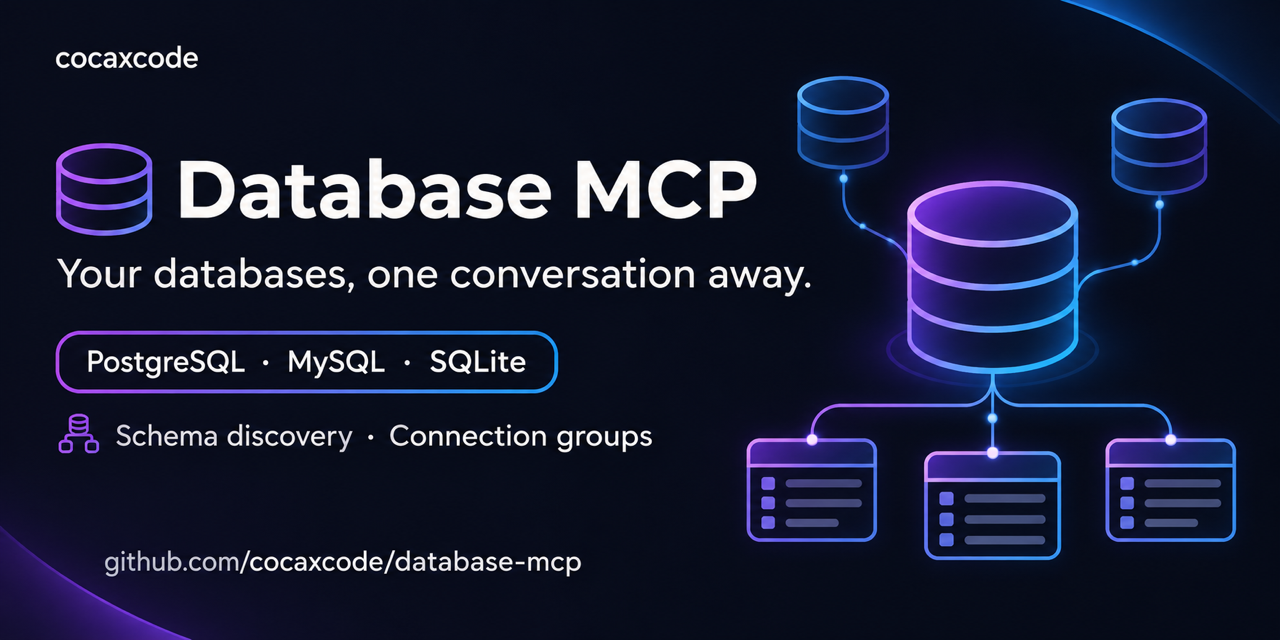
An open-source MCP server for exploring and querying PostgreSQL, MySQL, and SQLite from Claude Code, Cursor, and other MCP clients. Discover a schema, ask questions across related tables, and keep named connections organised by project directory.
| What you need |
What to ask your assistant |
| Understand a new database |
"Show the tables and the foreign keys for orders" |
| Query related data |
"Show the last 10 orders with the customer name" |
| Separate projects |
"Create a connection group scoped to this directory" |
| Inspect previous work |
"Show today's query history for my dev connection" |
Start with a development database
The server requires Node.js 20.0.0 or later at runtime. Developing and running the test suite requires Node.js 20.19+ within 20.x, 22.13+ within 22.x, or 24+: the development toolchain does not support Node 21 or 23. These development requirements are separate from the server runtime requirement.
With Claude Code:
claude mcp add --scope user database -- npx -y @cocaxcode/database-mcp@latest
See driver installation for engine-specific setup. Restart or reconnect your client if needed, then ask:
Use database to create a group scoped to this project directory.
Help me configure a read-only connection to my development database.
List its tables, then show the columns and foreign keys for a table I choose.
Use a database account with only the permissions you need. Start read-only; rollback snapshots are not a substitute for backups. DDL cannot be automatically undone, and snapshot capture can fail or be incomplete. Your AI client may send query results and schema information to its model provider; a locally running MCP server does not make the whole AI workflow offline.
Found it useful? Star the repository, or share a reproducible issue to help improve it.
Database MCP on Glama
This is not just a query runner. It is a full database workbench: organize connections into groups scoped to your project directories, set defaults that persist between sessions, introspect schemas at three levels of detail, get pre-mutation snapshots on every write, undo mistakes with reverse SQL, dump and restore entire databases, and track every query you run — per project, per connection.
Every connection belongs to a group. Groups have scopes (directories), a default connection, and an active connection. When you work inside a scoped directory, you only see that group's connections — no clutter, no confusion.
You describe what you need. The AI can read your schema, write SQL, and execute it with safeguards including automatic LIMIT injection, snapshot capture, and confirmation before destructive operations. Connection configuration is stored locally; database connections and your AI client's model calls may use the network. Review generated SQL and permissions before enabling writes.
Works with Claude Code, Claude Desktop, Cursor, Windsurf, VS Code, Codex CLI, Gemini CLI, and any MCP-compatible client.
Just Talk to It
You don't need to memorize tool names or SQL syntax. Just say what you want.
> "Connect to my local PostgreSQL on port 5432, database myapp, user admin"

> "Create a group called backend and add this directory"

> "Connect to my PostgreSQL on localhost, put it in the backend group"

> "Set local-pg as the default connection"

> "Show me all tables"

> "What columns does the users table have?"

> "Show me the last 10 orders with the customer name"
  -> AI reads FKs from schema, builds the JOIN, applies LIMIT 10

> "Insert a test user called Alice"
  -> Snapshot captured for rollback

> "Oops, undo that"
  -> Rows restored via reverse SQL

> "Switch to the production database for this session"
  -> Instant context change, all queries now go to prod

> "Delete all inactive users"
  -> "This will affect N rows. Call again with confirm=true to proceed."

> "What did I run today?"
  -> Full query history with timestamps and execution times

> "Dump the database — structure and data"
  -> SQL file generated, ready for restore
The AI already knows your schema through MCP Resources. It reads db://schema to discover tables and db://tables/{name}/schema for columns, foreign keys, and indexes. When you ask for data across tables, it builds correct JOINs automatically.
Connection Groups
Every connection belongs to a group. Groups are the organizing unit for your database connections — they keep things scoped, clean, and automatic.
A group has three key concepts:
- Scopes: directories that share the group's connections. When you work inside a scoped directory, you only see that group's connections. No global clutter.
- Default: the connection that activates automatically when you enter a scoped directory. Persists between sessions.
- Active: the connection being used right now. Session only — resets to the default on restart.
Here is a practical workflow:
"Create a group called backend"
"Add this directory as scope"
"Create a PostgreSQL connection called local-dev in the backend group"   <- auto-default (first connection)
"Create another called production in backend"
"List connections"                                                       <- shows local-dev (active, default)
"Switch to production"                                                   <- session only
"Set production as default"                                              <- persists between sessions
The first connection added to a group becomes the default automatically. Switching connections only changes the active for the current session — restart and you are back to the default. If you want the change to stick, set a new default explicitly.
This means you can safely switch to production for a quick query and know that next time you open the project, you will be back on your development database.
Installation
Claude Code
claude mcp add --scope user database -- npx -y @cocaxcode/database-mcp@latest
Claude Desktop
Add to your config file (~/Library/Application Support/Claude/claude_desktop_config.json on macOS, %APPDATA%\Claude\claude_desktop_config.json on Windows):
{
  "mcpServers": {
    "database": {
      "command": "npx",
      "args": ["-y", "@cocaxcode/database-mcp@latest"]
    }
  }
}
Add to .cursor/mcp.json or .windsurf/mcp.json in your project root:
{
  "mcpServers": {
    "database": {
      "command": "npx",
      "args": ["-y", "@cocaxcode/database-mcp@latest"]
    }
  }
}
Add to .vscode/mcp.json:
{
  "servers": {
    "database": {
      "type": "stdio",
      "command": "npx",
      "args": ["-y", "@cocaxcode/database-mcp@latest"]
    }
  }
}
codex mcp add database -- npx -y @cocaxcode/database-mcp@latest
Or add to ~/.codex/config.toml:
[mcp_servers.database]
command = "npx"
args = ["-y", "@cocaxcode/database-mcp@latest"]
Add to ~/.gemini/settings.json:
{
  "mcpServers": {
    "database": {
      "command": "npx",
      "args": ["-y", "@cocaxcode/database-mcp@latest"]
    }
  }
}
Driver installation
Install only the driver(s) you need — they load dynamically at runtime:
npm install -g postgres       # PostgreSQL (postgres.js)
npm install -g mysql2         # MySQL
npm install -g sql.js         # SQLite (runs in-process, no native bindings)
Note: When using npx, drivers must be installed globally. If you install the server globally (npm install -g @cocaxcode/database-mcp), drivers can be local or global.
Features
Multi-database, one interface
Most database MCP servers make you reconfigure credentials every session. This one does not. Named connections persist inside groups — create them once, use them forever.
Named connections work like git branches. You create dev, staging, prod once inside a group and they are always there. Switching is instant — one command, zero reconfiguration:
"Create a group called my-project and add this directory as scope"
"Create a connection called dev with host localhost, database myapp, user admin in my-project"
"Create a read-only connection called analytics pointing to ./data/metrics.db in my-project"
"Switch to dev"               -> queries go to PostgreSQL
"Switch to analytics"         -> queries go to SQLite
"Duplicate dev as dev-readonly with read-only mode"
Group-scoped connections mean different projects see different databases automatically. Working on project A? You see project A's group and connections. Switch to project B's directory and it picks up project B's group with its own default. No manual switching, no interference between projects:
"Create a group called frontend with scope /home/user/frontend"
"Create a group called backend with scope /home/user/backend"
Now each directory has its own isolated set of connections.
100% local credentials. Every connection is stored as a JSON file in ~/.database-mcp/connections/. Passwords never leave your machine. Nothing is sent to the cloud. Nothing is committed to git. Your credentials are yours.
Live management. Create, duplicate, rename, test, export, and switch connections mid-conversation. No restart needed, no config file editing, no context loss.
Safety built in
| Protection |
How it works |
| Read-only mode |
Connection-level enforcement — blocks all mutations |
| Confirmation required |
Destructive ops require explicit confirm: true |
| Auto LIMIT |
Read queries get LIMIT 100 by default (respects existing LIMIT) |
| Password masking |
Credentials shown as *** in conn_get output |
| Pre-mutation snapshots |
Every INSERT/UPDATE/DELETE captures row state for rollback |
| Auto gitignore |
.database-mcp/ added to .gitignore on first write |
Rollback snapshots
The server attempts to capture snapshots for reversing supported mutations. This is best-effort recovery, not a transaction rollback or a backup: DDL is not reversible, UPDATE/DELETE snapshots capture at most 10,000 rows, and parsing or capture failures can leave insufficient data to undo a change. Review the snapshot before applying reverse SQL, especially if other clients have changed the database since the original operation.
"Show me available rollbacks"
"Rollback the last delete"
  -> "This will INSERT 47 rows back into orders. Confirm?"
  -> Rows restored via reverse SQL
| Original operation |
Rollback generates |
DELETE WHERE id = 5 |
INSERT INTO ... VALUES (...) |
UPDATE SET name = 'Bob' |
UPDATE SET name = 'Alice' (pre-update values) |
INSERT INTO ... |
DELETE WHERE id = {new_id} |
| DDL (CREATE, ALTER, DROP) |
Logged but not reversible |
Schema introspection
Three levels of detail, with pattern filtering:
"List all tables"                         -> names only (fast)
"Show me the users table with columns"    -> columns + types + nullable
"Full schema for orders including FKs"    -> columns + foreign keys + indexes
"Tables starting with user"              -> pattern: 'user%'
MCP Resources (db://schema and db://tables/{name}/schema) give AI agents automatic access to your schema — no manual SQL needed for multi-table queries.
Query execution with EXPLAIN
"Show me all users"
  -> SELECT * FROM users LIMIT 100         <- auto LIMIT

"Show the execution plan for this query"
  -> EXPLAIN ANALYZE with dialect-specific syntax (PostgreSQL/MySQL/SQLite)
Compression modes (v0.3+)
SQL results often carry TEXT / JSON / HTML columns that can be kilobytes per row. AI agents pay for every byte that reaches the context window. execute_query, execute_mutation and explain_query accept four optional parameters that cut 60-95% of those tokens while keeping rows and structure intact.
| Param |
Values |
What it does |
verbosity |
'minimal' / 'normal' (default) / 'full' |
Controls detail level |
only_columns |
['id', 'title'] |
Returns only these columns (client-side projection) |
max_cell_bytes |
number (default 500) |
Per-cell byte cap for 'normal' |
max_rows_in_response |
number |
Row cap beyond SQL LIMIT |
Modes:
minimal — only rowCount, executionTimeMs, affectedRows, and a preview of the first row. Ideal for INSERT/UPDATE/DELETE confirmation, COUNT queries, polling. Saves ~90-95% tokens.normal (default) — full rows, but each cell truncated to max_cell_bytes with a …(+NB) marker. Preserves table structure. Saves ~60-80% tokens on wide rows.full — entire result untouched. Use when you need the complete value of every cell.
*Typical savings on `SELECT FROM blog_posts LIMIT 100** wherecontent` is ~2KB HTML per row (~200KB total):
| Mode |
Tokens consumed |
Savings |
full |
~50,000 |
0% (baseline) |
normal (500B cells) |
~12,500 |
~75% |
only_columns: ['id','title','slug'] |
~2,500 |
~95% |
minimal |
~300 |
~99% |
For a head-to-head comparison against raw psql with measured numbers, see Native alternatives below.
Recovering the full result: every compressed response includes a call_id. If you need the complete cells later, call inspect_last_query({ call_id }) — without re-executing the SQL, preserving DB load and any side-effects. Results are kept in a 20-slot ring buffer and persisted to ~/.database-mcp/last-queries/ with a 1-hour TTL.
// Example: normal (default) response
{
  "call_id": "k3m9a2xp",
  "columns": ["id", "title", "content"],
  "rows": [
    { "id": 1, "title": "Hello", "content": "<h1>Long HTML…(+1847B)" }
  ],
  "rowCount": 1,
  "executionTimeMs": 12,
  "cells_truncated": 1,
  "hint": "1 cell(s) truncated to 500 bytes. Use inspect_last_query({ call_id: \"k3m9a2xp\" }) for full values.",
  "tokens_saved_estimate": 462
}
Native alternatives: real token cost
How this MCP compares against the native options Claude Code has when database is not available (Bash + psql, sqlite3, mysql CLI, etc.).
TL;DR: compared to raw psql, execute_query saves between 78% and 96% of context tokens depending on the mode, with no loss of debugging information. Measured on a real call to SELECT * FROM blog_posts LIMIT 5 on a PostgreSQL table with a content column of ~1 KB of HTML per row:









