Overview
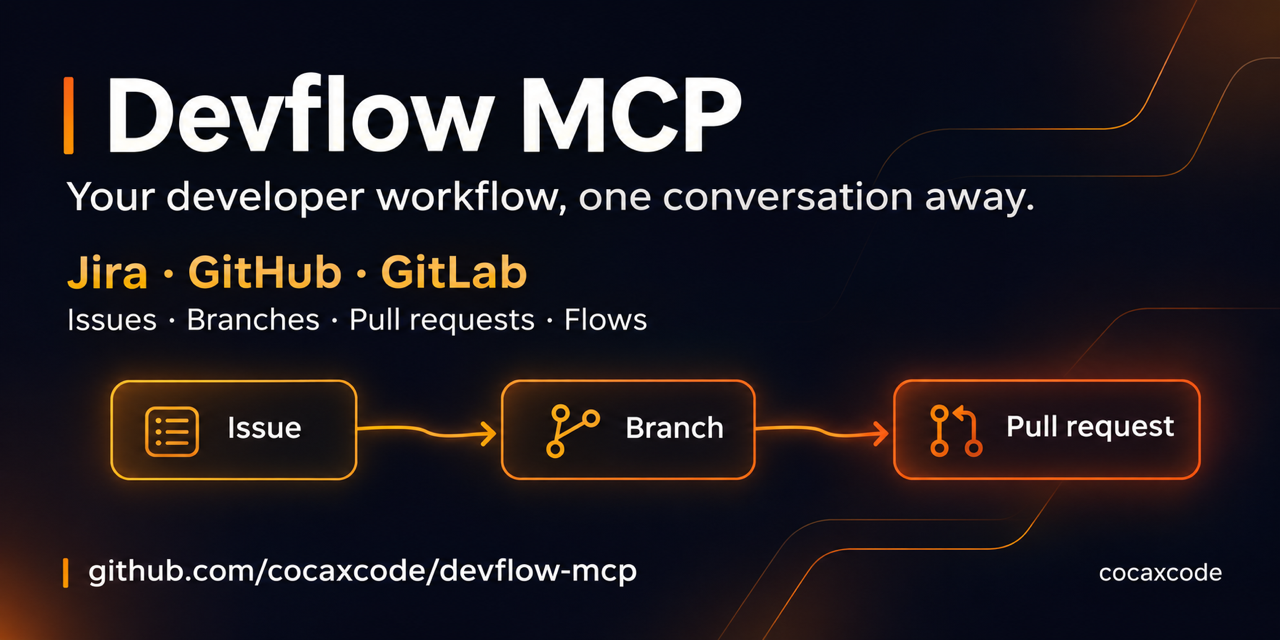
The most complete MCP server for developer workflow automation. 32 tools that connect Jira (Cloud + Server) with GitHub/GitLab (cloud + self-hosted) — so your AI assistant can manage issues, branches, PRs, and deployments without you ever opening a browser tab.
It auto-detects your Jira version and git provider, enforces configurable safety rules, and lets you define custom YAML flow playbooks for repeatable workflows. Projects are configured once and remembered — each with its own Jira instance, git provider, branch conventions, credentials, and directory scopes. The project that matches your current directory activates automatically (default), or you can switch to another for the session (active). All credentials stay local in ~/.devflow-mcp/ — nothing is synced, nothing is tracked, nothing leaves your machine.
Just Talk to It
You don't memorize tool names. You talk naturally and the assistant picks the right tools.
"Set up a project for my Jira + GitHub"
> df_project_setup with:
    name: "my-backend"
    jiraUrl: "https://myteam.atlassian.net"
    jiraEmail: "dev@myteam.com"
    jiraToken: "ATATT3x..."
    jiraProjectKey: "PROJ"
    gitToken: "ghp_..."

Auto-detects:
  - Jira Cloud (API v3)
  - GitHub (org/my-backend)
  - Base branch: main
  - Scope: C:/repos/my-backend (your CWD, auto-added)
"List my projects"
Projects:
  my-backend    [default] [active]   scopes: C:/repos/my-backend
  my-frontend                        scopes: C:/repos/my-frontend
"Switch to my-frontend for this session"
Active project switched to: my-frontend (session only)
Default remains: my-backend (based on your current directory)
"Let's work on PROJ-123"
> Reading PROJ-123...
  Title: Add OAuth login
  Status: To Do | Priority: High

> Branch feat/PROJ-123 not found. Creating...
  branch: feat/PROJ-123-add-oauth-login
  base: main
  Confirm? (confirm: true to execute)

> Moved PROJ-123 → In Progress
> Assigned to you
"Show me my tasks for the ACME project"
ACME-45  Fix OAuth login             In Progress  High
ACME-52  Dashboard refactor          To Do        Medium
ACME-61  Update dependencies         To Do        Low
"Push my changes"
Preview:
  branch: feat/PROJ-123-add-oauth-login
  pending commits:
    - a1b2c3d feat: add login component
    - d4e5f6g feat: add auth service

Confirm? (confirm: true to execute)
"Merge main into my current branch"
Conflict detected:
  - src/auth/login.ts
  - src/config/routes.ts

Resolve the files and commit to complete the merge.
"Create a PR titled 'feat: add OAuth login'"
PR created:
  url: https://github.com/org/repo/pull/42
  title: feat: add OAuth login
  provider: github
"Comment on PROJ-123 that the PR is ready for review"
Preview:
  issue: PROJ-123
  comment: "PR ready for review: https://github.com/org/repo/pull/42"

Confirm? (confirm: true to publish)
"Create a fix branch for PROJ-456 with description fix-oauth-redirect"
Preview:
  branch: fix/PROJ-456-fix-oauth-redirect
  base: main
  actions: checkout main → pull → create branch

Confirm? (confirm: true to execute)
Installation
The server requires Node.js 20.0.0 or later at runtime. Developing and running the test suite requires Node.js 20.19+ within 20.x, 22.12+ within 22.x, or 24+: the Vite and Vitest versions used by the development toolchain do not support Node 21 or 23. These development requirements are separate from the server runtime requirement.
Claude Code (recommended)
# Global — available across all your projects
claude mcp add --scope user devflow -- npx -y @cocaxcode/devflow-mcp@latest

# Per-project
claude mcp add devflow -- npx -y @cocaxcode/devflow-mcp@latest
Claude Desktop
{
  "mcpServers": {
    "devflow": {
      "command": "npx",
      "args": ["-y", "@cocaxcode/devflow-mcp@latest"]
    }
  }
}
{
  "mcpServers": {
    "devflow": {
      "command": "npx",
      "args": ["-y", "@cocaxcode/devflow-mcp@latest"]
    }
  }
}
Cursor / Windsurf
// .cursor/mcp.json or .windsurf/mcp.json
{
  "mcpServers": {
    "devflow": {
      "command": "npx",
      "args": ["-y", "@cocaxcode/devflow-mcp@latest"]
    }
  }
}
VS Code / Codex / Gemini CLI
{
  "mcpServers": {
    "devflow": {
      "command": "npx",
      "args": ["-y", "@cocaxcode/devflow-mcp@latest"]
    }
  }
}
Project Scopes
Each project has paths (scopes) — the directories that belong to it. A directory can only be the scope of one project.
This gives you two concepts:
-
Default project: The project whose scope matches your current working directory. This is automatic and persistent — if you are inside C:/repos/my-backend and that directory is a scope of my-backend, then my-backend is the default. No action needed.
-
Active project: The project you are currently working with. By default it equals the default project, but you can switch it manually with df_project_switch for the current session. The selection lives in memory for that server instance: other clients do not change it, and restarting resets it to the default.
df_project_list shows both the default and active indicators so you always know where you stand.
Practical example
"Set up a project called my-backend"
  → CWD (C:/repos/my-backend) is auto-added as scope

"Set up another called my-frontend"
  → Run from C:/repos/my-frontend, that directory becomes its scope

"List projects"
  → my-backend   [default] [active]    scopes: C:/repos/my-backend
     my-frontend                        scopes: C:/repos/my-frontend

"Switch to my-frontend"
  → Session switches. Now my-frontend is active for checking issues, etc.

"List projects"
  → my-backend   [default]             scopes: C:/repos/my-backend
     my-frontend  [active]              scopes: C:/repos/my-frontend

Close and reopen → my-backend is active again (matches CWD = default)
This means you can work across multiple projects with different Jira instances and git providers — the right credentials are always selected based on where you are, and you can always override for the session when needed.
Tools
32 tools organized in 5 categories.
Projects (5)
| Tool |
Description |
df_project_setup |
Configure a new project (Jira + Git, auto-detects everything) |
df_project_update |
Modify project configuration |
df_project_list |
List all configured projects (shows default + active) |
df_project_switch |
Switch the active project for the current session |
df_project_delete |
Delete a project |
df_project_setup with:
  name: "my-project"
  jiraUrl: "https://myteam.atlassian.net"
  jiraEmail: "dev@myteam.com"
  jiraToken: "ATATT3x..."
  jiraProjectKey: "PROJ"
  gitToken: "ghp_..."

Auto-detects:
  - Jira Cloud (API v3)
  - GitHub (org/my-project)
  - Base branch: main
  - Scope: your CWD (auto-added)
Jira (6)
| Tool |
Description |
Confirmation |
df_issues |
List my assigned issues (filters by project) |
-- |
df_issue |
Full issue detail |
-- |
df_statuses |
Available transitions for an issue |
-- |
df_transition |
Move issue to another status |
Yes |
df_assign |
Assign issue to current user |
-- |
df_comment |
Comment on an issue |
Yes |
Git (7)
| Tool |
Description |
Confirmation |
df_branch |
Create branch (feat/ or fix/) from base |
Yes |
df_find_branch |
Search branch by issue key |
-- |
df_checkout |
Switch branch (with safety guard) |
-- |
df_pull |
Pull current branch from remote |
-- |
df_push |
Push current branch to remote |
Yes |
df_merge |
Merge a branch into the current one |
Yes |
df_pr |
Create PR (GitHub) or MR (GitLab) |
-- |
Important: df_branch, df_checkout, and df_push verify the working directory before executing. They block if there are uncommitted files or unpushed commits, listing exactly what needs attention. This prevents accidental work loss.
Flows (5)
| Tool |
Description |
df_flow_create |
Create a custom flow |
df_flow_list |
List all flows |
df_flow_get |
View flow details |
df_flow_update |
Modify an existing flow |
df_flow_delete |
Delete a flow (protects start-task) |
Rules (9)
| Tool |
Description |
Level |
df_rule_create |
Create a global rule |
Global |
df_rule_list |
List all rules |
Global |
df_rule_get |
View rule details |
Global |
df_rule_update |
Modify a rule |
Global |
df_rule_toggle |
Enable/disable a rule |
Global |
df_rule_delete |
Delete a rule |
Global |
df_rule_project_override |
Enable/disable a global rule for a project |
Project |
df_rule_project_add |
Create a project-only rule |
Project |
df_rule_project_remove |
Remove a project rule or override |
Project |
Flows
Flows are YAML playbooks that define step sequences. They don't run automatically -- you tell the assistant when to use them.
Default: start-task
Triggered when you say something like "let's work on PROJ-123":
name: start-task
trigger: "when the user says 'let's work on', 'start task', 'new task' + issue ID"
steps:
  - tool: df_issue
    note: "Read issue detail and summarize the task"
  - tool: df_find_branch
    note: "Check if a branch already exists for this issue"
  - tool: df_branch
    confirm: true
    note: "Only if no existing branch was found"
  - tool: df_statuses
    note: "Get transitions to find the 'In Progress' transition ID"
  - tool: df_transition
    target: "In Progress"
    confirm: true
  - tool: df_assign
    note: "Assign the issue if it has no assignee"
Custom flows
Create your own by asking naturally:
"Create a flow called 'finish-task' that pushes, creates a PR, and comments on Jira"
name: finish-task
trigger: "when the user says 'finish task', 'wrap up' + issue ID"
steps:
  - tool: df_push
    confirm: true
    note: "Push pending commits"
  - tool: df_pr
    note: "Create PR/MR to base branch"
  - tool: df_comment
    confirm: true
    note: "Comment on the issue with the PR link"
The start-task flow can be modified but not deleted. Use df_flow_update to change any flow's steps, trigger, or name.
Rules
Rules are configurable guards that block or warn about actions. Two levels: global and per-project.
Default rules
| Rule |
Scope |
Action |
What it does |
no-merge-to-base |
git |
block |
Prevent direct push/merge to main/master |
no-merge-from-dev |
git |
block |
Prevent merging dev/develop/int branches out |
no-close-issues |
jira |
block |
Prevent closing issues (Done, Closed, Resolved...) |
only-own-issues |
jira |
block |
Prevent modifying issues assigned to others |
Project overrides
Each project can override global rules or define its own:
# Disable a global rule for one project
df_rule_project_override: name="no-close-issues", enabled=false

# Add a project-only rule
df_rule_project_add: name="no-push-friday", scope="git", action="warn"

# Remove an override or project rule
df_rule_project_remove: name="no-close-issues"
Custom rules
df_rule_create:
  name: "no-push-friday"
  description: "Warn when pushing on Fridays"
  scope: "git"       # git | jira | all
  action: "warn"     # block | warn
Note: Rule resolution order: Global rules load first, then project overrides are applied (project wins), then project-specific rules are added. Rules are filtered by scope and enabled state before evaluation.
Storage
Everything lives in ~/.devflow-mcp/ — your home directory, never inside any git repository. Jira tokens, GitHub PATs, GitLab tokens — all stored locally with 600 permissions (owner-only read/write). Nothing gets committed, nothing gets pushed, nothing leaves your machine.
~/.devflow-mcp/
├── projects/              # Project configs (.json) — credentials included
│   ├── my-project.json    # Jira URL, token, GitHub PAT, branch rules, scopes
│   └── other-project.json
├── flows/                 # Flow definitions (.yaml)
│   └── start-task.yaml
├── rules/                 # Global rules (.json)
│   ├── no-merge-to-base.json
│   ├── no-merge-from-dev.json
│   ├── no-close-issues.json
│   └── only-own-issues.json
└── config.json            # Server configuration
Project resolution works automatically: devflow-mcp matches your current working directory against each project's paths (scopes). The matching project becomes the default. You can override it for the session with df_project_switch, which sets the active project. On restart, the active project resets to whatever the default is for your CWD. If no match is found and no active project is set, it prompts you to configure with df_project_setup.
Compatibility
Jira
| Type |
API |
Authentication |
| Jira Cloud |
REST API v3 |
Email + API Token (Basic) |
| Jira Server / Data Center |
REST API v2 |
Personal Access Token (Bearer) |
Auto-detection via /rest/api/2/serverInfo -- no manual configuration needed.
Git providers
| Provider |
API |
| GitHub (cloud) |
REST API v3 |
| GitHub Enterprise |
REST API v3 (custom URL) |
| GitLab (cloud) |
REST API v4 |
| GitLab self-hosted |
REST API v4 (custom URL) |
Auto-detection by parsing the repository's remote URL.
Architecture









