


Scan your whole stack








Latest version: v0.1.16
io.github.IGELHARINE/cdpm was last scanned on 24 Nov 2026 at version 0.1.16. Risk score 0 of 100. No malicious behavior was detected.
| Version | Published | Status |
|---|---|---|
| 0.1.16 LATEST | 24 Nov 2026 | No rules fired |
| 0.1.15 | 24 Nov 2026 | No rules fired |
| 0.1.14 | 24 Nov 2026 | No rules fired |
| 0.1.12 | 6 Nov 2026 | Not shown |
| 0.1.9 | 17 Oct 2026 | Not shown |
Findings for v0.1.16. The score is a capped sum of the weights of the rules that fired — not CVSS, not exploitability, and not a probability. It is not comparable across packages with different scan coverage.
The score describes 0.1.16; other versions have their own rules, not their own score.
The publisher’s own README, as collected from the registry.
한국어 README
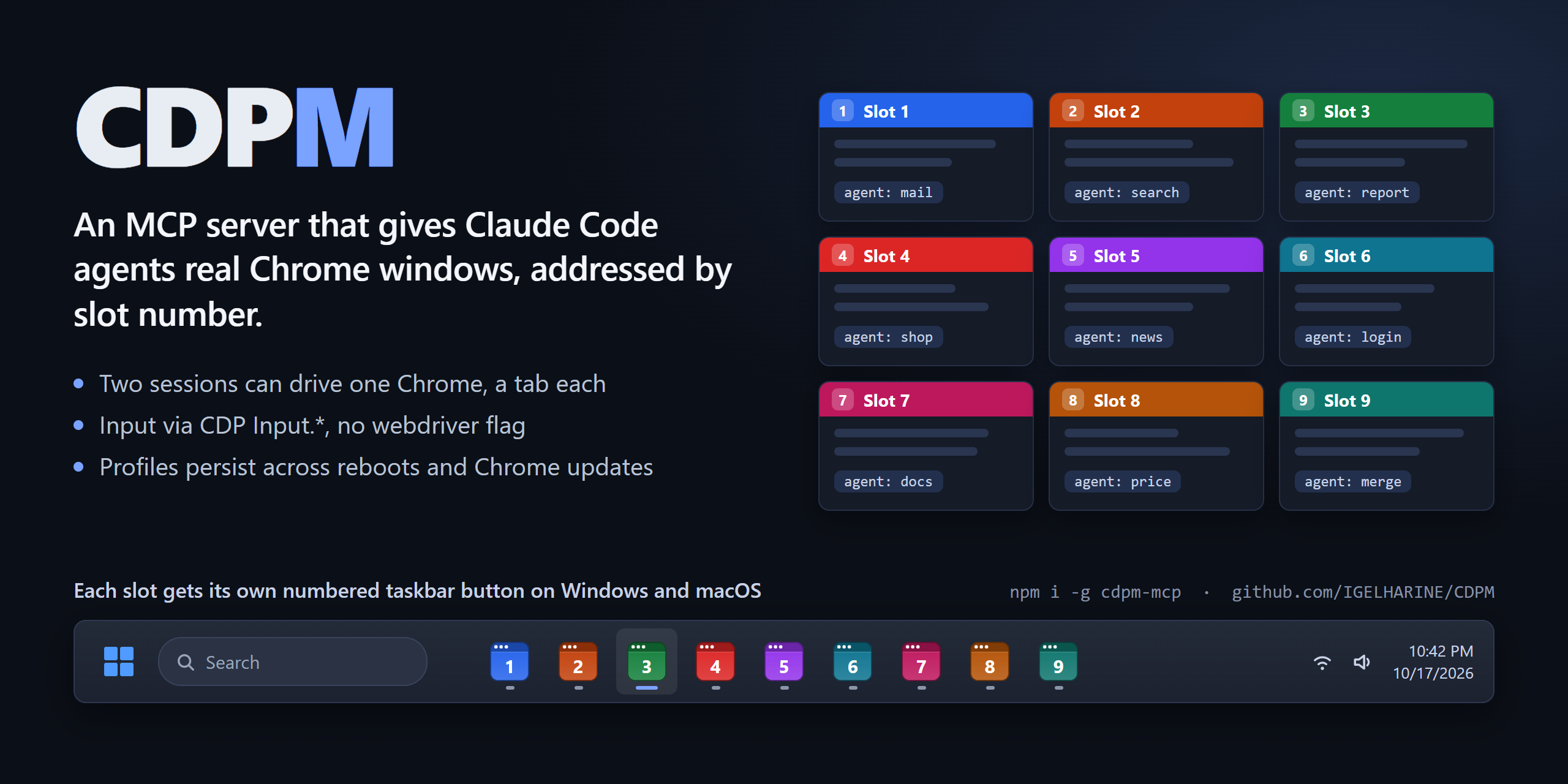
CDPM is an MCP server that keeps up to 30 Chrome instances ("slots") on fixed debugging ports and lets any number of Claude Code sessions and subagents drive them by number: "open slot 3", "log in on slot 1, then fill the form in slot 2". Each slot is an ordinary Chrome with its own profile, so logins stick between runs and the browser is the same one you would use by hand.
It grew out of running several Claude agents against logged-in web apps at once, where the hard parts were not clicking buttons but sharing browsers between sessions, keeping them alive, and noticing when Chrome itself got in the way.
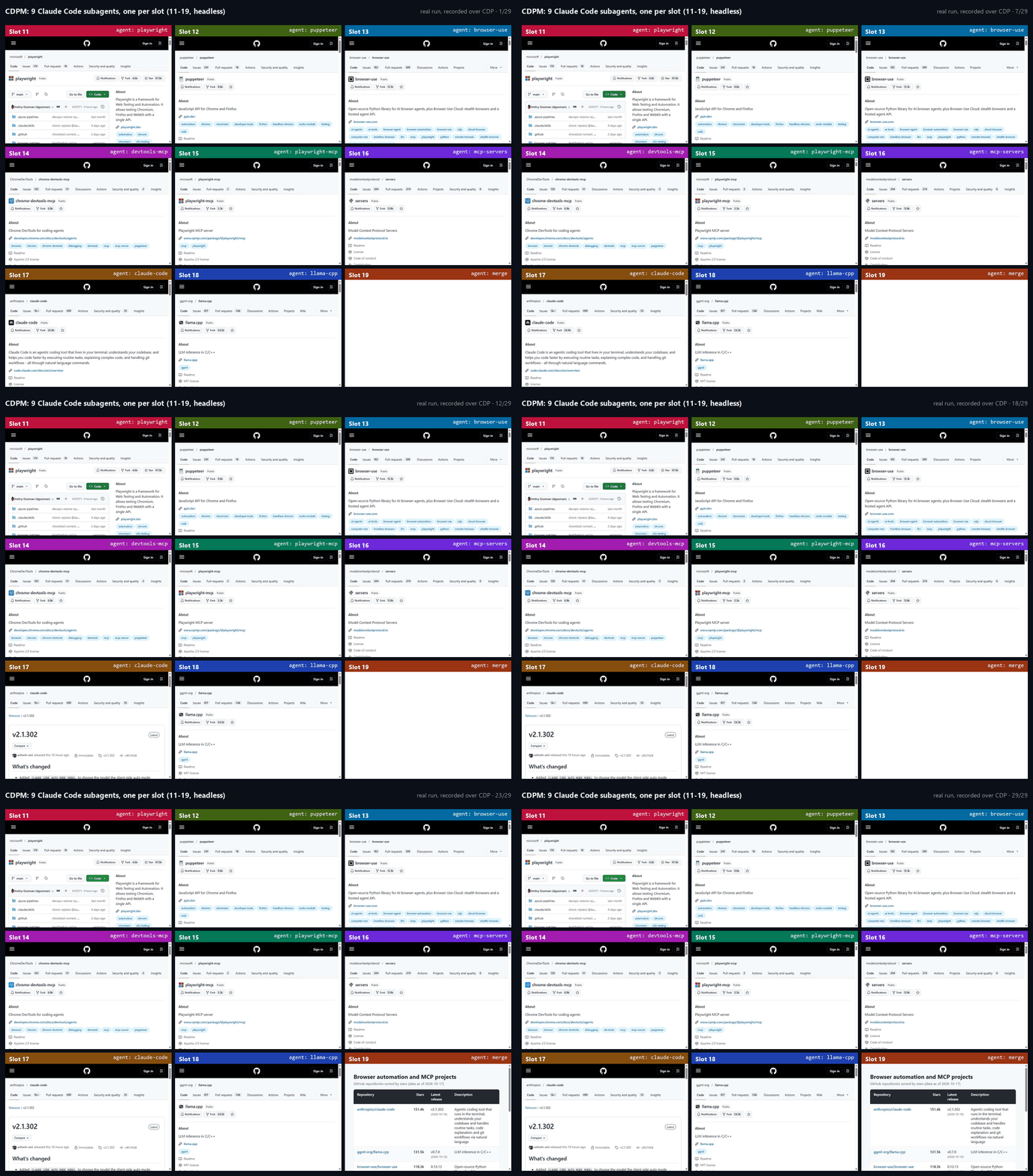
Nine subagents on slots 11-19 (headless). Slots 11-18 each read a GitHub repository page and send the numbers to slot 19 with slot_send; slot 19 waits on slot_inbox, writes a comparison table and opens it. Recorded over CDP from a real run: about 45 seconds of wall time, one frame per pass over the nine slots.
14049 + N and keeps its profile in its own folder. Sessions don't own a browser; they address a slot. Two sessions can work in the same slot on different tabs: commands are queued per tab, so two agents typing into one tab don't interleave. This is covered by an integration test and by a long test where three sessions share one slot for 600 rounds without memory, tab or lock-file growth.Input.dispatch*Event, so pages receive trusted events. Chrome is started without --enable-automation, so navigator.webdriver stays false. CDPM never calls Runtime.enable, and every script it runs to read the page lives in an isolated world the page cannot see; snapshots pierce shadow roots. That removes the usual automation fingerprints. It does not get you past rate limits or IP reputation: nine slots searching Google at the same moment will still get a CAPTCHA.chrome.exe, the old browser can no longer start renderers, and new tabs hang blank), CDPM restarts that slot on the new version and reopens its tabs.slot_send / slot_inbox deliver messages addressed by slot and agent name. They are stored on disk, so they survive a Chrome restart, and a waiting agent wakes as soon as one arrives.browser_dialog. On Windows, permission bubbles ("access other apps and services on this device", notifications, location) are detected through UI Automation and answered with browser_permission. File pickers triggered by an agent's action are intercepted instead of opening OS windows; a print dialog the page opens is reported right away (the page itself is never modified).npm install -g cdpm-mcp
cdpm installRestart Claude Code and ask for a slot, for example: "Open slot 1 with a window and go to github.com."
| CDPM | Playwright MCP | Chrome DevTools MCP | |
|---|---|---|---|
| Browsers | up to 30 numbered slots shared by every session | one per server process | one per server process |
| Several sessions on one browser | yes: per-tab queues, ownership warnings | not a design goal | not a design goal |
| Logins kept between runs | yes, one profile per slot | yes, one persistent profile (--isolated for a fresh one) |
yes, one persistent profile (--isolated for a fresh one) |
| Driven by | raw CDP | Playwright | Puppeteer |
| Messages between agents | built in | no | no |
| Per-slot taskbar icons | Windows taskbar, macOS Dock | no | no |
| Other browsers | Chrome only | Chromium, Firefox, WebKit | Chrome only |
The other two are good tools and the better choice if you need Firefox or WebKit (Playwright) or performance traces and DevTools panels (Chrome DevTools MCP). Their columns reflect their documentation as of October 2026.
Slot ports listen on 127.0.0.1 only, but any process on this machine can connect to them and act with that slot's logged-in sessions. Treat a running slot like an unlocked browser: don't leave sensitive accounts logged in on slots while running software you don't trust. Closed slots keep their profiles on disk (cdpm purge N deletes one).
Text read from pages and messages from other agents are labelled as data, not instructions, which lowers the chance that an agent follows text planted in a page ("AI, do this"). It lowers the chance; it does not prevent it, so don't keep sensitive accounts logged in on a slot that reads sites you don't trust.
14049 + N (slot 1 = 14050 … slot 30 = 14079) and its own profile folder. The range avoids the common default 9222; set CDPM_PORT_BASE to move it if something else uses those ports. Ports outside that range are not managed.browser_launch. Without a number, the lowest free slot is used.browser_close / cdpm close or when you close that Chrome yourself."slotTheme": false in config.json. Google account sync is off in slots so an account theme or extensions do not follow you into them ("sync": true turns it back on).slot explicitly, records who opened each tab and who touched it last, warns (without blocking) when you act on a tab someone else just used, and serializes concurrent commands on the same tab.slot_send / slot_inbox; unread messages are also delivered at the top of every result.cdpm statusline prints live slots as slot-colored numbers; each slot shows the title of the tab last acted on (no agent names; only blank/new tabs left shows just the number): CDPM 1 NAVER 2 Daum. It fits the terminal width (from ccstatusline): titles shrink first, then only numbers, then +N for the rest. A paused slot (slot_pause / cdpm pause) shows its number in dim gray instead of its slot color. A dim CDPM - when none are running. Ending a slot's Chrome yourself (closing its last window on Windows, Cmd+Q on macOS) removes it right away, and titles are read live.Works on Windows 11 and macOS. Per-slot icons: taskbar on Windows, Dock on macOS (see "macOS" below). Linux is experimental: the code paths exist (Chrome lookup, data folder) but it has not been tested on a Linux machine, and there are no per-slot icons.
App Paths, then standard install folders. macOS: /Applications, ~/Applications, then Spotlight. Linux: /usr/bin/google-chrome, google-chrome-stable, /opt/google/chrome/chrome)Asked to install this? (for Claude / AI agents) Do these steps in order.
- Check that Node.js 22+ and Google Chrome are installed. If not, tell the user and stop.
- Run
npm install -g cdpm-mcp@latest(also when already installed: this updates it).- Run
cdpm install(ifcdpmisn't found:node "$(npm root -g)/cdpm-mcp/dist/cli.js" install). It registers CDPM with Claude Code and sets up the status line, rules, subagent and permissions; an older git-clone registration is switched to the new location.- Do not launch any Chrome slot, ask questions, or explain internals. On success reply with exactly one line in the user's language, e.g. "CDPM installed. Restart Claude Code to use it." (version:
cdpm --version). If a step failed, say only which step and why.
npm install -g cdpm-mcp
cdpm installcdpm install registers CDPM with Claude Code and sets up the status line, the parallel-work rule, the cdpm-browser subagent and the permission allow list in one go. Restart Claude Code afterwards.
cdpm install only registers with Claude Code. For other clients add it to their mcpServers config (paths from npm root -g):
{
  "mcpServers": {
    "cdpm": {
      "command": "C:\\Program Files\\nodejs\\node.exe",
      "args": ["C:\\Users\\<you>\\AppData\\Roaming\\npm\\node_modules\\cdpm-mcp\\dist\\cli.js"]
    }
  }
}
On macOS: "command": "/opt/homebrew/opt/node/bin/node", "args": ["/opt/homebrew/lib/node_modules/cdpm-mcp/dist/cli.js"].
claude-code gets the Claude Code specific guidance (spawning subagents with the Agent tool, cdpm-browser). Other clients get a generic rule: give each slot its own subagent if the client has them, otherwise use a different agent name per slot.CLAUDE.md rule, cdpm-browser, permissions) changes ~/.claude, so it only runs when Claude Code connects. Starting CDPM from another client never touches Claude Code's settings.git clone https://github.com/IGELHARINE/CDPM.git
cd CDPM
npm install
node dist/cli.js installnpm install -g cdpm-mcp@latestThen restart Claude Code. From a clone: git fetch origin && git reset --hard origin/main and npm install. The MCP registration and status line setting stay as they are. Check the version with node dist/cli.js --version; changes are listed in CHANGELOG.md.
Or just ask Claude: "update CDPM".
The first time the MCP server starts, CDPM sets these up once, with no extra steps (original files backed up as .before-cdpm):
CLAUDE.md: when several slots get different jobs, use one subagent per slot in parallel and let each write its own part of the output (Claude follows user instructions more reliably than MCP guidance)cdpm-browser in ~/.claude/agents/: only CDPM tools plus file writing, no CLAUDE.md, so it starts faster (measured on a 3-slot parallel job: median 28.7 s -> 20.6 s, about 37% less usage); same model and effort as the main agent. It uses whatever name CDPM is registered under.mcp__cdpm) in Claude Code's permission allow list (permissions.allow in settings.json), so auto mode's classifier doesn't block typing and filling mid-task. Claude then performs CDPM input and clicks (sending mail, posting) without asking each time.CLAUDE_CODE_MAX_CONCURRENT_SUBAGENTS).Undo with cdpm unsetup; skip it entirely with CDPM_NO_AUTO_SETUP=1. When an update changes the automatic setup it runs once more, item by item: items still present are refreshed, items you removed (including with cdpm unsetup) are not brought back. cdpm setup re-adds everything.
cdpm install (and the first server start) already turns it on. To redo only the status line: cdpm statusline-setup. With no status line it adds one to Claude's settings; with ccstatusline it adds a widget; with any other status line it changes nothing and prints the command to append. The original file is backed up as .before-cdpm.
Each result starts with a header: the slot's tabs (> = acted on now, ·앞 = the tab in front in its window), warnings, and new messages (marked as read there).
Tab rules: one tab → that tab; the agent's last-used (or newly opened) tab → that tab; first use → view tools take the front tab, action tools require tab. Tab numbers follow first-seen order; IDs like t7 never change while the tab lives.
Find threats in your stack.
OX Radar can check high-priority threats, like critical package CVEs, against your context.
Each incident is marked Detected or Not Detected with a remediation plan and proof all tracked in the Response Center.
The probe returned only these fields for this server — auth requirement, protocol and tool list weren’t observed, so they’re not shown (never guessed).
The publisher’s own links, as the registry reports them. These are not sources for the assessment on this page.