lazycow
Lazycow Studio from the command line, from your AI agent and from your code.
Lazycow Studio turns the photos and videos you never edited into short vertical reels and YouTube trip films. It runs on your own computer, and a person approves every post. This package connects to it in three ways:
| You want to… |
Run |
| Check this computer first (nothing is downloaded) |
npx lazycow doctor |
| Install the studio (no terminal skills needed after this line) |
npx lazycow install |
| Let Claude Code, Claude Desktop or Cursor drive it |
claude mcp add lazycow -- npx -y lazycow mcp |
| Script it from Node |
import { createClient } from "lazycow" |
Approving a reel stays a person's job in the studio. Agents and scripts can make, plan and post approved reels. They cannot approve.
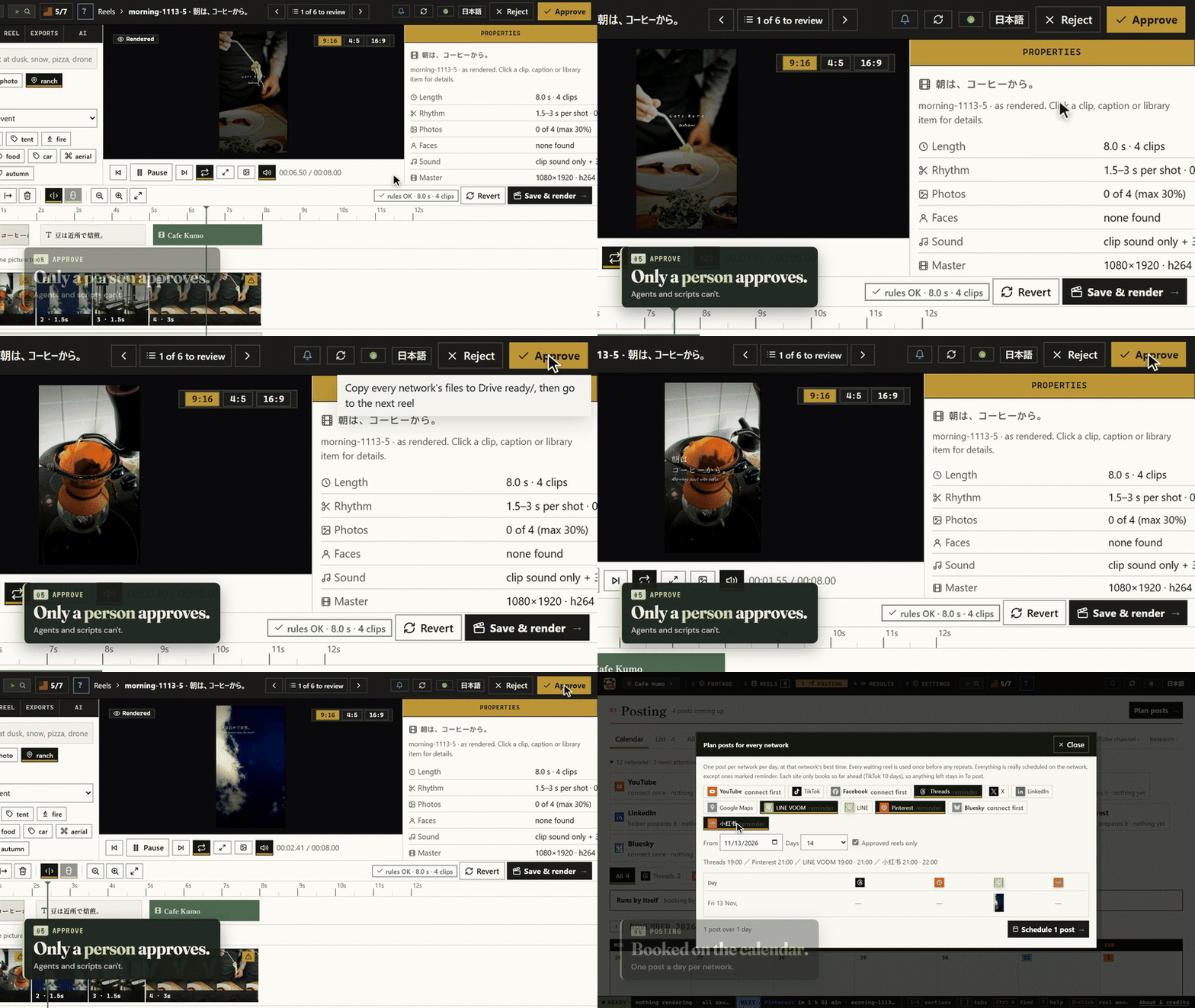
Watch the 40-second demo · See the studio's pages
How it works
The studio has three parts. A Node server (listening on 127.0.0.1:4317 only) serves the page and an HTTP API. A Python engine catalogs, tags and picks clips. Remotion and ffmpeg render the reels. Tagging and search use OpenCLIP on your own processor, so the main flow needs no key and no LLM. Cloud AI runs only when you add a key: on OpenRouter, a reviewer and suggested lines; on fal.ai, tools such as slow motion, music and voice. The writing jobs and the picture questions can run on your own model instead: any OpenAI-compatible server, local (Ollama, LM Studio, vLLM, llama.cpp) or hosted (Settings › Keys & AI › Your own AI model, or STUDIO_LLM_BASE_URL in .env). This package's MCP server calls no model itself, so your agent can use any model.
your agent ──MCP──▶ npx lazycow mcp ──HTTP──▶ studio server 127.0.0.1:4317 ──▶ Python engine (CLIP on your CPU)
                                                     │                                 │
                                         approved reels only                 Remotion + ffmpeg render
                                                     ▼                                 ▼
                                   YouTube, Facebook, Bluesky, your Chrome     data folder (catalog, renders)
Read more: architecture and diagrams, every AI and ML model, run it fully local, use your own LLM, what leaves your computer.
Filming for it: each file gives at most one 1-4 s shot per reel, so film many short takes (5-15 s). How it picks which moments to use · Filming guide · 撮影ガイド
Every page, in motion
Recorded in the author's own studio (everyone on camera agreed). Each GIF opens, scrolls and plays a page; none presses Approve, Book or Apply.
|
|
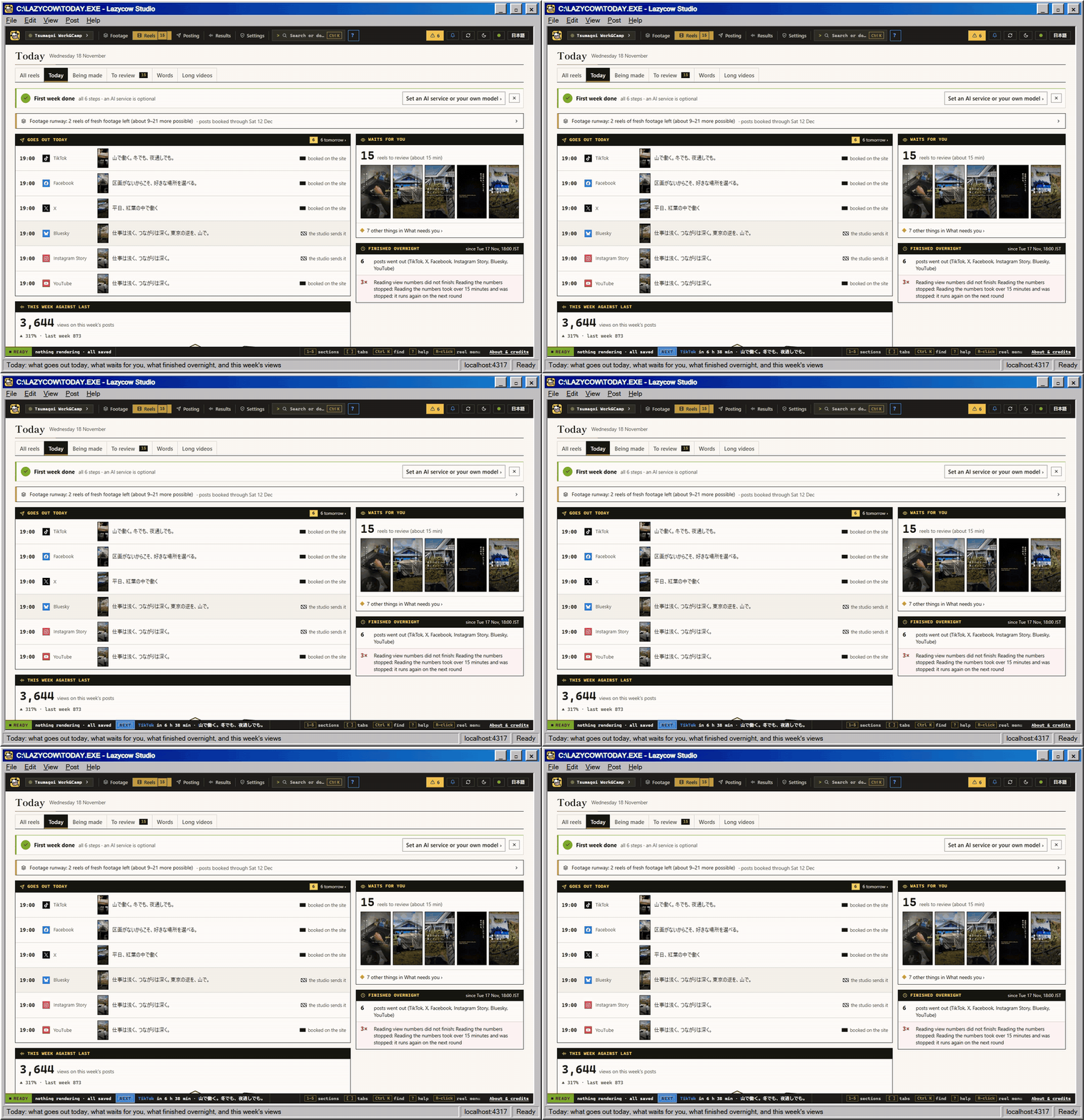 Today. What goes out today, what waits for you, what finished overnight, and this week's views. |
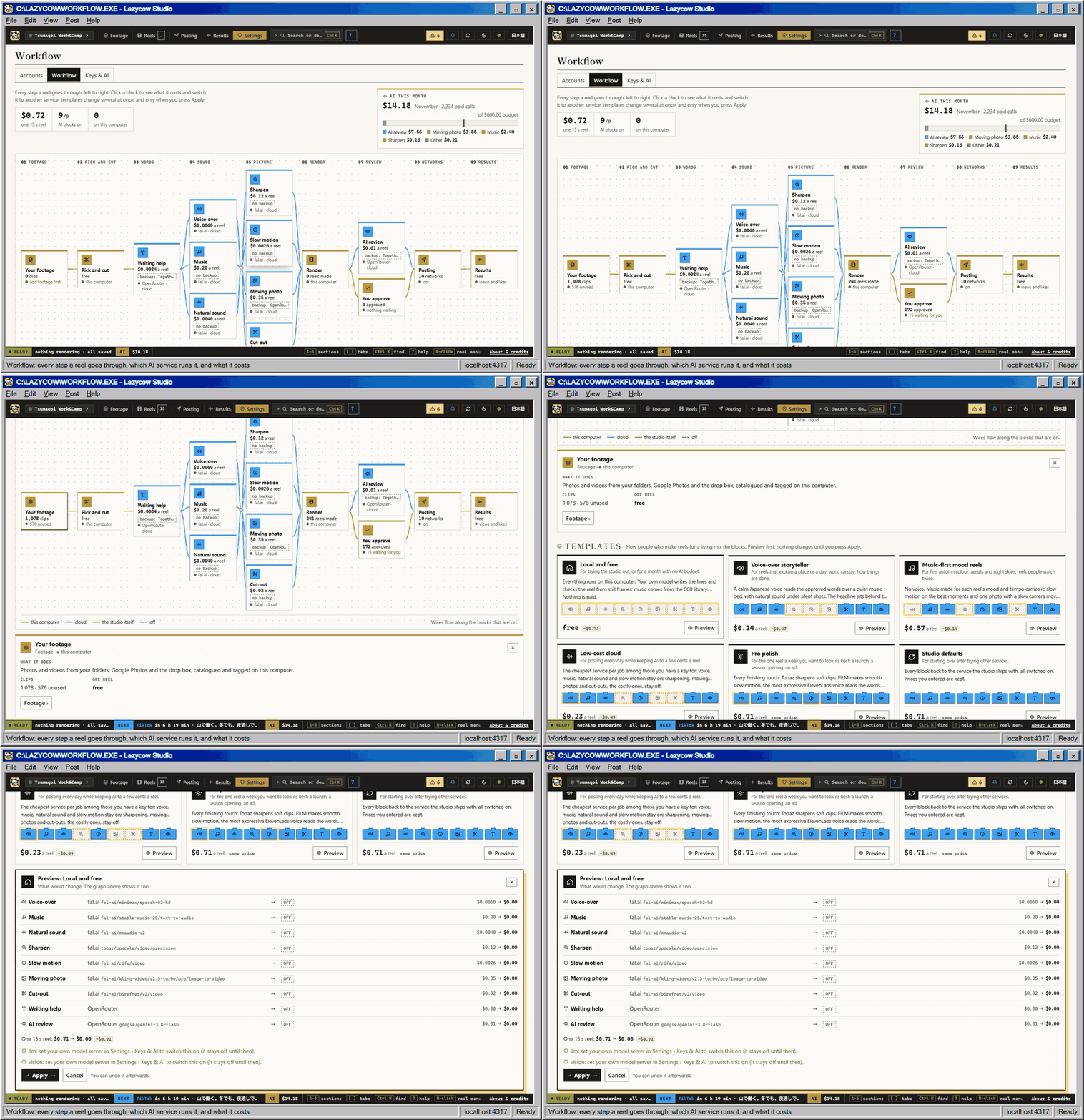 Workflow. Every step as blocks: which AI service runs it, local or cloud, the cost per reel, and templates you preview before applying. |
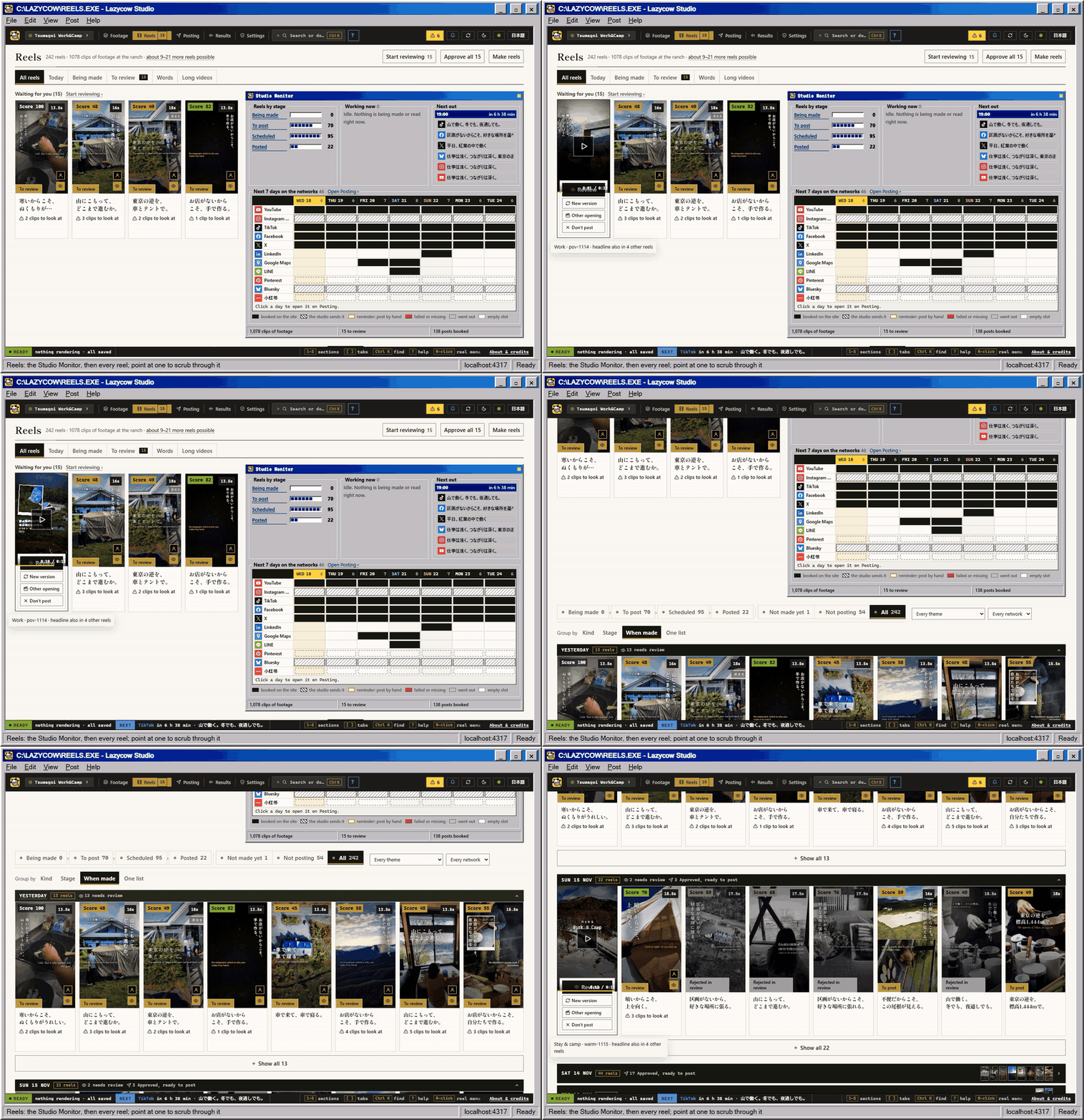 Reels. Reels by stage, the next posts, a week grid by state; point at a reel to scrub through it. |
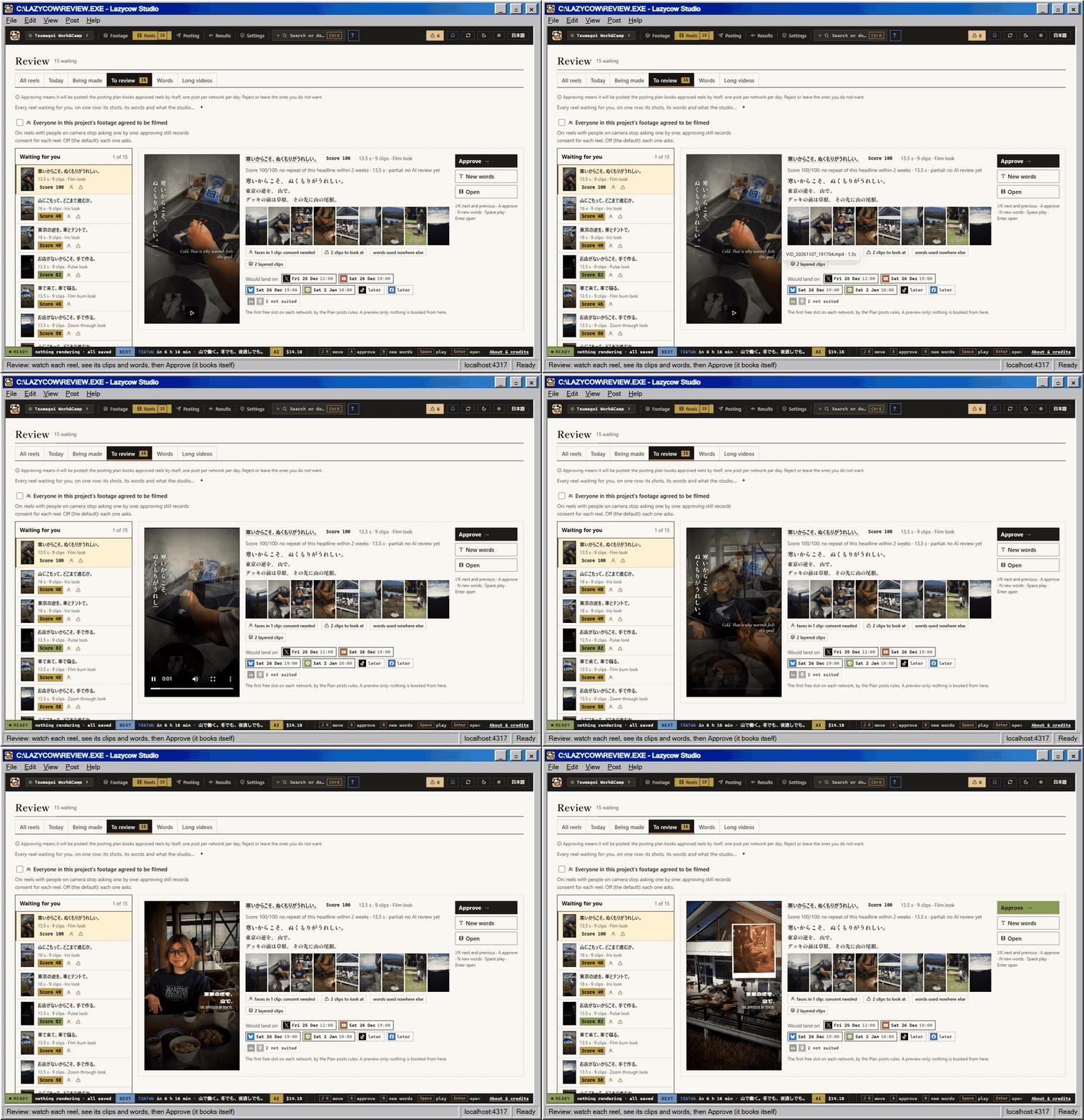 Review. Each reel beside its clips and words, and the networks Approve books it on. |
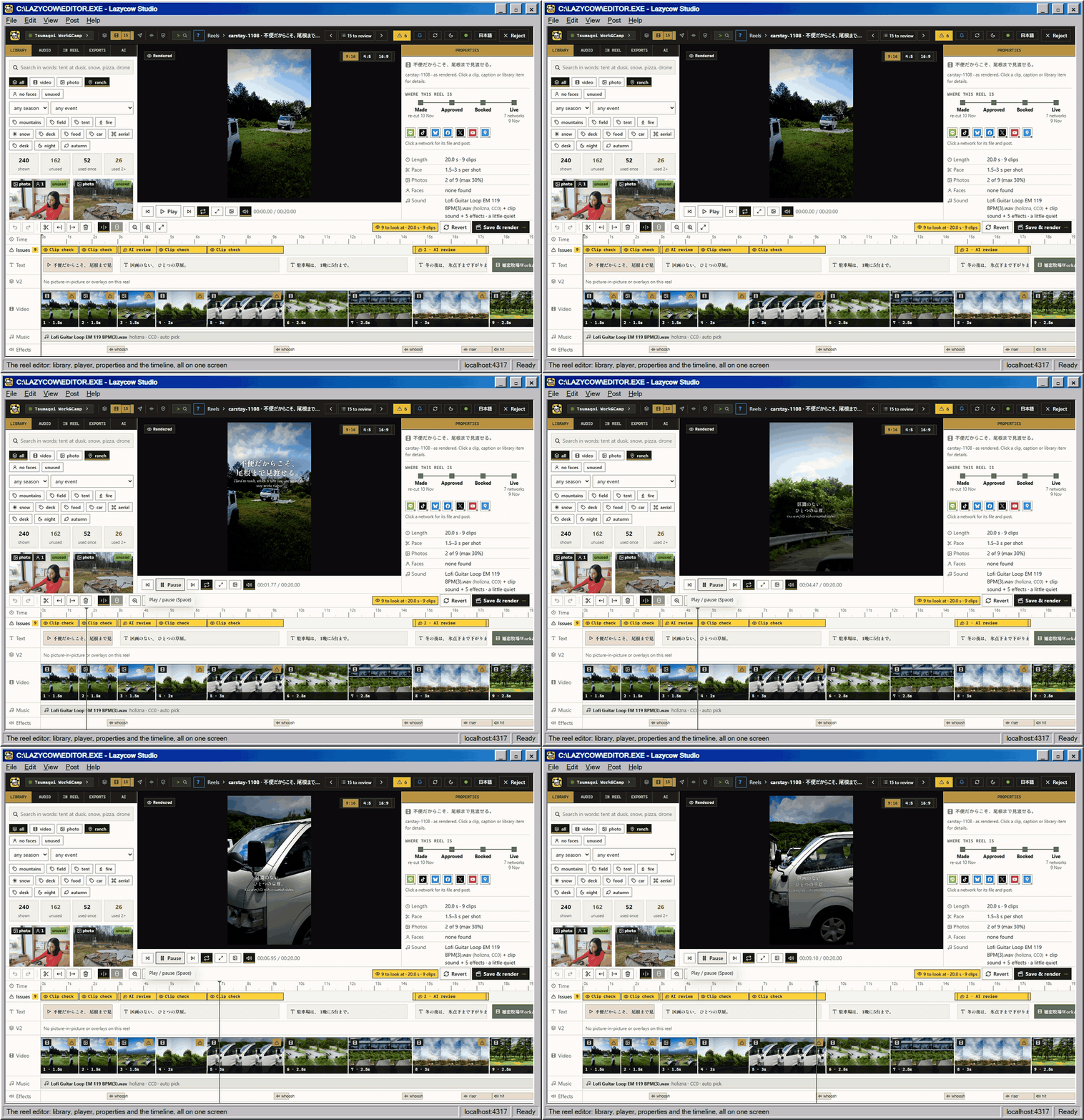 The reel editor. Library, player, properties and a timeline of words, clips, music and effects. |
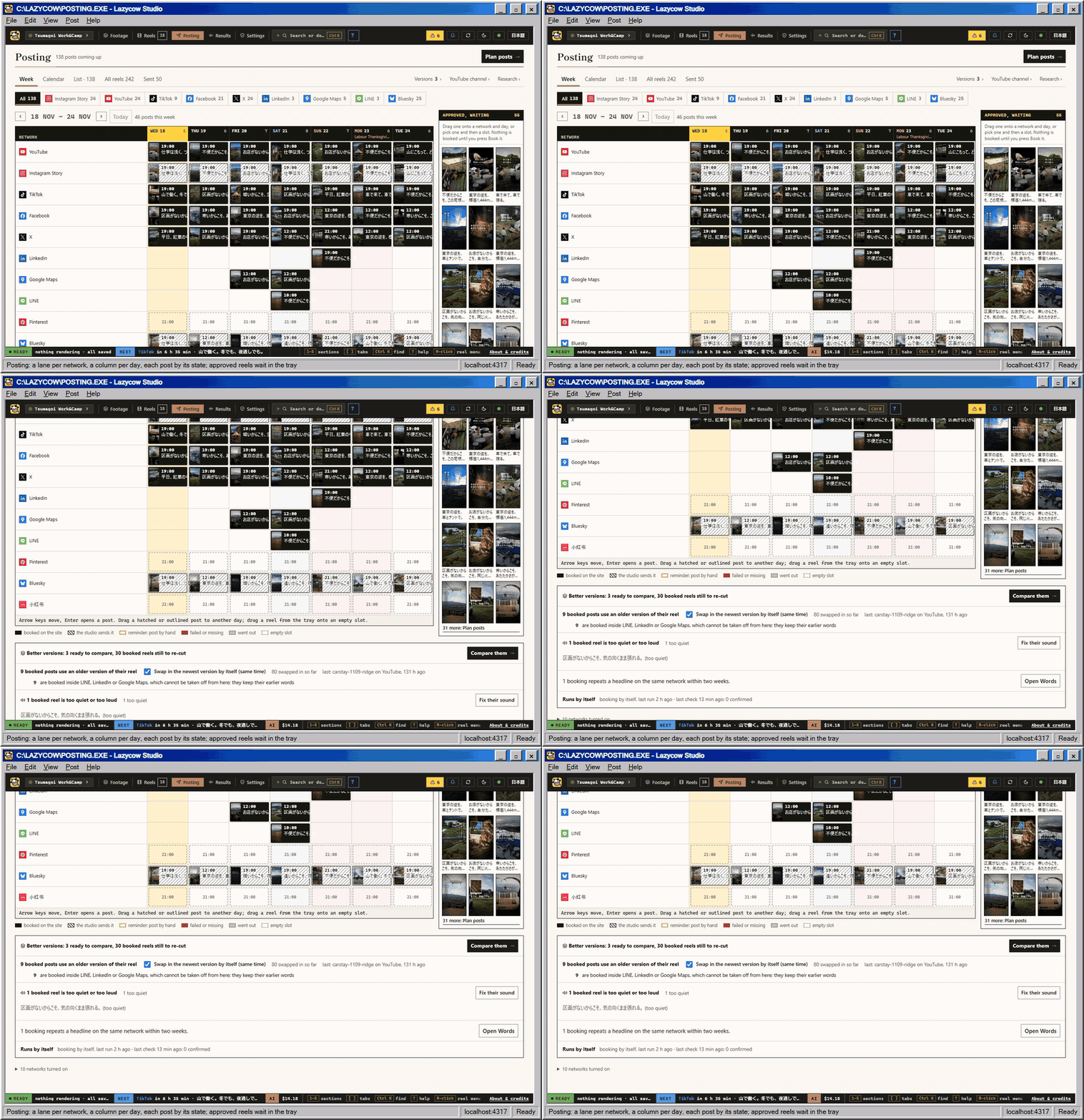 Posting. A lane per network and a column per day; drop an approved reel on a slot, then press Book it. |
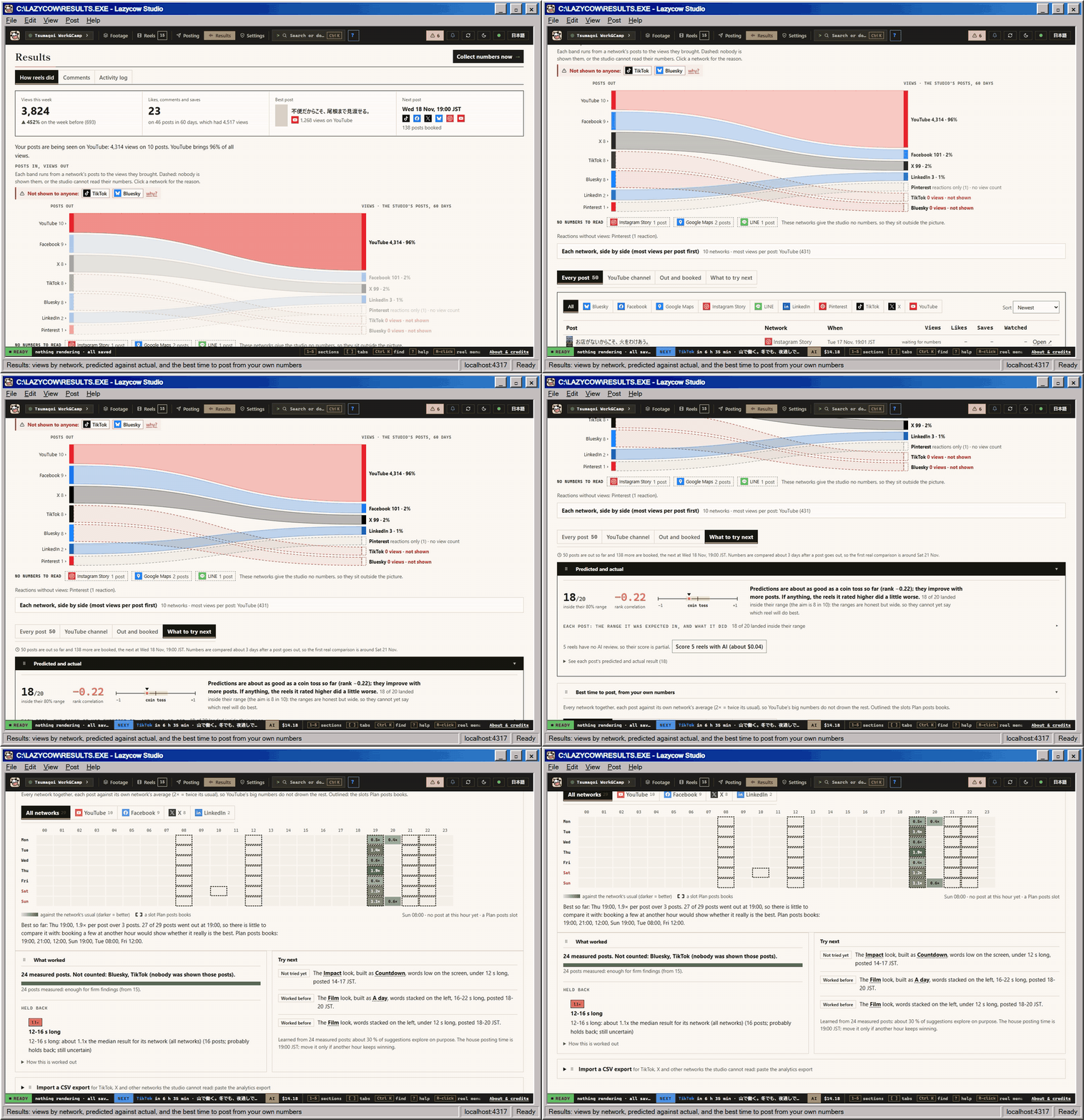 Results. Views by network, each post's predicted range against its real views, and the best time to post. |
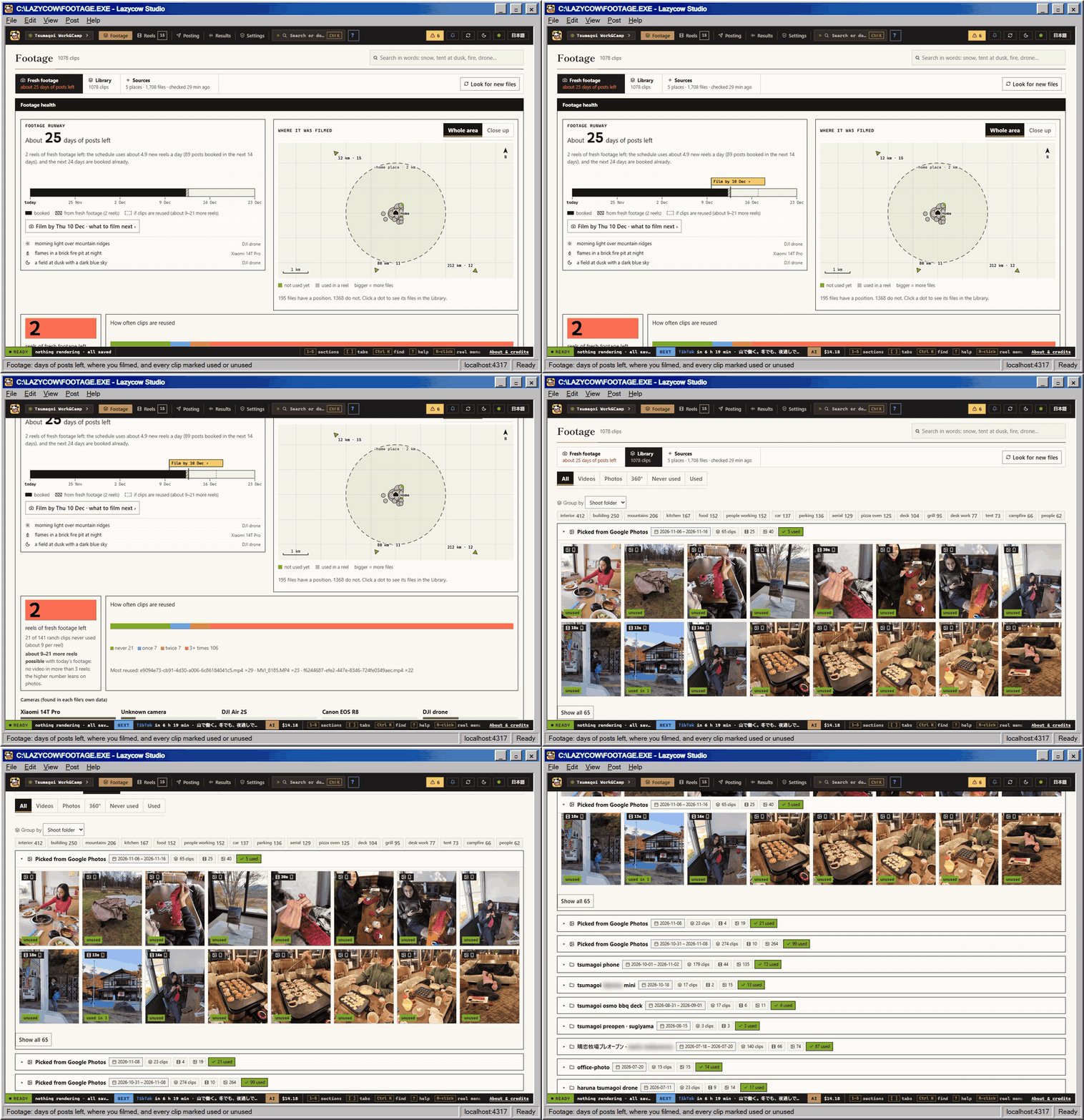 Footage. Days of posts left, a map of where you filmed, and what is still unused. |
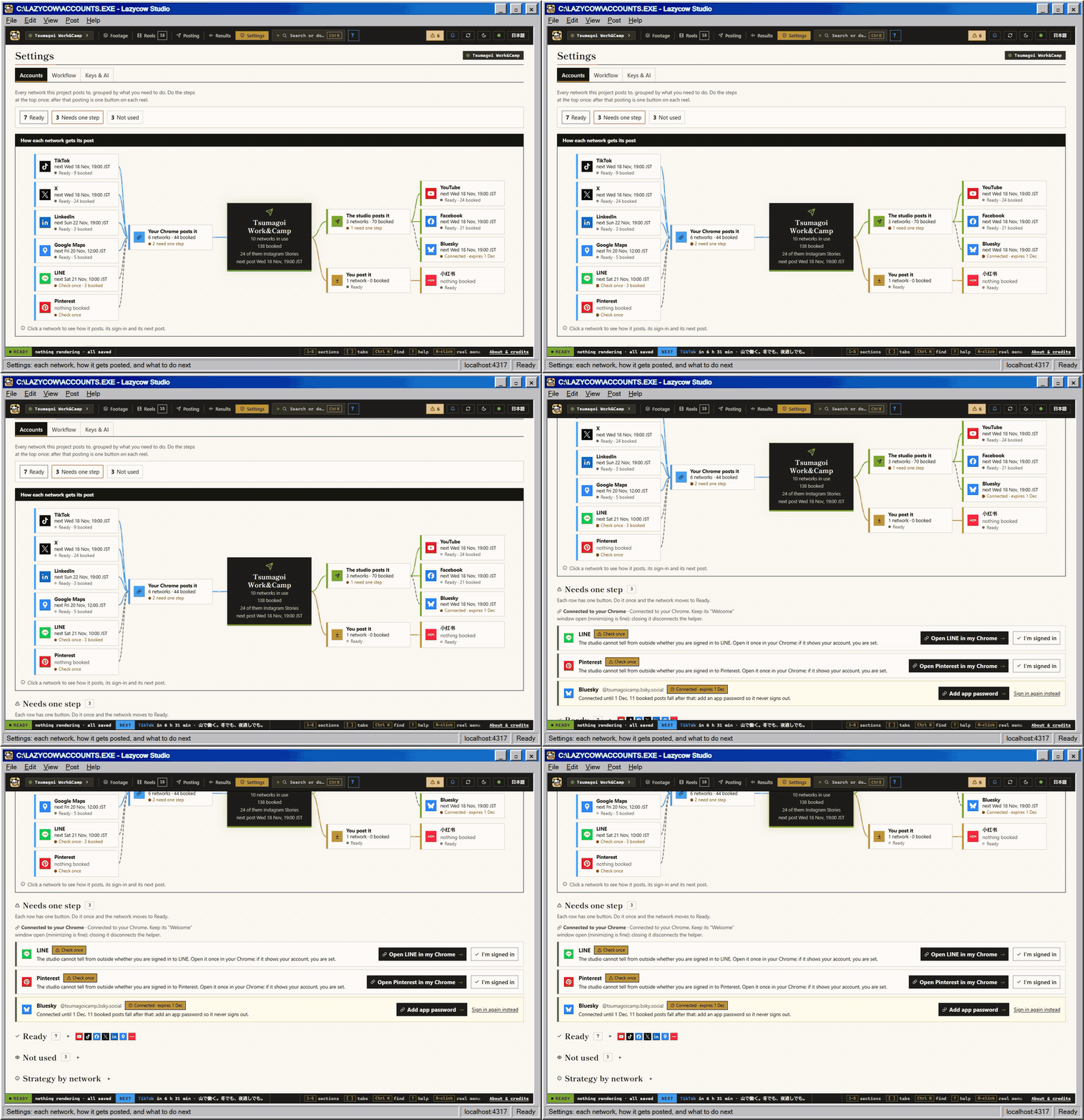 Accounts. Each network, how it gets posted, and the one step left. |
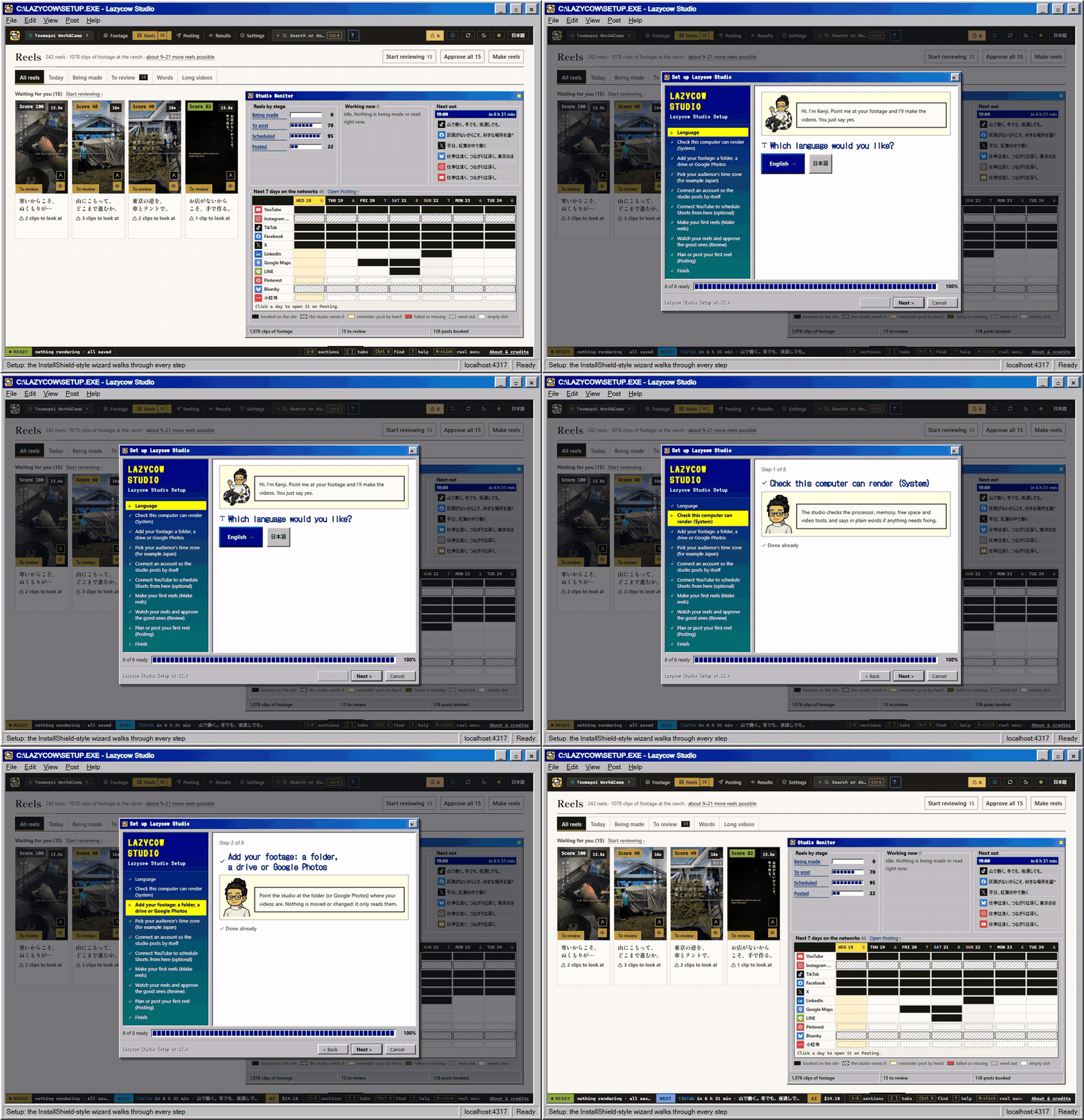 Setup. A 1998 InstallShield-style wizard, step by step. |
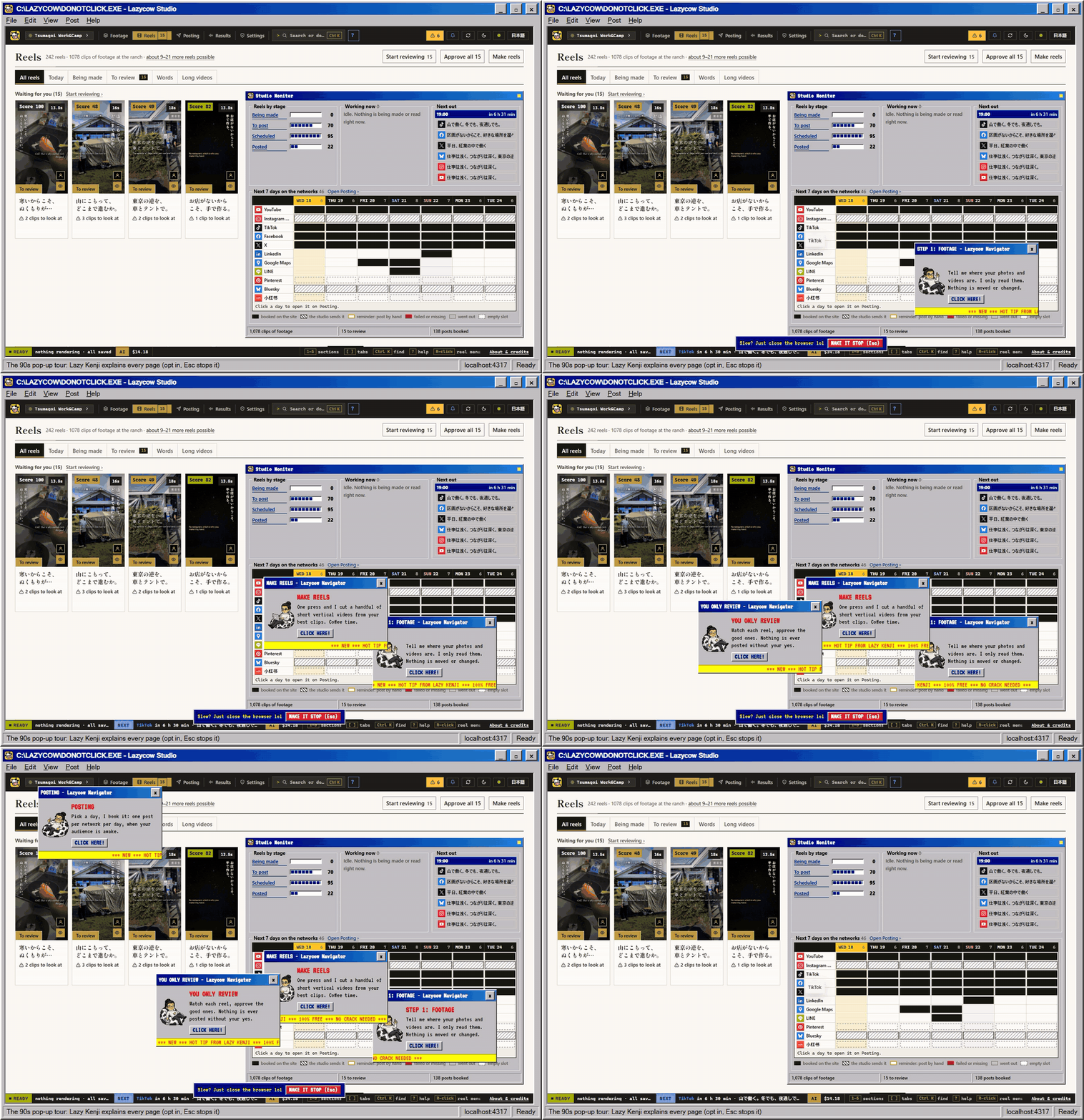 DO NOT CLICK. The opt-in 1999 pop-up tour of every page. Esc stops it. |
More in the user guide. |
Check this computer first
npx lazycow doctor
One screen, before anything is downloaded: system and processor type, threads, memory, free disk where the studio goes, graphics, any Python, Node or ffmpeg already there, whether each download site answers (5 s each, all at once), and a 3-second processor test that estimates the time per reel from the reference PC (Ryzen 9 5950X, 32 threads: a median 357 s over 364 real builds). It ends with READY, SLOW or BLOCKED, the reason and the fix, and exits 0, 1 or 2. --json for scripts, --dir <folder> to check another drive, --offline to skip the network.
Lazycow check · Windows 11 x64 · 32 threads · 64 GB RAM
✓ Free space on C: 774 GB (needs 6 GB to install, 20 GB for renders)
✓ Downloads reachable: github.com, release-assets.githubusercontent.com, nodejs.org, pypi.org, … (10 of 10)
! Graphics: AMD found. Lazycow renders on the processor today.
Estimated time per reel: about 6 minutes (processor test: 1.06x the AMD Ryzen 9 5950X)
Verdict: READY. Install downloads about 1.3 GB and takes 10–30 minutes.
No Node yet? The same core check (system, memory, disk, download sites) in one line:
irm https://raw.githubusercontent.com/kensaurus/lazycow-studio/main/scripts/bootstrap/doctor.ps1 | iex     # Windows PowerShell
curl -fsSL https://raw.githubusercontent.com/kensaurus/lazycow-studio/main/scripts/bootstrap/doctor.sh | sh   # macOS, Linux
An Intel Mac is BLOCKED: the footage search runs on PyTorch, which has had no Intel-Mac (macOS x86) builds since 2.2.
Install the studio
npx lazycow install
Step 1 is the check above. When it says BLOCKED, nothing is downloaded; --force installs anyway.
It downloads this version's release zip from GitHub, checks it against the SHA-256 built into the package, unpacks it to ~/Lazycow Studio, and starts the double-click setup (on Linux it runs in the same terminal). The setup installs Node, Python and ffmpeg for Lazycow only, in about 10 minutes. Options: --dir <empty folder>, --yes (take every suggestion).
Prefer to click? Download the zip from Releases, unzip it, read README.TXT, and double-click Start Lazycow.
Connect an AI agent (MCP)
Claude Code:
claude mcp add lazycow -- npx -y lazycow mcp
Claude Desktop or Cursor (claude_desktop_config.json / .cursor/mcp.json):
{
  "mcpServers": {
    "lazycow": { "command": "npx", "args": ["-y", "lazycow", "mcp"] }
  }
}
The server finds the studio by itself: STUDIO_PORT and STUDIO_API_TOKEN when set, else the .env in LAZYCOW_DIR, else the folder the setup recorded. So your agent config never holds a copy of the token.
The 32 tools ("reads" change nothing; "spends" means paid AI, priced first and kept inside the studio's limits):
| Area |
Tools |
| The studio |
studio_status, list_projects, switch_project, read_log (reads, except switching) |
| Reels |
list_reels, reel_details, list_themes (reads); make_reels, make_reel, remix_reel (render in the background) |
| Product videos |
make_product_video (an App Store preview, Play promo or social cut from an app's release kit; no AI, posts nothing) |
| Jobs |
job_status, cancel_job |
| Posting |
list_posts, list_accounts, check_connections (reads); plan_post, publish_reel, schedule_reel (approved reels only) |
| Research |
research_ideas, research_events, research_page, research_site_check, research_links (reads the web through the studio; suggestions, never posted) |
| AI assist |
ai_estimate, ai_review (reads); ai_run (spends, never changes an approved reel) |
| Results |
perf_summary, perf_suggest, perf_posts, youtube_channel, list_comments (reads) |
Every tool, its inputs and examples: docs/mcp.md.
Each tool answers with a plain sentence and the data, and the same data as structuredContent for programs (a list
arrives as { "items": [...] }). Account secrets never leave the studio.
Listed in the official MCP Registry as io.github.kensaurus/lazycow.
Use the API from code
import { createClient } from "lazycow";

const studio = createClient();            // or createClient({ port: 4318, token: "..." })
const health = await studio.health();
const { reels } = await studio.overview();
const anything = await studio.request("GET", "/api/posts");
Every route is in the studio's OpenAPI document. Errors are StudioError with status, path and body. Types are included.
From a shell:
npx lazycow status
npx lazycow api GET /api/posts
npx lazycow open
More from kensaurus
Lazycow is one of the kensaurus apps. Also on npm:









