Scan your whole stack


From OX Research Newsroom






Are you using mapbox-gl-draw-circle?
Find out what’s in your code.
Scan your apps free in minutes (opens in a new tab) Read the latest findings
Latest version: v2.0.0
mapbox-gl-draw-circle was last scanned on 27 Nov 2026 at version 2.0.0. Risk score 0 of 100. No malicious behavior was detected.
| Version | Published | Status |
|---|---|---|
| 2.0.0 LATEST | 27 Nov 2026 | No rules fired |
Findings for v2.0.0. The score is a capped sum of the weights of the rules that fired — not CVSS, not exploitability, and not a probability. It is not comparable across packages with different scan coverage.
The score describes 2.0.0; other versions have their own rules, not their own score.
The publisher’s own README, as collected from the registry.
Adds circle drawing and editing to mapbox-gl-draw.
Click to draw (draw_circle) a circle of a set radius:
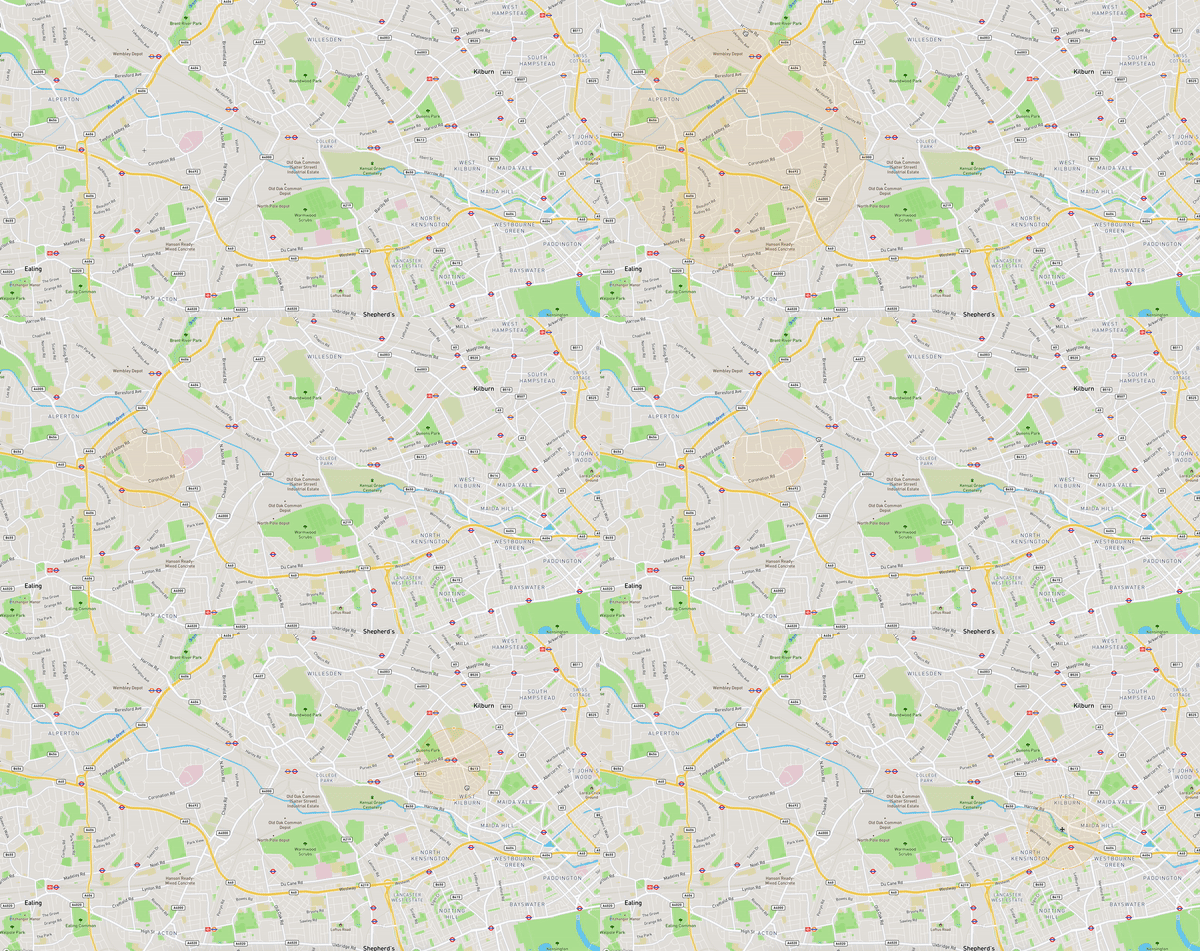
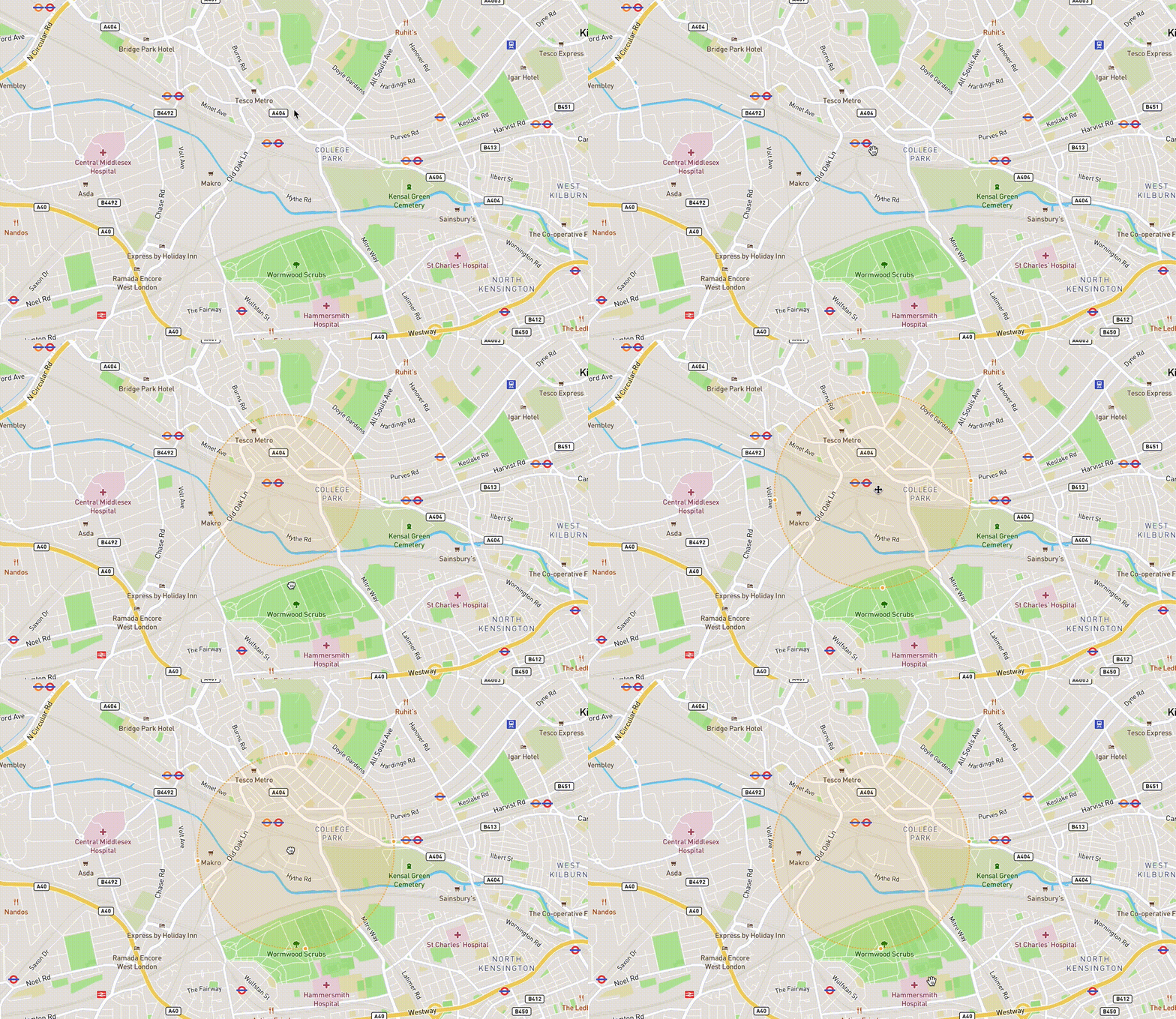
Press, drag and release (drag_circle) to draw a circle of any size:
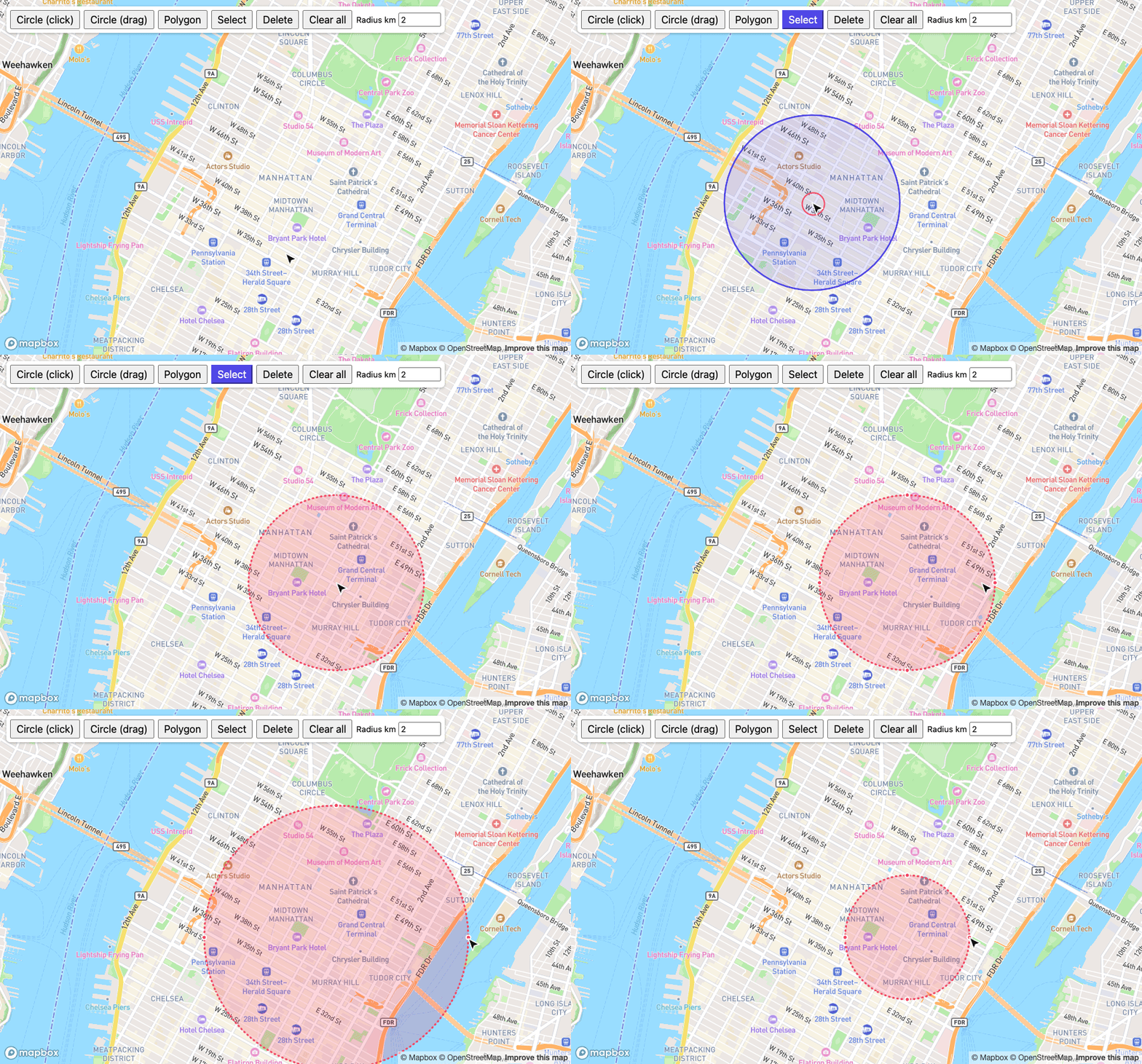
Move and resize (simple_select / direct_select): drag a selected circle to move it, then click it again and drag a handle to change the radius:
Try the live demo (MapLibre version), or run the demo app locally. Map data © Mapbox © OpenStreetMap contributors.
npm install mapbox-gl-draw-circle @mapbox/mapbox-gl-draw mapbox-gl@mapbox/mapbox-gl-draw is a peer dependency, so install it yourself. Version 1.4.0 or newer is required.import. require() also works on Node 20.19+ / 22.12+, which can load ES modules.import mapboxgl from 'mapbox-gl';
import MapboxDraw from '@mapbox/mapbox-gl-draw';
import '@mapbox/mapbox-gl-draw/dist/mapbox-gl-draw.css';
import { CircleMode, DragCircleMode, DirectMode, SimpleSelectMode } from 'mapbox-gl-draw-circle';
const draw = new MapboxDraw({
userProperties: true, // required: circles keep their center and radius in feature properties
modes: {
...MapboxDraw.modes,
draw_circle: CircleMode,
drag_circle: DragCircleMode,
direct_select: DirectMode,
simple_select: SimpleSelectMode,
},
});
map.addControl(draw); // add the control before calling draw.changeMode()
// Click once to draw a circle. The radius is in kilometers and defaults to 2.
draw.changeMode('draw_circle', { initialRadiusInKm: 0.5 });
// Or press, drag and release to draw a circle of any radius.
// A click without dragging draws nothing; Escape cancels the circle being drawn.
draw.changeMode('drag_circle');DirectMode and SimpleSelectMode replace the built-in direct_select and simple_select modes. They move a circle together with its center, and they resize it from any of its four handles. Ordinary features behave exactly as in the built-in modes.draw.changeMode too early throws Cannot read properties of undefined (reading 'changeMode'). That happens if you call it before map.addControl(draw); see #56.Circles fire the same events as other mapbox-gl-draw features (draw.create, draw.update, draw.delete, ...). A circle is a regular GeoJSON Polygon whose ring approximates the circle with 64 points. Its center and radius are in the properties:
{
  "id": "e184898e58feaa5c2c56f20a178ffe2c",
  "type": "Feature",
  "properties": {
    "isCircle": true,
    "center": [-0.2472604947478203, 51.53200220026099],
    "radiusInKm": 2
  },
  "geometry": {
    "type": "Polygon",
    "coordinates": [[ /* 65 positions: 64 points plus the closing point */ ]]
  }
}The package ships its own types in index.d.ts. They build on the community types for mapbox-gl-draw:
npm install -D @types/mapbox__mapbox-gl-drawimport { CircleMode, type CircleModeOptions, type CircleProperties } from 'mapbox-gl-draw-circle';
const options: CircleModeOptions = { initialRadiusInKm: 0.5 };
// The community types only accept the built-in mode names, so custom modes need a cast.
draw.changeMode('draw_circle' as never, options as never);
map.on('draw.create', (e: { features: GeoJSON.Feature[] }) => {
const { center, radiusInKm } = e.features[0].properties as CircleProperties;
});fixtures/apps/ has working, CI-tested setups for React, Vue, Angular, Next.js and webpack.
useEffect and return () => map.remove(). StrictMode mounts effects twice in development, and without the cleanup you get two maps. See fixtures/apps/react-vite.onMounted and keep map and draw in plain variables, not ref/reactive. Vue's reactive proxies break mapbox-gl internals. See fixtures/apps/vue-vite.angular.json to silence the build warnings:"allowedCommonJsDependencies": ["mapbox-gl", "fast-deep-equal", "@mapbox/geojson-normalize", "@mapbox/geojson-area"]Creating the map inside NgZone.runOutsideAngular keeps map events out of change detection. See fixtures/apps/angular.
'use client' component. Importing the package during server rendering does not touch window. See fixtures/apps/next.mapbox-gl-draw doesn't officially support MapLibre GL JS, so this plugin can't either. It does work in practice:
@mapbox/mapbox-gl-draw 1.5.2 or newer, which improved style compatibility across both engines.mapboxgl-* CSS class names at MapLibre's before creating the control. Without this, keyboard shortcuts such as Delete and Escape stop working, and the control buttons lose their styling.import * as maplibregl from 'maplibre-gl';
import MapboxDraw from '@mapbox/mapbox-gl-draw';
Object.assign(MapboxDraw.constants.classes, {
CANVAS: 'maplibregl-canvas',
CONTROL_BASE: 'maplibregl-ctrl',
CONTROL_PREFIX: 'maplibregl-ctrl-',
CONTROL_GROUP: 'maplibregl-ctrl-group',
});
const draw = new MapboxDraw({ /* same options as above */ });With Vite and maplibre-gl 6, the map may never load ("Worker failed to load"), because maplibre builds its worker URL at runtime. Bundle the worker yourself, as examples/demo/src/engine-maplibre.js does.
CI runs the browser tests on MapLibre as a non-blocking job.
@mapbox/mapbox-gl-draw yourself. It's now a peer dependency, version 1.4.0 or newer; 1.x bundled draw 1.1.1. Your app now uses a single copy of draw.require() support.legacy-peer-deps, a global polyfill (define: { global: 'globalThis' }) or webpack fs/path fallbacks. Those were caused by draw 1.1.1's dependencies.mapbox-gl-draw-circle. Internal paths such as mapbox-gl-draw-circle/lib/modes/CircleMode are no longer importable.MapboxDraw.modes is no longer changed. Importing the plugin used to change MapboxDraw.modes.simple_select and direct_select for the whole page. Now circles get the circle behaviour only where you register SimpleSelectMode / DirectMode, as in the usage example.gl-draw-polygon-fill-inactive became gl-draw-polygon-fill. This only matters if you pass custom styles or query draw's layers by id. See the mapbox-gl-draw changelog.Run from the repository root:
npm ci && npm test                                       # unit tests (Jest)
(cd examples/demo && npm ci && npx playwright test)      # browser tests against the demo app
(cd fixtures && npm ci && node run.mjs)                  # build the packed package in consumer apps
The browser tests and fixtures need Chromium once: npx playwright install chromium.
examples/demo is also the interactive demo; see its README for setup and a manual test checklist. Run npm run dev there. Set VITE_MAPBOX_TOKEN for a real basemap, or VITE_MAP_ENGINE=maplibre to run it on MapLibre.
MIT © Anvesh Arrabochu
Find threats in your stack.
OX Radar can check high-priority threats, like critical package CVEs, against your context.
Each incident is marked Detected or Not Detected with a remediation plan and proof all tracked in the Response Center.
The probe returned only these fields for this server — auth requirement, protocol and tool list weren’t observed, so they’re not shown (never guessed).
The publisher’s own links, as the registry reports them. These are not sources for the assessment on this page.
Read the latest findings