Scan your whole stack








Are you using visio-vanilla-viewer?
Find out what’s in your code.
Scan your apps free in minutes (opens in a new tab) Read the latest findings
Latest version: v2.0.2
visio-vanilla-viewer was last scanned on 28 Nov 2026 at version 2.0.2. Risk score 0 of 100. No malicious behavior was detected.
| Version | Published | Status |
|---|---|---|
| 2.0.2 LATEST | 28 Nov 2026 | No rules fired |
| 2.0.1 | 27 Nov 2026 | No rules fired |
| 1.4.1 | 16 Nov 2026 | No rules fired |
| 1.4.0 | 13 Nov 2026 | Not shown |
| 1.3.2 | 9 Nov 2026 | Not shown |
Findings for v2.0.2. The score is a capped sum of the weights of the rules that fired — not CVSS, not exploitability, and not a probability. It is not comparable across packages with different scan coverage.
The score describes 2.0.2; other versions have their own rules, not their own score.
The publisher’s own README, as collected from the registry.
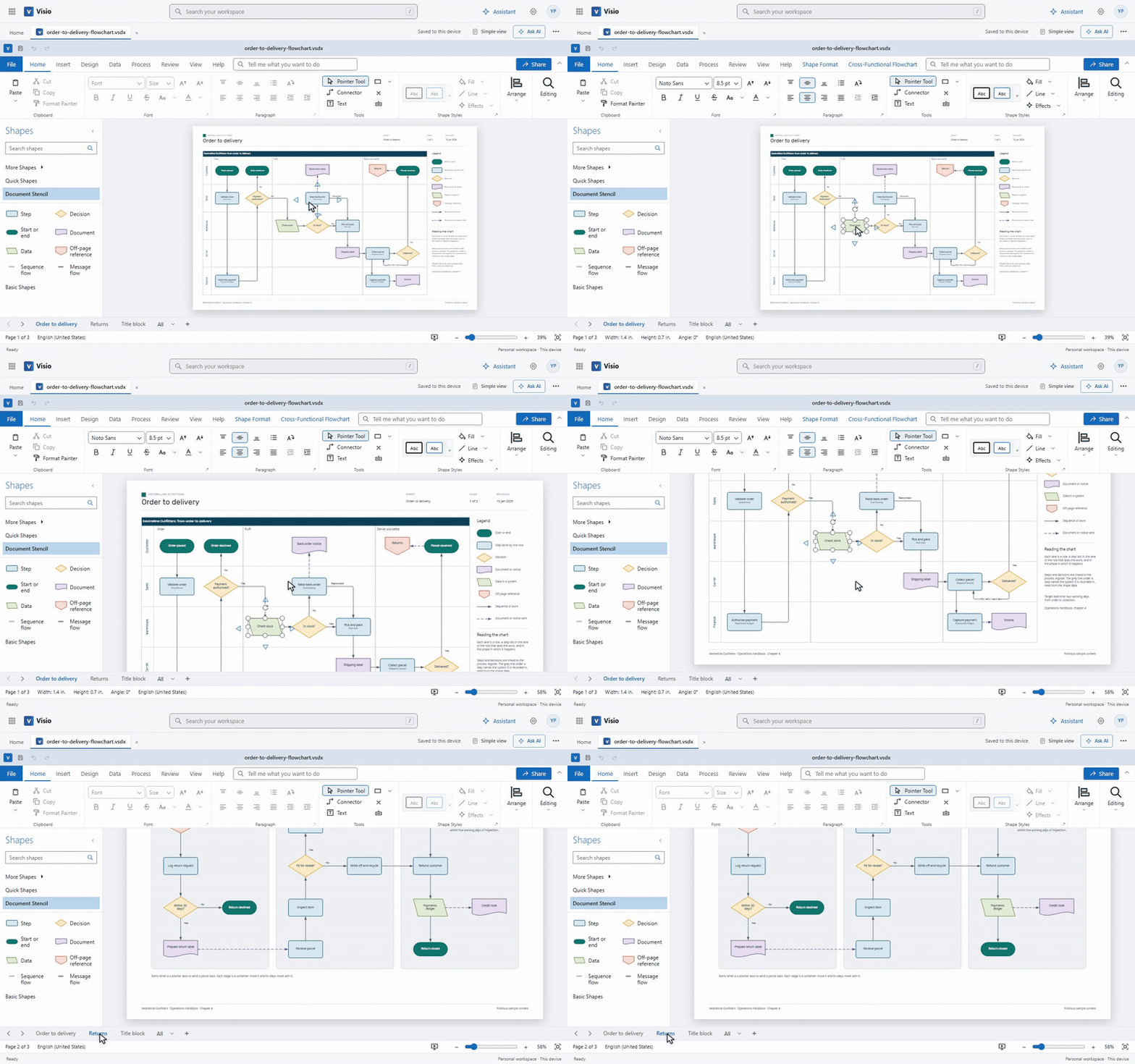
A Visio viewer and editor for plain JavaScript pages, with no framework, that opens, edits and saves .vsdx drawings entirely in the browser.



Live demo · Documentation · Vanilla guide · Changelog · Report a bug
npm install visio-vanilla-viewerNo peer dependencies. The package bundles the shared <visio-viewer> element and both browser workers, re-exports the visio-core document API, and installs ooxml-core, ooxml-ui, visio-core and emf-converter for you. It is an ES module for a bundler such as Vite. There is no stylesheet to import: the element carries its own styles.
import { mountViewer } from 'visio-vanilla-viewer';

const host = document.querySelector('#diagram'); // give it a height, e.g. 600px
const viewer = mountViewer(host, { showToolbar: true });

document.querySelector('#open').addEventListener('change', async (event) => {
    const file = event.target.files?.[0];
    if (file) await viewer.load(file);
});

document.querySelector('#save').addEventListener('click', () => {
    const { bytes } = viewer.exportVsdx();
    const url = URL.createObjectURL(new Blob([bytes]));
    Object.assign(document.createElement('a'), { href: url, download: 'drawing.vsdx' }).click();
    URL.revokeObjectURL(url);
    viewer.controller.markClean();
});

// Call viewer.destroy() when the host is removed.
Give the host a height. load() takes a File, Blob, Uint8Array or ArrayBuffer; the document option takes an already parsed VisioDocument, not a URL. Importing the package on the server is safe; the viewer mounts in the browser and parses in a worker with a time limit.
mountViewer(host, options) creates a <visio-viewer> inside host. viewer.update(options) applies a partial change later; omitted options keep the viewer's current state.
| Option | What it does |
|---|---|
document |
A parsed VisioDocument to show, or null to clear. |
pageIndex |
The zero-based page to show. |
zoom |
The zoom, where 1 is 100%. |
showToolbar |
Shows or hides the ribbon. |
canEdit |
Editing permission; the viewer is editable unless you pass false. |
readOnly |
true makes the drawing read-only and wins over canEdit. |
locale |
Interface language, such as fr or zh-CN. Empty follows File > Options, lang and the browser. |
customization |
Capabilities, hidden ribbon tabs, host File tab pages and context menu commands. |
storage |
Host-owned Save, Open and AutoRecover instead of downloads and IndexedDB. |
fileProviders |
Cloud places for File > Open, such as OneDrive. |
collaboration |
Shares the open drawing in a room while set; null leaves it. |
ribbonAddIns |
Tabs your app adds after Help, as an Office add-in does. |
events |
The event callback map (see Events). |
mountViewer returns the handle, plus update(options), destroy() (idempotent) and createFromTemplate(template):
load(source), createBlankDrawing(options?), openCloudFile(file): open bytes, start a blank drawing, open a cloud file.exportVsdx(): returns { bytes, dirty, diagnostics }; after saving the bytes, call controller.markClean().exportSvg(options?), createPrintSnapshot(options?): static SVG of the current page and frozen print-ready pages.applyEdits(edits), replacePlainText(pageId, shapeId, text), undo(), redo(), cancelEdit(): core-validated edits, one undo step each.selectShapes(shapes), selectAll(), clearSelection(), copySelection(), cutSelection(), pasteSelection(), duplicateSelection(): selection and the shape clipboard (clipboard calls need a user gesture).fit(), setLayerVisibility(pageId, layerId, visible), resetLayerVisibility(pageId?): view.controller, element: the state controller and the <visio-viewer> element (element-only members such as googleFonts and pdfFonts live there).Calls reject once the viewer is destroyed. To use the element directly instead, call registerVisioViewer() once and create <visio-viewer> yourself; importing the package does not register it. Full reference: viewer API and bindings.
Events arrive through the events option, in mountViewer or a later update(), keyed by event name. Return false from file-command to cancel the command and handle it yourself.
viewer.update({
    events: {
        'document-change': ({ dirty }) => setDirty(dirty),
        'document-error': (error) => report(error),
        'file-command': ({ command }) => command !== 'new',
    },
});| Event | Payload |
|---|---|
document-change |
{ document, dirty, kind }, with kind edit, undo, redo, remote or save. |
document-load |
The loaded VisioDocument. |
document-error |
An Error, with its message in the viewer's language. |
selection-change |
Every selected shape, in order; shape-select gives the primary one, or null. |
page-change |
The new page index. |
zoom-change |
The new zoom, once per zoom gesture. |
file-command |
New, Open, Save or Share is about to run; cancelable. |
collaboration-change |
Sharing started, stopped, or its status, sync or people changed. |
office-ribbon-add-in |
A command of one of your ribbonAddIns tabs was chosen. |
viewer.controller.subscribe(listener) reports the live viewer state (page, zoom, selection, search, edit and undo state) and returns an unsubscribe function; call it before destroy().
To lay out your own window instead of mounting the whole viewer, createViewerBuildingBlocks returns the flat toolbarProps, mode, loading, error and markClean(), with mountCanvas, mountToolbar, mountPageNavigation, mountInspector and mountShapes to place each part in your own markup. They are read-only until you pass canEdit: true. See building blocks.
The viewer follows the shared --office-* tokens (--office-accent, --office-background, --office-foreground and the rest) set on :root, a container or the element. It is light by default and dark when the system prefers it; data-office-theme="light" or "dark" on the document root forces one. --vv-* tokens restyle this viewer alone. See theming.
The interface ships in English, German, Spanish, French and Simplified Chinese. Set locale (for example de or zh-CN); left empty, the viewer uses the language chosen in File > Options, then the lang attribute, the page's language and the browser's. Diagram content is never translated.
Beta. The API changes only with a changelog note.
.vsd opens as a read-only preview.See the capability ledger and the parity checklist.
Drawings open, render, edit and save on the device; nothing is uploaded and nothing collects analytics or telemetry. Linked pictures are not fetched, and data record sets and linked chart data are never refreshed.
googleFonts to { baseUrl: 'https://fonts.googleapis.com/css2' } (or your own mirror) to download missing public catalogue fonts, or to false to keep them off; left unset, the reader's File > Options > Trust Center toggle "Download fonts that are not installed or embedded" decides. Only family names and font files are requested, never the file or its text.collaboration with a server, provider or session, or the reader types a server URL in File > Share; without one, File > Share connects windows of the same browser only.fileProviders or storage. On the device the viewer keeps preferences in localStorage (ooxml-visio-options, saved shapes) and, once the reader turns AutoRecover on, recovery copies in IndexedDB (ooxml-visio-recovery) unless storage provides its own.See PRIVACY.md.
The last two major versions of Chrome, Edge, Firefox and Safari, and Safari 16.4 at least (browser support). No framework required. Node.js 22.3 or newer for builds and tests.
visio-core (the DOM-free document API) and visio-viewer-mcp (MCP tools).Apache-2.0. See NOTICE for attributions.
Find threats in your stack.
OX Radar can check high-priority threats, like critical package CVEs, against your context.
Each incident is marked Detected or Not Detected with a remediation plan and proof all tracked in the Response Center.
The probe returned only these fields for this server — auth requirement, protocol and tool list weren’t observed, so they’re not shown (never guessed).
The publisher’s own links, as the registry reports them. These are not sources for the assessment on this page.
Read the latest findings