xlsx-angular-viewer
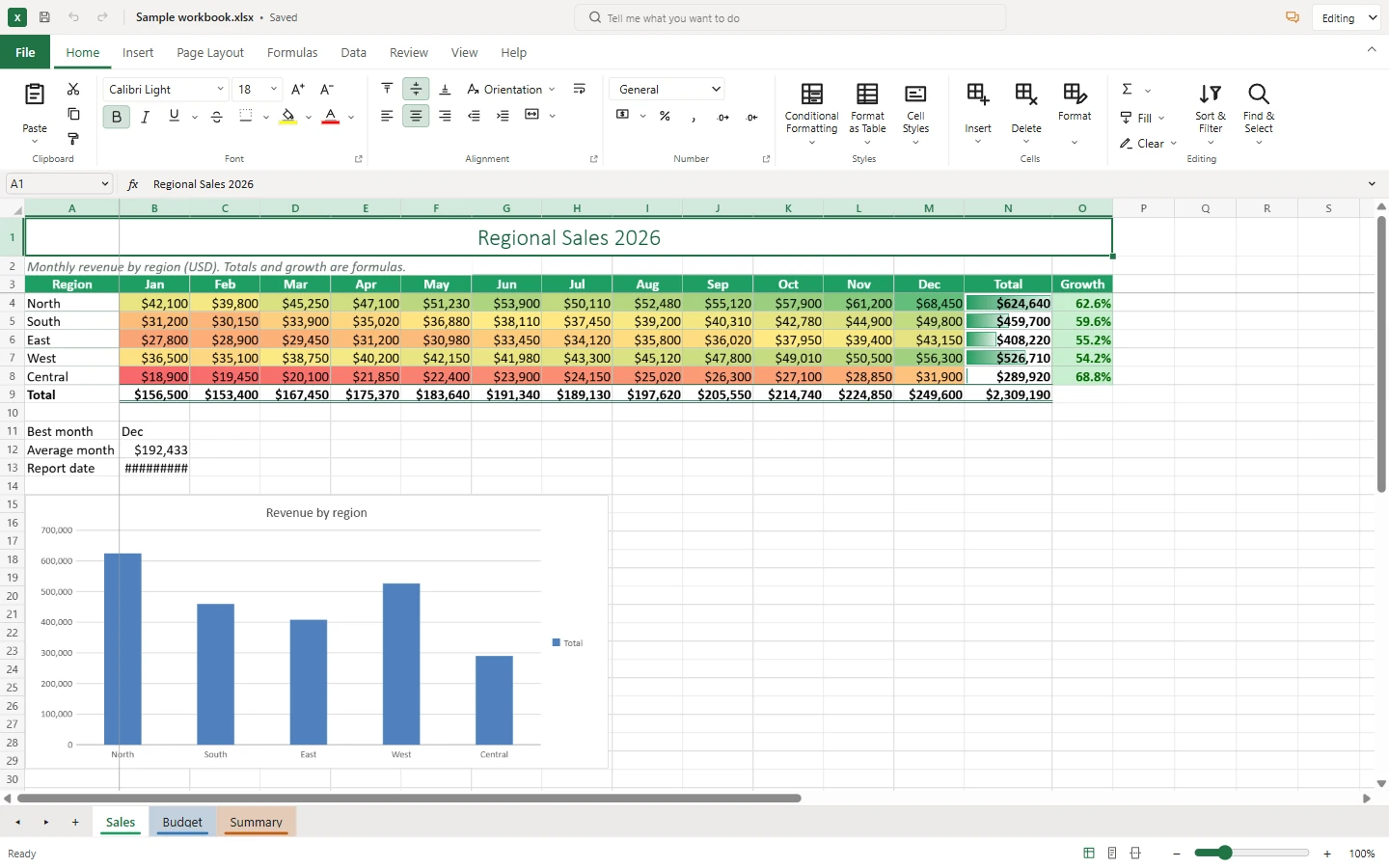
The Excel spreadsheet editor as an Angular standalone component: open, edit, calculate and save .xlsx, .xlsm, .xltx, legacy .xls and .csv files in the browser.



Live demo · Documentation · Angular guide · Changelog · Report a bug
Install
npm install xlsx-angular-viewer
- Peer dependency:
@angular/core >=19 (tested with Angular 22).
- Bundled: the
<xlsx-editor> web component and the Angular adapter. Installed with it: @christophervr/xlsx-core (the workbook model, re-exported from this package), ooxml-core and ooxml-ui.
- Use one Excel editor package per application: each registers the same
<xlsx-editor> element.
Quick start
import { Component, ViewChild } from '@angular/core';
import { SpreadsheetEditorComponent } from 'xlsx-angular-viewer';

@Component({
    selector: 'app-budget',
    standalone: true,
    imports: [SpreadsheetEditorComponent],
    template: `
        <button (click)="download()">Download</button>
        <spreadsheet-editor
            style="display: block; height: 80vh"
            src="/files/budget.xlsx"
            fileName="Budget.xlsx"
            [(readOnly)]="readOnly"
            (dirtyChange)="dirty = $event"
        />
    `,
})
export class BudgetComponent {
    @ViewChild(SpreadsheetEditorComponent) editor!: SpreadsheetEditorComponent;
    readOnly = false;
    dirty = false;
    download() {
        void this.editor.download('Budget.xlsx');
    }
}
Give <spreadsheet-editor> a block display and a height: the editor fills it and scrolls inside it. There is no stylesheet to import: the element carries its own styles. Without src, bytes or workbook the editor starts with a blank workbook.
Props
| Input |
What it does |
workbook, bytes, src, fileName |
What to show: a workbook model, file bytes or a URL, and the name used by the title bar, Save and Download (default Book1.xlsx). |
readOnly |
Opens in Viewing mode (default false). |
locale |
Interface language (see Localisation). |
theme, themeColors |
light, dark or auto (default), and --xve-* token overrides (see Theming). |
showToolbar, showFormulaBar |
Show or hide the ribbon and the formula bar (both default true). |
hiddenActions, ribbonAddIns |
Hide ribbon commands by stable id, or add your own tabs after Excel's. |
customization |
Capabilities, hidden ribbon tabs (File included), extra File pages and context-menu commands. |
storage, fileProviders |
Send File > Save and Open to your own storage, and add OneDrive or your own cloud places to File > Open. |
collaboration |
Join a shared room while set; null leaves it. |
imageProvider |
Opt in to IMAGE formulas with your own fetcher (without one they show #BLOCKED!). |
googleFonts |
Turn font downloads off (false) or point them at Google Fonts or your mirror ({ baseUrl }); unset leaves it to the reader (off by default). |
authorName, validateReplace |
The author of new comments (default Author), and whether Replace applies data validation (default false). |
Props are forwarded only when their value changes, so a re-render never undoes what the user changed inside the editor (Editing or Viewing, theme, language, Customize Ribbon). Keep customization, fileProviders and ribbonAddIns stable between renders.
The component instance is the editor handle once the view is initialised. [(readOnly)] two-way binds the user's Editing / Viewing switch. The handle has load(bytes, fileName?), newWorkbook(), save(), saveBytes('xlsx' | 'csv'), download(fileName?), markClean(), openCloudFile(file), select(ref), getSelection(), setActiveSheet(index), share(), and the dirty and element properties. A method called before the editor has mounted throws Editor is not mounted.
Full reference: framework bindings and the element API.
Events
| Output |
Receives |
(workbookChange) |
The edited Workbook. |
(dirtyChange) |
true while there are unsaved edits. |
(workbookError) |
An Error when a file or a src fetch fails to open. |
(fileCommand) |
The cancelable file-command event: call $event.preventDefault() to run New, Open, Save, Print and the rest yourself. |
(selectionChange) |
{ sheet, ref, active }. |
(sheetChange) |
{ index, name } of the new active sheet. |
(readOnlyChange) |
The user's Editing / Viewing choice; or use [(readOnly)]. |
(workbookWarning) |
The loader's notes about content it could not read. |
(ribbonAction) |
{ id } of a command that ran. |
(ribbonCustomize) |
The new hidden-action list after Customize Ribbon. |
(ribbonAddIn) |
{ tab, command } of a host tab command. |
(collaborationChange) |
The sharing state. |
(ready) |
The <xlsx-editor> element, once mounted. |
See callbacks and events.
Open and save files
The editor opens .xlsx, .xlsm (macros never run), .xltx, password-protected workbooks, legacy .xls and .csv; .xls and .csv are saved as .xlsx. save() resolves to an .xlsx Blob and does not clear dirty: call markClean() once you have stored it, or use download(), which does both. saveBytes('csv') exports the active sheet. The model API (createWorkbook, loadWorkbook, saveWorkbook, detectWorkbookFormat and the rest of @christophervr/xlsx-core) is re-exported here, so headless work needs no second install. The editor mounts in ngAfterViewInit, and inputs are forwarded only when they change, so it works with zoneless change detection.
Theming
theme picks light, dark or auto, and themeColors sets --xve-* tokens on the editor (for example { primary: '#1f9d63', radius: '6px' }). The chrome also follows the shared --office-* tokens and a data-office-theme attribute on any ancestor; install them once with installOfficeUiTheme() from ooxml-ui/theme. Theme changes never alter workbook colours. See theming.
Localisation
The interface is available in English (en, the default, built in), French (fr), German (de), Spanish (es) and Simplified Chinese (zh-CN), set with locale. A tag that maps to one (de-DE, zh-Hans) works; any other falls back to English. Other languages load on demand. Workbook content and function names are never translated. See localization.
Status and limits
Excel is Stable under the stability policy: a frozen API under semver, a preservation guarantee and native Excel save and reopen checks. It does not match Microsoft Excel feature for feature.
.xlsb and .ods do not open.- Macros never run (a
.xlsm keeps its VBA project). External links, data connections and Power Query are kept with their cached values and never refreshed.
- PivotTables from external or OLAP sources and advanced pivot filters are kept but not editable; the sparkline style gallery is missing.
- Ink is drawn, erased and saved as Excel ink from the Draw tab, with the Ruler, and shared in a shared workbook (Ink to Math needs a handwriting recognizer the host supplies with
setInkMathRecognizer; none is built in). Older OLE objects show as placeholders; form controls cannot be moved or resized, and buttons run no macro.
- In a shared room, pictures, ink, other drawings, page setup and PivotTables are not shared.
See features and limitations and the parity checklist.
Privacy and network use
Workbooks open, calculate, render, edit and save on the device. Nothing is uploaded, and nothing collects analytics or telemetry.
- Same-origin assets. Workers, the selected non-English language, and chart, PivotTable, picture and shape tool code load on demand from your app's origin, carrying only the asset URL. Keep
locale at en to skip language requests.
- Fonts. Off by default. Fonts the device lacks are downloaded from
fonts.googleapis.com and fonts.gstatic.com only when the reader turns on File > Options > Trust Center "Download fonts that are not installed or embedded", or the host sets the googleFonts input: false turns downloads off and locks the toggle, { baseUrl } points at Google Fonts or your own mirror. Only public font family names are sent.
- Linked content. Linked pictures are not fetched, external links and linked data are not refreshed, and
WEBSERVICE is not evaluated. IMAGE formulas fetch only through an imageProvider you pass.
- Destinations you choose.
src fetches the URL you pass; sharing (collaboration, or a server URL the reader types in File > Share) talks only to that server, and without one connects tabs of the same browser only; OneDrive and other fileProviders only when you add them. Hyperlinks and the Forms link open only when the reader follows them.
- On the device. Small preferences, such as the font-download choice (
ooxml.xlsx.allowFontDownloads), stay in localStorage.
See PRIVACY.md.
Browser support
The last two major versions of Chrome, Edge, Firefox and Safari, and Safari 16.4 at least (browser support). Angular 19 or newer, with or without zone.js. Node.js 22.3 or newer for builds, tests and server rendering. A slow calculation on open runs in a module worker from your origin, so a Content Security Policy must allow worker-src 'self'; without workers it runs on the page under the same time limit.
Documentation and demos
License
Apache-2.0. See NOTICE for attributions.









