Scan your whole stack


From OX Research Newsroom






Are you using clipper-gg?
Find out what’s in your code.
Scan your apps free in minutes (opens in a new tab) Read the latest findings
Latest version: v0.8.0
clipper-gg was last scanned on 25 Nov 2026 at version 0.8.0. Risk score 0 of 100. No malicious behavior was detected.
| Version | Published | Status |
|---|---|---|
| 0.8.0 LATEST | 25 Nov 2026 | No rules fired |
| 0.7.5 | 25 Nov 2026 | No rules fired |
| 0.7.4 | 25 Nov 2026 | No rules fired |
| 0.7.3 | 25 Nov 2026 | Not shown |
| 0.7.2 | 25 Nov 2026 | Not shown |
Findings for v0.8.0. The score is a capped sum of the weights of the rules that fired — not CVSS, not exploitability, and not a probability. It is not comparable across packages with different scan coverage.
The score describes 0.8.0; other versions have their own rules, not their own score.
The publisher’s own README, as collected from the registry.
Clipper is a native Windows app that scans a folder of gameplay, finds the loud reactions and sudden motion, merges nearby moments, and cuts ready-to-post clips with FFmpeg. Everything runs locally. No accounts, no uploads, no browser.
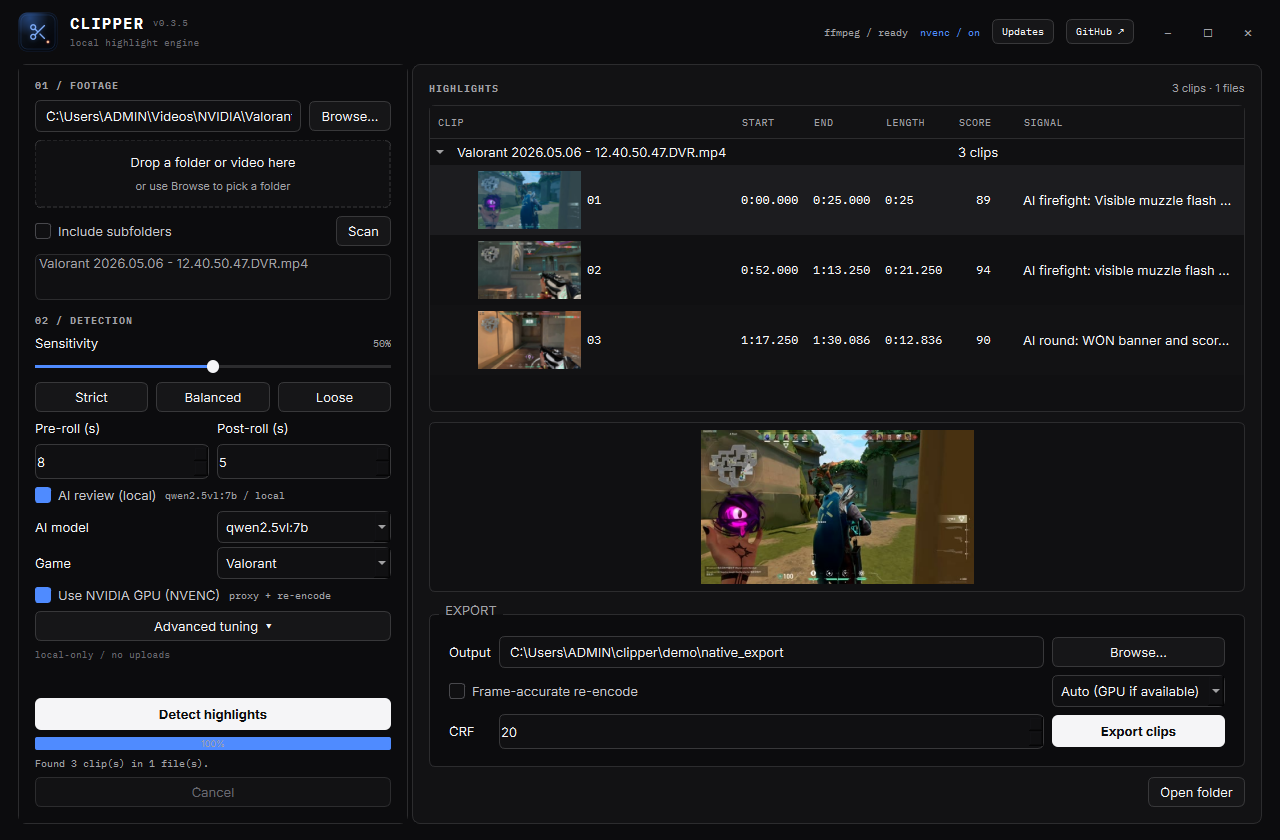
Website: hatermedia.github.io/clipper · Release: v0.8.0
Windows 10/11 installer (recommended): Download ClipperSetup-0.8.0.exe (~365 MB)
%LOCALAPPDATA%\Programs\ClipperThe installer includes FFmpeg, Whisper base.en, RapidOCR, YAMNet, and the
runtime they need. A multi-gigabyte vision model is not bundled. The AI
Director can install Ollama from inside the app, and then download a model only
when you ask for it.
Prefer a portable copy? Download the native zip
and run Clipper.exe.
Clipper is AI-first. Every scan is reviewed by a local vision director that watches the full clip in short windows, transcribes the audio with Whisper, and uses HUD/audio signals to find the story beats. There is no heuristic-only highlighting fallback.
The AI model is required, but it is not bundled. To set it up:
gemma3:4b or qwen2.5vl:7b through
Ollama, with progress shown in the panel.gemma3:4b (tested). On 8 GB+ use qwen2.5vl:7b.Game presets are inferred from each file's folder or name; there is no game dropdown to maintain. The model picker lists local Ollama vision models, other installed models, and a custom model tag option. If AI is not ready, Detect highlights stays disabled until setup finishes.
Low-power mode is a performance preset, not a separate product:
The local AI director still runs. Low-power mode only trades speed for lower resource use; it never turns highlighting off.
Game Guard looks at local processes and paths. It covers a large built-in title
list, generic Unreal Engine shipping
processes, and games installed through Steam, Epic, GOG, Riot, EA, Ubisoft, and
Xbox paths. You can add private or missed titles in
%LOCALAPPDATA%\Clipper\games.json:
{
  "mygame.exe": "My Game"
}Footage never leaves the machine. Analysis, OCR, transcription, and export are local. Clipper has no accounts and no telemetry. Network access is limited to the optional GitHub update check and, only when you click them, the one-click Ollama install and model download. Release downloads are HTTPS and SHA-256 verified.
For development only:
git clone https://github.com/hatermedia/clipper.git
cd clipper
py -m venv .venv
.\.venv\Scripts\pip install -e ".[desktop]"
.\.venv\Scripts\python -m clipper.desktop
Packaging scripts and checksums live in packaging/. Third-party notices and
license texts are in THIRD_PARTY_NOTICES.txt, packaging/FFMPEG_NOTICE.txt,
and packaging/licenses/.
MIT. See LICENSE. You are responsible for the rights to the footage you process.
Find threats in your stack.
OX Radar can check high-priority threats, like critical package CVEs, against your context.
Each incident is marked Detected or Not Detected with a remediation plan and proof all tracked in the Response Center.
The probe returned only these fields for this server — auth requirement, protocol and tool list weren’t observed, so they’re not shown (never guessed).
The publisher’s own links, as the registry reports them. These are not sources for the assessment on this page.
Read the latest findings