easydetect
Easy real-time object detection you can actually ship.
Train in PyTorch, run anywhere with OpenVINO — CPU, GPU or NPU — and label,
train and test in a browser. Apache-2.0 code and weights.




Why
- Three lines to a detector.
Detector("ed-s"), point it at a picture,
read the boxes. The same object trains, validates and exports.
- Free for products. Apache-2.0 code, Apache-2.0 COCO weights (from
D-FINE's), Apache-2.0 exports: use them commercially, with no source to
publish. Ship the LICENSE and NOTICE with them, and credit COCO (its
annotations are CC BY 4.0).
- Accurate for its size. The ed detectors are real-time DETRs: ed-s
scores 48.5 COCO mAP with 10M parameters.
- Runs on the machine you have. OpenVINO runs it on a CPU, an Intel GPU or
an Intel NPU; ONNX Runtime on any CPU, a Raspberry Pi included. No CUDA
needed to deploy. A GPU makes training quick: an NVIDIA card, or an Intel
GPU with PyTorch's XPU build.
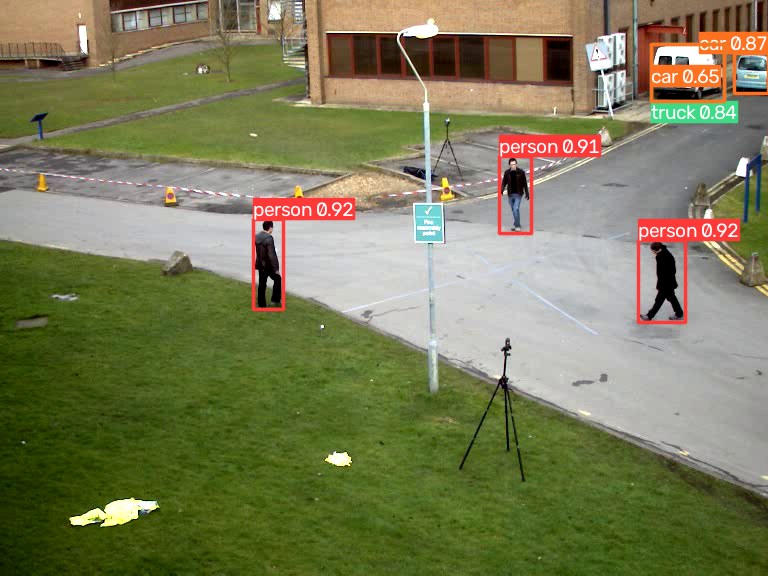
- No NMS to tune. ed is trained to give each object one box. The odd
second box on the same object — one vehicle as both truck and car — is
dropped by a fixed overlap filter (IoU 0.7, any class), so there is no
threshold to tune and a crowded frame costs no extra time.
Install
pip install easydetect              # inference: OpenVINO and ONNX Runtime
pip install "easydetect[train]"     # + training (PyTorch)
Inference never needs PyTorch. Both runtimes come with the plain install and
return the same boxes; Detector uses OpenVINO unless you pass
backend="onnxruntime". OpenVINO is the faster one on an Intel CPU (ed-s at
640 on a 4-core Xeon: 49 ms against 132 ms) and the only way to an Intel GPU or
NPU; ONNX Runtime is the smaller one, for a box where every megabyte counts:
pip install --no-deps easydetect && pip install numpy pyyaml opencv-python onnxruntime
Detect
from easydetect import Detector

model = Detector("ed-s")           # COCO weights, downloaded on first use
r = model("photo.jpg", conf=0.5)[0]

r.boxes.xyxy, r.boxes.conf, r.boxes.cls   # plain numpy
r.names[int(r.boxes.cls[0])]              # "person"
r.plot(); r.save(); r.show()
Point it at an image, a folder, a glob, a video, an RTSP stream, a webcam index,
or a numpy array. Long sources stream, so memory stays flat:
for r in model.predict(0, stream=True, show=True):   # webcam, q or Esc quits
    print(r.boxes.xyxyn)

model.track("clip.mp4")        # adds r.boxes.id
model = Detector("ed-s", device="NPU")            # AUTO, CPU, GPU, NPU
A webcam viewer with an FPS counter is in examples/webcam.py
— python examples/webcam.py --track.
Train
model = Detector("ed-s")
model.train(data="data.yaml", epochs=50, imgsz=640, batch=16, device=0)
model.val(data="data.yaml").box.map50
model.export(format="openvino")       # best.xml + best.bin + labels.txt
# data.yaml
path: /data/cans
train: images/train
val: images/val
names: {0: can, 1: bottle}
Labels are one .txt per image, cls cx cy w h normalised — the layout every
labelling tool already exports. A YOLO-format download (Roboflow's included)
trains as it comes; training.md
lists the variations it accepts. Training starts from the COCO weights and saves
an average of the weights (EMA) as the checkpoint; freeze="backbone" trains
faster on a small set, and resume=True picks a killed run back up with
the settings it had. A class named like one of COCO's (apple, 사과) starts
from the row that already detects it.
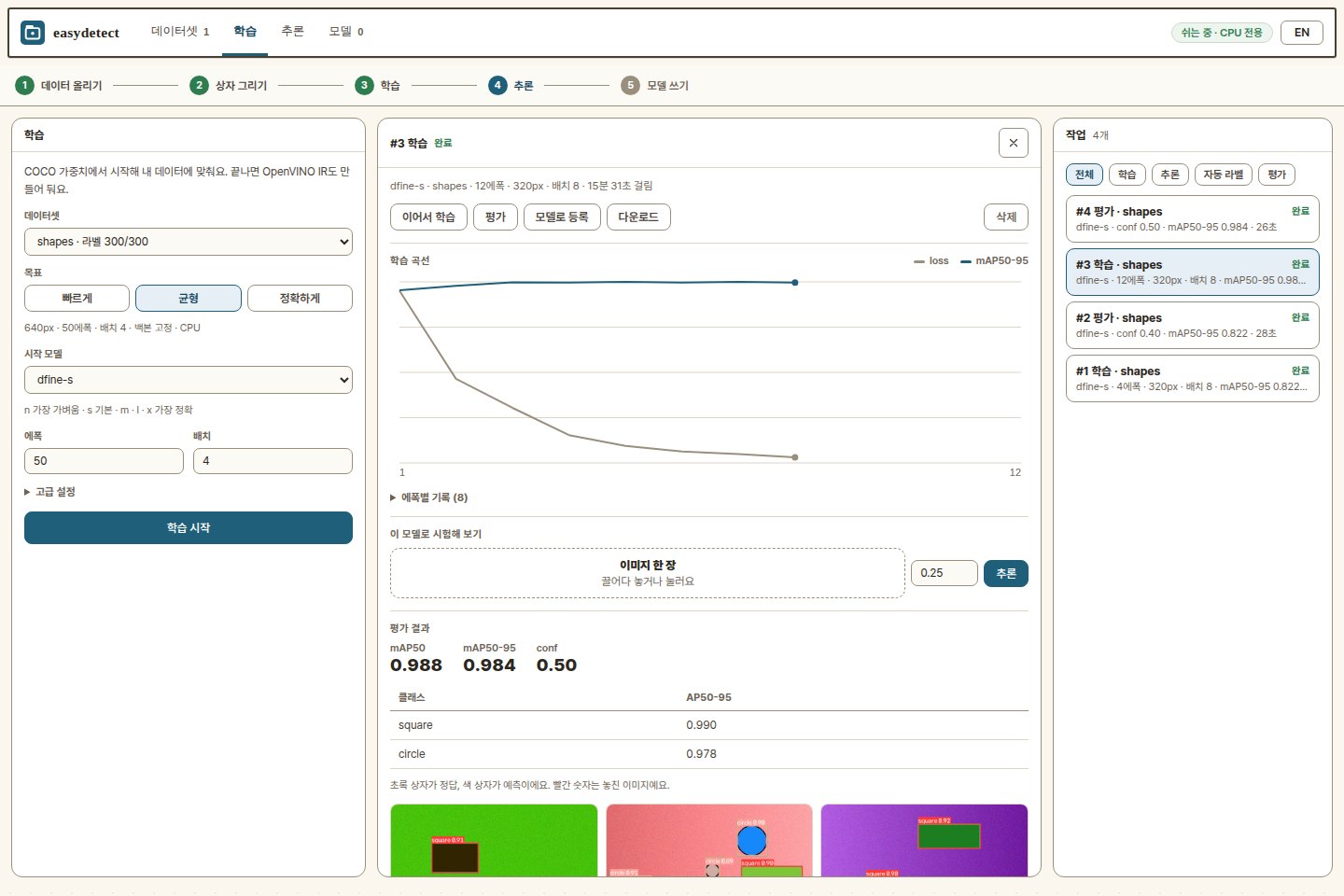
Label, train and watch it in a browser
easydetect lab is a web app on top of this package, in its own
repository: drop images in, label them (the model drafts the boxes, you correct
them), queue a training run, watch the curve, then run the result over a folder,
a video or your webcam — on one machine, with nothing leaving it. A finished run
hands you copy-ready code and a Hugging Face folder whose model card is written
from the run.
git clone https://github.com/themakerrobot/easydetect-lab
cd easydetect-lab
pip install -r requirements.txt     # easydetect[train] from PyPI, and the web server
python run.py                       # http://<this machine>:8080
Models
| name |
backbone |
params |
COCO mAP50-95 |
ed-n |
HGNetv2-B0 |
4M |
42.8 |
ed-s |
HGNetv2-B0 |
10M |
48.5 — the default |
ed-m |
HGNetv2-B2 |
19M |
52.3 |
ed-l |
HGNetv2-B4 |
31M |
54.0 |
ed-x |
HGNetv2-B5 |
62M |
55.8 |
COCO numbers are the original authors' for these checkpoints (640 px, val2017).
Trained on public datasets: easydetect hub
easydetect hub holds ed-s
trained on over a hundred public datasets (trash, plants, blood cells, safety
gear, documents, games, aerial and underwater pictures, COCO, Open Images,
LVIS...), each at 320 px (with an 8-bit file for a Raspberry Pi) and 640 px.
They are ed-s (Apache-2.0) trained on those datasets, so each follows its
dataset's terms, shown with it: keep the credit, and check them before
commercial use. Name one and it downloads once, no PyTorch needed:
model = Detector("hub:taco/ed-s-640")          # ONNX
model = Detector("hub:taco/ed-s-640.xml")      # OpenVINO IR, for an Intel NPU
model = Detector("hub:bccd/ed-s-320-int8")     # 8 bits, for a Raspberry Pi
model = Detector("hub:taco/ed-s-640.pt")       # the checkpoint, to fine-tune
easydetect hub lists them with their scores (easydetect hub search=plant).
A model's web address works too (a file, its Hugging Face page, or a hub
model's folder), as do relative and absolute paths.
Try one in your browser
on a picture, a video or your webcam: it runs in the page (ONNX Runtime Web)
and nothing is uploaded. Your own .onnx from the lab runs there too, with
its .pose.onnx or .mask_decoder.onnx beside it.
Speed
ed-s at 640 on one desktop — a Core Ultra 5 250K Plus with an RTX 5090 —
whole pipeline (resize, inference, decode), median of 30 calls, from
python tools/bench.py:
device= |
latency |
FPS |
"CPU" |
36 ms |
28 |
"NPU" |
38 ms |
26 — and the CPU stays free |
"GPU" (the RTX 5090 through OpenCL) |
14 ms |
72 |
The GPU returns the CPU's boxes exactly, the NPU to a mean IoU of 0.98.
performance.md
covers measuring your own machine and what makes it faster.
Compared with YOLO
Published COCO val2017 numbers at 640 px, as each project reports them — not
re-measured here. Both models are NMS-free; YOLO26 also publishes a score
with NMS added, shown second.
|
n |
s |
m |
l |
x |
| ed mAP50-95 |
42.8 |
48.5 |
52.3 |
54.0 |
55.8 |
| YOLO26 mAP50-95 (no NMS / with NMS) |
40.1 / 40.9 |
47.8 / 48.6 |
52.5 / 53.1 |
54.4 / 55.0 |
56.9 / 57.5 |
| ed params |
4M |
10M |
19M |
31M |
62M |
| YOLO26 params |
2.4M |
9.5M |
20.4M |
24.8M |
55.7M |
Keypoints (OKS AP, COCO val2017, scored with pycocotools; the whole pipeline
— people found by the detector, then their keypoints):
|
s |
m |
l |
| easydetect (ed-s, then the keypoint model of that size) |
66.3 |
71.6 |
73.4 |
| YOLO26-pose |
63.0 |
68.8 |
70.4 |
Read it plainly:
- Detection is a draw. ed is ahead at the small sizes (n, s), YOLO26
at the large ones (l, x), and lighter there.
- Keypoints: easydetect is about 3 points ahead at each size. The price is
speed with crowds: YOLO26-pose places everyone's keypoints in one pass, here
each person found is a second (small) pass.
- Masks without mask labels. YOLO-seg learns masks from polygon labels.
Here
task="segment" outlines whatever the detector finds — a model trained
on boxes alone gets masks with no polygon drawn — and polygons, when you
have them, fine-tune the mask decoder (COCO polygons: mean IoU 0.752 →
0.810).
- The licence. Ultralytics YOLO is AGPL-3.0: a product that ships it, or
serves it over a network, must publish its source or buy a commercial
licence. The code and weights here are Apache-2.0: commercial use is fine,
with no source to publish.
- Where YOLO fits better: pose and segmentation trained end to end, more
tasks (oriented boxes, classification, depth), and a far larger ecosystem.
COCO is a guide, not your answer. What matters is the model you get from a
few hundred pictures of your own. tools/bench_finetune.py fine-tunes
ed (easydetect 0.7.5) and YOLO26 (Ultralytics 8.4) on the same public
datasets, each with its own trainer's defaults (100 epochs, 640 px, batch 16,
one RTX 5090), and scores both with one evaluator on the val split.
mAP50-95, YOLO26 → ed at each size:
| dataset |
train pictures |
n |
s |
m |
| african-wildlife |
1,052 |
0.817 → 0.848 |
0.830 → 0.869 |
0.814 → 0.890 |
| construction-ppe |
1,132 |
0.300 → 0.293 |
0.289 → 0.297 |
0.298 → 0.307 |
| brain-tumor |
893 |
0.417 → 0.449 |
0.357 → 0.470 |
0.360 → 0.466 |
| signature |
143 |
0.975 → 0.985 |
0.984 → 0.985 |
0.967 → 0.997 |
| medical-pills |
92 |
0.797 → 0.794 |
0.801 → 0.800 |
0.797 → 0.812 |
| african-wildlife, 100 at random |
100 |
0.711 → 0.802 |
0.674 → 0.837 |
0.613 → 0.858 |
| a picture on the CPU (OpenVINO, Core Ultra 5 250K, 640 px) |
|
8–9 → 10 ms |
23–25 → 28–32 ms |
66 → 55–65 ms |
- ed is ahead on 15 of 18; the three it is not are within 0.007
(construction-ppe and medical-pills at n, medical-pills at s).
- The fewer the pictures, the larger the lead: on 100 pictures for four
classes, +0.09 (n), +0.16 (s), +0.25 (m); on brain-tumor's two look-alike
classes, +0.03 to +0.11.
- Speed: YOLO26 runs 15–25% faster at n and s; at m ed is the faster
one. YOLO also trains faster.
Six datasets are few. tools/rf100.py repeats the comparison on 26 of
Roboflow 100's datasets across seven domains (aerial, video games,
microscopy, underwater, documents, X-ray and thermal, everyday objects), at
most 300 training pictures each, three seeds, scored on each test split:
| ed against YOLO26, same size |
ed ahead on |
mean |
median |
| s, 640 px, 100 epochs, each trainer's defaults |
19 of 26 |
+0.019 |
+0.016 |
| n, 640 px, 100 epochs, each trainer's defaults |
8 of 26 |
−0.034 |
−0.018 |
| s, 320 px, the lab's classroom preset |
6 of 26 |
−0.054 |
−0.049 |
| n, 320 px, the lab's classroom preset |
4 of 26 |
−0.103 |
−0.076 |
- ed-s at 640 is ahead (19 of 26, the same in each seed's run): most
where objects are large or must be told apart by shape (animals +0.20,
underwater pipes +0.11, furniture +0.07).
- Small objects are ed's weak side: aerial pictures, game screens, road
signs and parasites lose most, and more so at 320 px and with ed-n, which
has no stride-8 feature map (ed-n: 16 and 32; ed-s: 8, 16 and 32).
- The classroom preset is behind YOLO26n here. It was tuned on three
small datasets of large objects (the table below), where it is ahead; on
small objects at 320 px it is not.
- mAP50-95 counts a box for every class it scores, as each project scores
itself. Each cell is one run; how much a small dataset moves from one run to
the next is measured below.
Small inputs and small computers
On a Raspberry Pi the input shrinks to 320 px, and there the 640 px
COCO weights lose most of what they know. tools/long_run.py fine-tunes them
on COCO at the smaller size (with 100 decoder queries, which the Pi runs
faster) and scores everything here on all 5,000 val2017 pictures with one
evaluator — OpenVINO on the CPU, one class a box, up to 100 boxes a picture.
YOLO is Ultralytics' own export at each size. mAP50-95:
| input |
ed-n, 640 px weights |
ed-n, fine-tuned at that size |
ed-s, 640 px weights |
ed-s, fine-tuned at that size |
YOLO11n |
YOLO26n |
YOLO11s |
YOLO26s |
| 320 |
0.100 |
0.322 |
0.239 |
0.381 |
0.283 |
0.297 |
0.365 |
0.381 |
| 640 |
0.416 |
0.410 |
0.472 |
0.465 |
0.381 |
0.397 |
0.453 |
0.471 |
Raspberry Pi 4B, 4 threads, easydetect benchmark (OpenVINO; a fine-tuned
model runs as fast as the original of the same size and queries):
|
320 |
320, 100 queries |
640 |
| ed-n |
190 ms |
122 ms |
479 ms |
| ed-s |
508 ms |
347 ms |
1,323 ms |








