


Scan your whole stack








Are you using ebook2audiobook?
Find out what’s in your code.
Scan your apps free in minutes (opens in a new tab) Read the latest findings
Latest version: v26.11.30
ebook2audiobook was last scanned on 29 Nov 2026 at version 26.11.30. Risk score 0 of 100. No malicious behavior was detected.
| Version | Published | Status |
|---|---|---|
| 26.11.30 LATEST | 29 Nov 2026 | No rules fired |
| 26.11.25 | 24 Nov 2026 | No rules fired |
| 26.11.24 | 23 Nov 2026 | No rules fired |
| 26.11.23 | 23 Nov 2026 | Not shown |
| 26.11.22 | 22 Nov 2026 | Not shown |
Findings for v26.11.30. The score is a capped sum of the weights of the rules that fired — not CVSS, not exploitability, and not a probability. It is not comparable across packages with different scan coverage.
The score describes 26.11.30; other versions have their own rules, not their own score.
The publisher’s own README, as collected from the registry.
CPU/GPU Converter from E-Book to audiobook with chapters and metadata using advanced TTS engines and much more. Supports voice cloning and 1696 languages!
[!IMPORTANT] This tool is intended for use with non-DRM, legally acquired eBooks only. The authors are not responsible for any misuse of this software or any resulting legal consequences. Use this tool responsibly and in accordance with all applicable laws.



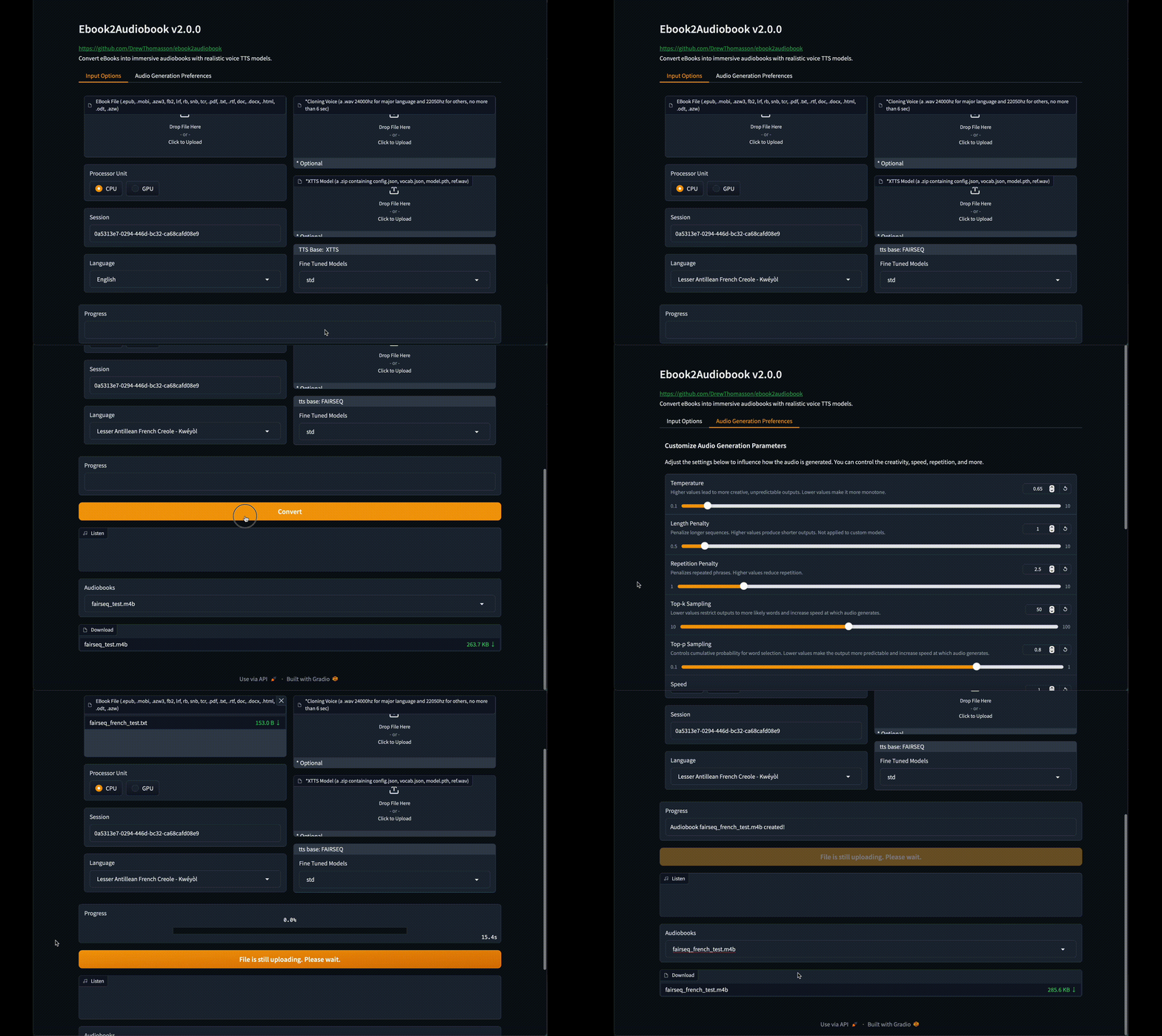
New Default Voice Demo
https://github.com/user-attachments/assets/750035dc-e355-46f1-9286-05c1d9e88cea
ASMR Voice
https://github.com/user-attachments/assets/68eee9a1-6f71-4903-aacd-47397e47e422
Rainy Day Voice
https://github.com/user-attachments/assets/d25034d9-c77f-43a9-8f14-0d167172b080
Scarlett Voice
https://github.com/user-attachments/assets/b12009ee-ec0d-45ce-a1ef-b3a52b9f8693
David Attenborough Voice
https://github.com/user-attachments/assets/81c4baad-117e-4db5-ac86-efc2b7fea921
Example

ebook2audiobook
Features
GUI Interface
Demos
Supported Languages
Minimum Requirements
Usage
Tools
Cloned Voices
Fine Tuned TTS models
Supported eBook Formats
Output Formats
Revert to older Version
Common Issues
Contributing
Special Thanks
Table of Contents
XTTSv2, Bark, Fairseq, VITS, Tacotron2, Tortoise, GlowTTS, YourTTS, Piper, Zonos2, Zonos3, GPT-SoVITS, OmniVoice, Breeze TTS, Chatterbox, Confucius4 TTS, CosyVoice3, Dots TTS, DramaBox, FireRed Audio, FireRedTTS3, Fish Audio, Higgs Audio TTS, Index TTS2, Irodori TTS, Kokoro TTS, KugelAudio, M5-TTS, Magpie TTS, Maya1, MioTTS, Moss TTS Local, Moss TTS Nano, NeuTTS, Pocket TTS, Qwen3 TTS, Supertonic, Tiny Voca, VibeVoice, VoxCPM2, VoxMel TTS, Voxtral TTS, F5-TTS, Orpheus-TTS, ChatTTS, Spark-TTS, OpenVoice, MeloTTS, ZipVoice (LuxTTS), KittenTTS.epub, .mobi, .azw3, .fb2, .lrf, .rb, .snb, .tcr, .pdf, .txt, .rtf, .doc, .docx, .html, .odt, .azw, .tiff, .tif, .png, .jpg, .jpeg, .bmp, .zipaac, flac, mp3, m4b, m4a, mp4, mov, ogg, wav, webm* Modern TTS engines are very slow on CPU, so use lower quality TTS like YourTTS, Tacotron2 etc..
.epub, .pdf, .mobi, .txt, .html, .rtf, .chm, .lit,
.pdb, .fb2, .odt, .cbr, .cbz, .prc, .lrf, .pml,
.snb, .cbc, .rb, .tcr.epub or .mobi for automatic chapter detection.m4b, .m4a, .mp4, .webm, .mov, .mp3, .flac, .wav, .ogg, .aac[break] — silence (random range 0.3–0.6 sec.)[pause] — silence (random range 1.0–1.6 sec.)[pause:N] — fixed pause (N sec.)[voice:/path/to/voice/file]...[/voice] — switch voice from default or selected voice from GUI/CLI[emotion:sadness]...[/emotion] — Zonos2 and Zonos3 only: emotion for a passage (happiness, sadness, disgust, fear, surprise, anger, other, neutral; Zonos3 also calm, confused) or a mix like [emotion:sadness=0.7,neutral=0.3]; other engines ignore itCheck our other repo dedicated to add SML automatically in your ebook -> E2A-SML
[!IMPORTANT] Before to post an install or bug issue search carefully to the opened and closed issues TAB to be sure your issue does not exist already.
[!NOTE] EPUB format lacks any standard structure like what is a chapter, paragraph, preface etc. So you should first remove manually any text you don't want to be converted in audio.
Clone repo
git clone https://github.com/DrewThomasson/ebook2audiobook.git
cd ebook2audiobook
Install / Run ebook2audiobook:
Linux/MacOS
./ebook2audiobook.commandNote for MacOS users: homebrew is installed to install missing programs.
Mac Launcher\
Double click Mac Ebook2Audiobook Launcher.command
Windows
ebook2audiobook.cmdor
Double click ebook2audiobook.cmd
Note for Windows users: scoop is installed to install missing programs without administrator privileges.
Open the Web App: Click the URL provided in the terminal to access the web app and convert eBooks. http://localhost:7860/
For Public Link:
./ebook2audiobook.command --share (Linux/MacOS)
ebook2audiobook.cmd --share (Windows)
python app.py --share (all OS, only once installed and with the python of its python_env folder)
[!IMPORTANT] If the script is stopped and run again, you need to refresh your gradio GUI interface to let the web page reconnect to the new connection socket.
Another way to install and launch ebook2audiobook, without cloning the repo: pip installs the ebook2audiobook command
(all OS, any python 3.8+). The cloned repo with its launchers above keeps working the same way.
Install the command from PyPI
pipx install ebook2audiobookor with uv
uv tool install ebook2audiobookor with pip
pip install ebook2audiobookFor the latest code not released yet, use git+https://github.com/DrewThomasson/ebook2audiobook.git in place of ebook2audiobook.
Install / Run ebook2audiobook, with the same options as the launchers:
ebook2audiobookebook2audiobook --headless --ebook <path_to_ebook_file> --voice <path_to_voice_file> --language <language_code>If the command is not found (pip's scripts folder is not in your PATH): python -m ebook2audiobook
~/ebook2audiobook (%USERPROFILE%\ebook2audiobook on Windows) and installs it there
with its launcher, exactly like ./ebook2audiobook.command or ebook2audiobook.cmd would do.E2A_HOME before the first start and keep it set for the next ones
(i.e. export E2A_HOME=/data/ebook2audiobook on Linux/MacOS, setx E2A_HOME D:\ebook2audiobook then a new terminal on Windows).
Keep its path short: 98 characters at most on Linux/MacOS, 179 on Windows, see Common Issues../ebook2audiobook.command (./e2a.sh) and ebook2audiobook.cmd (e2a.cmd) work in it too.--ebook, --ebooks_dir, --voice, --voice_map, --custom_model and --output_dir
are read from the folder where you type the command.python_env.ebook2audiobook --script_mode build_docker (optionally with --docker_mode compose or --docker_mode podman)
builds the image from that folder. Run the docker run / docker compose commands it prints from that folder too:
their ./ebooks, ./audiobooks... mounts and the compose files are relative to it. The image takes the same options,
with paths inside the container (/app/...), see Docker.pipx upgrade ebook2audiobook, uv tool upgrade ebook2audiobook or pip install -U ebook2audiobook.
The next start updates the app files and keeps python_env, models, voices, audiobooks and anything you added to the folder.pip uninstall, pipx uninstall or uv tool uninstall alone only remove the command:
the folder and its gigabytes of models stay. Uninstall ebook2audiobook with the command itself first:audiobooks subfolder: everything in the folder is deleted.ebook2audiobook --uninstall
It runs the uninstaller of the folder, which asks you to confirm then removes the shortcuts, the programs it installed
(listed in .installed) and the folder content, then it deletes the folder.ebook2audiobook itself, which depends on how you installed it:
pipx uninstall ebook2audiobook, uv tool uninstall ebook2audiobook or pip uninstall ebook2audiobook.docker rmi athomasson2/ebook2audiobook:<tag> and docker volume rm e2a_venvs
(with Podman: podman rmi localhost/athomasson2/ebook2audiobook:<tag> and podman volume rm e2a_venvs).Linux/MacOS:
./ebook2audiobook.command --headless --ebook <path_to_ebook_file> --voice <path_to_voice_file> --language <language_code>Windows
ebook2audiobook.cmd --headless --ebook <path_to_ebook_file> --voice <path_to_voice_file> --language <language_code>pip / pipx install (all OS)
ebook2audiobook --headless --ebook <path_to_ebook_file> --voice <path_to_voice_file> --language <language_code>[--ebook]: Path to your eBook file
[--voice]: Voice cloning file path (optional)
[--language]: Language code in ISO-639-3 (i.e.: ita for italian, eng for english, deu for german...). Default language is eng and --language is optional for default language set in ./lib/lang.py. The ISO-639-1 2 letters codes are also supported.
(must be a .zip file containing the mandatory model files. Example for XTTSv2: config.json, model.pth, vocab.json and ref.wav)
Linux/MacOS
./ebook2audiobook.command --headless --ebook <ebook_file_path> --language <language> --custom_model <custom_model_path>Windows
ebook2audiobook.cmd --headless --ebook <ebook_file_path> --language <language> --custom_model <custom_model_path>Note: the ref.wav of your custom model is always the voice selected for the conversion
\: Path to model_name.zip file,
which must contain (according to the tts engine) all the mandatory files
(see ./lib/models.py).
./ebook2audiobook.command --helpebook2audiobook.cmd --helpebook2audiobook --help```python
app.py --help
```Find threats in your stack.
OX Radar can check high-priority threats, like critical package CVEs, against your context.
Each incident is marked Detected or Not Detected with a remediation plan and proof all tracked in the Response Center.
The probe returned only these fields for this server — auth requirement, protocol and tool list weren’t observed, so they’re not shown (never guessed).
The publisher’s own links, as the registry reports them. These are not sources for the assessment on this page.
Read the latest findings