



Scan your whole stack


From OX Research Newsroom






Are you using gemini-pro-mcp?
Find out what’s in your code.
Scan your apps free in minutes (opens in a new tab)Latest version: v0.1.8
gemini-pro-mcp was last scanned on 23 Nov 2026 at version 0.1.8. Risk score 0 of 100. No malicious behavior was detected.
| Version | Published | Status |
|---|---|---|
| 0.1.8 LATEST | 23 Nov 2026 | No rules fired |
| 0.1.7 | 23 Nov 2026 | No rules fired |
| 0.1.6 | 22 Nov 2026 | No rules fired |
| 0.1.5 | 10 Nov 2026 | Not shown |
| 0.1.4 | 10 Nov 2026 | Not shown |
Findings for v0.1.8. The score is a capped sum of the weights of the rules that fired — not CVSS, not exploitability, and not a probability. It is not comparable across packages with different scan coverage.
The score describes 0.1.8; other versions have their own rules, not their own score.
The publisher’s own README, as collected from the registry.
English · Türkçe · Русский · Azərbaycanca
Ask Gemini to review your code from Claude Code, Cursor, Antigravity, Gemini CLI, Codex, Claude Desktop or Windsurf. Use your Google AI Pro subscription for a second opinion, Deep Research, Flow videos and Gemini Notebooks.
Paste this into your coding agent if it can run terminal commands.
Set up Muzaqil555/gemini-pro-mcp for this client. Check for uvx first. In Claude Code, run
claude plugin install gemini-pro --marketplace Muzaqil555/gemini-pro-mcp. Otherwise, choose this client's ID and runuvx gemini-pro-mcp setup --client <id>(claude, gemini, agy, cursor, codex, claude-desktop or windsurf). Tell me how to reload, then verify the connection withgoogle_pro_benefits.
| Client | Client ID | Installation |
|---|---|---|
| Claude Code | claude |
For the skill and six slash commands, use /plugin install gemini-pro --marketplace Muzaqil555/gemini-pro-mcp inside Claude Code. |
| Gemini CLI | gemini |
For the extension, run gemini extensions install https://github.com/Muzaqil555/gemini-pro-mcp. Open a project you trust and confirm folder trust when prompted to enable MCP. |
| Antigravity | agy |
Run setup, then reload the MCP servers in Antigravity. |
| Cursor | cursor |
Run setup, then open Cursor Settings → Tools & MCP. |
| Codex | codex |
Run setup, then start a new session. |
| Claude Desktop | claude-desktop |
Run setup in a terminal, then quit and reopen Claude Desktop. |
| Windsurf | windsurf |
Run setup, then refresh the MCP servers. |
Choose one installation method per client. To configure all detected clients, run uvx gemini-pro-mcp setup. The first tool call works offline after installation. For a live code review, sign in once with agy, then ask: “Get a second opinion from Gemini on my diff.” See the prerequisites for optional tools and billing.
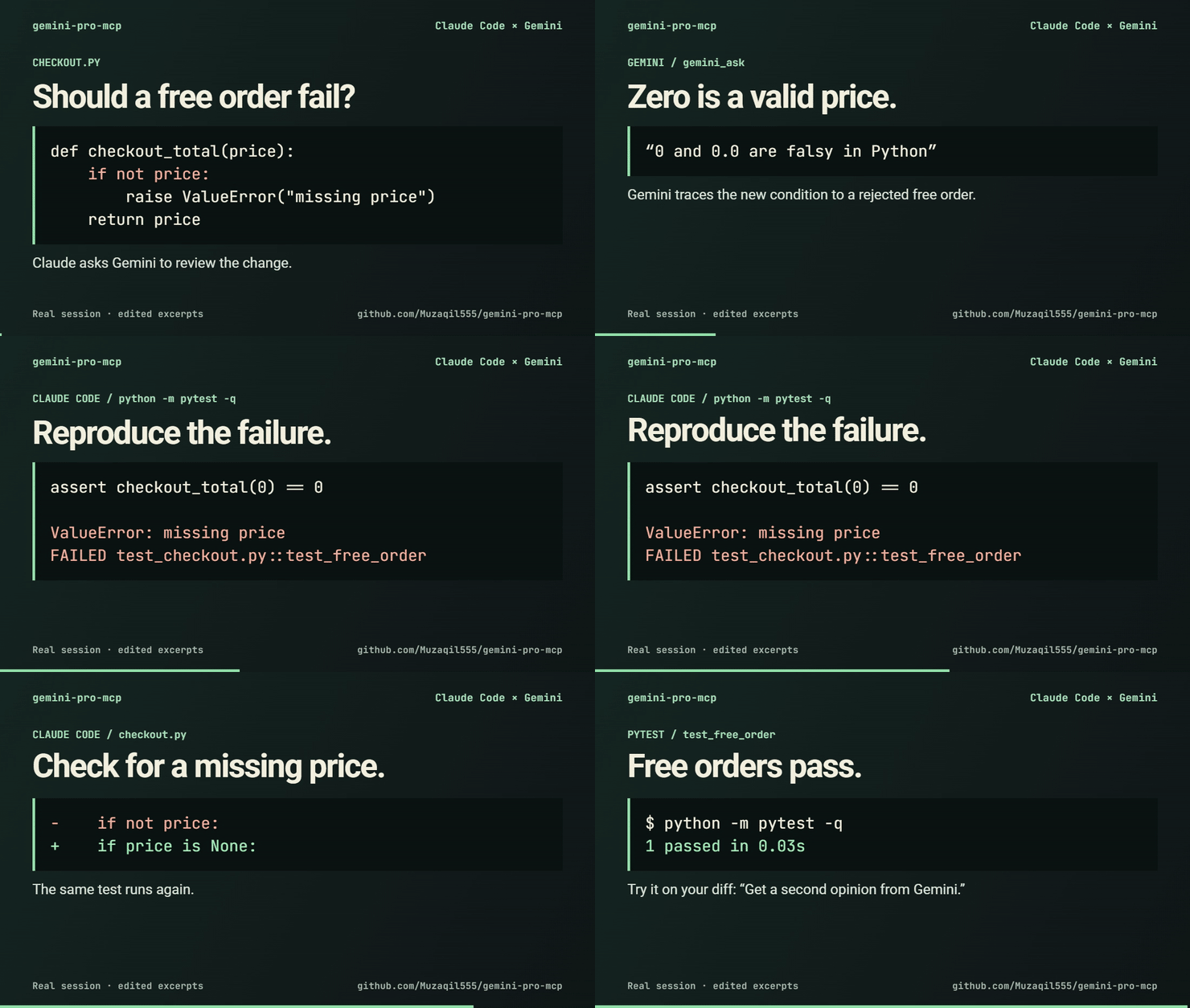
Watch the 30-second review (MP4) · Edited excerpts from a real Claude Code session.
If it saves you an API bill or a tab switch, a ⭐ helps other AI Pro users find it.
gemini_ask, gemini_research and gemini_code run on your AI Pro plan's limits through the Antigravity CLI, not on a pay-per-token API key.google_pro_benefits lists each benefit and the tool that reaches it.setup adds the server to every client it finds. doctor checks what works and tells you how to fix what does not.gemini_code. Paid calls ask you first. The browser tools are off until you turn them on, and the server never sees or types your Google password.Ask your agent things like:
"Get a second opinion from Gemini on
src/auth.py." "Research what changed in Flutter 3.47, with sources." "Make a 2 minute video of a fox's journey through a snowy forest with my Flow credits." "Put these three PDFs in a Gemini Notebook and make an Audio Overview." "Turn this logo sketch (./sketch.png) into a clean flat icon, 2K."
Most Gemini MCP servers give your agent one thing: a chat with Gemini, or the Gemini API's media models. This one covers the whole AI Pro plan.
| gemini-pro-mcp | gemini-mcp-tool | RLabs gemini-mcp | GuDaStudio geminimcp | |
|---|---|---|---|---|
| Gemini on your AI Pro plan, no API key | ✅ Antigravity CLI | ✅ Antigravity CLI (experimental) | ❌ API key | Gemini CLI[^cli] |
| Ask Gemini, review local files | ✅ | ✅ | ✅ | ✅ |
| Deep Research | ✅ | — | ✅ (API) | — |
| Images and video | ✅ (API, and Flow on the plan) | — | ✅ (API) | — |
| Google Flow: any-length videos, every Flow tool | ✅ | — | — | — |
| Gemini Notebooks (Audio Overviews, quizzes...) | ✅ | — | — | — |
| Jules coding agent | ✅ | — | — | — |
| One-command setup for seven MCP clients | ✅ setup + doctor |
Claude Code and Desktop | Claude Code | Claude Code |
Based on each project's README in November 2026. Corrections are welcome in an issue.
[^cli]: Google retired the Gemini CLI for Google AI Pro and Ultra users on 2026-06-18 in favor of the Antigravity CLI. API-key and enterprise users can still use it.
One MCP server, five ways into Google's AI:
| Group | Tools | Runs on | Cost |
|---|---|---|---|
| Gemini (subscription) | gemini_ask, gemini_research, gemini_code, gemini_agents, gemini_models |
Antigravity CLI signed in with your Google AI Pro/Ultra account | Free: uses your plan's limits |
| Jules | jules_start, jules_status, jules_approve_plan, jules_message, jules_sources, jules_sessions |
Official Jules API (JULES_API_KEY) |
Your plan's Jules limits |
| Media (Gemini API) | video_generate, video_edit, video_check, image_generate, video_stitch |
Official Gemini API: Omni Flash video, Nano Banana images | Generation is billed per use. Checking a result and stitching local clips are free. |
| Google AI web apps (experimental) | gemini_app, gemini_app_result, google_ai_mode, notebook_*, google_page, google_act, google_pro_benefits |
Your own signed-in Chrome: Gemini app, Notebooks, AI Mode, AI Studio, Colab, Flow Music, Docs | Your plan's limits |
| Flow (experimental) | flow_make_video, flow_job, flow_generate, flow_approve, flow_reject, flow_collect, flow_status, flow_tools, flow_open_tool: every Flow feature and tool |
Your own signed-in Chrome at flow.google.com | Your plan's monthly Flow credits (e.g. 12 credits for an 8 s video) |
gemini-pro-mcp (or gemini-pro-mcp[flow] for browser tools) and run gemini-pro-mcp setup in that environment.agy once and sign in with your Google AI Pro/Ultra account.uvx gemini-pro-mcp setupsetup finds Claude Code, Codex, the Antigravity CLI, the Gemini CLI, Cursor, Claude Desktop and Windsurf on your computer, adds the server to each one, and then checks what works: the Antigravity sign-in, your API keys, Chrome and the Flow profile. Each item it reports as missing comes with the fix. Restart the clients afterwards.
--browser also enables the Flow, Gemini app, AI Mode and Notebook tools. Run uvx gemini-pro-mcp flow-login once afterwards and sign in to Google in the window that opens.--auto-approve pre-approves spending, so paid tools run without asking first.--client codex (repeatable: claude, codex, agy, gemini, cursor, claude-desktop, windsurf) sets up only the clients you name. --dry-run shows the changes without making them.uvx gemini-pro-mcp auth interactively saves JULES_API_KEY (Jules) or GEMINI_API_KEY (paid API media) to ~/.config/gemini-pro-mcp/.env with hidden input. Core Gemini, Deep Research, Flow and Notebook tools run on your Google AI Pro plan and need no API key.Edited config files are backed up next to themselves (config.toml.bak, settings.json.bak). To check things again later, without changing anything:
uvx --from "gemini-pro-mcp[flow]" gemini-pro-mcp doctor --flowTo add the server by hand instead, use the client's own command:
Claude Code
claude mcp add gemini-pro --scope user -- uvx gemini-pro-mcpCodex
codex mcp add gemini-pro -- uvx gemini-pro-mcpOr in ~/.codex/config.toml. Raise the tool timeout: Flow and Deep Research calls take minutes, longer than Codex's default.
[mcp_servers.gemini-pro]
command = "uvx"
args = ["gemini-pro-mcp"]
startup_timeout_sec = 60
tool_timeout_sec = 900
Antigravity CLI and Gemini CLI
agy mcp add gemini-pro -- uvx gemini-pro-mcp
gemini mcp add gemini-pro uvx gemini-pro-mcp
Settings go in as environment variables, e.g. agy mcp add --env GEMINI_PRO_ENABLE_BROWSER=1 gemini-pro -- ..., or in the .env file below.
As a Gemini CLI extension or a Claude Code plugin. Both add the server without the browser tools; for those, run setup --browser as above. Run uvx gemini-pro-mcp doctor afterwards to see what works. The Claude Code plugin also adds six commands: /gemini-pro:gemini-review (Gemini reviews your diff, then Claude checks each point), /gemini-pro:gemini-research, /gemini-pro:second-opinion, /gemini-pro:jules, /gemini-pro:notebook and /gemini-pro:video. It also adds a skill that picks the right tool for each request. Every MCP client also gets the same six workflows directly as MCP prompts (gemini_review, gemini_research, second_opinion, jules_task, notebook_workflow, make_video).
gemini extensions install https://github.com/Muzaqil555/gemini-pro-mcpIn Claude Code:
/plugin install gemini-pro --marketplace Muzaqil555/gemini-pro-mcpClaude Desktop, Cursor, Windsurf and other clients. Add this to the client's MCP config:
{
  "mcpServers": {
    "gemini-pro": {
      "command": "uvx",
      "args": ["gemini-pro-mcp"]
    }
  }
}Put it in ~/.config/gemini-pro-mcp/.env so it stays out of client configs:
GEMINI_API_KEY=your-keyOr pass it as an env entry in the client config. Restart the client afterwards.
Find threats in your stack.
OX Radar can check high-priority threats, like critical package CVEs, against your context.
Each incident is marked Detected or Not Detected with a remediation plan and proof all tracked in the Response Center.
The probe returned only these fields for this server — auth requirement, protocol and tool list weren’t observed, so they’re not shown (never guessed).
The publisher’s own links, as the registry reports them. These are not sources for the assessment on this page.