
Scan your whole stack


From OX Research Newsroom






Are you using langstage-codraft?
Find out what’s in your code.
Scan your apps free in minutes (opens in a new tab) Read the latest findings
Latest version: v0.12.8
langstage-codraft was last scanned on 29 Nov 2026 at version 0.12.8. Risk score 0 of 100. No malicious behavior was detected.
| Version | Published | Status |
|---|---|---|
| 0.12.8 LATEST | 29 Nov 2026 | No rules fired |
| 0.12.7 | 28 Nov 2026 | No rules fired |
| 0.12.6 | 28 Nov 2026 | No rules fired |
| 0.12.5 | 25 Nov 2026 | Not shown |
| 0.12.4 | 23 Nov 2026 | Not shown |
Findings for v0.12.8. The score is a capped sum of the weights of the rules that fired — not CVSS, not exploitability, and not a probability. It is not comparable across packages with different scan coverage.
The score describes 0.12.8; other versions have their own rules, not their own score.
The publisher’s own README, as collected from the registry.
The document stage for your LangGraph agent. Draft a document block by block on real pages. Tag your agent in comments, approve every change it suggests, and export exactly what you see.


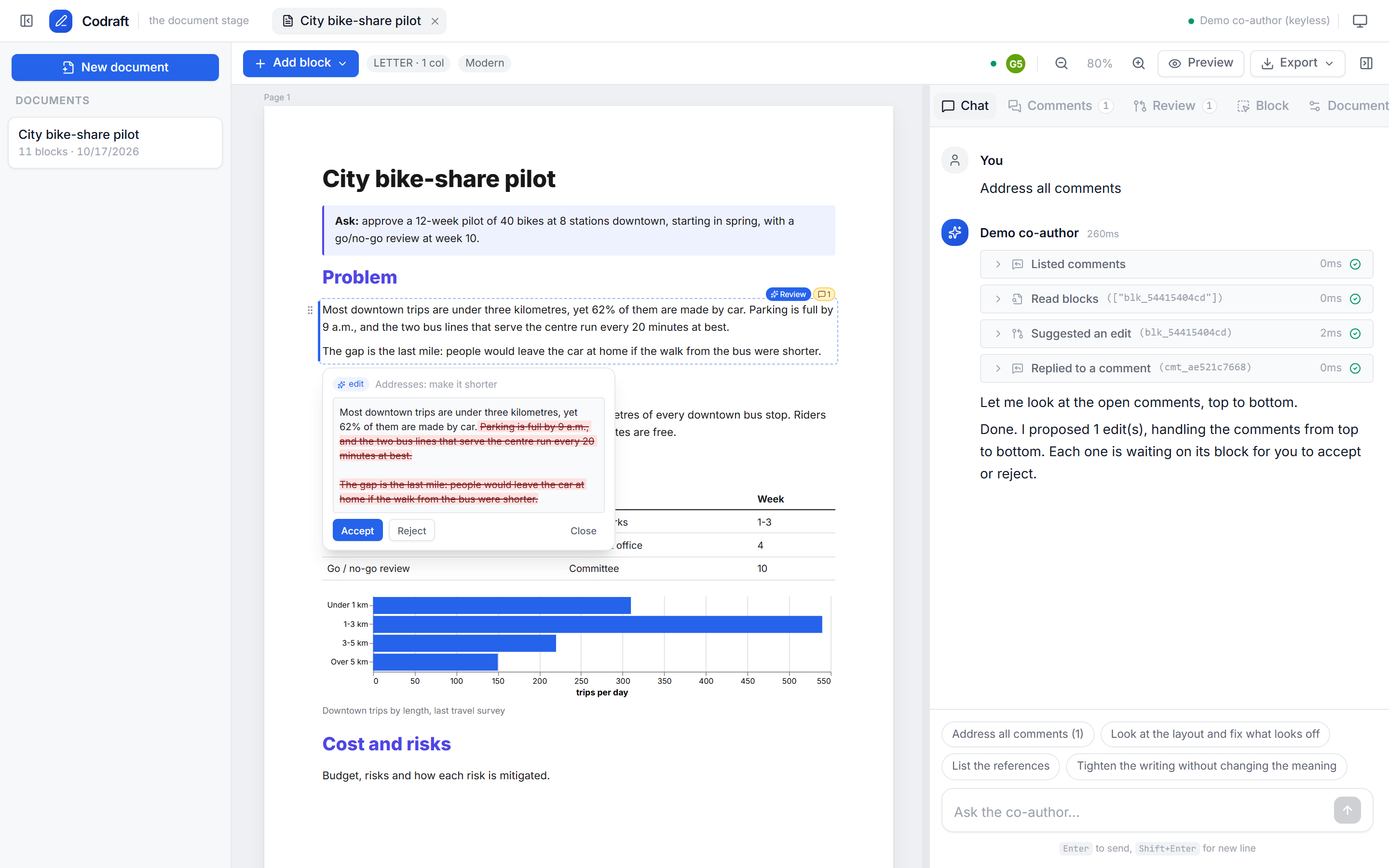
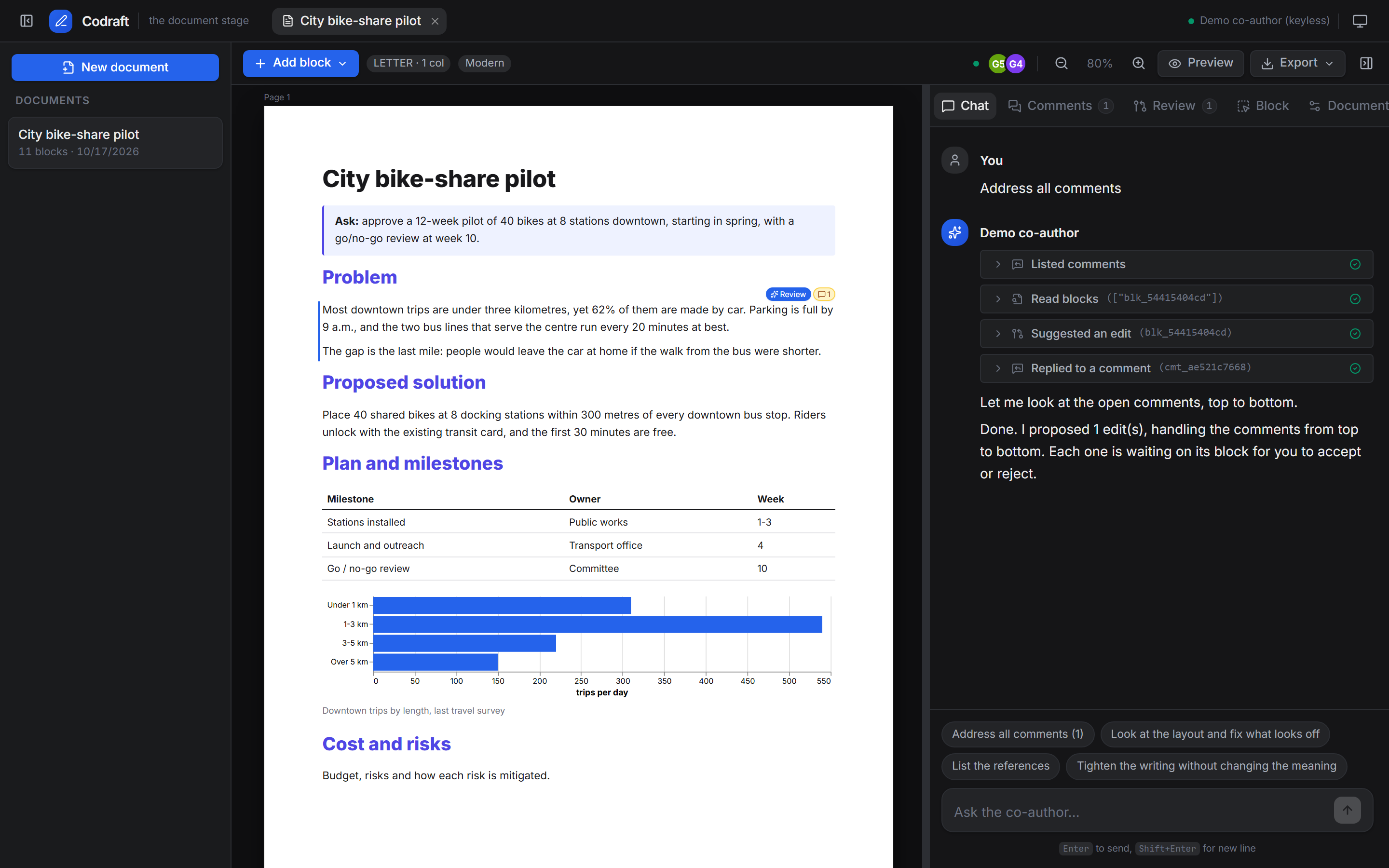
You own the thinking. Your agent owns the styling, and helps with drafting and research when you ask it to.
list_deleted_blocks, restore_block).[@key] in the text prints
as the source's number, and a references block lists them with authors, year and
publisher (see References and citations).view_pages gives a vision model screenshots of the rendered
pages, so it can fix layout problems you'd spot by eye..docx, editable and reflowing), PowerPoint (.pptx, one slide per page, with editable text
boxes where the paginator put them), and an animated GIF or MP4 page slideshow. Batch jobs
export straight from the data directory, with no server running.view_sketch) and turns it into an image with its image tool, or says it can't.http://localhost:8060/mcp or langstage-codraft mcp (stdio).pip install langstage-codraft
langstage-codraft install-browser # Chromium for export and the agent's eyes (once)
langstage-codraft run --demo # keyless scripted co-author, opens http://localhost:8060With a real model:
export OPENROUTER_API_KEY=...              # or OPENAI_API_KEY / ANTHROPIC_API_KEY
langstage-codraft run                      # default agent: claude-haiku-5.5 via OpenRouter
langstage-codraft run -m openai:gpt-5-mini # any LangChain model spec
pip install "langstage-codraft[anthropic]"  # for ANTHROPIC_API_KEY / anthropic: models
pip install "langstage-codraft[video]" # MP4 export (bundles ffmpeg)Most writing starts from a draft. Import a Markdown (.md) or Word (.docx) file and it
becomes a Codraft document made of ordinary blocks, which you then edit, restyle and hand to
the agent like any other:
langstage-codraft import report.md                       # prints the new document id
langstage-codraft import proposal.docx --template paper  # the template's look, your content
langstage-codraft import notes.md --title "Field notes" --theme modern --split section
In the editor, New document → Import Markdown or Word file does the same (for a Markdown
file with pictures, select its image files along with it). Over HTTP it is
POST /api/docs/import (multipart: file, and optionally title, template, theme,
settings as JSON, split, and assets for the image files).
| In the file | In Codraft |
|---|---|
Headings (#, Title, Heading 1–6) |
Heading blocks. A leading H1, a front-matter title: or Word's Title becomes the document title |
| Paragraphs, lists, block quotes, code | Text blocks, one per paragraph (--split section keeps the prose between two headings together) |
| Tables | Table blocks (cells as plain text) |
| A picture on its own | An image block. Embedded pictures and local files are stored with the document; a remote picture stays a link |
--- / ***, ` |
|
| ewpage`, Word page breaks | Divider and page-break blocks |
GitHub alerts (> [!NOTE]) |
Callouts |
| Footnotes | References on the block that cites them, listed in a References block |
| Reference-style links | Ordinary links |
The template you pick supplies the look and not its placeholder text: with report the title
goes on the cover page, with paper it runs across both columns.
Imported blocks are your content, not agent suggestions, so nothing waits for approval. The
import brings in structure and content, not Word's exact look (use match its look on an upload
for that). Whatever it can't represent (a text box, an equation, a picture it couldn't find)
is imported as plain text or left out, and listed for you: the editor shows the list before
it opens the document, the CLI prints it to stderr (--json includes it), and the API returns
it as import.notes.
The importer never fetches anything, reads a Markdown file's pictures only from that file's own folder (CLI) or from the files you send with it (editor, API), sanitizes SVG, and caps sizes: 25 MB per file, 5,000 blocks, and 300 MB for a Word file once unzipped.
Codraft is a LangStage stage: you bring the LangGraph agent and Codraft adds what it needs to work on documents. There are three ways to plug one in.
# my_agent.py  (needs OPENAI_API_KEY; any LangChain chat model works)
from langchain.agents import create_agent
from langchain_core.tools import tool
from langstage_codraft import CodraftMiddleware


@tool
def glossary(term: str) -> str:
    """Look up an internal term."""
    return {"pilot": "A time-boxed trial with a go/no-go review."}.get(term.lower(), "No entry.")


# 1. A graph that includes the middleware (it registers the tools and the co-author prompt,
#    and attaches page screenshots for vision models).
graph = create_agent("openai:gpt-5-mini", tools=[glossary], middleware=[CodraftMiddleware()])


# 2. Or a factory: Codraft calls it with its tools and middleware.
def make(tools, middleware):
    return create_agent("openai:gpt-5-mini", tools=[*tools, glossary], middleware=middleware)
langstage-codraft run --agent my_agent.py:graph # or my_agent.py:make
langstage-codraft check --agent my_agent.py:graph # preflight; --live runs one real turnA graph built without the Codraft tools still chats, but it can't touch the document. check
tells you when that's the case.
Name your agent and the editor uses that name wherever it would say "agent": "Ask Juniper",
"Suggestions from Juniper", replies and history credited to Juniper. Codraft reads graph.name
(create_agent(model, name="Juniper")); [ui] agent_name overrides it.
The agent's toolset (CODRAFT_TOOLS) has 31 tools. Each one reads and writes through the same
API the editor uses, so the agent has no private path, and nothing the agent can do is out of
the author's reach:
| Read | Write (suggestions) | Style (applies directly) | Other |
|---|---|---|---|
get_document, read_blocks, search_document, read_upload, list_comments, get_block_history, list_checkpoints, changes_since |
propose_edit, propose_insert, propose_delete, propose_move, insert_blocks, draw_figure |
set_block_layout, set_document_style, set_typography, set_cover, set_header_footer, match_upload_style, reserve_area |
reply_to_comment, compile_references, view_pages, view_sketch, view_upload, calculate, list_deleted_blocks, restore_block, list_design_history, restore_design |
The agent sees what it has proposed. While its suggestions wait for you, the agent works from the document as it will be, not only the one you have accepted:
get_document lists pending suggestions where they will land, marked PENDING. A pending insert
goes by its suggestion id (sug_…), which read_blocks, propose_edit (to revise the draft),
propose_delete (to withdraw it), set_block_layout and after_block_id all accept.read_blocks shows a block's accepted text next to the agent's pending edit of it.view_pages renders a preview with the pending suggestions applied, through the same print
route as export, and says which blocks on each page are still pending. pending=False shows
only what you have accepted. It returns at most four pages per call and says which it left out.restore_block brings a deleted block back where it was, with its history. It applies
immediately in either approval mode, because it only puts your own block back as it was.calculate does the arithmetic (totals, percentages, growth, table cells) so figures in the
document are computed, not guessed.
The agent sees the figure it drew. draw_figure comes back with the figure as it sits on the
page (a screenshot of the block from the same print view as export, at twice its size) and a
label check measured on the rendered SVG at its printed size: labels cut off by the canvas, type
that prints under 6.5 px, labels on top of each other, a label wider than the box it sits in, and
lines or arrowheads that run through a label, and one arrow drawn along another. The agent fixes what the check lists in one redraw
and looks at the preview for what a check can't see. Arrowhead markers sized in stroke widths
(the usual cause of giant arrowheads on thick connectors) are brought back in proportion when the
figure is stored. One figure can be drawn five times in a turn; after that the agent is told to
simplify it or to say what is wrong.
What the agent won't do to make a page fit. It doesn't delete or shorten content, its own or
yours, to reach a page count. Deleting the reference list or a block that cites a source, and an
edit that removes a block's sources, wait for your approval in every approval mode, including auto. Word counts are in get_document,
read_blocks and every propose_edit result, so "tighten by a third" is checked against a
number. A long draft of several paragraphs becomes one block per paragraph, so you approve and
comment on each (keep_together keeps a draft whole).
A layout change can't hide content either. set_block_layout refuses a height, or a pin's box,
that would cut off a block's text, table or cells, and says how much room the content needs:
what is cut off doesn't print, so shortening a block is a content change, and that is a
suggestion you approve. It also refuses a pin that would put such a block (partly) off the page,
or on a page the document doesn't have. An image or shape may bleed past an edge, as long as at
least half of it stays on the page. The check is in the tool, so an MCP client and a
bring-your-own agent get it too. You can still give a block any height in the Block panel; the
panel then says how much is cut off and offers Fit the content. A block pinned off the page
(by hand, or by an older version) counts as cut off: the editor names it above the page, and
export and layout-check report it.
Find threats in your stack.
OX Radar can check high-priority threats, like critical package CVEs, against your context.
Each incident is marked Detected or Not Detected with a remediation plan and proof all tracked in the Response Center.
The probe returned only these fields for this server — auth requirement, protocol and tool list weren’t observed, so they’re not shown (never guessed).
The publisher’s own links, as the registry reports them. These are not sources for the assessment on this page.
Read the latest findings