

Scan your whole stack


From OX Research Newsroom






Are you using netbox-catalyst-center?
Find out what’s in your code.
Scan your apps free in minutes (opens in a new tab)Latest version: v1.11.0
netbox-catalyst-center was last scanned on 23 Nov 2026 at version 1.11.0. Risk score 0 of 100. No malicious behavior was detected.
| Version | Published | Status |
|---|---|---|
| 1.11.0 LATEST | 23 Nov 2026 | No rules fired |
| 1.10.0 | 17 Nov 2026 | No rules fired |
Findings for v1.11.0. The score is a capped sum of the weights of the rules that fired — not CVSS, not exploitability, and not a probability. It is not comparable across packages with different scan coverage.
The score describes 1.11.0; other versions have their own rules, not their own score.
The publisher’s own README, as collected from the registry.
A NetBox plugin that integrates Cisco Catalyst Center (formerly DNA Center) with NetBox, displaying network device details, wireless client information, compliance status, and security advisories.




enable_virtual_chassis setting (default: disabled)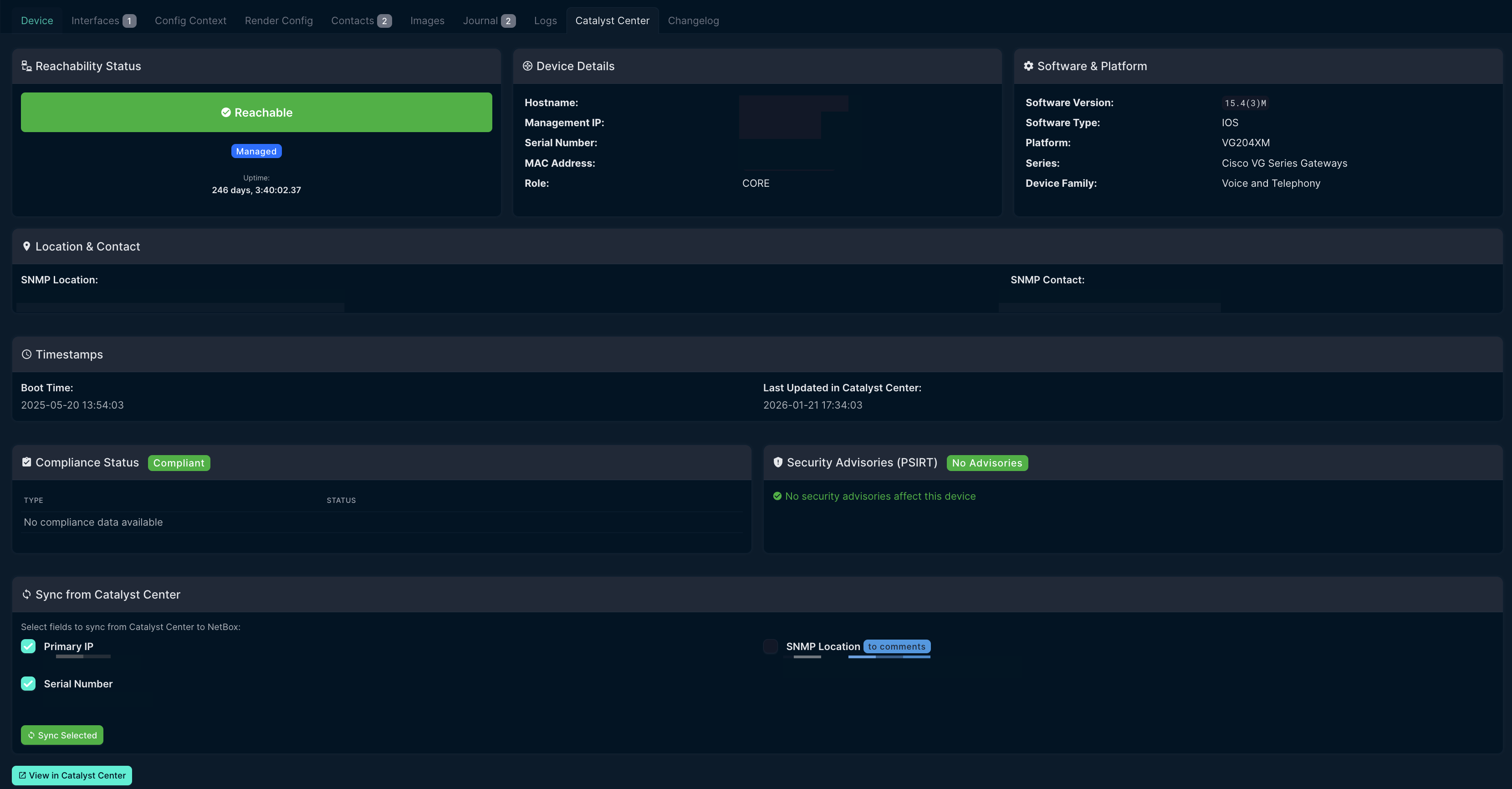
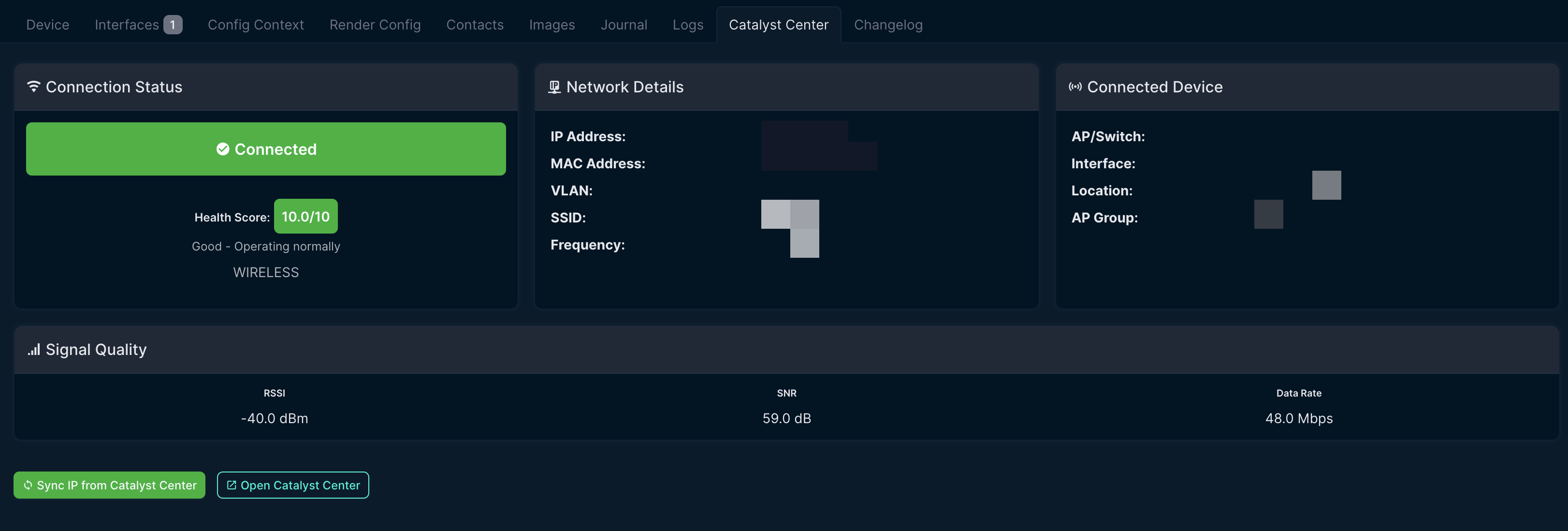
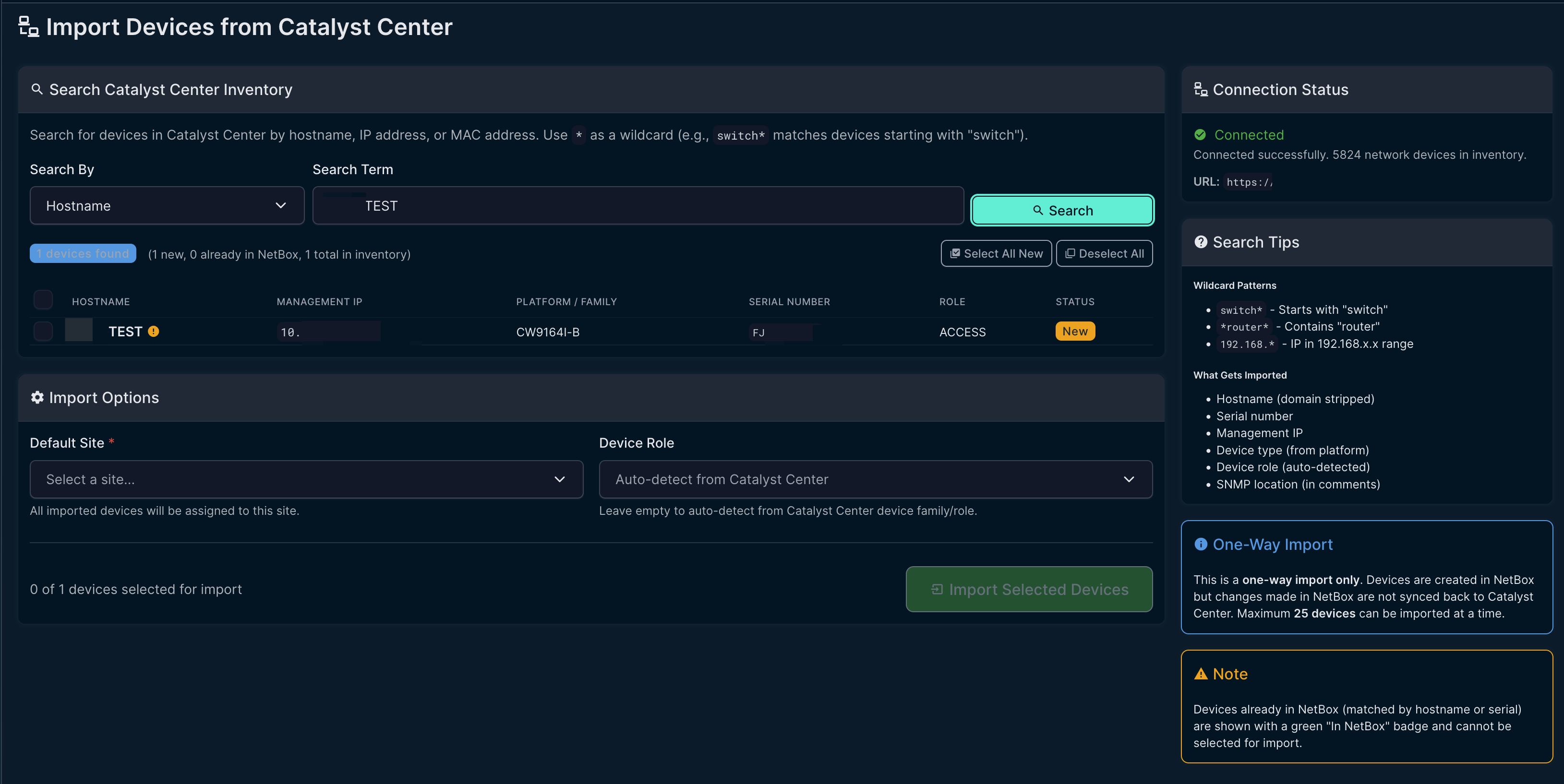
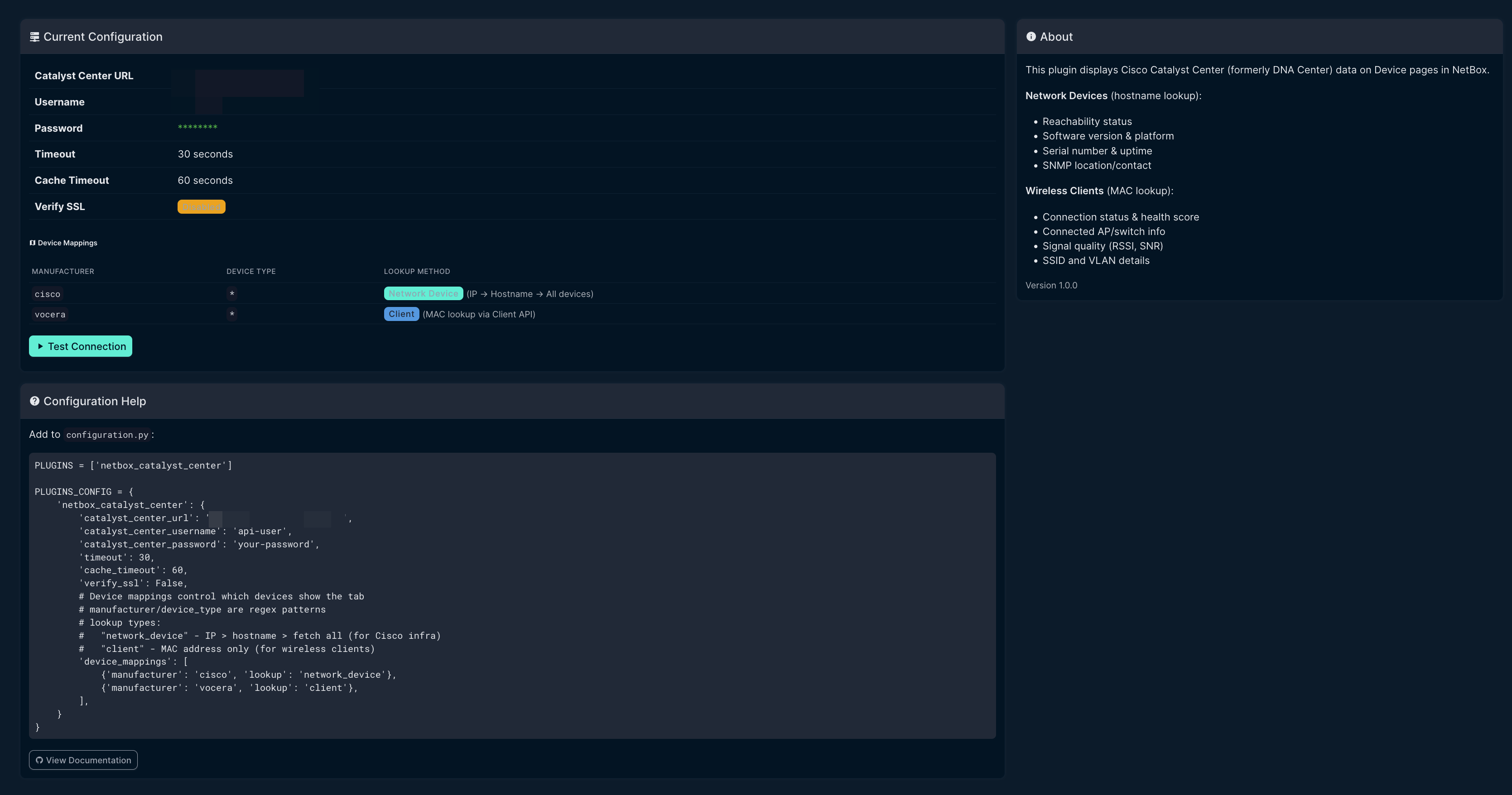
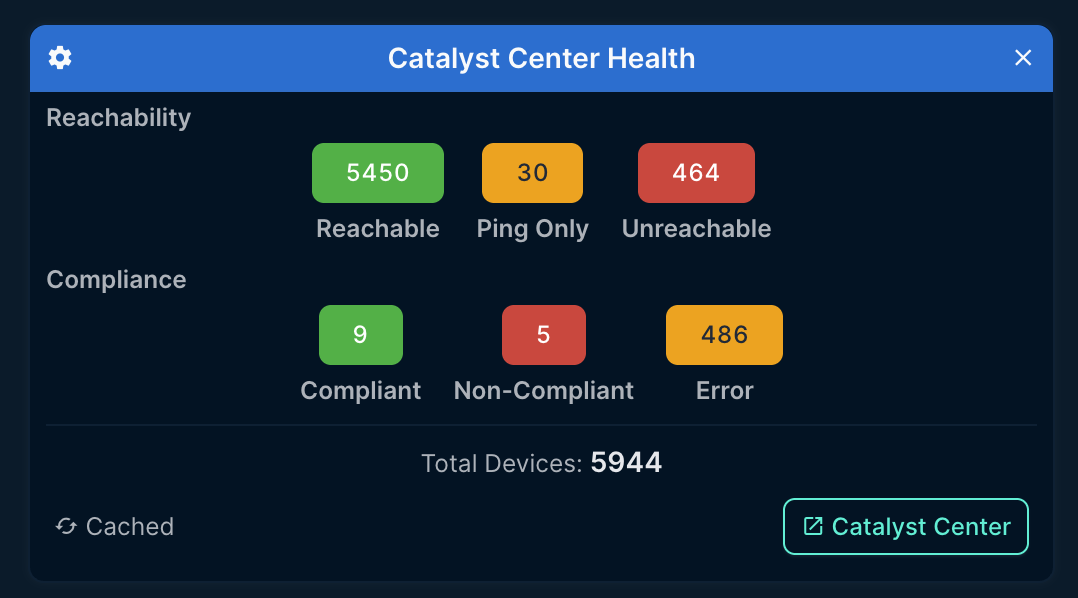
Catalyst Center health widget showing device reachability and compliance summary.
Note: This plugin is developed and tested exclusively on NetBox 4.x. It is not compatible with NetBox 3.x due to API and model changes.
pip install netbox-catalyst-centergit clone https://github.com/sieteunoseis/netbox-catalyst-center.git
cd netbox-catalyst-center
pip install -e .Add to your NetBox Docker requirements file:
# requirements-extra.txt
netbox-catalyst-center
Or for development:
# In docker-compose.override.yml, mount the plugin:
volumes:
- /path/to/netbox-catalyst-center:/opt/netbox/netbox/netbox_catalyst_centerAdd the plugin to your NetBox configuration:
# configuration.py or plugins.py

PLUGINS = [
    'netbox_catalyst_center',
]

PLUGINS_CONFIG = {
    'netbox_catalyst_center': {
        # Required: Catalyst Center URL
        'catalyst_center_url': 'https://dnac.example.com',

        # Required: API credentials
        'catalyst_center_username': 'api-user',
        'catalyst_center_password': 'your-password',

        # Optional settings
        'timeout': 30,           # API timeout in seconds (default: 30)
        'cache_timeout': 60,     # Cache duration in seconds (default: 60)
        'verify_ssl': False,     # Verify SSL certificates (default: False)

        # Virtual Chassis: Import stacked switches as virtual chassis (default: False)
        # When enabled, stacks create one device per member with interfaces assigned by slot
        'enable_virtual_chassis': False,

        # Device mappings (REQUIRED) - Controls which devices show the Catalyst Center tab
        # Each mapping specifies:
        #   - manufacturer: Regex pattern to match device manufacturer (slug or name)
        #   - device_type: Optional regex pattern to match device type (slug or model)
        #   - lookup: How to find the device in Catalyst Center:
        #       "network_device" - Uses IP → hostname → fetch all (for switches, routers, APs)
        #       "client" - Uses MAC address via Client API (for wireless clients)
        'device_mappings': [
            # All Cisco devices - lookup as network devices
            {'manufacturer': 'cisco', 'lookup': 'network_device'},

            # Vocera badges - lookup by MAC address as wireless clients
            {'manufacturer': 'vocera', 'lookup': 'client'},

            # Example: Specific device type only
            # {'manufacturer': 'cisco', 'device_type': 'catalyst-9300', 'lookup': 'network_device'},
        ],
    }
}Optional PLUGINS_CONFIG["netbox_catalyst_center"] keys that control where the plugin appears in the UI:
| Setting | Default | Description |
|---|---|---|
tab_weight |
9001 |
Position of this plugin's tab on object pages (lower = further left). Tabs with equal weight fall back to registration order. |
top_level_menu |
True |
True = own top-level sidebar menu. False = items listed under the shared Plugins menu, to shorten the sidebar. |
Note: The
device_mappingsconfiguration is required. Without it, the Catalyst Center tab will not appear on any devices.
Create an API user in Catalyst Center with these permissions:
Once installed and configured:
The plugin uses the device name as the MAC address for lookups. This works well for:
For devices where the name doesn't match the MAC, consider:
| Field | Description |
|---|---|
| Connection Status | Connected/Disconnected with health score |
| IP Address | Current IPv4 address |
| MAC Address | Client MAC address |
| SSID | Connected wireless network |
| VLAN | Assigned VLAN ID |
| Connected AP | Access point name and interface |
| Location | Physical location from Catalyst Center |
| Signal Quality | RSSI, SNR, and data rate |
xxxxxxxxxxxx (no colons) or xx:xx:xx:xx:xx:xxcatalyst_center_url is accessible from NetBox containerverify_ssl: Falsegit clone https://github.com/sieteunoseis/netbox-catalyst-center.git
cd netbox-catalyst-center
pip install -e ".[dev]"black netbox_catalyst_center/
flake8 netbox_catalyst_center/Full documentation is available in the GitHub Wiki.
See CHANGELOG.md for release history and breaking changes.
Apache License 2.0 - See LICENSE for details.
Contributions are welcome! Please:
If you find this plugin helpful, consider supporting development:
Find threats in your stack.
OX Radar can check high-priority threats, like critical package CVEs, against your context.
Each incident is marked Detected or Not Detected with a remediation plan and proof all tracked in the Response Center.
The probe returned only these fields for this server — auth requirement, protocol and tool list weren’t observed, so they’re not shown (never guessed).
The publisher’s own links, as the registry reports them. These are not sources for the assessment on this page.