Scan your whole stack


From OX Research Newsroom






Are you using terminal-trip?
Find out what’s in your code.
Scan your apps free in minutes (opens in a new tab) Read the latest findings
Latest version: v0.2.2
terminal-trip was last scanned on 29 Nov 2026 at version 0.2.2. Risk score 0 of 100. No malicious behavior was detected.
| Version | Published | Status |
|---|---|---|
| 0.2.2 LATEST | 29 Nov 2026 | No rules fired |
| 0.2.1 | 29 Nov 2026 | No rules fired |
Findings for v0.2.2. The score is a capped sum of the weights of the rules that fired — not CVSS, not exploitability, and not a probability. It is not comparable across packages with different scan coverage.
The score describes 0.2.2; other versions have their own rules, not their own score.
The publisher’s own README, as collected from the registry.
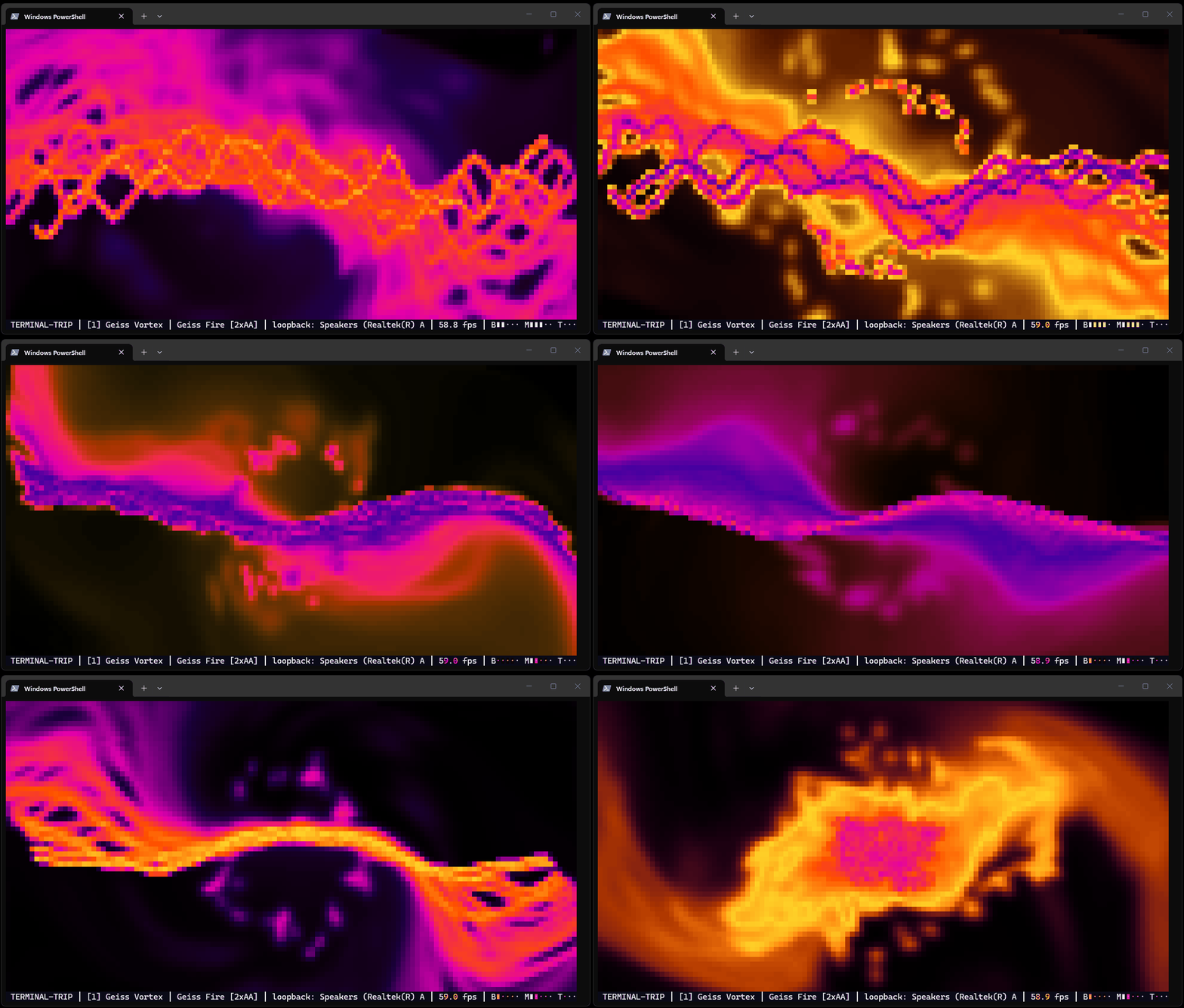
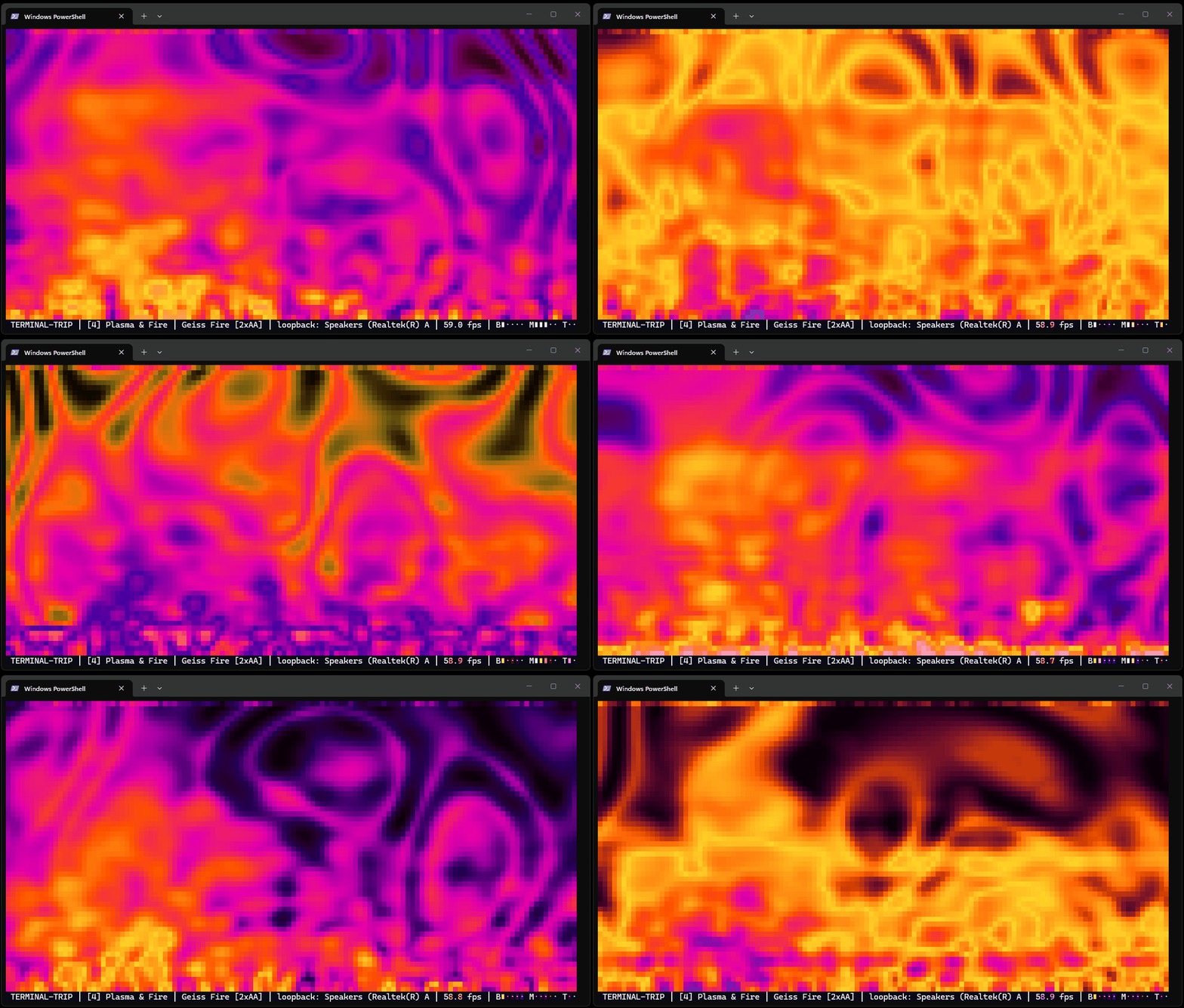
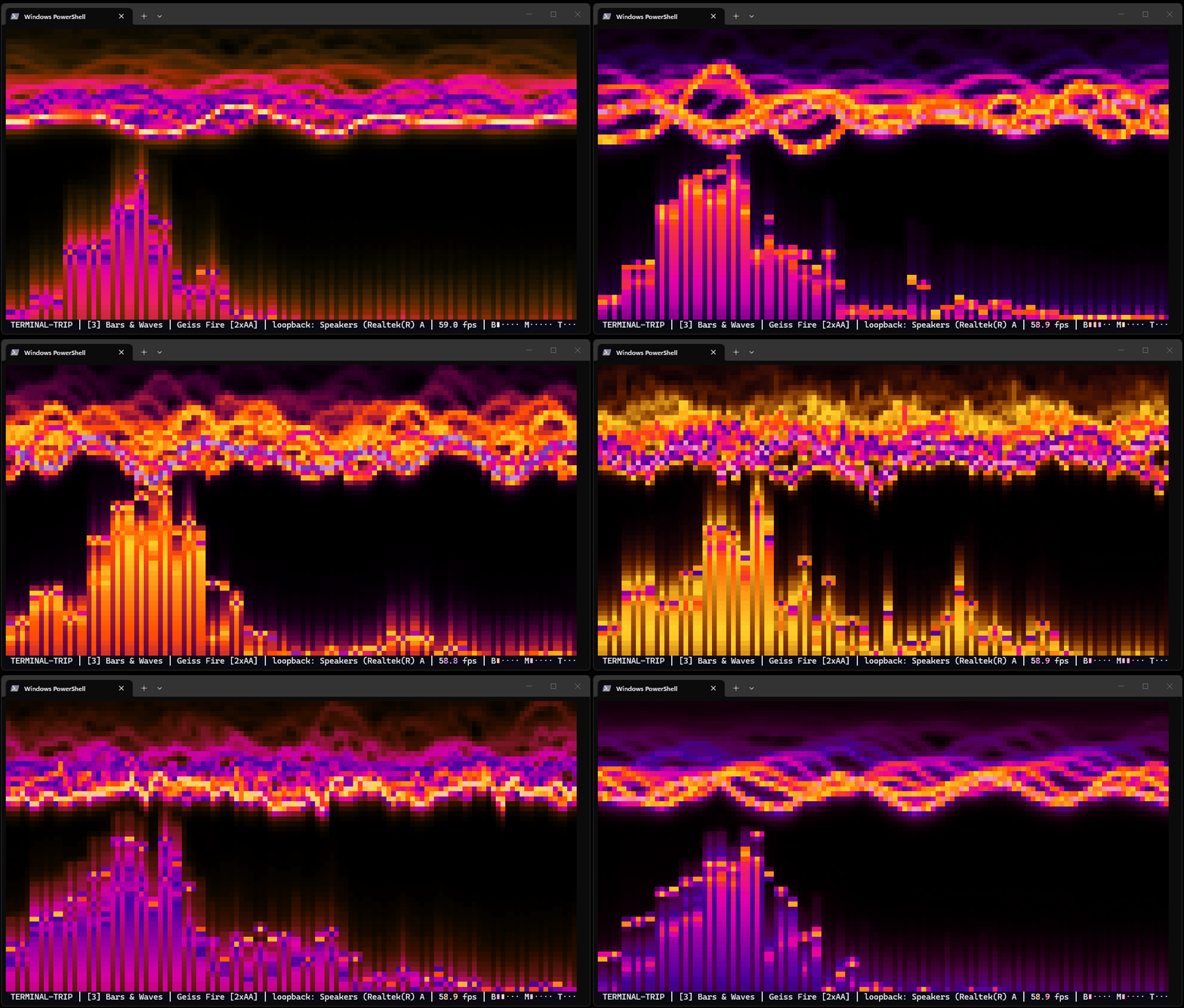
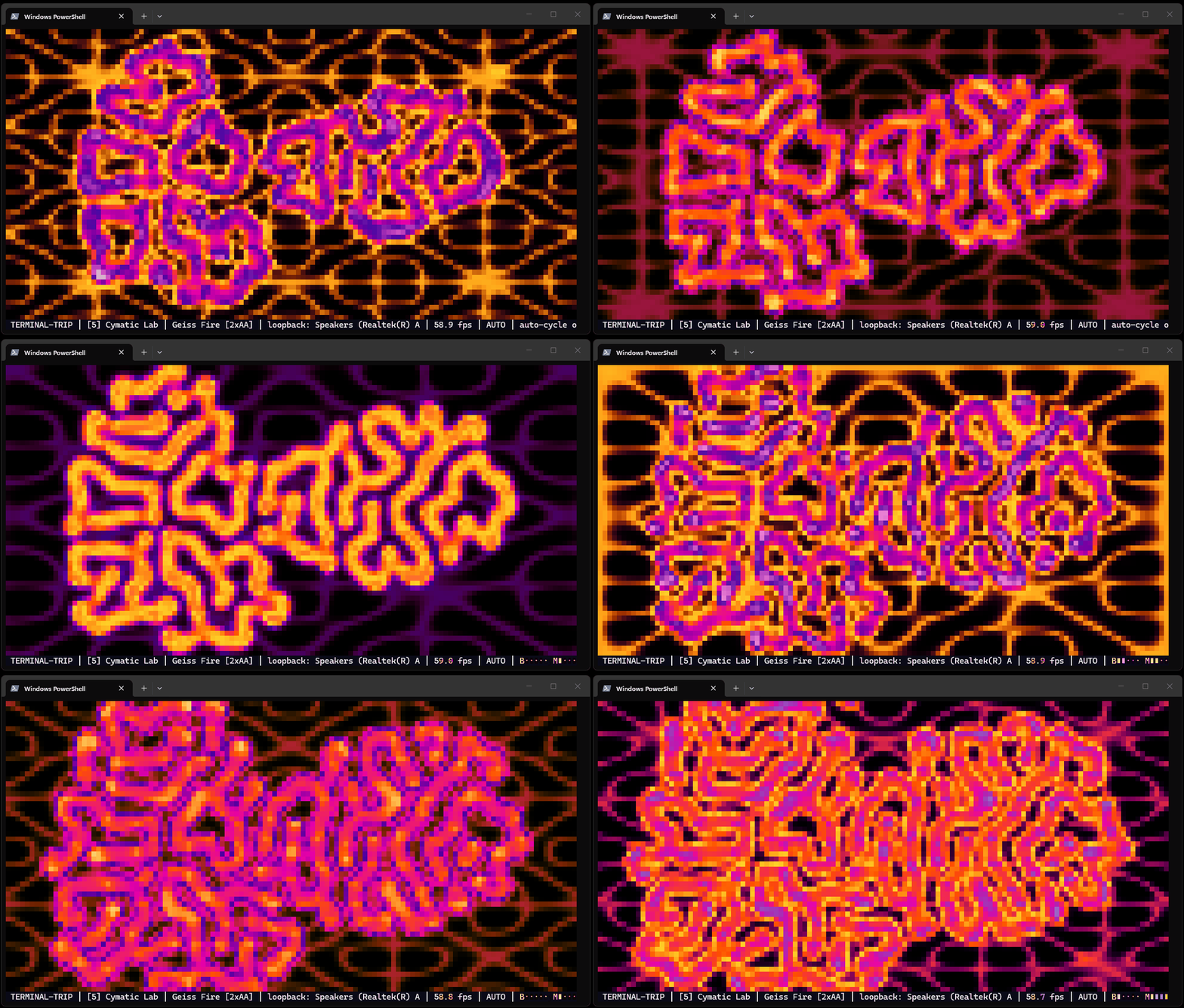
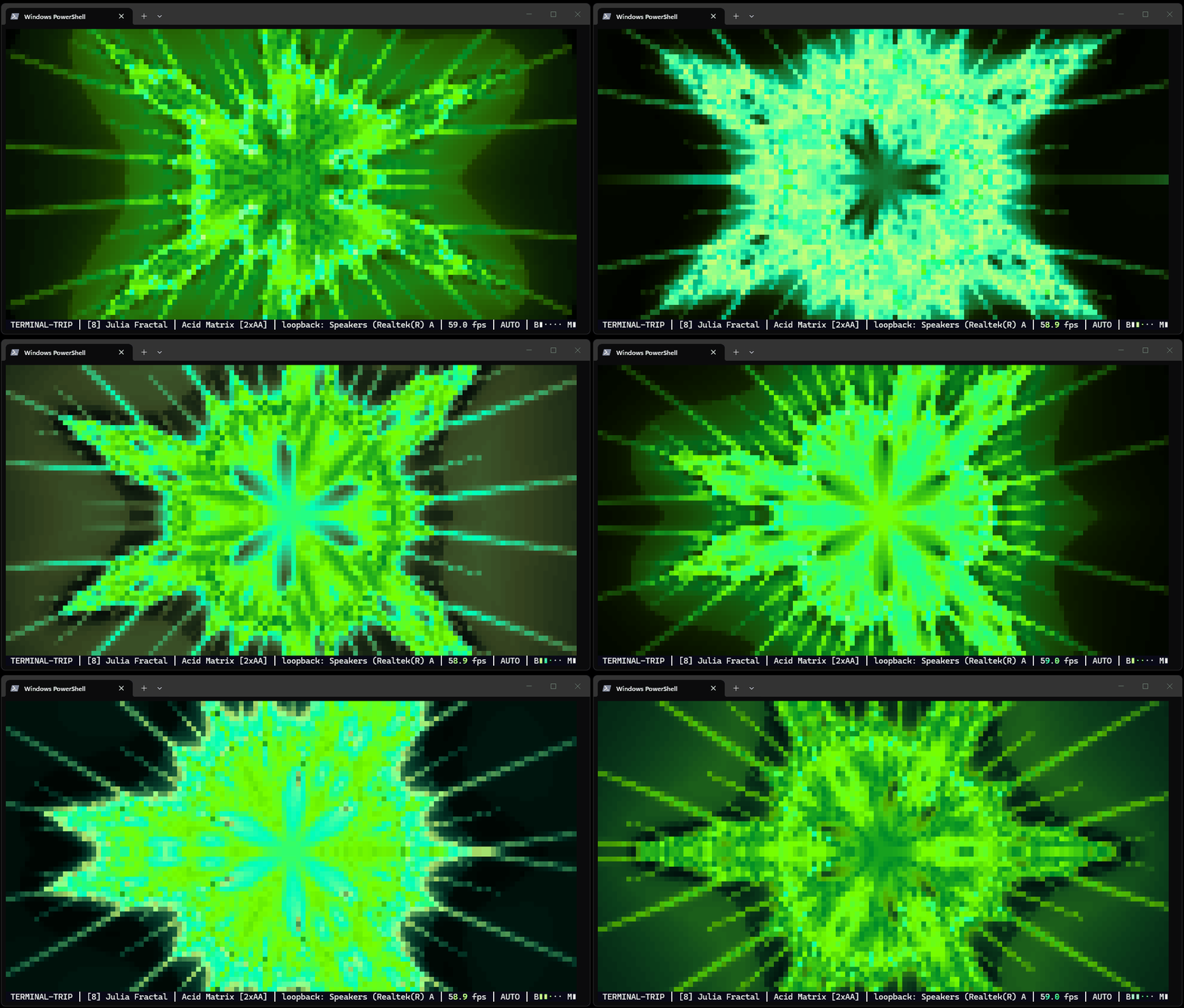
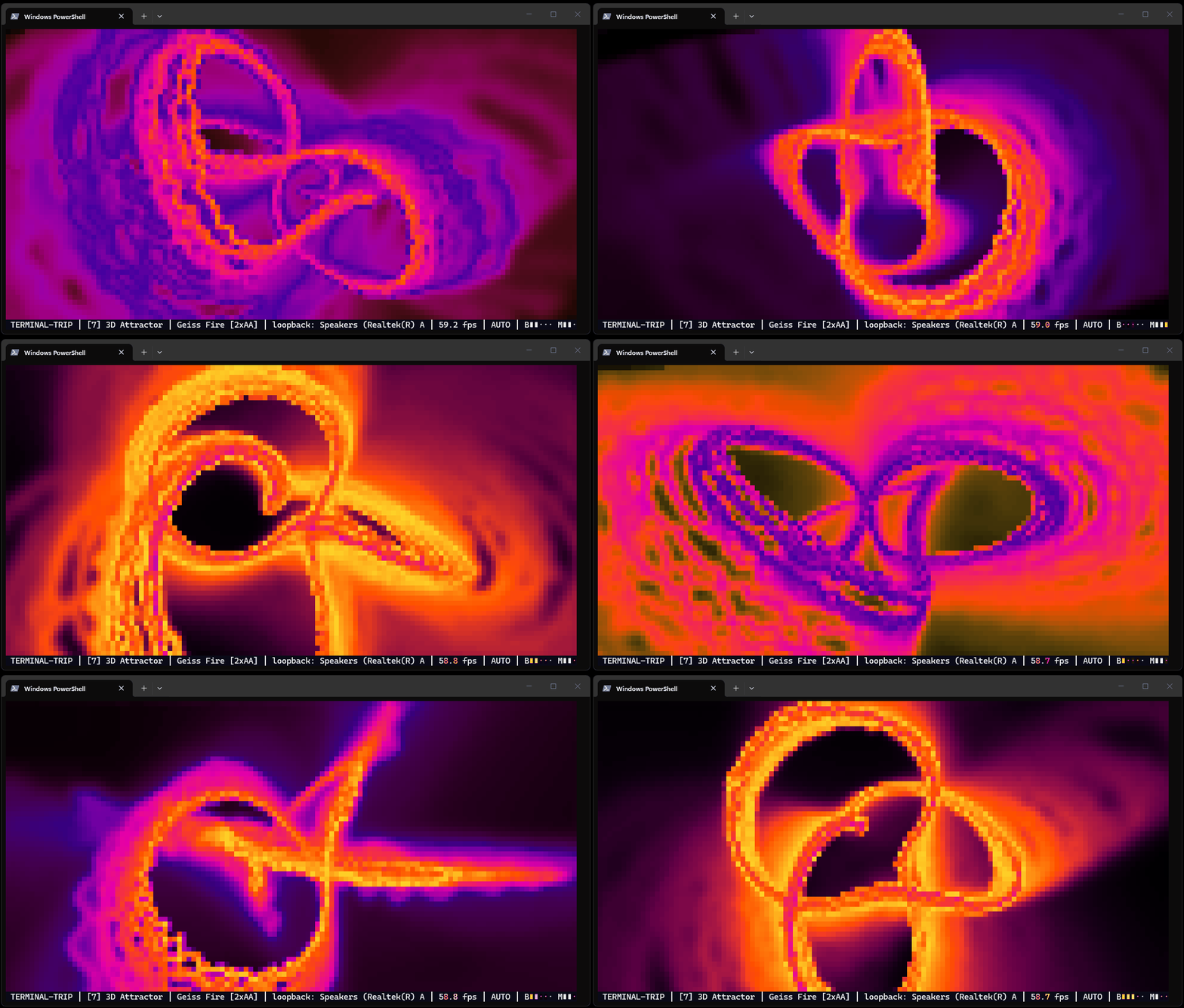
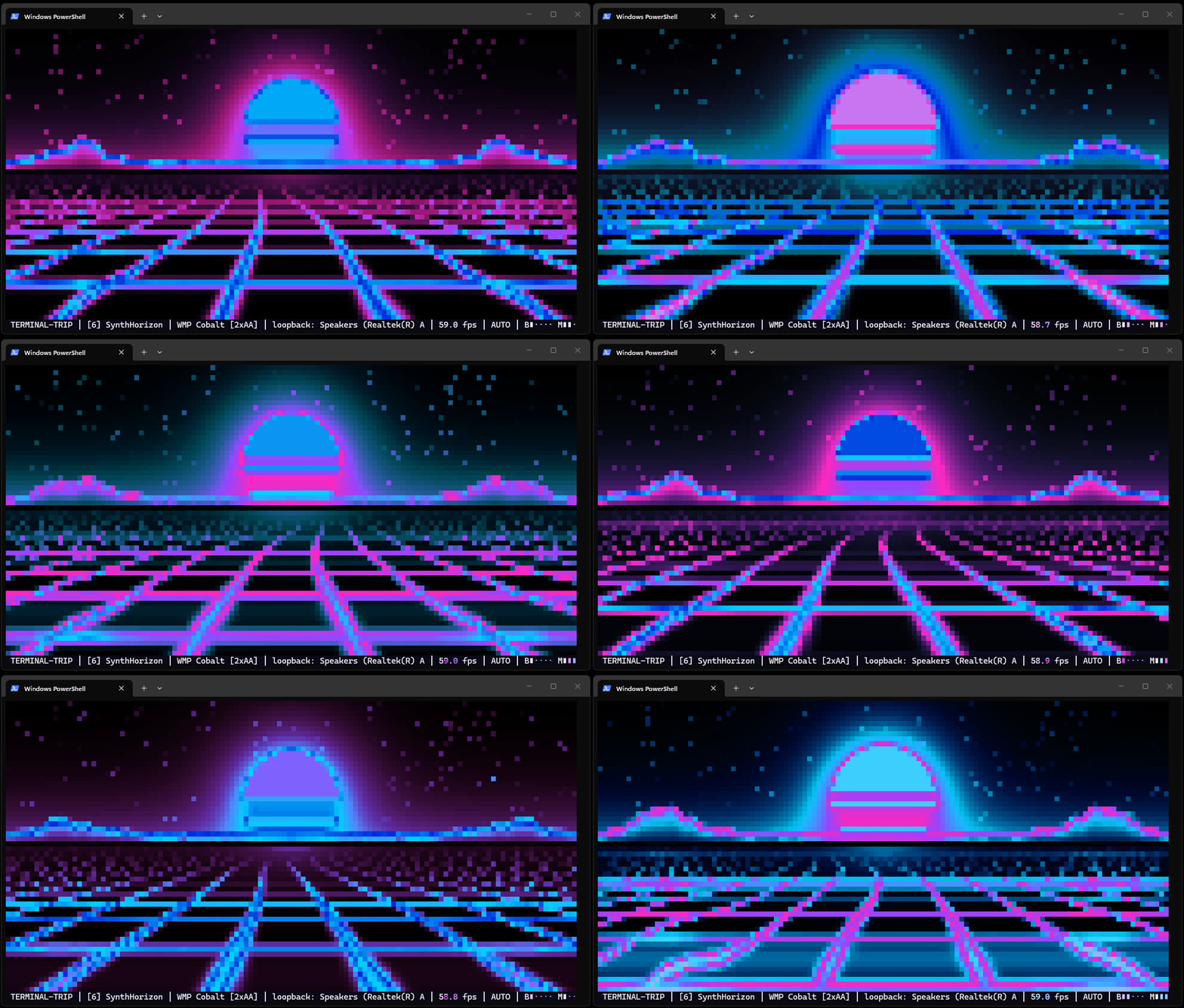
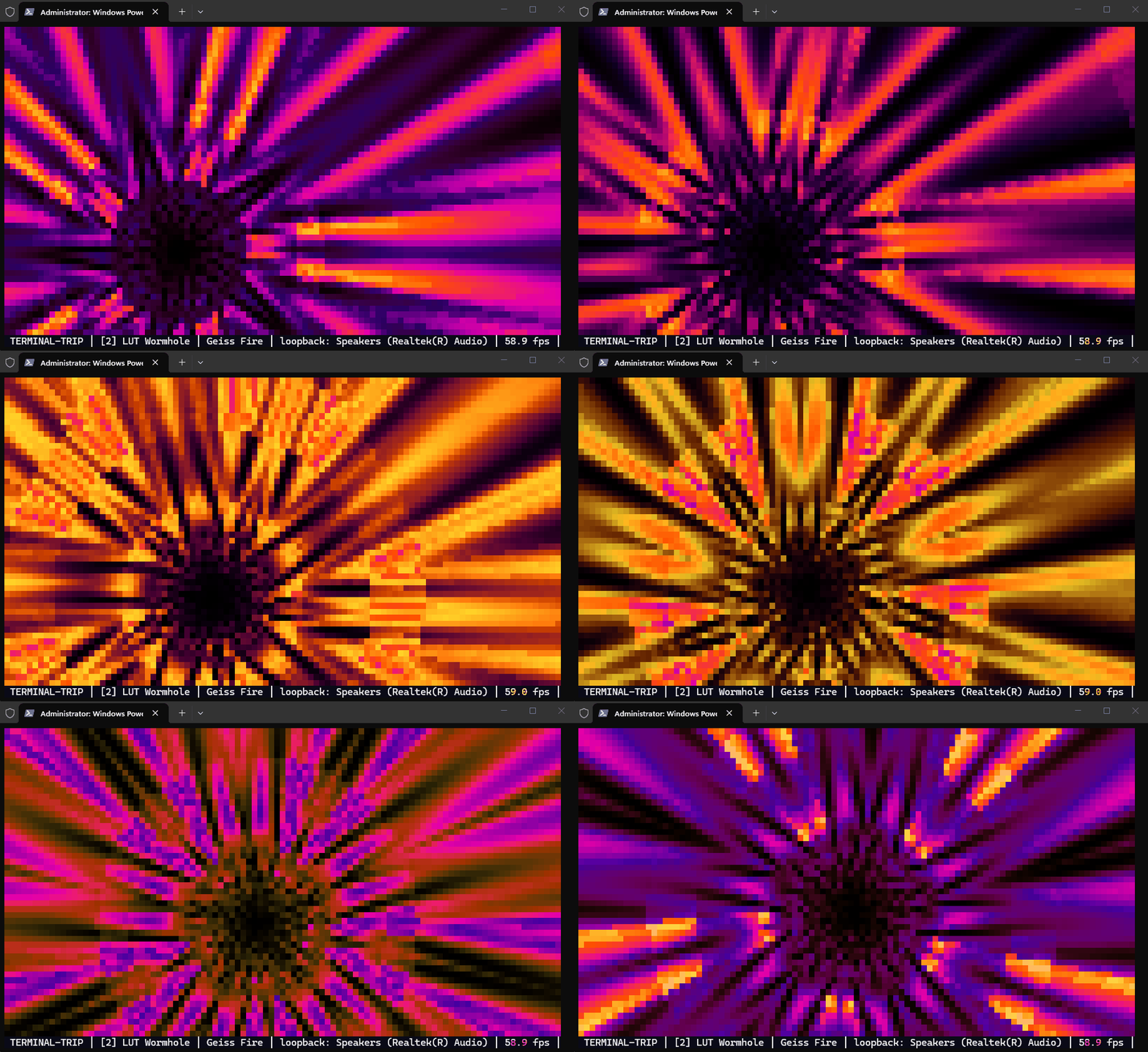
A retro 90s/2000s music visualizer that runs at 60 FPS right inside your terminal. Inspired by Winamp's Geiss / MilkDrop, Windows Media Player's Bars and Waves / Ambience and music visualizations from previous decades.
To understand the implementation details (including the mathematical background for the animations and the theory behind how the tool works) see ARCHITECTURE.md
Created with Google Antigravity.
uvx / pipx)Once published to PyPI, you can launch terminal-trip immediately without cloning or managing a virtual environment:
# Run instantly in an isolated ephemeral environment
uvx terminal-trip
# or
pipx run terminal-trip

# Or install globally as a CLI command
uv tool install terminal-trip
# or
pipx install terminal-trip
(You can also run directly from GitHub at any time via uvx --from git+https://github.com/vhoudoverdov/terminal-trip.git terminal-trip or pipx run --spec git+https://github.com/vhoudoverdov/terminal-trip.git terminal-trip.)
pip / venv)Clone the repository and install it into a local virtual environment:
git clone https://github.com/vhoudoverdov/terminal-trip.git
cd terminal-trip

# Create a virtual environment and install
python -m venv .venv
.\.venv\Scripts\pip install .

# Launch!
.\.venv\Scripts\terminal-trip
(On macOS / Linux, replace .\.venv\Scripts\ with ./.venv/bin/.)
If you want cryptographic SHA-256 verification of every downloaded wheel:
python -m venv .venv
.\.venv\Scripts\pip install --require-hashes -r requirements.txt
.\.venv\Scripts\python main.py# React to whatever is playing on your computer (Spotify, YouTube, etc. via Windows WASAPI loopback)
python main.py
# Play and visualize an audio file (.wav, .mp3, .flac, .ogg)
python main.py --file path/to/song.mp3
# Run the built-in 125 BPM acid-techno synth and auto-cycle presets + palettes
python main.py --synth --auto
# Start on a specific preset (1-8) and color palette (1-6)
python main.py --preset 5 --palette 2Tip: Use Windows Terminal (or any modern true-color terminal). Shrinking your terminal font size (
Ctrl+-) increases the pixel resolution of the canvas!
While terminal-trip is running, use your keyboard to switch visual patterns, cycle color palettes, toggle 2×2 supersampling, change audio inputs, or take screenshots:
| Key | Action | Description |
|---|---|---|
1 – 8 |
Select Visual Preset | Jump directly to Preset 1–8 with a smooth crossfade |
← / → |
Previous / Next Preset | Cycle backward or forward through all 8 visual patterns |
Space |
Toggle Auto-Cycle | Automatically crossfade to a new preset and palette every ~20 seconds on a beat |
P |
Cycle Color Palette | Smoothly morph to the next 256-color palette (6 built-in palettes) |
A |
Switch Audio Source | Cycle between System Loopback $\rightarrow$ Demo Synth $\rightarrow$ Audio File |
+ / - |
Audio Sensitivity | Boost or attenuate visual reactivity (0.25x to 4.0x gain) |
V |
Toggle 2×2 Supersampling | Toggle 2×2 sub-pixel Supersampling Anti-Aliasing ([2xAA] in HUD) |
D |
Color Detail Level | Cycle 256 $\rightarrow$ 128 $\rightarrow$ 64 color levels (lower = fewer ANSI codes for slower terminals) |
H |
Toggle Bottom HUD | Show or hide the status bar (active preset, palette, FPS, live Bass/Mid/Treble VU meter) |
S |
Save PNG Screenshot | Save the current frame as a crisp 4× upscaled PNG (terminal-trip-YYYYMMDD-HHMMSS.png) |
? |
Toggle Help Overlay | Show or hide the on-screen hotkey cheat sheet |
Q / Esc |
Quit | Cleanly restore the terminal screen and exit |
1–8 or ←/→)[1] Geiss Vortex: Polar feedback warp (zoom + swirl + petal modulation) with isotropic 9-point bloom diffusion, smooth shape morphing across harmonic rings, ribbons, and Lissajous waves, and sub-pixel anti-aliased beat sparks.[2] LUT Wormhole: Demoscene 1/r tunnel with continuous sub-pixel Lissajous camera glide, $N$-fold kaleidoscope symmetry, distance-attenuated XOR/plasma wall textures, and smooth bell-curve audio spectrum rings.[3] Bars & Waves: Tribute to Windows Media Player—48 logarithmic spectrum bars with sub-pixel anti-aliased crests, specular rim shading, gravity peak-hold caps, rising diffused heat trails, and a continuous CRT phosphor Signed Distance Field (SDF) oscilloscope beam.[4] Plasma & Fire: Four-wave sine interference plasma with specular contour crests combined with a 9-point turbulent wind-curled fire buffer and flame-edge gradient relief (|∇F|).[5] Cymatic Lab: Crossover with terminal-soup—a 9-point isotropic Gray-Scott Reaction-Diffusion field coupled to Chladni standing-wave acoustic nodal plates ($\cos(n\pi x)\cos(m\pi y) - \cos(m\pi x)\cos(n\pi y)$) with membrane-relief shading.[6] SynthHorizon: Retro 80s/90s outrun 3D perspective-projected canyon grid with an audio-reactive spectrum mountain ridge, scanline-segmented synthwave sun, and twinkling treble starfield.[7] 3D Attractor: Rotating 3D volumetric $(p, q)$ harmonic torus-knot and strange-attractor phase ribbon modulated by the live waveform, projected with perspective depth-cue shading and swirling motion-blur trails.[8] Julia Fractal: Real-time 60 FPS audio-reactive Julia set ($z_{n+1} = z_n^2 + c(t)$) orbiting the Mandelbrot cardioid perimeter with smooth fractional escape-potential coloring, Pickover orbital-trap interior glow, and beat-triggered kaleidoscope folding.P)| Flag | Default | Description |
|---|---|---|
--version |
None | Print the installed terminal-trip version and exit |
--check-update |
Off | Check GitHub Releases/Tags for a newer version and exit |
--update |
Off | Self-update terminal-trip (git pull --ff-only or pip install --upgrade) and exit |
--no-update-check |
Off | Disable the 24h-cached background startup update check |
--file PATH |
None | Audio file to play and visualize (.wav, .mp3, .flac, .ogg) |
--synth |
Off | Start immediately with the built-in procedural 125 BPM demo synth |
--preset {1..8} |
1 |
Starting visual preset |
--palette {1..6} |
1 |
Starting 256-color palette |
--auto |
Off | Enable automatic preset & palette cycling on startup |
--fps FPS |
60.0 |
Target frame rate (1–240) |
--detail {0,1,2} |
0 |
Bit-shift quantization (0 = 256 levels, 1 = 128 levels, 2 = 64 levels) |
--no-ssaa |
Off | Start with 2×2 supersampling anti-aliasing disabled (1:1 pixel grid) |
--no-hud |
Off | Hide the bottom HUD bar on startup |
--bench N |
0 |
Headless benchmark mode: render N frames per preset and print timing stats |
--size COLSxROWS |
120x40 |
Canvas size in terminal cells for --bench mode |
--snapshot DIR |
None | Save one PNG snapshot per preset into DIR during --bench |
python -m unittest discover -s tests -v.github/workflows/ci.yml): Every push and pull request runs the unit test suite (tests/test_terminal_trip.py), CLI entry-point verification (terminal-trip --version), a headless 8-preset benchmark (--bench 30), and distribution wheel builds across Windows, macOS, and Ubuntu Linux (Python 3.10–3.13)..github/workflows/release.yml): Pushing a semantic version tag (v*.*.*, e.g., git tag -a v0.2.2 -m "Release v0.2.2" && git push origin v0.2.2) automatically:pyproject.toml and updater.__version__..whl and .tar.gz distributions.terminal-trip --check-update and terminal-trip --update consume automatically).uvx terminal-trip and pipx run terminal-trip always serve the latest release.Find threats in your stack.
OX Radar can check high-priority threats, like critical package CVEs, against your context.
Each incident is marked Detected or Not Detected with a remediation plan and proof all tracked in the Response Center.
The probe returned only these fields for this server — auth requirement, protocol and tool list weren’t observed, so they’re not shown (never guessed).
The publisher’s own links, as the registry reports them. These are not sources for the assessment on this page.
Read the latest findings