Urgap - node wrapping framework
Urgap is a cloud-native framework for file-based data engineering, containing abstraction layers for data and meta data, extensive re-run skipping logic and data versioning. Urgap can be incorporated with any scheduling/pipelining tool making pipeline development independent from business logic and data storage, while offering standardized logging and execution, which makes monitoring and debugging easy.
Urgap gives us the governance constraints required for a decentralized data domain autonomy as Urgap will enforce shared common data IO for storage, a common meta data capturing process in form of an interface thus can be plugged into any existing processes and finally global data lineages.
|build-status-azure|
.. |build-status-azure| image:: https://dev.azure.com/DevOps-RD/RD-DSO/_apis/build/status%2Fgsk-tech.urgap?repoName=gsk-tech%2Furgap&branchName=refs%2Fpull%2F388%2Fmerge
:target: https://dev.azure.com/DevOps-RD/RD-DSO/_build?definitionId=13513
:alt: ADO CI status
Learn More
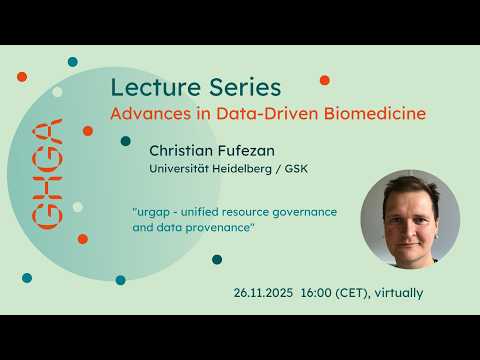
Watch our introduction talk urgap - unified resource governance and data provenance by Christian Fufezan to get a comprehensive overview of urgap's design and capabilities:
.. image:: https://img.youtube.com/vi/63pYK1xZPx8/0.jpg
:target: https://www.youtube.com/watch?v=63pYK1xZPx8
:alt: Watch the video
:width: 560
How to Setup
Prerequisites
We recommend using a virtual environment for Python projects. This guide uses `uv` for dependency management.

Installation
~~~~~~~~~~~~

**Basic Installation** (local file system access only):

.. code-block:: bash

    uv sync

**With Cloud Storage Support:**

.. code-block:: bash

    uv sync --extra cloud

**With All Runtime Extras:**

.. code-block:: bash

    uv sync --extra all

Available extras include:

* ``server``: FastAPI/Flask/uvicorn + MCP server for ``uctl run``
* ``tabular``: pandas/polars/pyarrow and Excel engines for tabular unodes
* ``viz``: plotly-based reporting and visualizer unodes
* ``github``: GitHub-backed file IO
* ``cloud``: Azure and Google Cloud storage backends
* ``databases``: PostgreSQL backend
* ``docs``: Sphinx documentation build
* ``dev``: test tooling (pytest) plus all runtime extras
* ``all``: every runtime extra above (not ``dev`` or ``docs``)

Running Tests
Install test dependencies:
.. code-block:: bash
uv sync --extra dev
Run the test suite:
.. code-block:: bash
uv run pytest tests
Quickstart: Writing Your First Pipeline
The best way to learn urgap is through a complete example. Check out the end-to-end filter CSV pipeline:

* **Location:** `tests/integrationtests/end2end/test_filter_csv_pipeline.py`
* **What it demonstrates:** Complete pipeline setup, node configuration, and execution
* **Requirements:** Everything needed to run this example is included in the repository

This example can be run entirely on your local machine without any external dependencies.

To run the example:

.. code-block:: bash

    pytest tests/integrationtests/end2end/test_filter_csv_pipeline.py

Documentation
--------------

Please use sphinx in the docs folder


.. note::

    Currently CI does not include pushing the documentation to readthedocs, therefore please
    #. checkout the repo
    #. pip install -e .
    #. cd docs
    #. make html
    #. open docs/build/index.html