Scan your whole stack


From OX Research Newsroom






Are you using ynab-unlinked?
Find out what’s in your code.
Scan your apps free in minutes (opens in a new tab)Latest version: v1.5.0
ynab-unlinked was last scanned on 23 Nov 2026 at version 1.5.0. Risk score 0 of 100. No malicious behavior was detected.
| Version | Published | Status |
|---|---|---|
| 1.5.0 LATEST | 23 Nov 2026 | No rules fired |
| 1.3.4 | 12 Nov 2026 | No rules fired |
| 1.3.3 | 11 Nov 2026 | No rules fired |
| 1.3.2 | 11 Nov 2026 | Not shown |
| 1.3.1 | 11 Nov 2026 | Not shown |
Findings for v1.5.0. The score is a capped sum of the weights of the rules that fired — not CVSS, not exploitability, and not a probability. It is not comparable across packages with different scan coverage.
The score describes 1.5.0; other versions have their own rules, not their own score.
The publisher’s own README, as collected from the registry.
yul is a companion for YNAB that runs on your computer. It does two
things:
| Bank | What to download | Formats |
|---|---|---|
| BBVA | Credit card statement | PDF, XLSX |
| Sabadell | Card movements | TXT, XLS |
| Cobee | The transactions page, saved from the browser | HTML |
Is your bank missing? Open an issue with its name and the kind of file it lets you download, or add it yourself: a bank is a small Python package, see the wiki.
Install it. Python 3.13 or newer, on macOS or Linux. The recommended way is uv:
uv tool install 'ynab-unlinked[web]'   # the app and the command line
uv tool install ynab-unlinked          # the command line only
pip install 'ynab-unlinked[web]' works too. Upgrade with uv tool upgrade ynab-unlinked,
or from the app: when a newer version is out an Update button shows next to the version
in the sidebar, and a click updates yul and restarts it.
Create a YNAB token. Open app.ynab.com/settings/developer (in YNAB: Account Settings, then Developer Settings), click New Token and copy it. YNAB shows it only once.
Run it.
yul appThe app opens in your browser. The first run asks for the token (kept in your system keychain, not in a file), lets you pick the budget and where each bank's statements go, then copies the budget to your computer.
The app runs only on your computer. It works from a local copy of your budget, so every page is instant, and it syncs with YNAB on its own while it is open and after every change it makes.
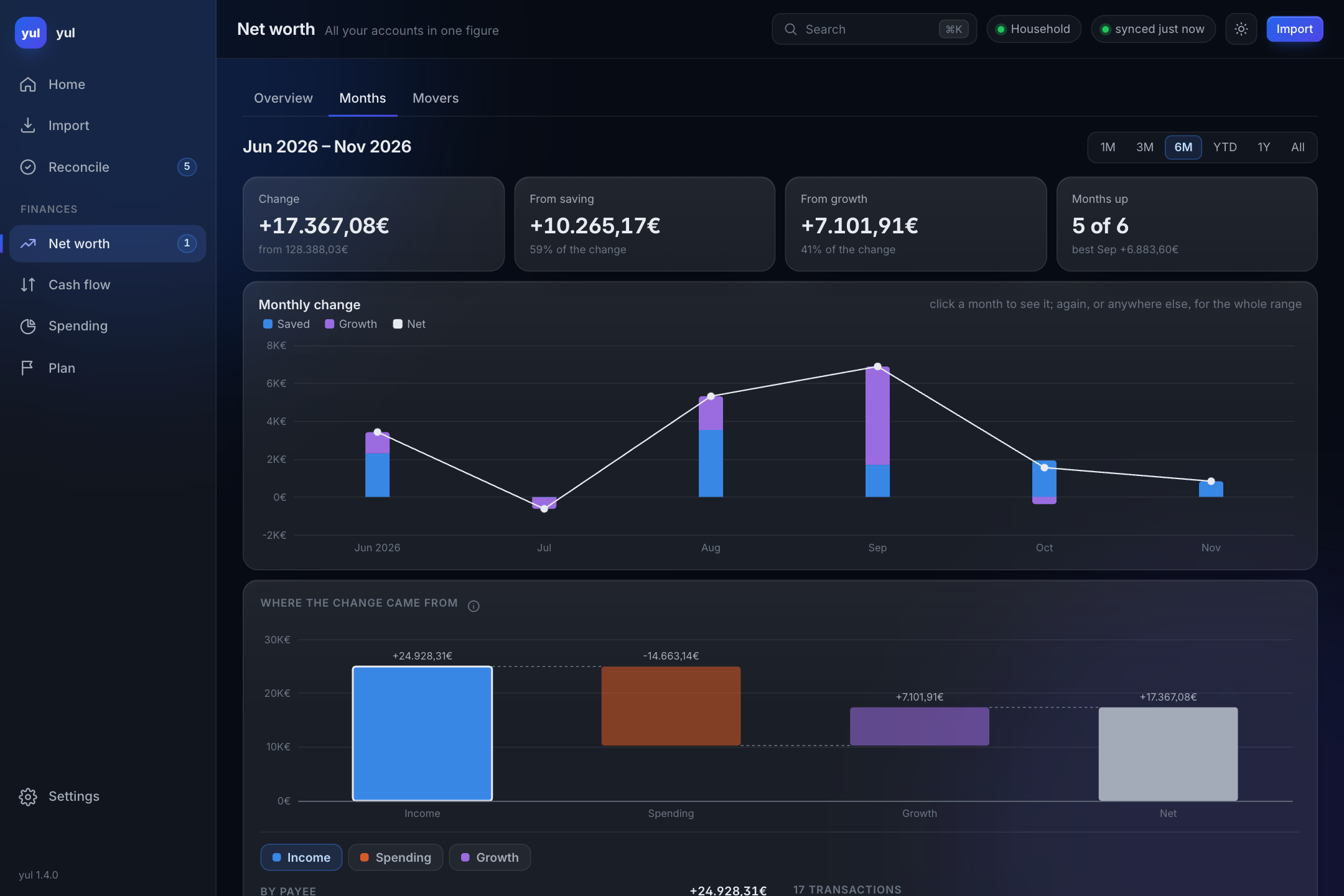
Home: your net worth, what needs you today, a place to drop statements, and the month so far: what came in and went out against a usual month, and where it went.
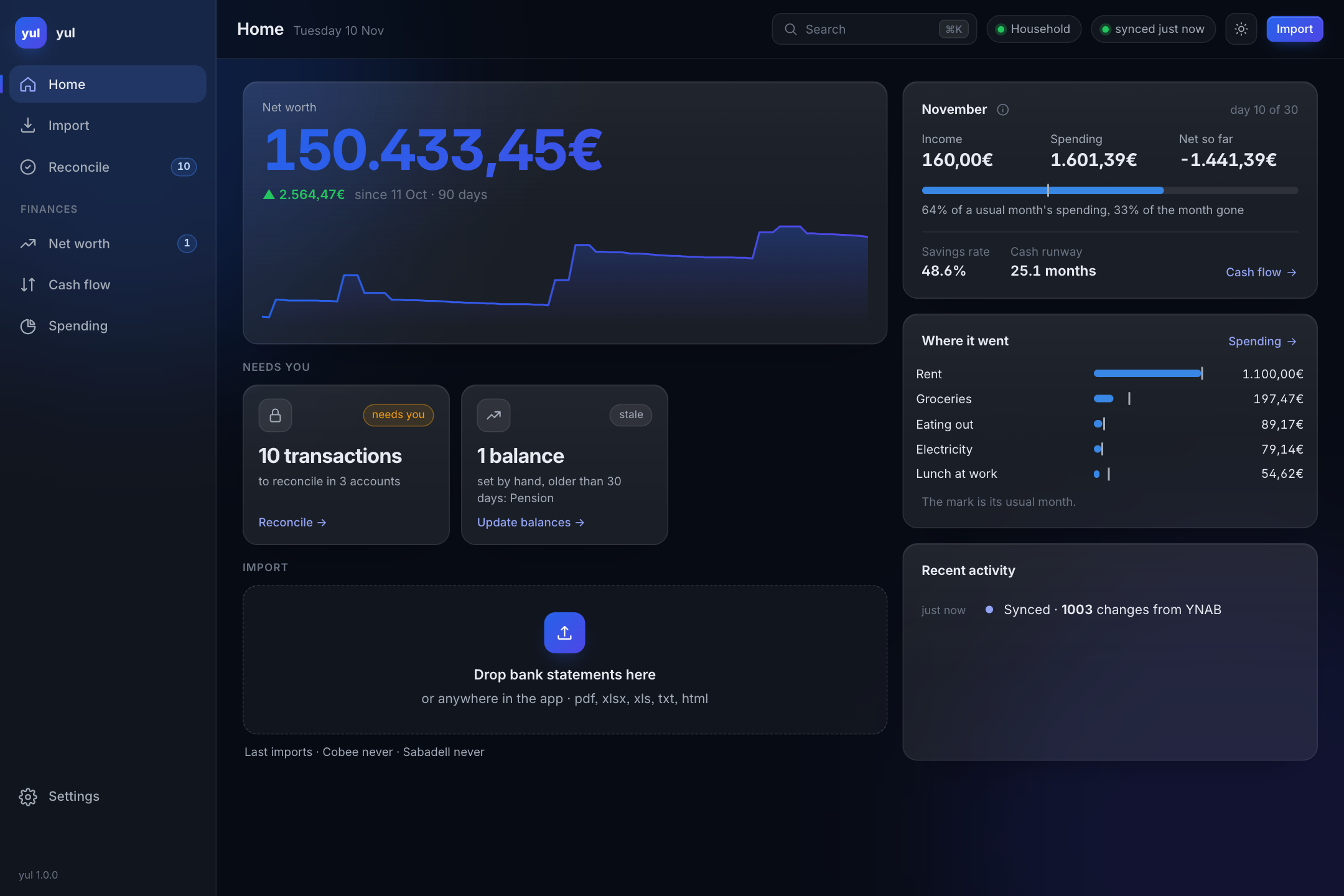
Import: drop one or more statements anywhere; yul works out the bank, shows what is new
and imports it after one confirmation.
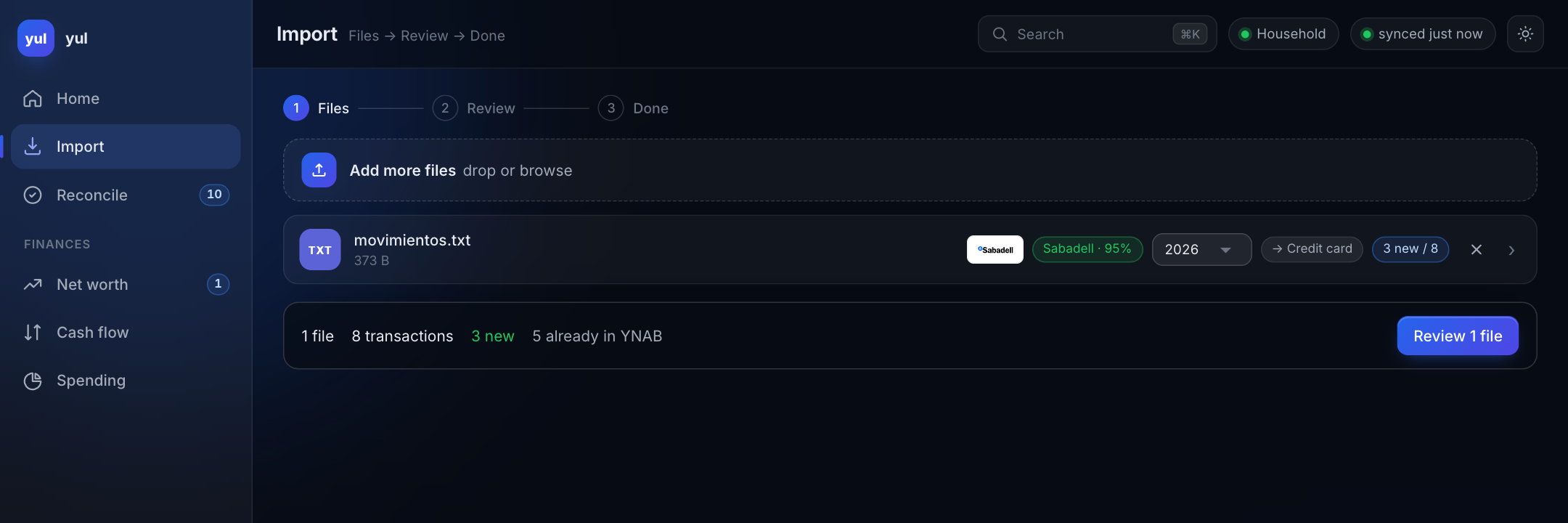
Reconcile: type what your bank says, see the gap, reconcile the cleared transactions.
Finances
Net worth
Overview: history by total, type or account, and the balances you update by hand.
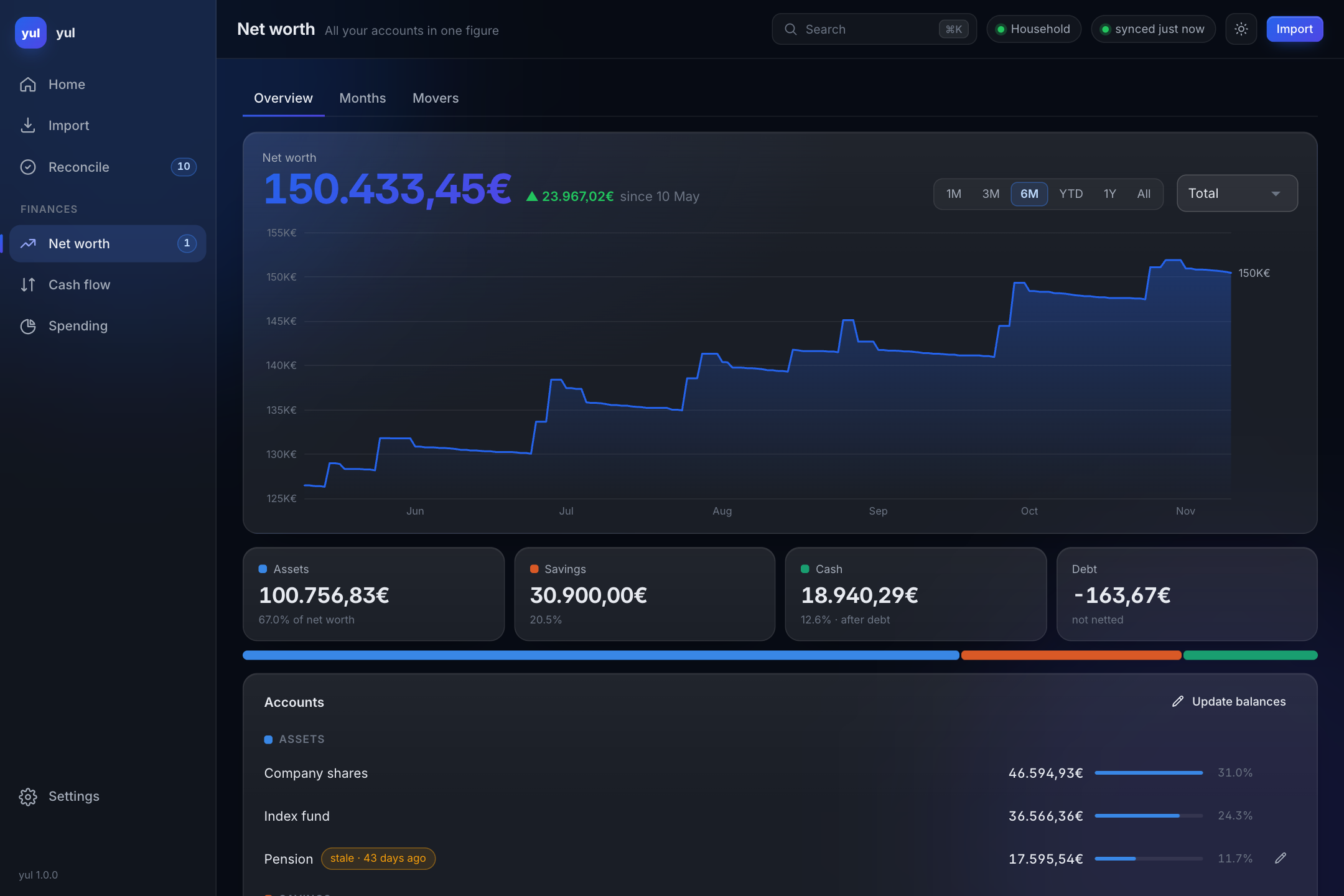
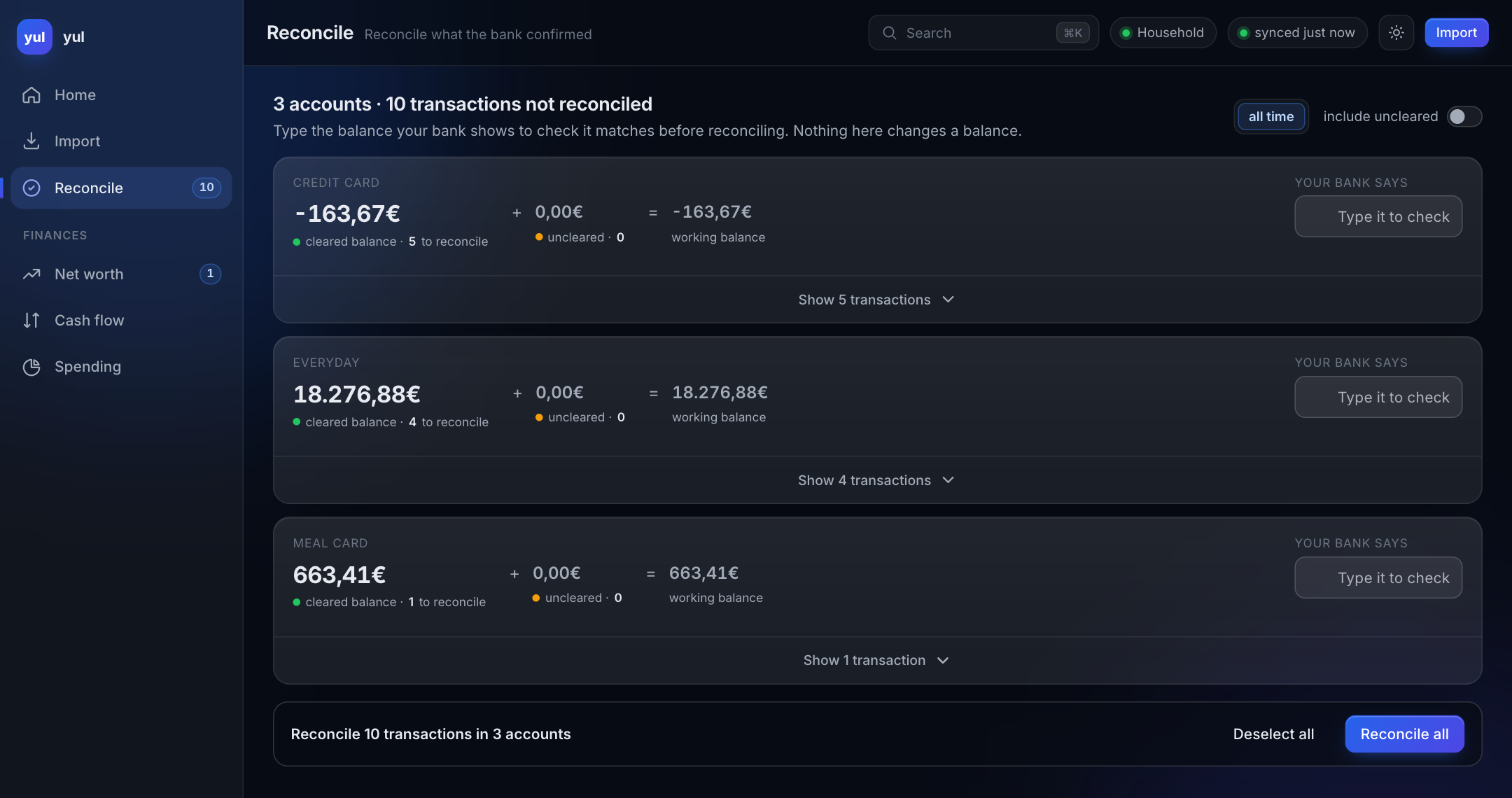
Months: how much net worth moved each month, split into what you saved, what your assets did and the rest. Pick a month, or the whole range, to see where the change came from: pick Income, Spending or Growth on the waterfall for every payee, category or account behind it and their transactions (the picture at the top). The "i" says what each word counts.
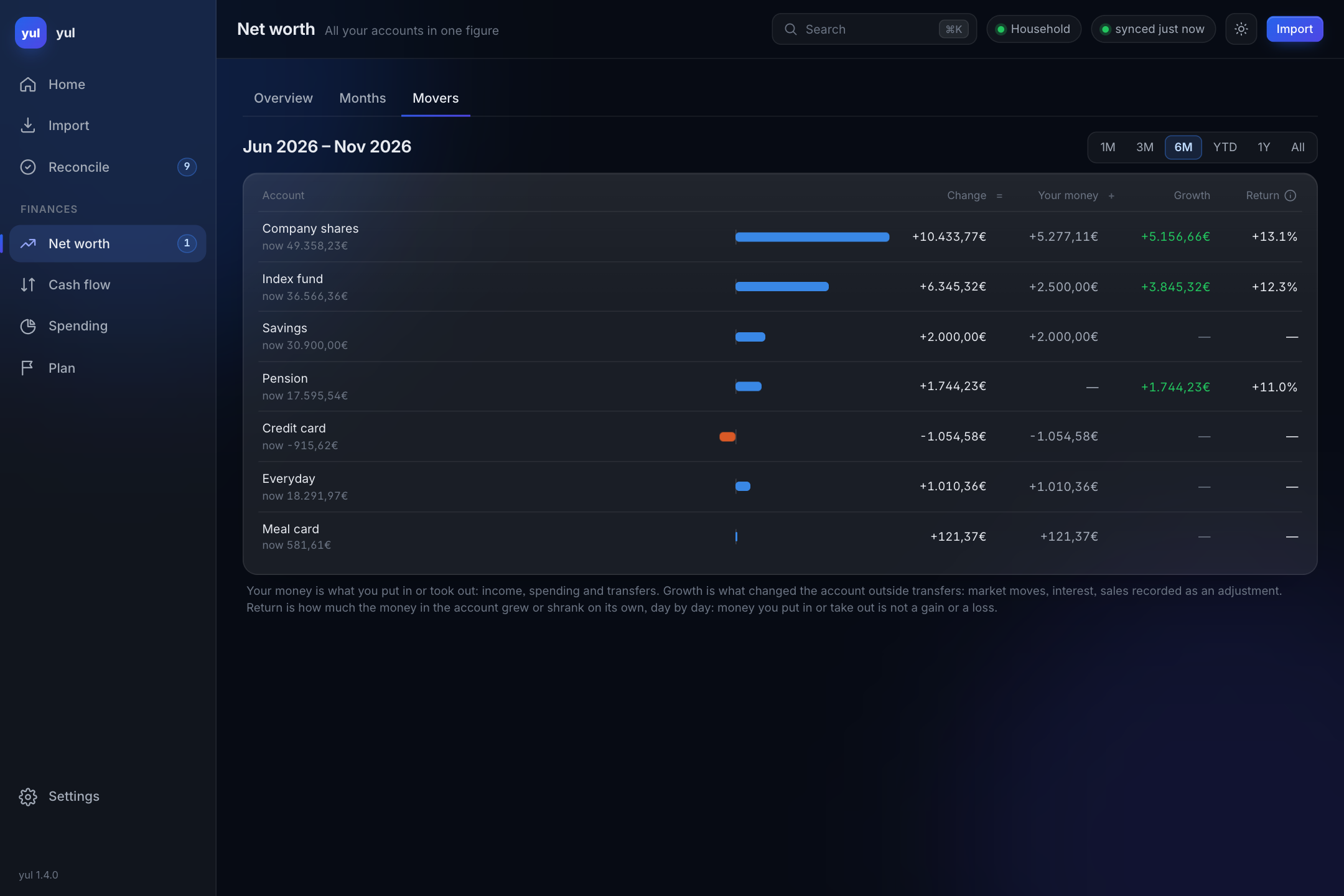
Movers: every account's change, what you put in or took out, what it did on its own, and its return.
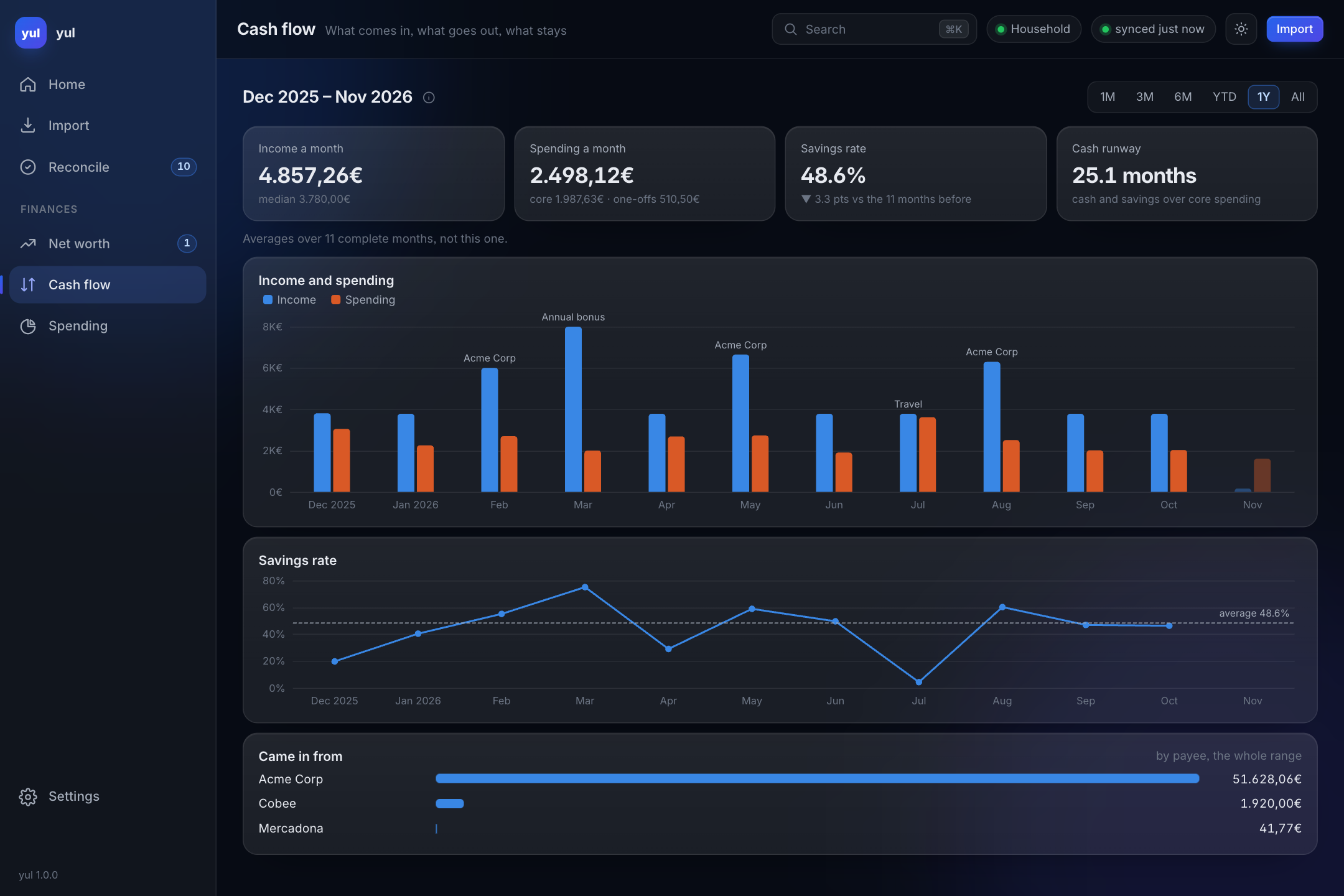
Cash flow: income against spending month by month, your savings rate, how many months your cash would last, and where your income comes from.
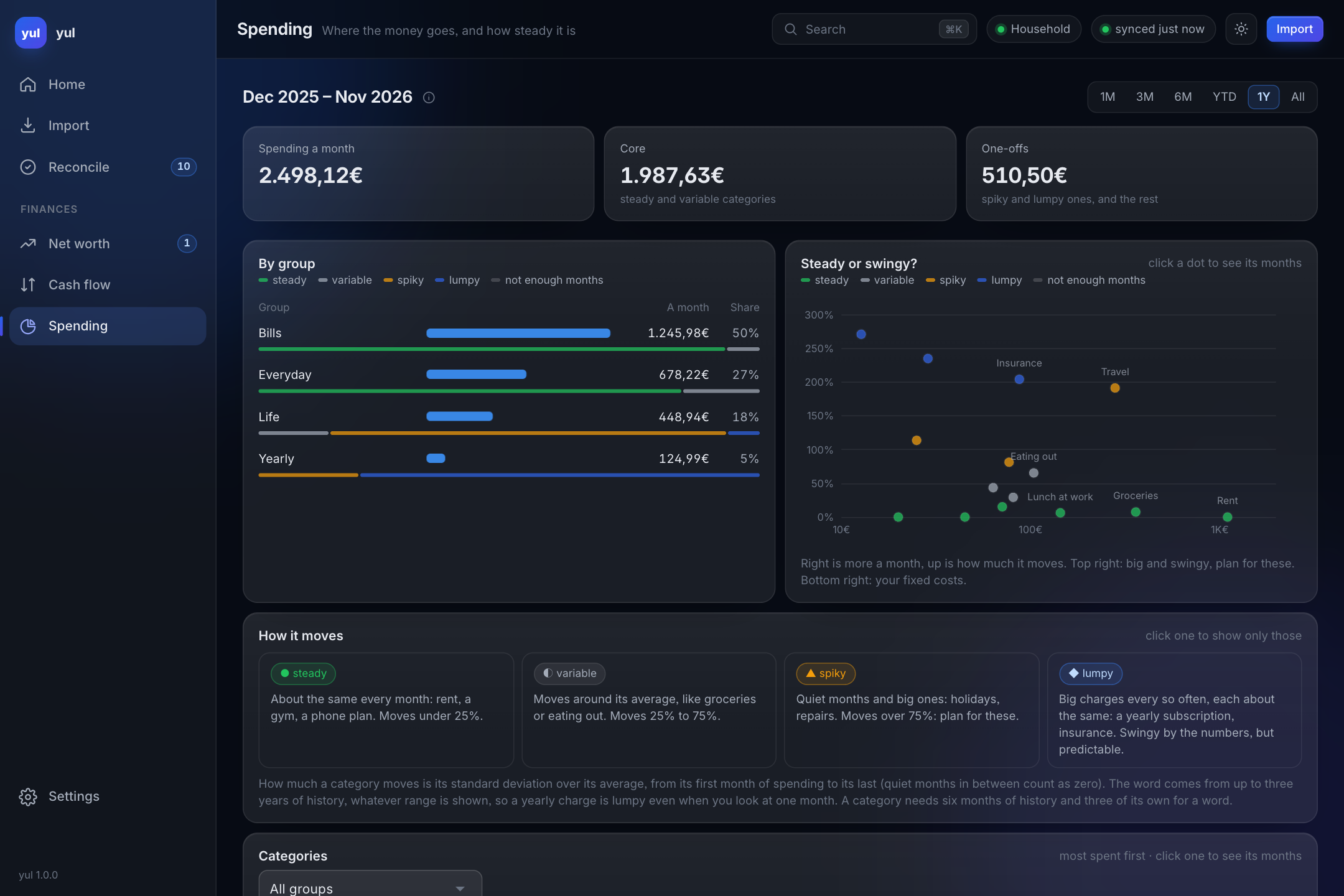
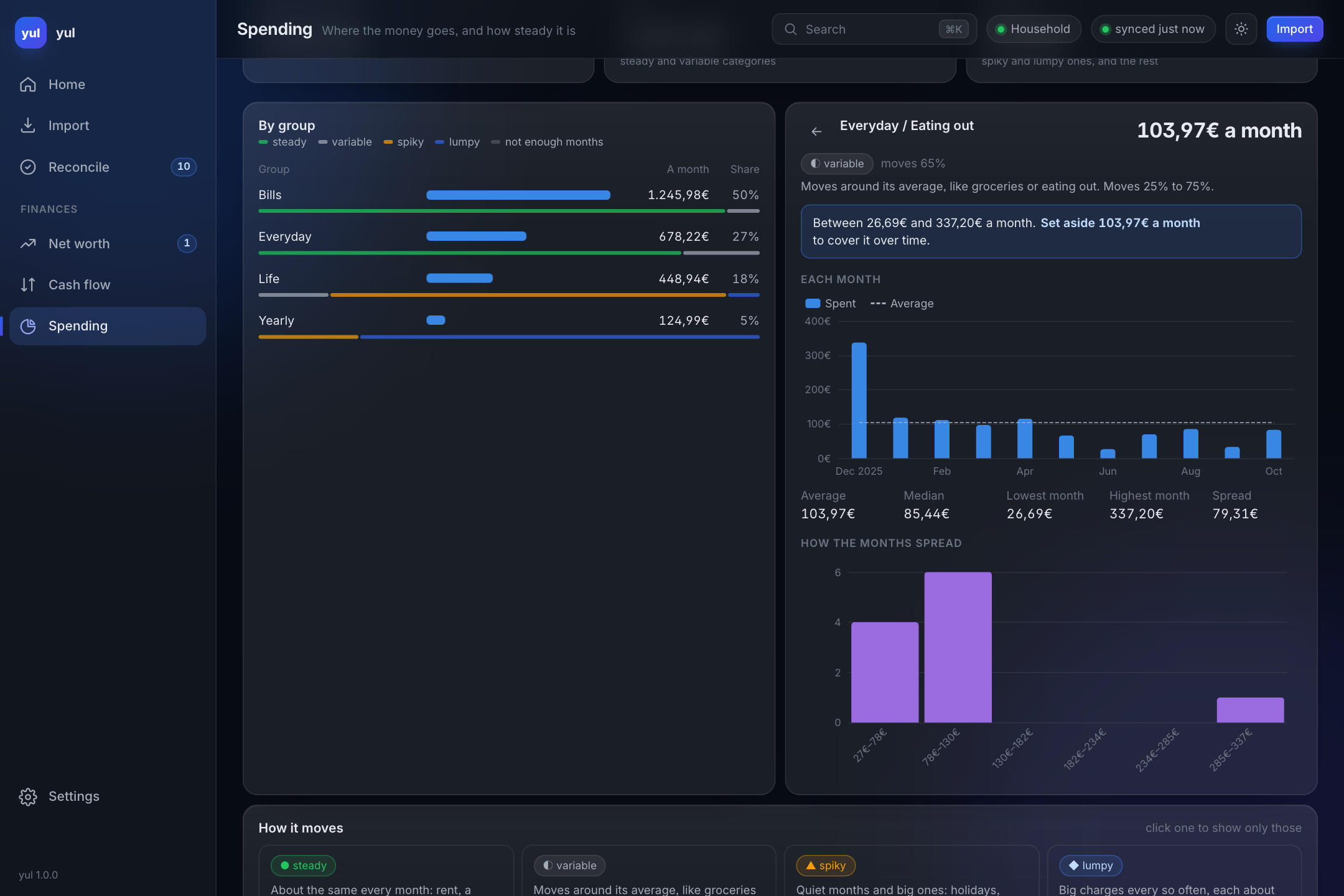
Spending: by group and by category, and how each category moves: steady, variable, spiky (it keeps coming, and some months are far bigger), or lumpy (nothing most months, then an expense, like a yearly subscription or a repair). Click a category to see its months and how they spread.
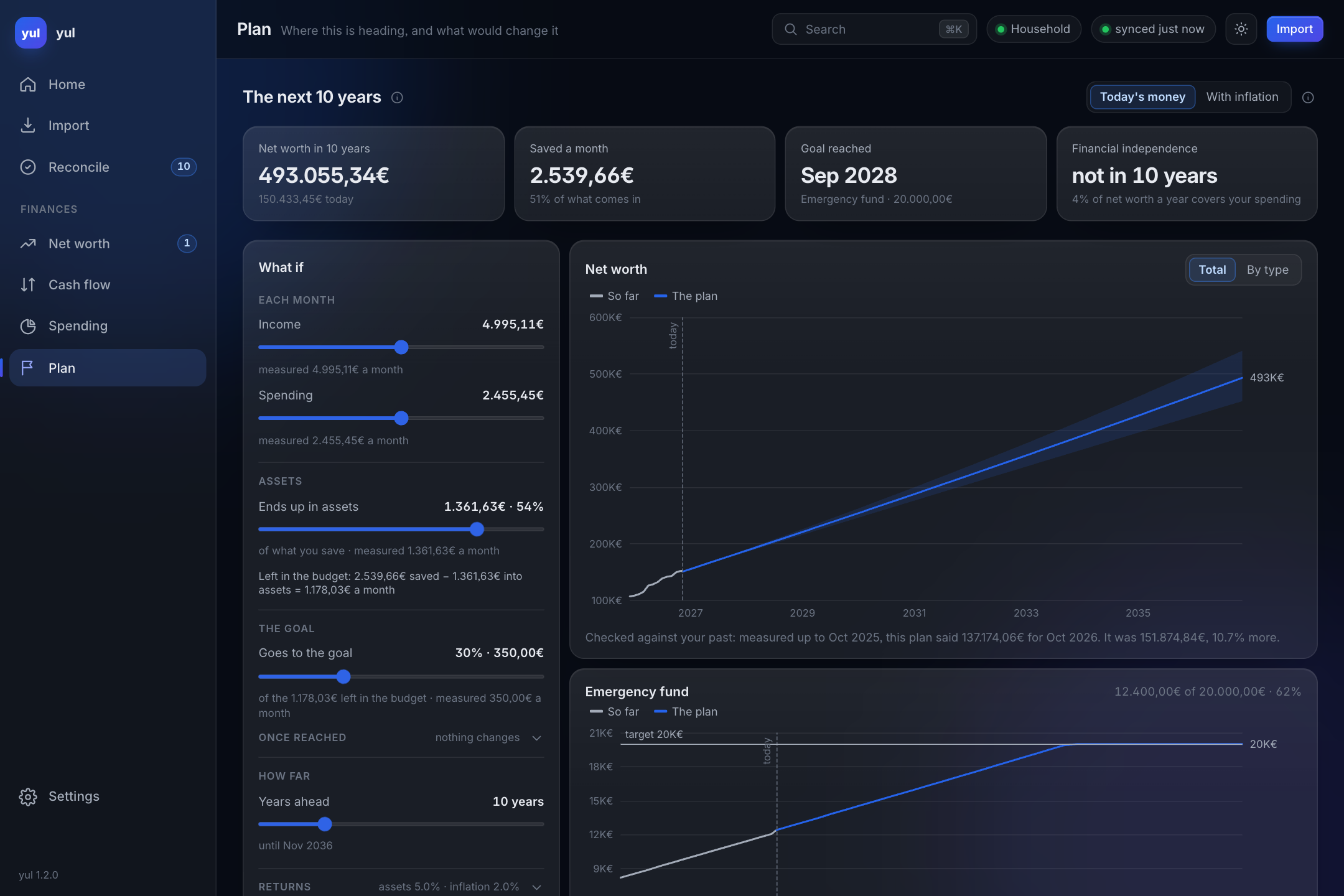
Plan: where your net worth is heading. It starts from what your last months measured (what comes in, what you spend, where your saving goes, what your assets return) and lets you move any of it to see another future, next to the one you are on. It also says when the category you are saving in reaches its target.
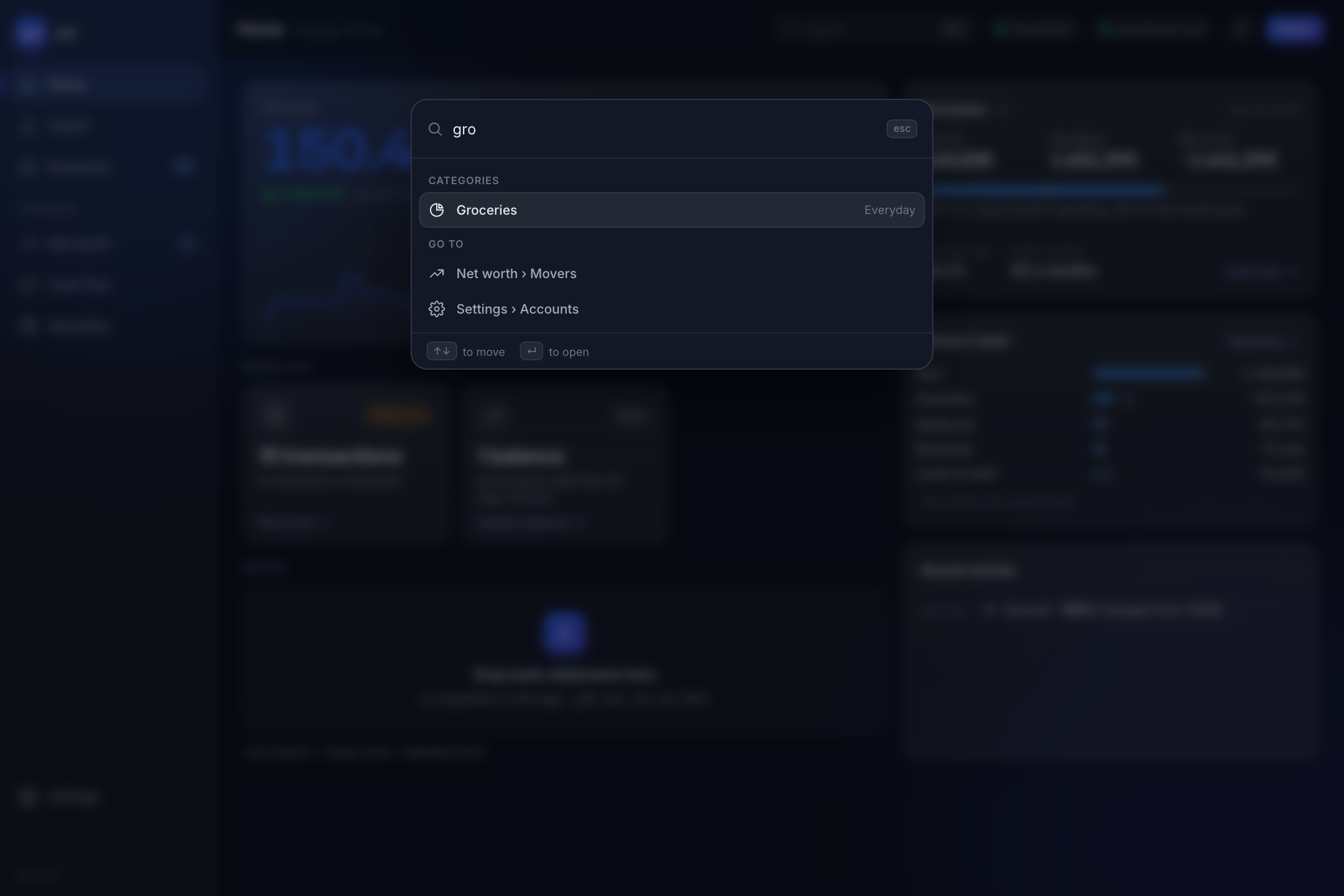
Search: press ⌘K (Ctrl+K, or /) anywhere to jump to a page, a Settings tab, a category
or an account, or to sync or switch between light and dark.
The sidebar counts what is waiting for you (transactions to reconcile, balances to update), and the app works in a phone-sized window too.
Settings: the connection, the banks, which accounts count in your net worth and in which group, whose return to follow, the goal, the categories that are not spending, the look, and your local data.
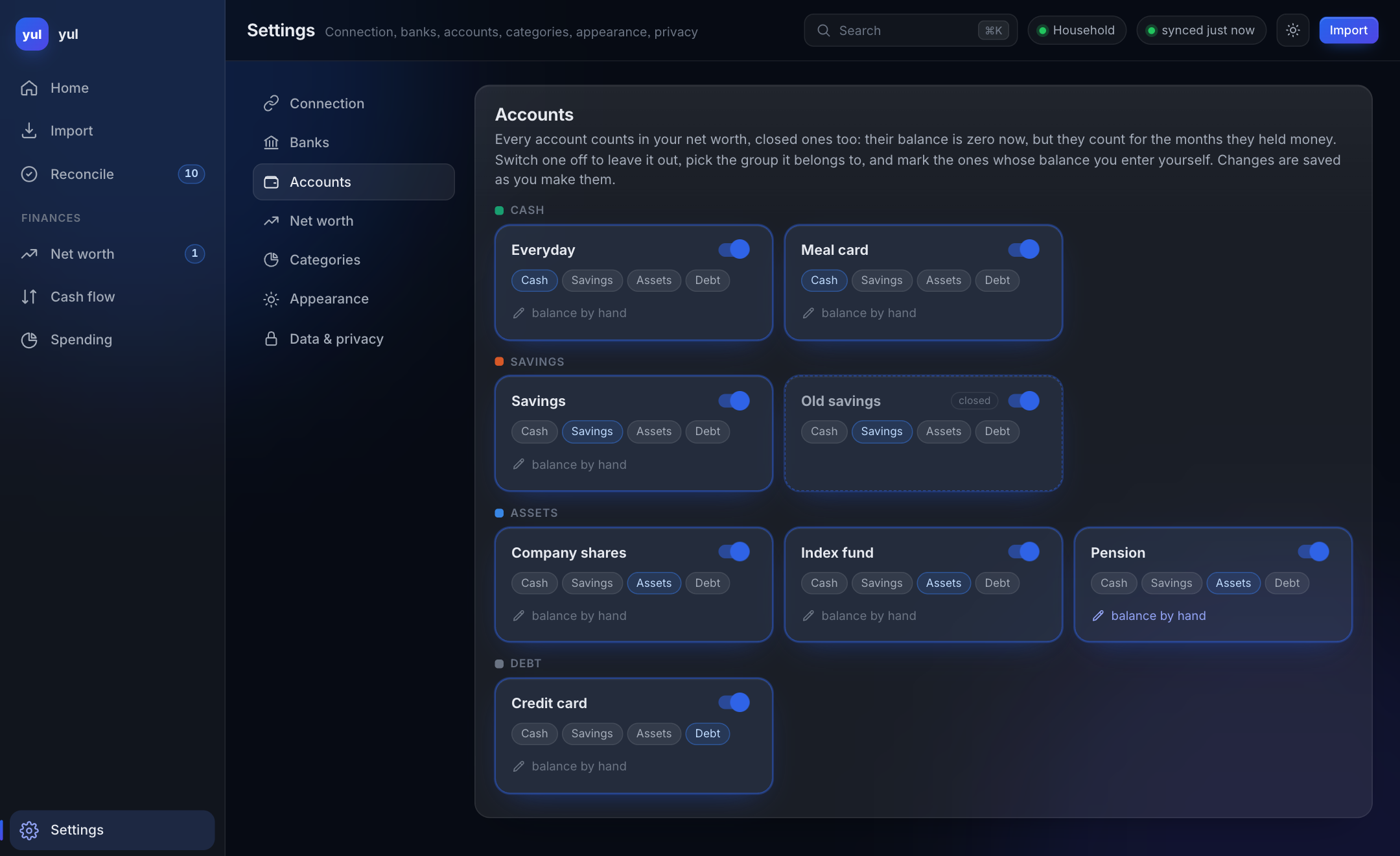
The screenshots show a made-up budget; scripts/readme_screenshots.py takes them again.
Every transaction counts once, so the parts always add up to the change of net worth:
To get the most out of it, record a share vest as a split in the account your salary lands in (the shares as income, then a transfer to the shares account) and a sale as a transfer to where the money lands. Then income is your pay and the shares account only shows what the shares did.
yul load auto ~/Downloads/movimientos.txt ~/Downloads/Cobee.html   # detects the bank of each file
yul load sabadell movimientos.txt                                  # or name the bank
yul load bbva --help                                               # options of one bank
yul reconcile                                                      # reconcile cleared transactions
yul config show                                                    # where things go
yul privacy                                                        # what is stored on this computer
The first command runs setup if there is no configuration yet. yul load shows every
transaction it is about to create and asks once before importing; add --yes to run it
unattended.
Once the statements are in YNAB, yul offers to remove them from your computer, so they do
not pile up in Downloads: the app in a dialog with "Don't ask again", yul load with a
question you can answer always or never. Removing deletes the file for good, not to the
Trash. The app only gets a copy of what you drop on it, so it looks for the original by name
and content (anywhere in your home folder on macOS, in Downloads, Desktop and Documents
elsewhere) and only ever removes a file with exactly the bytes it imported. The app's recent
activity lists every file removed. Settings › Data & privacy, or
yul config set imported_files, changes the answer.
Send each bank to its own YNAB account. yul recognises what it already imported the way YNAB's own file import does, by date, amount and how many times that pair repeats, without the bank. Two banks feeding one account can then take a row of the same day and amount, imported in separate runs, for one already in YNAB and skip it.
A row tagged "may be in YNAB" is held back: it has the amount of a transaction you entered by
hand and matched in YNAB with an earlier import yul can no longer name. In the app's review
choose "Import anyway" or "Leave out"; yul load names those rows and does not send them.
Everything runs on your computer and your data only goes to YNAB's API. The app also asks
PyPI every half hour, while it is open, whether a newer yul is out, which sends nothing about you and can be turned
off in Settings › Data & privacy. There is no telemetry. The copy of your budget stays on your computer. Your token lives in the system
keychain (macOS Keychain, Windows Credential Manager, Secret Service or KWallet on Linux).
yul privacy lists what is stored and where, yul config reset deletes all of it, and the
privacy notice has the details.
We are not affiliated, associated, or in any way officially connected with YNAB or any of its subsidiaries or affiliates. The names "YNAB" and "You Need A Budget" are trademarks of their respective owners.
ynab-unlinked is distributed under the terms of the MIT
license.
Find threats in your stack.
OX Radar can check high-priority threats, like critical package CVEs, against your context.
Each incident is marked Detected or Not Detected with a remediation plan and proof all tracked in the Response Center.
The probe returned only these fields for this server — auth requirement, protocol and tool list weren’t observed, so they’re not shown (never guessed).
The publisher’s own links, as the registry reports them. These are not sources for the assessment on this page.