
TL;DR
- AST today is inconsistent, with devs using scattered tools like Semgrep, ZAP, MobSF, and Burp in isolated ways. Most workflows lack automation, causing duplicated alerts, missed risks, and alert fatigue.
- Modern AST requires full SDLC integration, diff-aware SAST and secrets scanning at PR, full SAST + SCA in CI/CD with policy enforcement, and runtime testing (DAST/IAST/RASP) in staging and production environments.
- Developer feedback must be contextual and fast, routed to GitHub, Jira, or CI logs with exploitability context, not buried in generic dashboards or static CVE lists.
- OX Security unifies fragmented tools, correlating SAST, DAST, SCA, Git posture, and runtime data into a single view with prioritized, deduplicated, and actionable findings linked to code and business context.
- Tool choice depends on maturity: use standalone tools for early-stage setups, embed AST deeply in CI/CD as you scale, and adopt unified platforms like OX when managing multiple repos, teams, and compliance boundaries.
I came across a Reddit post recently that echoed what I’ve seen firsthand while building out AppSec programs. The engineer described their multi-year journey, starting with Semgrep for SAST, StackHawk for DAST and API testing, and Endor Labs for SCA. As things matured, they brought in ArmorCode for ASPM and leaned on Trufflehog for secret scanning to keep costs in check. The tools did their job. But the real challenges weren’t about detection; they were about integration, visibility, and scaling the process across teams and environments.
This pattern is all too familiar. The problem in most security programs isn’t a lack of tools. It’s the fact that each of those tools operates in a silo. SAST, DAST, SCA, IAST; they all generate findings, but they do it in isolation. That leads to duplicated alerts, missing context, and remediation efforts that often fall on the wrong teams.
When there’s no shared system to prioritize vulnerabilities based on actual risk, map them to the right owners, and feed them back into developer workflows, security becomes reactive. Issues sit untouched in dashboards. Tickets pile up. And known vulnerabilities ship, not because teams didn’t care, but because the process lacked traceability and coordination.
That’s exactly what this guide aims to solve. I’ll walk through each category of application security testing, outline where it fits in the SDLC, share some practical criteria for tool selection, and, more importantly, show how to connect these parts into a unified workflow. One that reduces noise, tightens feedback loops, and actually helps engineering teams ship secure code without slowing down delivery.
How Enterprises Operationalize AST: From Shift-Left to ASPM
Application Security Testing (AST) in the enterprise isn’t just about catching bugs; it’s about continuously managing risk across sprawling, fast-moving software ecosystems. At scale, it’s less a set of tools and more an operating model: one that spans code, pipelines, and production systems, and that embeds security throughout the entire SDLC, from design-time threat modeling to runtime exploit detection.
Most mature organizations already have the tools in place: SAST, DAST, IAST, SCA, secrets scanning, maybe even RASP. But the real challenge lies in orchestration. Each tool produces findings, but they often lack context: DAST flags a vulnerable endpoint, but no one checks if it maps to a reachable CVE from SCA. SAST might detect insecure code, but there’s no traceable ownership to a team or microservice. Meanwhile, threat models sit disconnected from real-world attack paths, and remediation gets buried under alerts.
Effective enterprise AST today is about risk-based prioritization, toolchain consolidation, and DevSecOps alignment. That means shifting left with secure SDLC frameworks like SSDF, but also staying right with runtime monitoring and incident response. It means consolidating insights through platforms like ASPM, aligning remediation with code ownership, and embedding continuous testing directly into CI/CD. Above all, it means treating AST not as a one-time scan, but as an always-on security capability tightly coupled with how modern software ships.
Why Early Testing Is a Must
As an AppSec manager, I understand that the value of AST lies in how early and consistently you can catch issues. The later a vulnerability is discovered, after it hits staging or production, for instance, the harder and more expensive it becomes to fix. That’s not theory; it’s reality. A hardcoded secret, for example, can be caught by an SAST rule during a pull request and remediated in minutes. If it’s found after deployment, you’re dealing with key revocation, incident response, and potentially exposed data. Multiply that by hundreds of commits per week, and you quickly see why shifting testing earlier matters.
Why Manual Testing Doesn’t Scale
Manual security reviews have their place, especially for critical features or new services, but they don’t scale. You can’t manually review every change across every repo. That’s why automation is essential. AST tools can run on every commit, every pull request, every nightly build, providing fast, repeatable feedback. But automation alone isn’t enough. The tools need to be configured with meaningful rulesets, tuned for your codebase, and integrated directly into developer workflows. Otherwise, they just become noise generators.
Ultimately, AST isn’t about finding every possible bug; it’s about reducing the likelihood of serious security defects escaping into production. To do that effectively, you need coverage across the SDLC, automation that actually fits your engineering process, and testing methods that complement one another rather than overlap blindly. Let’s break down the six core types of application security testing and how they work in real environments.
Core Types of Application Security Testing
Application Security Testing (AST) spans multiple categories, each targeting a specific layer of the application stack, source code, binaries, running services, third-party components, and mobile builds. Below is a breakdown of the six core AST types, with a focus on how they work in real enterprise pipelines.
1. Static Application Security Testing (SAST)
SAST analyzes code statically, without execution, to detect insecure constructs like hardcoded secrets, unsafe APIs, missing input validation, or weak crypto. These tools operate on source code (Java, Python, Go), bytecode, or intermediate representations (e.g., ASTs for JavaScript).
Enterprise use case: In a Node.js-based backend, a developer introduces an unsanitized user input into a child_process.exec() call. Semgrep, configured with a custom rule set, catches this during the pull request. Because it’s diff-aware, it only scans the new changes and posts feedback inline in GitHub.
Integrations:
- Run on pull requests (PRs) using GitHub Actions or GitLab CI
- Enforced via merge gates
- Customized rules per language/framework (e.g., Express.js, Spring Boot)
Challenges:
- High false-positive rate without tuning
- Lacks runtime context, can’t tell if vulnerable code is reachable
2. Dynamic Application Security Testing (DAST)
DAST interacts with a running application from the outside. It sends payloads over HTTP to simulate attacks like SQL injection, XSS, or authentication bypasses. Unlike SAST, it doesn’t need source code.
Enterprise use case: In staging, OWASP ZAP scans a Java Spring Boot API. It detects that the/admin/reset-password endpoint accepts unauthenticated POST requests, allowing privilege escalation. The endpoint isn’t covered in code review but is exposed due to misconfigured routing.
Integrations:
- Triggered in CI pipelines after successful deployment to staging
- Session-authenticated scanning via pre-seeded tokens or Selenium scripts
- Often paired with regression testing to track newly exposed routes
Challenges:
- Needs a stable test environment with realistic test data
- Can miss business logic flaws or APIs hidden behind client-side JS
3. Interactive Application Security Testing (IAST)
IAST uses the app server using an agent (e.g., a Java or .NET library). The agent observes real code execution during integration or functional tests, mapping tainted input to vulnerable sinks in real time.
Enterprise use case: A team uses Contrast Assess during Selenium-driven login tests. The agent detects user-controlled data flowing into a logging function without sanitization, indicating a potential log injection vulnerability. It reports the exact file, line number, and variable name.
Integrations:
- Embedded in test environments (Tomcat, Jetty, Node.js)
- Works best with full integration test coverage
- Ideal for monoliths and microservices with long-lived sessions
Challenges:
- Agent compatibility varies across languages
- Adds runtime overhead (usually <10%) during test execution
- Not effective in apps with poor test coverage
4. Mobile Application Security Testing (MAST)
MAST tools analyze Android APKs or iOS IPAs through static decompilation (e.g., using JADX or Hopper) and dynamic emulation. They look for insecure storage, weak crypto, exposed activities/intents, or misuse of WebView.
Enterprise use case: Before app store submission, a React Native Android app is scanned with MobSF. It flags the use of android: allowBackup= “true\” and unencrypted storage of tokens in SharedPreferences, both violations of OWASP MASVS.
Typical integrations:
- Performed as part of mobile CI (Bitrise, GitHub Actions)
- Artifacts generated post-build for static and behavioral testing
- Paired with manual reverse engineering or Frida-based testing for advanced cases
Challenges:
- Requires an emulator or a rooted device for full coverage
- Manual triage is often needed to verify severity
- Limited iOS introspection unless jailbroken or using commercial tooling
5. Software Composition Analysis (SCA)
SCA tools parse dependency files (e.g., pom.xml, package.json, requirements.txt) and resolve all transitive dependencies. They map package versions to vulnerability databases like OSV, Snyk Intel, or NVD.
Enterprise use case: A Python service uses PyYAML==5.1. During the build, OSV-Scanner flags CVE-2020-14343 (arbitrary code execution via yaml.load()). The CI job fails, and a PR is auto-generated to upgrade to a patched version (5.4+).
Integrations:
- Pre-merge checks for open PRs
- Periodic full-repo scans (nightly or weekly)
- CI/CD policies that fail builds on known high/critical CVEs
Challenges:
- Doesn’t assess whether vulnerable code is reachable or invoked
- Can introduce breaking changes if updates are not semver-compatible
- May miss vulnerabilities in vendor or binary-only packages
6. Runtime Application Self-Protection (RASP)
RASP instruments the application server (like a Java agent) and actively enforces security policies. It intercepts dangerous behavior at runtime, e.g., an attacker sending ../../etc/passwd to a file API, and blocks or alerts on it.
Enterprise use case: A JVM-based backend running Contrast Protect detects a serialized payload attempting deserialization via ObjectInputStream. It blocks the request and logs exploit metadata to the SIEM, including request headers and origin IP.
Typical integrations:
- Deployed alongside the application in production
- Reports to centralized dashboards or SIEM tools
- Operates in detection or blocking mode depending on risk tolerance
Challenges:
- Performance impact (5–10% typical latency overhead)
- May conflict with custom instrumentation (APM, logging)
- Doesn’t work well in serverless or ephemeral container-based environments
Security leaders quickly find that the real obstacles aren’t just technical; they’re organizational, operational, and strategic. Fragmented environments, limited resources, and developer friction often undermine even well-funded AppSec programs.
To build a truly resilient and scalable AST strategy, it’s essential first to understand the systemic challenges enterprises face in embedding security across complex, fast-moving engineering ecosystems.
Challenges in Scaling Application Security in the Enterprise
Enterprise application security isn’t constrained by tooling. Rather, it is limited by factors such as scale, complexity, talent gaps, and operational integration. AppSec teams aren’t just fixing bugs; they’re navigating sprawling architectures, managing compliance, and enabling secure software delivery without blocking the business.
Below is a breakdown of the key, enterprise-specific challenges AppSec managers face:
1. Securing a Massive and Fragmented Attack Surface
Modern enterprise applications span thousands of endpoints, microservices, APIs, cloud functions, and legacy systems. This creates a highly dynamic attack surface that’s difficult to inventory, monitor, or secure consistently.
- Applications are distributed across hybrid and multi-cloud environments (AWS, Azure, GCP, private DCs), each with different controls and security assumptions.
- Open-source dependencies and third-party SDKs introduce supply chain risks that are hard to trace across build pipelines.
- Even identifying what’s running, let alone what’s vulnerable, requires unified visibility across Git, CI/CD, cloud, and runtime.
2. Limited Resources and Skill Gaps
Most AppSec teams are understaffed and overextended. A typical enterprise might have dozens of development teams, but only a handful of AppSec engineers trying to support them all.
- There’s a chronic shortage of experienced application security professionals, particularly those who can write secure code, tune scanners, and interpret complex findings.
- Time constraints force teams to focus on audits or critical incidents, while systemic issues (e.g., misconfigured secrets scanning, missing SCA enforcement) remain unresolved.
3. Poor Integration with the Software Development Lifecycle (SDLC)
Security still struggles to integrate into the daily workflows of development teams.
- When security tools slow down builds or introduce noisy results, developers often push back, or worse, disable them entirely.
- Many tools still run post-build or out-of-band, making it hard to catch issues early or enforce security policies consistently across pipelines.
- There’s a cultural gap: developers optimize for velocity, while security teams are tasked with risk reduction. Without tight DevSecOps alignment, security remains an afterthought.
4. Prioritization and Remediation Bottlenecks
Vulnerability backlogs accumulate rapidly when teams struggle to distinguish between critical issues and informational noise.
- Tools like SAST, DAST, SCA, and secrets scanners often generate hundreds of alerts per repo, many of them false positives or low-impact findings.
- Without runtime context, code ownership mapping, or exploitability insights, security teams spend more time triaging than fixing.
- This alert fatigue results in missed SLAs, low developer engagement, and persistent exposure to high-risk issues.
5. Compliance, Governance, and Audit Gaps
Enterprise security programs are expected to comply with regulatory frameworks like PCI DSS, HIPAA, SOC 2, GDPR, and NIST SSDF.
- Proving that security controls are consistently applied across all environments and services is hard without centralized enforcement and reporting.
- Most orgs still rely on spreadsheet-based audits, static screenshots, or PDF exports, making it nearly impossible to maintain real-time compliance visibility.
- Governance teams often lack traceability from a CVE or configuration issue back to the code owner, system, or business service.
6. Third-Party and Open Source Risks
Dependency management at scale is a security minefield.
- Even mature teams struggle to track transitive dependencies, verify SBOM accuracy, or respond quickly to a critical CVE like Log4Shell or XZ backdoor.
- Tools like Snyk or OSV-Scanner help, but without policy enforcement in CI/CD or automation for patch PRs, risks persist in production.
- Without contextual SCA, reachability analysis, and dependency mapping, it’s hard to distinguish theoretical risk from an exploitable threat.
7. Keeping Up with Evolving Threats and Modern Development
The pace of change in both software development and threat evolution makes static security practices obsolete.
- Dev teams are adopting serverless, containers, AI-generated code, and low-code platforms, but legacy scanners weren’t designed for these stacks.
- New attack vectors emerge faster than manual processes can react, including dependency confusion, CI/CD poisoning, and business logic abuse.
- Many teams still rely on outdated tools that don’t support modern SDLC workflows, runtime observability, or Git-native posture checks.
8. Proving Value and Measuring Program Effectiveness
Security leaders struggle to quantify their program’s effectiveness or communicate its impact to executive stakeholders.
- Metrics like MTTR (mean-time-to-remediate), pipeline failure rates, and vulnerability recurrence are often missing or fragmented.
- Without clear KPIs, it’s hard to justify security investments or prioritize initiatives.
- Translating technical risk into business-aligned outcomes, such as reduced exposure windows or policy conformance, is a significant pain point.
Enterprise AppSec challenges aren’t just technical; they’re strategic, operational, and deeply tied to how modern software is built. Solving them requires a shift from reactive scanning to proactive, orchestrated, and developer-centric security, embedded across the lifecycle and supported by unified platforms that provide visibility, control, and context.
Evolving Trends and Best Practices in Application Security Testing
Security testing can’t be a separate phase or an afterthought; it has to be built into how code moves from commit to deployment. If testing adds friction, it gets bypassed. If it’s not automated, it gets skipped. The goal is to detect real risks early, without slowing down teams.
1. Shift Left Without Slowing Down
Security should start close to where the code is written, but not necessarily during writing. Static checks and policy enforcement are most effective when placed at the boundaries, before code builds, merges, or deploys. Hooking static analysis into pre-commit hooks or pull request workflows catches issues like command injection or path traversal while they’re still easy to fix. IDE-level feedback helps reduce cycle time, but the real shift happens when tests block unsafe changes before they reach integration environments.
2. Automate Testing Across the Pipeline
Once changes hit the CI pipeline, testing should happen by default. Static analysis and software composition checks should run on every commit, giving fast feedback on insecure code and vulnerable dependencies. During integration or end-to-end test phases, add runtime-aware analysis that observes actual data flows and flags risky behavior in context. In staging environments, automate external testing that simulates attacks and validates security headers, auth flows, and input handling across exposed endpoints.
3. Codify Security Into the CI/CD Process
Security checks should be treated as code: versioned, peer-reviewed, and enforced in CI/CD. This includes dependency policies, secrets detection, container scanning, and environment-specific validations. Enforce gates that block merges or fail builds on high-severity findings. Make security part of the delivery pipeline, not an optional or external scan step.
4. Deliver Feedback Where It’s Used
Security findings should show up where engineers already work. Don’t silo results in a dashboard no one checks. Push alerts into version control comments, issue trackers, or team messaging tools. Prioritize based on exploitability and suppress known false positives. Timely, contextual feedback makes it more likely that vulnerabilities get fixed rather than ignored.
Integrating AST into Your CI/CD Pipeline
Embedding security into CI/CD pipelines isn’t just about running scanners; it’s about placing the right checks at the right point in the pipeline so they deliver useful feedback without blocking velocity. A common mistake is bolting on tools without considering timing, context, or developer workflows. The result: alert fatigue, build delays, and security steps that get bypassed.
Here’s how to integrate application security testing (AST) cleanly and effectively across each pipeline phase.
Pre-Commit / PR Stage
At this point, I feel speed matters most. The goal is to catch obvious issues before they hit the main branch. Lightweight, targeted checks are ideal.
Run SAST and SCA on every pull request. These checks should scan only the diffs to keep feedback scoped and fast. Use Git hooks or PR checks to catch hardcoded secrets and risky patterns. Here’s an example GitHub Actions workflow that uses Semgrep for fast, diff-aware scanning during PRs, as well as full scans on pushes to main or master:
# Name of this GitHub Actions workflow.
name: Semgrep
on:
  # Scan changed files in PRs (diff-aware scanning):
  pull_request: {}
  # Scan on-demand through GitHub Actions interface:
  workflow_dispatch: {}
  # Scan mainline branches and report all findings:
  push:
    branches: ["master", "main"]
jobs:
  semgrep_scan:
    # User definable name of this GitHub Actions job.
    name: semgrep/ci
    # If you are self-hosting, change the following `runs-on` value:
    runs-on: ubuntu-latest
    container:
      # A Docker image with Semgrep installed. Do not change this.
      image: returntocorp/semgrep
    # Skip any PR created by dependabot to avoid permission issues:
    if: (github.actor != 'dependabot[bot]')
    permissions:
      # required for all workflows
      security-events: write
      # only required for workflows in private repositories
      actions: read
      contents: read
    steps:
      # Fetch project source with GitHub Actions Checkout.
      - name: Checkout repository
        uses: actions/checkout@v3
      - name: Perform Semgrep Analysis
        run: semgrep scan -q --sarif --config auto ./vulnerable-source-code > semgrep-results.sarif
      # Save SARIF results as artifact
      - name: Save SARIF results as artifact
        uses: actions/upload-artifact@v3
        with:
          name: semgrep-scan-results
          path: semgrep-results.sarif
      # Upload SARIF to GitHub Security Dashboard
      - name: Upload SARIF result to the GitHub Security Dashboard
        uses: github/codeql-action/upload-sarif@v2
        with:
          sarif_file: semgrep-results.sarif
        if: always()
Fail builds on critical findings early by configuring Semgrep rules with appropriate severity levels. Users can define custom rules or use Semgrep’s curated rule sets to block merges on high-risk code patterns or dependencies.
AppSec Testing Tools for CI/CD Pipelines
Embed security across every CI/CD stage to prevent vulnerabilities from reaching production. This checklist aligns with practices used by teams at organizations.
| Stage | Security Practices | Example Use |
| Pre-Commit / PR | – SAST with diff-aware rules (e.g., Semgrep)- Secrets scanning (Gitleaks, GitGuardian)- PR checks & branch protection- Merge queues to serialize tested merges | Blocks merges on SAST/secrets violations |
| Build / CI | – Full-repo SAST & SCA (Snyk, Dependabot)- Signed builds, pinned dependencies- CI fails on high CVEs | Rejects builds with critical SCA/SAST issues |
| Test / Staging | – DAST (OWASP ZAP, Dastardly)- IAST during integration tests- Regression scans on staging deploys | Teams run API-focused DAST before production rollout |
| Production | – RASP, eBPF-based runtime alerts (Falco, Cilium)- Signed artifact enforcement- Runtime anomaly detection and audit logs | Use signed, immutable releases |
| Governance | – Security-as-code (OPA, custom CI policies)- Vault-based secret injection- Role-based access for CI runners | Enforces merge rules + vault-backed secrets |
| Metrics & Ops | – Track MTTR, test flakiness, pipeline pass rate- CI dashboards with trend analysis- Merge queue + batch merging to optimize throughput | Merge queue + CI insights to enforce quality |
Coverage with OX security
If you’re using OX security, you get full coverage across all these stages out-of-the-box, combining proprietary tools and leading open-source scanners (like Trivy, Bandit, Semgrep, GitLeaks, and Checkov).
- OX automatically fills gaps where no dedicated tool is connected
- OX aggregates findings from your existing tools (e.g., Snyk, Prisma, Checkmarx)
- OX prioritizes and routes issues for action via Jira, Slack, GitHub, or CLI
- OX’s Connectors make setup simple across your infrastructure (AWS, GCP, GitHub, Jenkins, etc.)
Here’s how OX’s Connectors page allows you to plug in your entire infrastructure and toolchain, GitHub, GitLab, Jenkins, AWS, GCP, Snyk, Jira, and more, in just a few clicks:

Whether you’re all-in on open source, commercial tooling, or a hybrid approach, OX brings it all together into one streamlined platform. If you’re following the best practices table above, here’s what a mature, production-grade application security pipeline looks like in practice:
1. Static Code Analysis (SAST) in PR Workflows
Every major repository has SAST integrated directly into pull requests. Tools like Semgrep, SonarQube, or Checkmarx run on changed code, not just full scans. Rulesets are aligned with your stack, React + Node, Django + Python, or Java/Spring, and tuned to reduce noise. Developers get feedback directly in the PR UI (GitHub/GitLab), without having to jump to another dashboard.
2. Secrets Scanning on Every Commit
Tools like Gitleaks or GitGuardian catch hardcoded tokens, AWS keys, and credentials during the commit or CI stage. Alerts show up in Git, and merges are blocked unless resolved. Mature setups even scan historical commits to prevent silent leaks.
3. Full-Repo SAST and Software Composition Analysis (SCA)
At the build stage, tools like Snyk, Mend, or OWASP Dependency-Check scan your full codebase and third-party packages. CVEs are blocked automatically if they exceed defined severity thresholds (e.g., CVSS ≥ 7). License risks (GPL-3, AGPL) are flagged for legal compliance.
4. DAST and IAST in Staging Environments
Staging URLs are continuously scanned with OWASP ZAP, Burp Suite, or Dastardly, using pre-authenticated sessions. These tools uncover broken authentication, exposed APIs, or insecure redirects before hitting production. Meanwhile, IAST tools like Contrast Assess or Seeker are instrumented into staging builds to monitor live code paths during test runs, flagging real-time injection or broken validation flows.
5. Runtime Protection in Production
Once deployed, runtime monitoring tools like Sqreen, Contrast Protect, or Imperva RASP provide deep telemetry and block known exploit paths (e.g., shell injections, path traversal). High-sensitivity endpoints are protected in enforcement mode, not just detection. eBPF tools like Falco provide kernel-level anomaly detection across containers and nodes.
6. CI/CD Security Gates Are Enforced by Policy
This isn’t just guidance; policies are encoded. Builds fail fast if critical issues are detected (SAST, secrets, SCA). Merge queues (like those used at Netflix or Mergify) enforce serialized, tested merges and prevent unsafe code from sneaking through parallel PRs. No green check, no deploy.
7. Feedback Loops and Audit Trails Are Tight
Developers aren’t in the dark. All findings map back to the exact file, function, and commit. Status updates (triaged, fixed, accepted risk) flow into Jira, Azure DevOps, or Slack, keeping AppSec teams and developers on the same page. Everything is logged, traceable, and audit-ready.
This level of automation and enforcement turns your AppSec program from reactive fire drills into a repeatable engineering system. You can implement every control in the checklist above, SAST, DAST, RASP, SCA, secrets detection, merge gates, and still find that vulnerabilities slip through. Why? Because security tooling alone doesn’t guarantee secure software. If teams treat AppSec as an external audit or post-build check, the system becomes brittle and reactive.
That’s why the next section shifts focus from tools to systems thinking. DevSecOps isn’t just about embedding security into CI/CD; it’s about building infrastructure, workflows, and feedback loops that align security practices with how developers, platform teams, and security engineers work, allowing them to ship code.
Let’s break down how continuous application security works in practice and why DevSecOps is necessary for scale.
DevSecOps and Continuous Application Security
As engineering organizations grow, AppSec programs must scale with them. That means shifting from scattered security scans to automated, integrated workflows that align with how developers ship code, across microservices, repos, clouds, and teams. Getting security into the pipeline is just the beginning.
Making it continuous, scalable, and developer-friendly is where DevSecOps thrives. It’s not just about adding tools; it’s about embedding security into how software is built and shipped, everyday, by every team.
Security Is Everyone’s Job, But Only If the System Supports It
The saying “security is everyone’s responsibility” only works when the platform enables visibility and collaboration. Security can’t be ticket-driven. Developers won’t fix what they can’t see, and AppSec teams can’t chase every issue manually when deploys happen hourly. Effective DevSecOps provides engineers with real-time, actionable feedback, enforces security through automated policies, and enables shared ownership without introducing bottlenecks.
Git Posture Alerts: From Policy to Action
OX helps teams catch critical misconfigurations at the Git level before they become production risks. It flags public repositories that lack branch protection and code review enforcement. Without these safeguards, anyone can push directly to main or merge pull requests without approval, creating serious security and compliance risks.
This creates a significant compliance and security gap, especially in regulated environments (SOC2, PCI-DSS, ISO27001). The snapshot below shows Git posture summary with high severity, missing branch protection, and recommended fix steps.

The OX summary highlights a high-severity risk due to missing branch protection, without safeguards to prevent unauthorized changes. It provides clear context, including repository ownership, detection time, and recommended remediation steps. Developers receive actionable guidance to secure the repo, such as requiring PR approvals, disabling direct pushes, and enforcing protection rules, to close the compliance gap effectively.
The visual map below links Git issues to application, business priority, and response ownership:

The impact visualization links this Git posture issue to:
- The specific application (svc-prod)
- It’s a business priority (97)
- Ownership and traceability
This makes security findings visible, explainable, and actionable, right inside the dev lifecycle, not hidden in external dashboards.
DevSecOps Best Practices That Work
1. Policy as Code
Define and enforce security controls as YAML/config. Block PRs with critical CVEs, enforce secret scanning, or require image scans. Tools like:
- OPA (Open Policy Agent)
- Kyverno
- Checkov
- Conftest.
2. Feedback Loops in CI
Security findings show up where developers already work, in PRs, GitHub Checks, or CI logs. In our case:
- Git posture alerts are linked to real repo metadata
- Misconfigurations (like missing license files or unprotected branches) are visible in context.
- Issue owners are tagged directly.
3. Auto-Remediation
Where safe, automate the fix. Tools like Dependabot and Renovate can pre-fill PRs to patch known CVEs or upgrade Terraform modules. Developers still review and approve, but don’t waste time recreating fixes.
OX Security: Unified Application Security Testing That Works
Most AppSec teams are buried under tool sprawl, one tool for SAST, another for DAST, a third for SCA, and maybe more for container scanning or runtime instrumentation. The result is a fractured view of application risk: duplicated issues, missing context, too many dashboards, and no clear prioritization. Fixing one vulnerability might take a chain of Slack messages, CSV exports, Jira backlogs, and guesswork.
OX Security offers a better approach. It unifies static analysis, dynamic scanning, supply chain risk, runtime detection, and compliance into a single platform that’s deeply integrated with your Git repositories, CI/CD pipelines, and runtime environments. But what really makes it work is that it doesn’t just scan, it prioritizes, correlates, and explains the vulnerabilities in your actual engineering context.
Example: Investigating a Real App with OX
Let’s walk through a real-world scenario using a Node.js payments API written with Express. This service acts as a simple backend that receives payment credentials via a REST endpoint, for example, handling card input and transaction metadata before passing it to a downstream system.
In one scan, OX surfaces several issues in this codebase:
- A hardcoded secret that should be pulled from environment variables
- Use of eval(), which introduces runtime risk if misused
OX detects these directly in the CI pipeline and centralizes the findings in a unified dashboard, grouped by severity, file path, and context.
1. Centralized Dashboard View
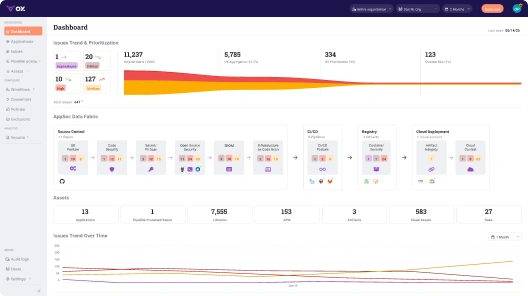
The dashboard provides a real-time, prioritized breakdown of all security issues across your organization, grouped, filtered, and deduplicated. From 57 raw alerts down to five5 prioritized issues. The rest are filtered out based on real exploitability and code usage.

2. Application Inventory and Risk Context
Every application is tracked with rich metadata: repo source, business priority, last commit time, active services, and a direct pipeline view. Quickly spot which services have the highest severity issues, and which ones were updated recently, all tied to the actual Git repo and CI job.

In this case, our payment-api service has 18 critical issues and shows recent commits, a strong indicator that it’s both active and potentially exposed.
3. Issue Breakdown with Technical Summary
Clicking into the app, OX shows a clean summary of the finding: a missing CSRF middleware, marked as reachable, exploitable, and tied to a live repo. Reachability, exploitability, and contextual severity are all shown clearly. The issue is tied to a specific file and function.

This isn’t just an alert, it’s actionable. You get the affected file, the risky line of code, and the exact asset it lives in.
4. Linked Compliance Requirements
Every finding maps to applicable controls from ISO, SOC2, NIST, and other standards. This helps both security and compliance teams understand where enforcement is working, or missing. OX ties each finding to specific controls, in this case, secure coding practices under ISO 27001 A.8.28, SOC2 CC8.1, and NIST SA-11.

5. Developer-Ready Fix Guidance via ChatGPT
Developers can request context-aware remediation with a single click. OX provides a technical explanation of the risk and a step-by-step fix, tailored to the specific vulnerability. Guidance includes threat impact, developer-level fixes, and security reasoning behind the recommendation. We can

OX doesn’t just say “add CSRF protection”, it tells you how to use csurf, where to place it, and how to prevent token theft.
6. Exploitability and Attack Path Mapping
Finally, OX visualizes the full attack surface. This CSRF issue is shown as reachable, publicly exposed, tied to business logic, and exploitable based on data flow. The snapshot below shows how the vulnerability connects to source, runtime, and user impact, with clear indicators of exploitability and damage:

This kind of visibility makes it easy to prioritize the right fixes, not just based on CVSS, but based on how likely an attacker is actually to reach and abuse the vulnerability.
Conclusion
In today’s enterprise environments, Application Security Testing must evolve from isolated scans into an integrated, continuous risk management strategy. It’s no longer sufficient to deploy standalone tools at different stages of the SDLC. What’s needed is a cohesive, automated system that aligns security testing with how modern software is actually built and deployed. By embedding AST into developer workflows, CI/CD pipelines, and runtime environments, and by correlating findings across tools and teams, organizations can move from reactive triage to proactive risk reduction. Platforms like OX Security exemplify this shift, offering unified visibility and prioritized remediation at scale. For enterprises aiming to secure software without slowing innovation, modern, orchestrated AST isn’t optional; it’s foundational.
FAQ
What is runtime application security testing?
Runtime Application Security Testing (often covered under IAST and RASP) analyzes application behavior during execution. It monitors real-time data flows, API calls, and memory usage to surface exploitable vulnerabilities with context, such as input sources and affected sinks. This is particularly useful in staging or pre-prod environments where dynamic conditions and data exposure paths matter.
Can security testing be done manually?
Yes, but only selectively and strategically. Manual security testing (like threat modeling, logic abuse discovery, or pentesting) complements automated tools by uncovering edge cases, business logic flaws, and chained exploits that scanners often miss. In large-scale enterprise pipelines, manual testing is usually layered on top of continuous automated AST processes.
What is software security testing?
Software security testing refers to the full spectrum of practices that assess an application’s resilience to attacks, through code, config, runtime behavior, and third-party components. In enterprises, it’s not just about detection; it includes triage, remediation, governance, and compliance alignment across teams and environments.
What is the best ASPM for enterprise security?
For enterprises focused on scaling secure software delivery, OX Security stands out as the best-in-class ASPM (Application Security Posture Management) platform. Unlike tools that only surface alerts, OX provides full code-to-cloud visibility, correlates findings across SAST, DAST, SCA, IaC, and CI/CD pipelines, and prioritizes vulnerabilities based on exploitability, ownership, and runtime exposure. This reduces noise, eliminates duplication, and enables security teams to act on what truly matters, while integrating seamlessly into enterprise workflows like Jira, GitHub, and Slack.
)