Scan your whole stack


From OX Research Newsroom






Latest version: v0.18.0
Wingbox was last scanned on 23 Nov 2026 at version 0.18.0. Risk score 0 of 100. No malicious behavior was detected.
| Version | Published | Status |
|---|---|---|
| 0.18.0 LATEST | 23 Nov 2026 | No rules fired |
| 0.17.0 | 23 Nov 2026 | No rules fired |
| 0.16.1 | 23 Nov 2026 | No rules fired |
| 0.16.0 | 19 Nov 2026 | Not shown |
| 0.15.0 | 19 Nov 2026 | Not shown |
Findings for v0.18.0. The score is a capped sum of the weights of the rules that fired — not CVSS, not exploitability, and not a probability. It is not comparable across packages with different scan coverage.
The score describes 0.18.0; other versions have their own rules, not their own score.
The publisher’s own README, as collected from the registry.
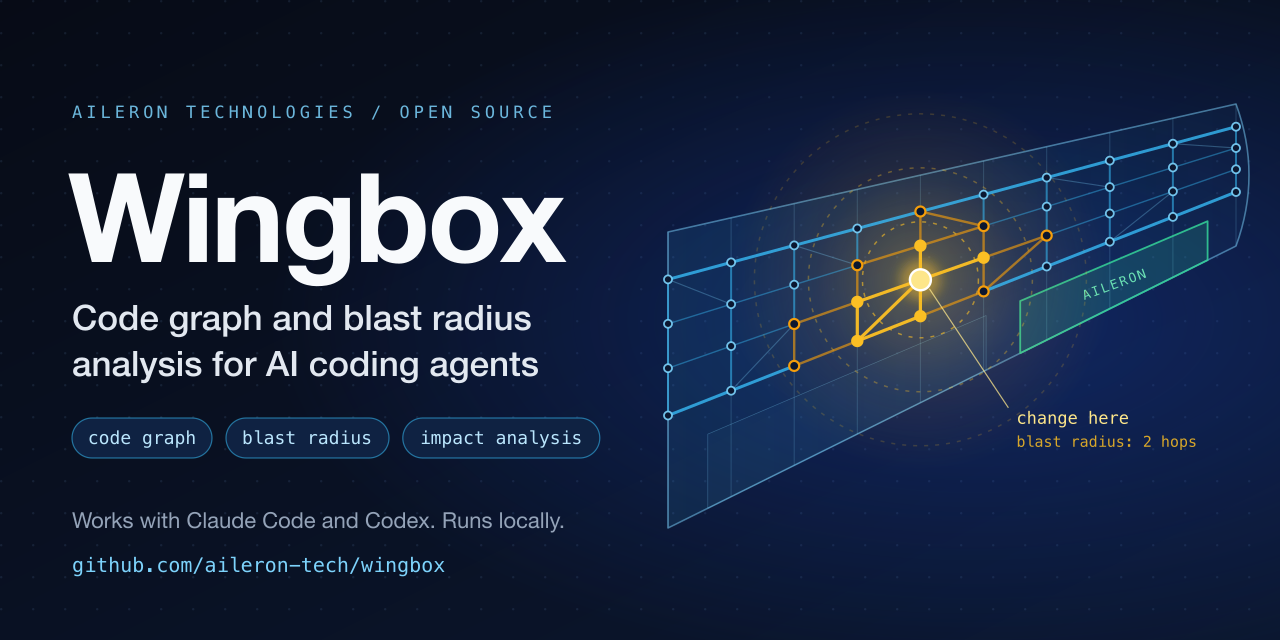
Give your coding agent a map of your codebase. 2-4x cheaper, no missed files.
Up to 5x faster, up to 8.8x fewer tokens, up to $484 saved per 1,000 questions, no missed files.
Your agent sees every file a change touches before it edits, so it no longer forgets a fix. 2-4x cheaper per answer than its own search or another code-graph tool: benchmarks.
Wingbox builds a local code graph (a code knowledge graph made by static parsing, with no model) of your repository so that AI coding agents and developers can see dependencies, call flows, architecture boundaries and the blast radius of a change before editing code. It works as an agent skill in Claude Code, Codex, Gemini CLI, Cursor and GitHub Copilot, as an MCP server for any MCP client, and from the command line. It supports Python, TypeScript, Rust, C, C++, C#, Java, Go, Ruby, Rails, PHP, Laravel (Blade, Livewire), Dart, Flutter, Free Pascal, and Lazarus.
Runs fully locally: no network access, no model, no telemetry. It can be used inside a security perimeter and on a machine with no internet.
macOS, Linux and Windows: on Windows it runs natively, from PowerShell, cmd or Git Bash, with no WSL.
Website: wingbox.dev: benchmarks with charts, a sample report and the live map.
Install:
pipx install wingbox && wingbox install| PyPI: the command, then the skill, an always-on block and a search hook for every coding assistant on the machine. Then type/wingboxin your agent.The graph keeps itself fresh: in Claude Code a hook marks every edited file, and the next search patches only those files into the graph (about a second on a 1,200-file project); changes made by git or an editor are found too. See Keeping the graph fresh.
Skill only:
npx skills add aileron-tech/wingbox| skills.shRelease notes: Changelog · What is next: Roadmap
Note: Wingbox was formerly published as
codespaces. The skill, the scripts and the generated files were renamed on 2026-11-15; see the Changelog for the old and new names.
Understand a large codebase before you change it. Wingbox is an architecture-aware code search and impact analysis tool for Python, TypeScript, TSX, Rust, C, C++, C#, Java, Go, Ruby, Ruby on Rails, PHP, Laravel, Blade, Livewire, Dart, Flutter, Free Pascal, and Lazarus repositories. It helps developers and AI coding agents find the right module, trace dependencies, measure change impact, and read only the source files that matter.
Use it for codebase architecture discovery, dependency graph search, blast-radius analysis, call-flow tracing, monorepo navigation, and safer AI-assisted coding.
Everything runs on your machine. The code graph is built by deterministic static parsing: no LLM call, no vector database, and no network access to build or query it. Wingbox does not embed your code.
pipx install wingbox && wingbox installwingbox build .The first line installs the command and sets up your coding assistants: it lists
what it adds, lets you untick items, and writes only your own settings in your home
folder. The second maps the repository you are in into its .wingbox/ folder. Then
ask your agent, or run wingbox impact path/to/file.
The one install brings the parsers of every supported language: there is nothing to add per language.
With Homebrew, on macOS or Linux: brew install aileron-tech/wingbox/wingbox && wingbox install
(tap).
No terminal? Install with a click
aileron-tech/wingbox as the source, then press + next to Wingbox under
Personal.Both start Wingbox with uv, which has to be on the machine.
Wingbox is safe to run on code that must not leave the company:
docker run --rm --network none -v "$PWD":/repo wingbox
(PowerShell: docker run --rm --network none -v "${PWD}:/repo" wingbox).
The one command that reaches the network is wingbox update, which runs
your package installer (pipx, uv or pip) when you ask it to.
Wingbox listens on no port either. Serving the MCP server to another machine is a
separate package, wingbox-http, that you install and start yourself; it only
answers the requests that reach it and opens no connection of its own.git for the ignore rules; it does not execute the code,
the tests or the build of the repository. The --lsp option, off by
default, starts a language server that is installed on the machine..wingbox/: the
graph index.sexp, REPORT.md and map.html. The map is one HTML file
that loads nothing from outside and opens offline.pip download wingbox -d wheels), carry the folder
inside, and install with pip install --no-index --find-links wheels wingbox.Where Wingbox writes. Nothing else on the machine is changed:
| Command | Writes to |
|---|---|
wingbox build (and the refresh after a change) |
the repository's .wingbox/ |
wingbox init (project setup) |
the repository's .wingbox/ |
wingbox install (your assistants) |
your own settings in your home folder (the assistants' files, ~/.wingbox/) |
Three tests of the repository keep this true: the package imports no module
that opens network connections, the map page loads no outside resource, and
every command run in a temporary repository with a temporary home folder
changes no path outside .wingbox/ and that home folder.
Once the graph is built, an agent asks what a change breaks before it edits
anything. Real output on the server of
immich (commit e5d6eb7, 707 modules):
$ wingbox impact src/dtos/asset.dto.ts 2 --human
Impact of changing src/dtos/asset.dto.ts
  direct dependents   10
  within 2 hops       30

Depth 1
  src/controllers/asset-media.controller.ts   imports it
  src/controllers/asset.controller.ts         imports it
  src/controllers/shared-link.controller.ts   imports it
  src/controllers/user-admin.controller.ts    imports it
  src/dtos/asset-media.dto.ts                 imports it
  src/services/asset-media.service.ts         imports it
  src/services/asset.service.ts               imports it
  src/services/asset.service.spec.ts          imports it
  src/services/shared-link.service.ts         imports it
  src/services/user-admin.service.ts          imports it

Depth 2
  src/controllers/index.ts                                 through src/controllers/asset-media.controller.ts (or 3 other files): imports it
  src/controllers/asset-media.controller.spec.ts           through src/controllers/asset-media.controller.ts (or 1 other file): imports it
  src/controllers/asset.controller.spec.ts                 through src/controllers/asset.controller.ts (or 1 other file): imports it
  ...
Every row says why the file is listed: the import, and below depth 1 the file
it is reached through. For Rust the row also names the items (uses HarEntry by name afteruse super::*``). The answer is 30 files in about 880 tokens, and it is exact: a TypeScript
import resolver written separately from Wingbox finds the same 3,795
dependencies between the 707 modules, none extra and none missing.
--human asks for this text. Without an option the same answer is printed as
S-expressions, the compact form an agent reads, and --json gives it to a
script; wingbox impact a.ts b.ts 2 answers for several files in one call.
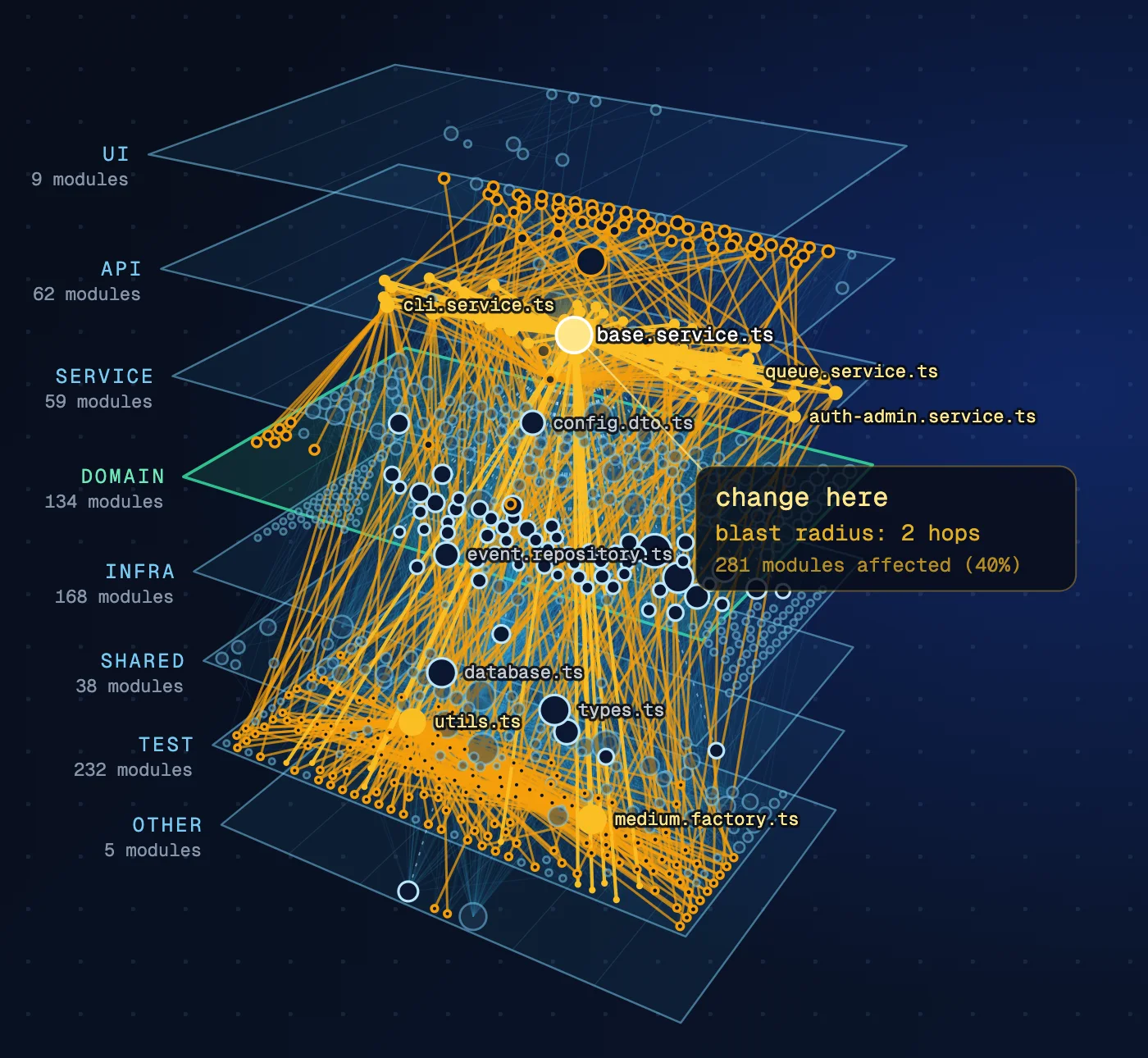
wingbox build also writes .wingbox/map.html (wingbox open shows it). Its layers view stacks the
architecture in 3D; click a file and its blast radius lights up across the
layers:
| One DTO changes: 30 files within two hops | The base service changes: 281 of 707 modules |
|---|---|
 |
 |
Benchmarks with charts, a sample report and the live map: wingbox.dev.
Instead of searching a repository one text match at a time, Wingbox turns code into a queryable code graph of modules, entities, imports, references, call relationships, architecture layers, and infrastructure connections.
A code graph describes a codebase as facts instead of text. Modules, classes,
functions and types are nodes; imports, references, data flows, calls and
architecture layers are edges. Wingbox writes the graph to .wingbox/index.sexp
as plain S-expression facts, so the bundled query tool and ordinary text search
can both read it.
The blast radius of a change is everything that depends, directly or
transitively, on the code you are about to edit. Wingbox computes it from the
reverse dependencies in the code graph. impact path/to/file prints the
dependents by depth and the files to read first; rdeps and boundary give
the same facts as a tree and as a change boundary.
$ wingbox impact scripts/lang/treesitter.py
(impact scripts/lang/treesitter.py :direct 13 :total 25
 (1 scripts/lang/csharp/parser.py
    scripts/lang/csharp/validation.py
    scripts/lang/dart/parser.py
    ...
    scripts/lang/typescript/validation.py)
 (2
  (:through scripts/lang/csharp/parser.py
   scripts/lang/csharp/__init__.py
   scripts/lang/csharp/imports.py)
  (:through scripts/lang/dart/parser.py
   scripts/lang/dart/__init__.py)
  ...)
 (read-first scripts/lang/treesitter.py scripts/lang/csharp/parser.py ...))

$ wingbox impact scripts/lang/treesitter.py --human
Impact of changing scripts/lang/treesitter.py
  direct dependents   13
  within 2 hops       25

Depth 1
  scripts/lang/csharp/parser.py           imports it
  scripts/lang/csharp/validation.py       imports it
  scripts/lang/dart/parser.py             imports it
...

Depth 2
  scripts/lang/csharp/__init__.py     through scripts/lang/csharp/parser.py: imports it
...
The default form is S-expressions, for agents: the asked file once, the rows
grouped by depth and by the file they are reached through, each with the
reason it is listed. --human prints the same answer as text for people and
--json as one JSON object for code.
One hundred "which files depend on this file" questions, drawn at random with a fixed seed in five public repositories (TypeScript, Rust, Python):
wingbox impact <file> 2 --all names the complete list of dependent files,
with nothing outside it, in 100 of 100 questions (95 % interval 96 to 100 %). The lists
hold 1 to 503 files.wingbox command added:| Setup | Complete answers | Tokens per answer | Cost per answer |
|---|---|---|---|
| With Wingbox | 55 of 55 | 67,579 | 0.110 USD |
| Built-in search only | 48 of 55 | 98,800 | 0.179 USD |
Cost -38 % (95 % interval -49 % to -25 %), tokens -32 % (-47 % to -12 %),
on claude-opus-5-5 with Wingbox 0.10.0 (2026-11-18). Tokens fall on the
two Rust repositories (agent-browser -67 %, claudes-c-compiler -32 %) and
are higher on the other three (chrome-devtools-mcp +13 %, immich +26 %,
FastAPI +43 %).
The reference lists come from resolvers that share no code with Wingbox. The
scripts, the lists and every result file are in
benchmarks/impact, with what the benchmark does
not show. Dockerfile.benchmark runs the tests that need no model in a clean
container and compares every result with the committed one:
docker build -f Dockerfile.benchmark -t wingbox-benchmark .
docker run --rm wingbox-benchmarkFind threats in your stack.
OX Radar can check high-priority threats, like critical package CVEs, against your context.
Each incident is marked Detected or Not Detected with a remediation plan and proof all tracked in the Response Center.
The probe returned only these fields for this server — auth requirement, protocol and tool list weren’t observed, so they’re not shown (never guessed).
The publisher’s own links, as the registry reports them. These are not sources for the assessment on this page.