heliofleet-mcp







A small Model Context Protocol server that answers
spacecraft-geometry questions from HelioFleet's published
data: where the heliophysics fleet is, what each spacecraft sees of the Sun, and when two of them
line up. It is a thin layer over HelioFleet's static JSON files (JPL Horizons ephemerides,
2010 to about 2030, refreshed monthly). Nothing is recomputed from scratch. The frame and
alignment code is a line-by-line port of the page's own JavaScript, so the numbers match the site.
Every answer carries a HelioFleet link that reproduces the view in the browser. The same answers are
available as an MCP server, as one-shot commands that print JSON, and as a Python API.
Tools
| Tool |
What it returns |
get_position(body, time) |
Distance from the Sun; Stonyhurst lon/lat; Carrington longitude seen from Earth; ecliptic J2000 and HEE vectors; angle from Earth and distance to Earth; light time; Parker-spiral footpoint |
get_trajectory(body, start, end, step_hours) |
One body's coordinates sampled over a date range (up to 2000 samples) as a table with the same columns as get_position, plus the closest and farthest points from the Sun and the closest approach to Earth |
get_fleet_state(time) |
The same columns for Earth, every spacecraft on the map, and optionally Mercury, Venus and Mars |
find_alignments(kind, a, b, tolerance_deg, start, end) |
Windows of radial alignment, quadrature with Earth, solar conjunction (behind the Sun seen from Earth) or magnetic connection (Parker-spiral footpoints). Each window has start, end, best time and value, plus a link that reruns the search on the page |
list_upcoming_events(start, end) |
HelioFleet's calendar: perihelia, alignments, quadratures, conjunctions and eclipses. Optionally adds DONKI flares, CMEs and storms |
get_viewing_geometry(observer, time) |
Light time and offset from Earth, RSUN_OBS, B0, HGLN_OBS, L0 (CRLN_OBS, the observer's own light time), km per arcsec and scale relative to Earth, with a sky-view link |
search_observations(start, end, instruments, x_arcsec, y_arcsec) |
IRIS, Hinode/EIS, DKIST, Solar Orbiter (EUI-HRI, PHI-HRT, SPICE), Hi-C and CLASP observations in a time range, optionally covering a point on the disk: dataset id, times, programme, field of view in Earth's helioprojective frame (centre, size, polygon), archive link, and SDO AIA 171, AIA 193 and HMI PNG cutouts around the field |
find_coordinated_observations(start, end, facilities) |
Groups of observations by different facilities that overlap in time and on the Sun: start, duration, shared point, facilities and counts, with a sky-view link |
build_heliofleet_link(...) |
A map or sky-view URL for a time, frame, zoom, hidden bodies, surface spot, tab or alignment search |
list_bodies() |
Every body the tools accept: key, names, aliases, kind, launch, loss-of-contact and end dates, ephemeris span, sky-view observer; and the observation instruments with their facility, months covered and record count |
get_data_status() |
Which data release is loaded, where it came from, and each body's span |
HelioField plugin (on by default)
These tools add the coronal magnetic field from HelioField's
daily PFSS products. They read published files and do not solve the field.
| Tool |
What it returns |
get_magnetic_connection(body, date, solar_wind_km_s) |
Where Earth, the L1 fleet, Parker, Solar Orbiter, BepiColombo or STEREO-A connects to the Sun: the Parker-spiral point on the source surface, the PFSS footpoint (Carrington), the expansion factor, distance to the coronal-hole boundary and a WSA-type speed. self_consistent=True uses each body's own speed estimate |
get_space_weather(date) |
Model wind speed and sector at Earth, the next sector boundary, a −1 to +7 day outlook, an alert level, and that day's solar wind measured at L1 |
get_coronal_field(date) |
Magnetogram, PFSS settings, open flux and Earth's L0/B0, plus solar-cycle context per Carrington rotation (open flux and area, current-sheet tilt, polar fields; any date since 2010) |
build_heliofield_link(...) |
A link to the 3D corona, connectivity, space-weather or observations page |
Daily products cover about the last two months. For older dates the tools return links, because the
HelioField page computes any date since 2010-05-01 in the browser. HelioField's Carrington positions
of the fleet agree with HelioFleet's to 0.002°, and a test checks this. Set
HELIOFLEET_MCP_PLUGINS=none to serve the HelioFleet tools alone.
Bodies: earth sdo soho aditya ace wind dscovr imap swfo cgo solo psp bepi sta stb maven messenger vex juno rosetta juice clipper psyche mercury venus mars.
Common names also work, such as "Parker", "Solar Orbiter" and "STEREO-A". Times are UTC in ISO 8601
(2026-11-19T12:00Z, 2026-11-19), now, or a Julian date.
Quick start
With uv installed, one command downloads and starts the server:
uvx heliofleet-mcp
It speaks MCP over stdio, so on its own it waits silently for a client. Register it with one:
Claude Code, for all projects:
claude mcp add heliofleet --scope user -- uvx heliofleet-mcp
Claude Desktop and other MCP clients take this mcpServers entry. In Claude Desktop it goes in
Settings → Developer → Edit Config, then restart the app. In a project, it can go in .mcp.json.
{
  "mcpServers": {
    "heliofleet": {
      "command": "uvx",
      "args": ["heliofleet-mcp"]
    }
  }
}
Then ask, for example, "When are Parker and Solar Orbiter next radially aligned?" To work offline
from a heliofleet checkout, add "env": {"HELIOFLEET_SOURCE": "local", "HELIOFLEET_LOCAL_DATA": "/path/to/heliofleet/data"} to the entry.
Where it is published
The Registry entry (server.json)
declares the PyPI package, uvx as the runtime, stdio transport and the optional settings
HELIOFLEET_SOURCE, HELIOFLEET_LOCAL_DATA and HELIOFLEET_MCP_PLUGINS.
Other ways to install
The only runtime dependency is the mcp Python SDK (1.x or 2.x); Python 3.10 or newer.
pipx install heliofleet-mcp        # or: pip install heliofleet-mcp  (https://pypi.org/project/heliofleet-mcp/)
heliofleet-mcp                     # or: python -m heliofleet_mcp
From a clone, for development:
git clone https://github.com/sr-dash/heliofleet-mcp && cd heliofleet-mcp
python3 -m venv .venv && .venv/bin/pip install -e '.[test]' jplephem
Command line
The same program answers one question and prints the tool's JSON, with no server or client set-up.
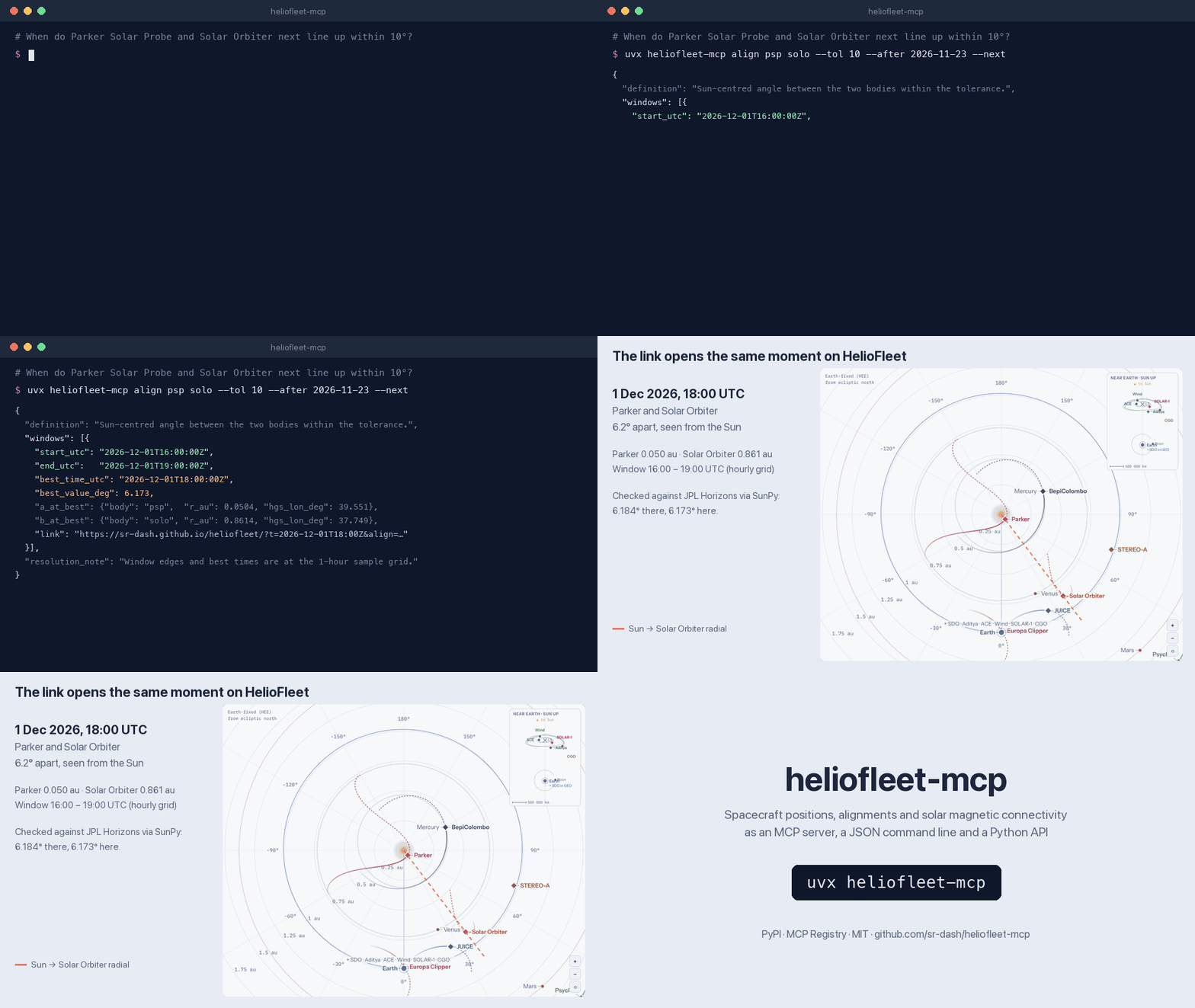
uvx heliofleet-mcp align psp solo --tol 10 --after 2026-11-19 --next   # next Parker-Solar Orbiter alignment
uvx heliofleet-mcp align sta --kind quadrature --after 2027-01-01      # STEREO-A quadratures in 2027
uvx heliofleet-mcp position parker --time 2025-03-22T22:25Z            # coordinates at a moment
uvx heliofleet-mcp geometry solo                                       # B0, L0, solar radius from Solar Orbiter now
uvx heliofleet-mcp events --kind perihelion,alignment                  # the coming year's calendar
uvx heliofleet-mcp connection psp --wind 450                           # where Parker connects to the Sun
uvx heliofleet-mcp spaceweather                                        # HelioField's outlook at Earth
uvx heliofleet-mcp --help
Commands: align, position, fleet, events, geometry, link, status, connection,
spaceweather, field. Add --compact for one-line JSON. An error prints {"error": ...} on stderr
and exits with status 2. With no command, the program serves MCP over stdio.
Python
from heliofleet_mcp import Fleet, HelioField

fleet = Fleet()
fleet.find_alignments("radial", "psp", "solo", 10, "2026-11-19", max_windows=1)
fleet.position("Solar Orbiter", "2026-11-19T12:00Z")
fleet.viewing_geometry("psp", "2025-03-22T22:25Z")
HelioField().magnetic_connection("psp", solar_wind_km_s=450)
The methods return the same dictionaries as the MCP tools. Fleet and HelioField take a
Store or FieldStore for a different source, cache or offline checkout.
The API reference documents every public class and function, with parameters, return
values and examples (numpydoc docstrings, built with MkDocs Material and mkdocstrings). The examples
run as doctests in CI.
For assistants








