



Find the Python dependencies that have no prebuilt wheel for your platform, before your Docker build does, and get the exact change that fixes each one.
Point it at your lockfile and the platforms you ship to (ARM servers, Alpine images, Windows on ARM, Python 3.15, free-threaded 3.14t). It tells you which packages pip or uv will have to compile from source, and which can't be installed at all. With --fix it says how to close each gap: first the upgrade to an official release that has the wheel, with the command for your lockfile; then, only where you can't upgrade, an unofficial wheel from wheelgap's gap wheel index:
$ uvx wheelgap requirements.txt -p 3.15 -t linux-x86_64,win-amd64 --fix
wheelgap 0.14.0 · requirements.txt · 3 packages · Python 3.15

package     version  linux-x86_64  win-amd64
markupsafe  3.0.2    ● source      ● source
pyyaml      6.0.3    ● source      ● source
zstandard   0.25.0   ● source      ● source
...
--fix: 6 gaps (3 packages × their targets): 4 can be fixed by upgrading to an official release; 2 only by an unofficial gap wheel; 0 have no fix yet.

Upgrade: a newer official release has the wheel:
  markupsafe 3.0.2 -> 3.0.4: linux-x86_64, win-amd64
  pyyaml 6.0.3 -> 6.0.4: linux-x86_64, win-amd64
In requirements.txt, change the pins to markupsafe==3.0.4, pyyaml==6.0.4.
wheelgap doesn't resolve dependencies: the rest of them must allow these releases.

As a fallback, wheelgap's gap wheel index has unofficial wheels PyPI lacks (built by wheelgap from PyPI's sdist, not by the packages' maintainers) for:
  pyyaml 6.0.3: linux-x86_64 (if you can't upgrade pyyaml)
  zstandard 0.25.0: linux-x86_64, win-amd64
...
In 83 pinned projects from the 300 most-starred Python repositories, 82% of the Python 3.15 gaps on Linux x86-64 were stale pins like these: the release with the wheel was already out. For a uv.lock, --fix prints the uv lock --upgrade-package command instead. Gap wheels are built twice from the sdist on PyPI, published only if both builds are byte-for-byte identical, and installed and imported on a fresh machine first (how they're made).
🔎 Try it on any public repo, in your browser: wheelgap.github.io/tracker/check. Paste a GitHub repository. It reads the lockfile, works out the platforms the repo ships to from its CI and Dockerfiles, and lists every dependency with no prebuilt wheel there, with the release that fixes it. Nothing to install.
📊 Wheel coverage for the top 5,000 PyPI packages, by platform and Python version, updated nightly. 📚 Case studies: what wheelgap found in FastAPI, pydantic, Poetry, PDM, Streamlit, Typer and other projects, each pinned to a commit you can re-run.
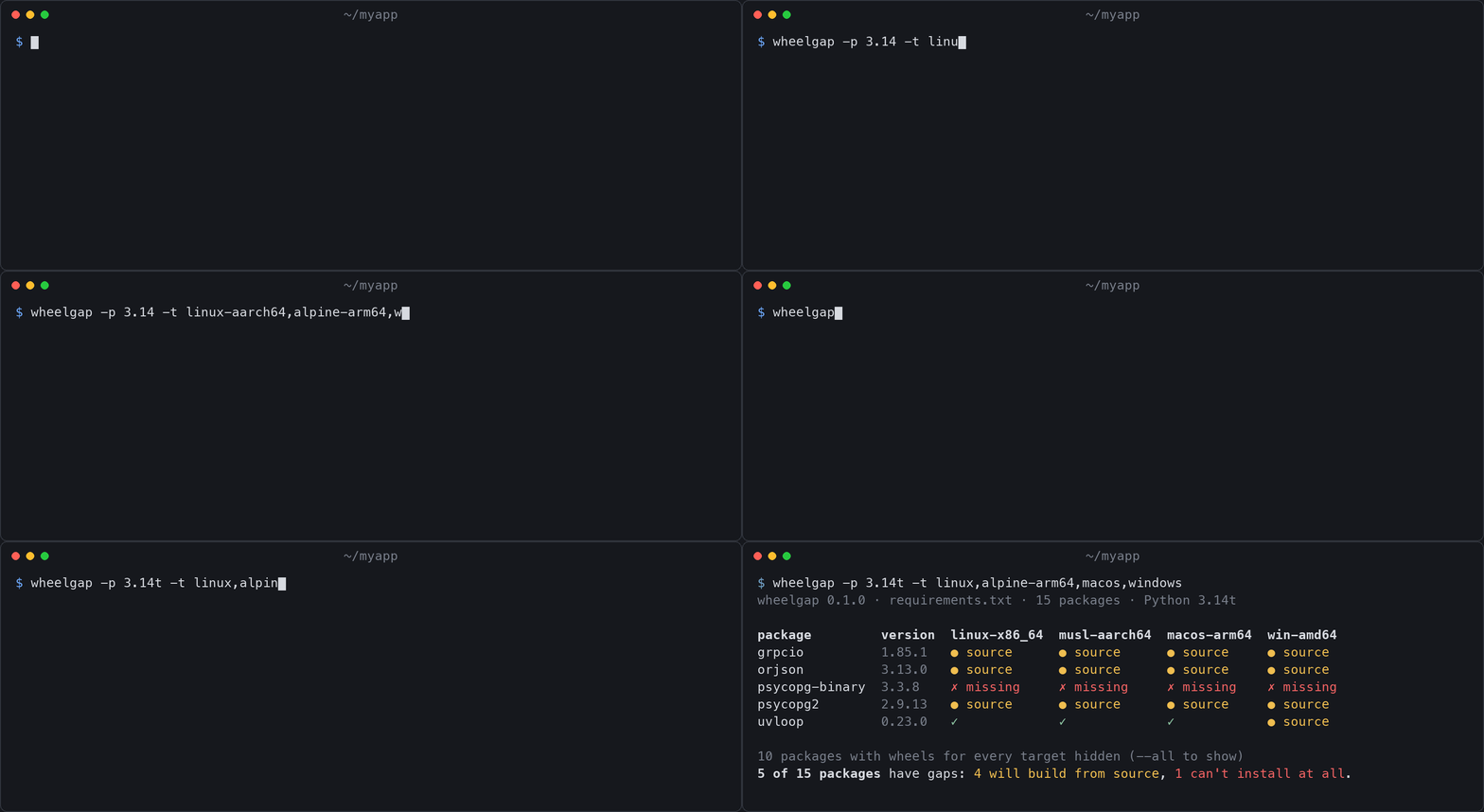
📖 Documentation: wheelgap.github.io/wheelgap, with a reference for every flag, input format, config key and output format.
Install and run (under 30 seconds)
With uv:
uvx wheelgap
Or with pipx:
pipx run wheelgap
Or install it: pip install wheelgap.
Run either one in a project directory. It finds uv.lock, pylock.toml, poetry.lock, pdm.lock, Pipfile.lock, requirements.txt, requirements.lock or pixi.lock on its own. Without one of those it checks the dependencies in pyproject.toml, or the project's one requirements file under another name or in a subfolder, and says which file it read. Getting started walks through a first run.
Usage
# Will my Alpine ARM image compile anything?
wheelgap -p 3.13 -t alpine-arm64

# Is my stack ready for free-threaded Python 3.14?
wheelgap -p 3.14t -t all

# Several Pythons at once, Linux on both architectures
wheelgap uv.lock -p 3.12,3.13,3.14 -t linux-x86_64,linux-aarch64

# Check what a single-file script installs (PEP 723), or its lock from `uv lock --script`
wheelgap example.py --deps -t win-arm64
wheelgap example.py.lock -t win-arm64

# Diagnose failed pip, uv, Poetry or PDM (-v) wheel builds
wheelgap --from-log pip-install.log -p 3.13 -t win-arm64

# Resolve a version range separately for each Python
wheelgap "numpy>=1.26,<3" -p 3.9,3.13 -t linux

# Check the PyPI packages of a pixi project's `test` environment
wheelgap pixi.lock --environment test -p 3.13 -t linux-x86_64,macos-arm64

# No lockfile? Check packages directly (latest version, or pin one)
wheelgap psycopg2 uvloop numpy==2.3.4 -t windows,win-arm64

# ...and everything they install too, with the path to each gap
wheelgap mcp==2.3.0 --deps -t win-arm64 --explain

# On a Linux aarch64 machine: check exactly what pip resolved there, without installing it
python -m pip install --dry-run --ignore-installed --report report.json -r requirements.txt
wheelgap report.json -p 3.14 -t linux-aarch64

# Before a release: do the wheels you're about to upload cover every target
# the last release had one for?
wheelgap --dist dist -p 3.13 -t win-arm64,linux-aarch64

# Take the Python and platform from the final stage of a Dockerfile
# (a global `ARG PYTHON_VERSION=3.13` before the first FROM works too)
wheelgap --dockerfile Dockerfile

# FROM ubuntu, nvidia/cuda or any other image: say what to check with -p and -t
wheelgap --dockerfile Dockerfile -p 3.13 -t linux-x86_64 --glibc 2.39

# ...and check what it installs with RUN pip install -r requirements.txt
wheelgap --dockerfile Dockerfile --dockerfile-inputs

# ...built with `docker build -f docker/Dockerfile .`? Name the build context too
wheelgap --dockerfile docker/Dockerfile --dockerfile-inputs --dockerfile-context .

# Machine-readable, for scripts and CI
wheelgap --json > wheelgap.json

# Why is it a gap? List each rejected wheel and the reason
wheelgap -t alpine-arm64 --explain
Write your defaults down once in pyproject.toml (every key); command-line flags still win:
[tool.wheelgap]
python = ["3.13", "3.14t"]
targets = ["linux-x86_64", "linux-aarch64", "musl-aarch64"]
Not sure what to put there? wheelgap --suggest-targets reads the platforms your GitHub Actions, GitLab CI and Dockerfiles already name and suggests these lines (how).
Each cell in the table is one of:
| cell |
meaning |
✓ |
a compatible wheel exists, so the install is fast |
● source |
no wheel, only an sdist, so it compiles at install time (needs a compiler, headers, time) |
✗ missing |
no wheel and no sdist, so the install fails |
– |
not installed on this target (environment markers exclude it, or the target selects another resolution) |
✓ bundled |
no wheel on PyPI, but Pyodide ships its own build (with --pyodide-lock) |
Exit codes: 0 no gaps, 1 gaps found, 2 bad input. --fail-on missing accepts source builds, --ignore NAME accepts a known gap, and --exit-zero never fails on gaps.
In --json output, results (and rejected and via with --explain) are keyed by target label: just the platform ("linux-x86_64") when one Python is checked, or Python and platform ("3.13 linux-x86_64") with several. The top-level targets list gives each target's label, python and platform, so a script can look the key up instead of building it:
import json

data = json.load(open("wheelgap.json"))
key = next(t["label"] for t in data["targets"] if t["python"] == "3.13" and t["platform"] == "linux-x86_64")
Version ranges select the newest matching release whose Requires-Python permits each target Python. Different
resolutions appear in separate rows, including in JSON, with n/a for targets using another resolution. See
version ranges for details.
--explain can also show the coverage tracker's notes (--notes), what a source build needs (--build-info), conda-forge builds that fit (--conda-forge), piwheels wheels for a Raspberry Pi gap (--piwheels) and the nearest newer release with wheels for a gap (--suggest). These are opt-in, since they send package names elsewhere (which names). --suggest is on by default when --deps resolved every input, since it already looked the whole tree up on PyPI; --no-suggest turns it off.
--fix says how to fix each gap, leading with the upgrade: the nearest newer release that has the wheel, with the command for your input (uv lock --upgrade-package pyyaml for a uv.lock, or the new pin), since most new-Python gaps are fixed that way; it looks those packages up on pypi.org, as --suggest does, and wheelgap doesn't resolve, so the rest of your dependencies must allow the release. For the rest, it lists the gaps an unofficial wheel on wheelgap's gap wheel index fills (the index page lists the targets it covers), with the pyproject.toml snippet for uv or the --extra-index-url line for pip. It reads the index's list in one request that names no package, and never changes the exit code (how); --print-gap-wheel-snippet prints just that configuration for one uv.lock or requirements file, without writing it (details).
The docs cover inputs and dependency selection, --explain, the --json schema, every flag and the recipes for multi-arch images, monorepos and free-threading readiness.
Targets
-t all checks the eight common native platforms (linux-x86_64, linux-aarch64, musl-x86_64, musl-aarch64, macos-arm64, macos-x86_64, win-amd64, win-arm64), and -t everything adds the armv7l, ppc64le, s390x, riscv64 and i686 Linux targets (glibc and musl) and win32. Pyodide (-t pyodide), iOS and Android (-t mobile) are checked when you name them. Aliases (alpine, windows) and Docker names (linux/arm64) work too, and wheelgap --list-targets lists them all.
Python versions take a trailing t for free-threaded builds (3.14t). --glibc, --musl and --macos set the oldest system you deploy to, or --distro ubuntu-22.04 takes it from a distro. The targets page has the wheel tags each target accepts, the floors, and new-Python readiness.
In CI (GitHub Action)
- uses: actions/checkout@v7
- uses: wheelgap/wheelgap@v0.14.0
  with:
    args: uv.lock -p 3.13 -t linux-x86_64,linux-aarch64
The job fails when a dependency would build from source on a target you ship, for example when a dependency bump drops ARM wheels. The gap table also goes to the run's summary page (set summary: false to turn that off). compare-to: base fails only when a pull request makes the lockfile worse, and comment: true posts the result on the pull request (details and permissions). For a release workflow, dist: dist runs --dist on the files about to be uploaded and fails when the release drops a platform's wheels. CI covers the Action, --markdown, --junit, --sarif and --gitlab-code-quality for GitLab merge request findings.
With pre-commit
repos:
  - repo: https://github.com/wheelgap/wheelgap
    rev: v0.14.0
    hooks:
      - id: wheelgap
The hook runs when a lockfile, requirements file, pyproject.toml, uv.toml or .python-version changes. Put your targets in [tool.wheelgap] in pyproject.toml so the hook checks the right platforms. The hook checks the lockfile in the repo's root; to check a script's lock (example.py.lock) instead, add args: [example.py.lock] and files: ^example\.py(\.lock)?$ to the hook.
From Python
import wheelgap

targets = wheelgap.make_targets(python="3.13", platforms=["linux-aarch64", "musl-aarch64"])

result = wheelgap.check_package("numpy", "2.3.4", targets)  # looks the files up on PyPI
result.ok  # True if every target has a wheel
result.gaps  # the targets that don't

for r in wheelgap.check_lockfile("uv.lock", targets):  # markers and the uv graph respected
    print(r.name, r.version, [t.platform for t in r.gaps])
The Python API page has every function and result attribute.
With an AI coding agent
wheelgap ships a check-wheels skill that teaches coding agents to run it, read its JSON and suggest fixes. It follows the open Agent Skills format.
Claude Code (install from this repository as a plugin):
/plugin marketplace add wheelgap/wheelgap
/plugin install wheelgap@wheelgap
Codex, Cursor, GitHub Copilot and others: copy integrations/claude-code/skills/check-wheels/ into your project's .agents/skills/ folder. For a Cursor project rule instead, copy integrations/cursor/wheelgap.mdc to .cursor/rules/.
As an MCP server: wheelgap-mcp lets any agent that speaks the Model Context Protocol call wheelgap as a tool, with read-only check_package, check_lockfile, check_dockerfile, check_dist, diff_lockfiles, explain_install_failure, suggest_targets and list_targets tools. For Claude Code:
claude mcp add wheelgap -- uvx --from wheelgap wheelgap-mcp
The MCP setup guide has the tools and a copy-paste snippet for Claude Code, Cursor, VS Code, Codex and Claude Desktop.
Contributing to wheelgap with an agent? See AGENTS.md.
Comparing two lockfiles
wheelgap diff old/uv.lock uv.lock -p 3.13 -t linux-aarch64,musl-aarch64
wheelgap diff origin/main:uv.lock uv.lock -p 3.13 -t linux-aarch64   # the base branch's lockfile, no checkout needed
wheelgap diff mcp==2.2.0 mcp==2.3.0 --deps -t win-arm64   # compare full resolved PyPI trees
This checks both lockfiles and lists the packages that got worse on a target (a wheel that became a source build, say) and the new packages with gaps, so a dependency bump that drops a platform fails CI. It exits 1 if there are any, 0 if not, and 2 on bad input. See wheelgap diff.
How it works








