Nori CLI




Nori lets you use Claude Code, Codex, Antigravity, Grok Build, and your own ACP agents from one terminal.
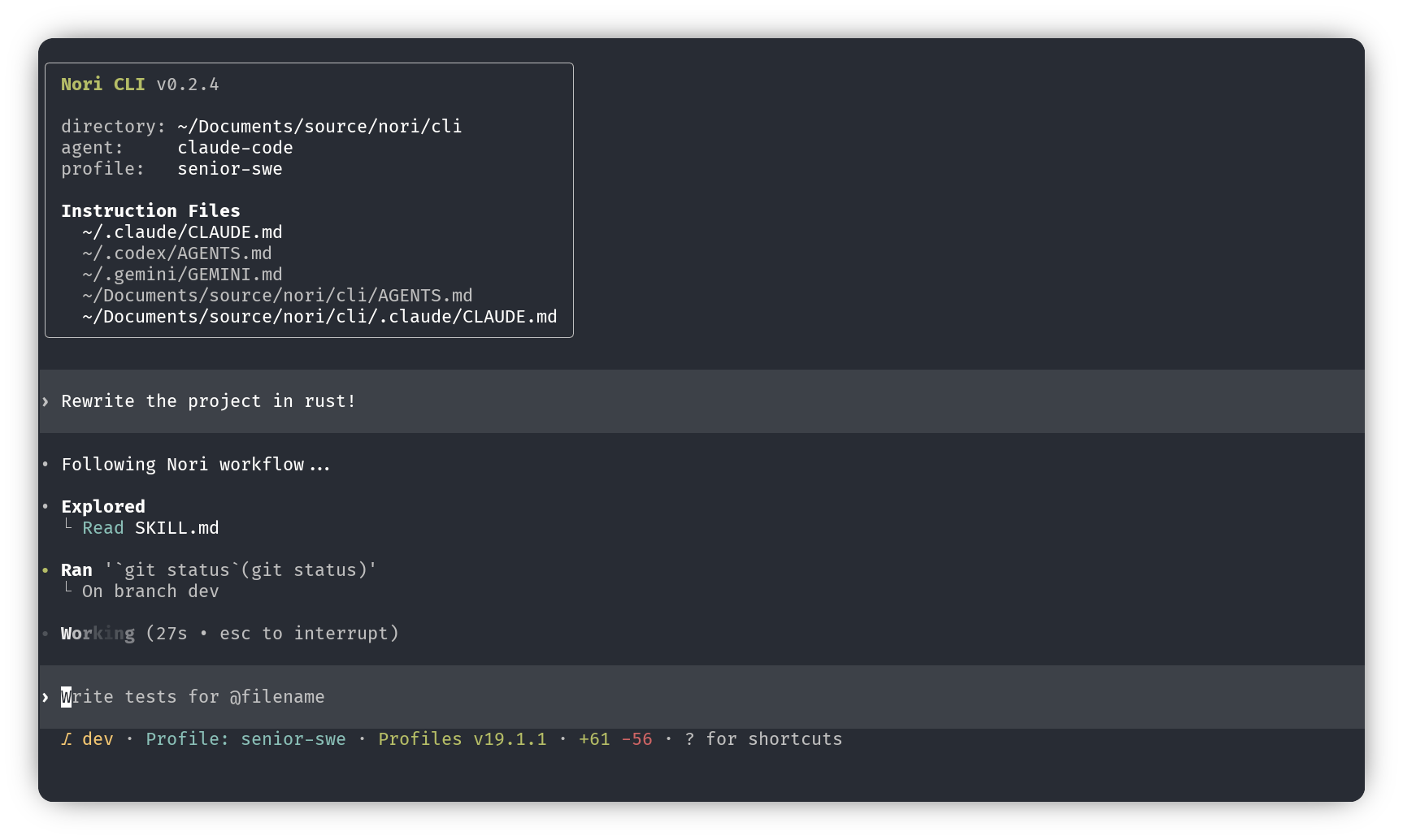
Install
npm install -g nori-ai-cli
Or download binaries from GitHub Releases.
Quick Start
nori
Use /agent to switch agents, or select one at launch with nori --agent grok-build. To start a session on a running Nori host, use nori host new --agent grok-build. Aliases use the same provider ID in the session list and share its saved model. An exact [[agents]] slug keeps its own settings.
Providers
Claude Code and Codex use npx or bunx to resolve the upstream @latest release. Grok Build uses npx so its native executable is installed by the upstream npm package. The adapters use their upstream dependencies and authentication settings. For Antigravity, install Google's CLI and make agy available on the host's PATH. Antigravity CLI installation
| Agent |
ID for --agent or config.toml |
ACP launch |
Sign in |
| Claude Code |
claude-code |
@agentclientprotocol/claude-agent-acp@latest |
Use your Claude Code login or set ANTHROPIC_API_KEY. |
| Codex |
codex |
@agentclientprotocol/codex-acp@latest |
Use /login for ChatGPT or set OPENAI_API_KEY. |
| Antigravity |
gemini (also antigravity or agy) |
agy acp --disable-telemetry |
Open agy for Google sign-in or set GEMINI_API_KEY. |
| Grok Build |
grok-build (also grok) |
@xai-official/grok@latest agent stdio |
Use /login for the Grok sign-in command or set XAI_API_KEY. |
The gemini ID keeps existing configs and Nori history associated with the Google provider. Each agent supplies its own model choices through /model.
Bring Your Own Agent
Have your own ACP agent? Add it to Nori CLI! Any agent that speaks Agent Client Protocol over stdin/stdout can be registered in ~/.nori/cli/config.toml and used alongside the built-in providers.
Add one or more [[agents]] entries to your config:
[[agents]]
name = "Mistral Vibe"
slug = "vibe-acp"

[agents.distribution.local]
command = "vibe-acp"

[[agents]]
name = "ElizACP"
slug = "elizacp"

[agents.distribution.local]
command = "elizacp"
args = ["acp"]
Then switch to your agent with /agent inside Nori.
Example agents to try:
| Agent |
Install |
Notes |
| Mistral Vibe |
curl -LsSf https://mistral.ai/vibe/install.sh \| bash |
Installs both vibe and vibe-acp. Run vibe --setup to configure your API key. |
| ElizACP |
cargo install --locked elizacp |
Minimal Eliza chatbot, useful for testing. |
| Kimi |
No install needed — uses uvx |
First-time auth: run uvx --python 3.13 kimi-cli, then /login. |
Want your AI agent to configure this automatically? Point it at the raw skill file: https://github.com/tilework-tech/nori-cli/blob/main/.claude/skills/registering-custom-acp-agent/SKILL.md
Features
- Multi-provider: Use Claude Code, Codex, Antigravity, Grok Build, or your own ACP-compatible agent from the same CLI.
- Fast native interface: Incremental Ratatui rendering, double-buffered scrollback history, and a Rust core keep long sessions responsive.
- Solid ACP client support: Nori supports ACP session listing, loading, resume, context and usage metadata.
- Agent Integrations: Your agents keep their configurations, whether that's slash commands, skills, and MCP server forwarding.
- Session continuity: Pick up prior work with resume, and rewind agent changes with escape-to-undo.
- Project context: Reference files with
@, flip between an editor or a file picker, and keep useful context visible without leaving the terminal.
See the ACP roadmap for what is done, what is in progress, and what is planned next.
Attribution
Nori CLI is built on the great work within OpenAI Codex CLI.
Nori CLI relies on the great contributions within the ACP project, from Zed Editor, JetBrains, and others.
License
Apache-2.0









