- Quick Start
- Demo
- Screenshots
- Why This Template
- Features
- Architecture
- AI Agent
- RAG
- Observability
- Django-style CLI
- Generated Project Structure
- Configuration Options
- Comparison
- FAQ
- Documentation
- Contributing
Vstorm OSS Ecosystem
This template is part of a broader open-source ecosystem for production AI agents:
| Project |
Description |
|
| AgenticOS |
Open-source (Apache-2.0), self-hosted platform to build, share and govern AI agents across a company. |
 |
| pydantic-deepagents |
The modular agent runtime for Python. Claude Code-style CLI with Docker sandbox, browser automation, multi-agent teams, and /improve. |
 |
| pydantic-ai-shields |
Drop-in guardrails for Pydantic AI agents. 5 infra + 5 content shields. |
 |
| subagents-pydantic-ai |
Declarative multi-agent orchestration with token tracking. |
 |
| summarization-pydantic-ai |
Smart context compression for long-running agents. |
 |
| pydantic-ai-backend |
Sandboxed execution for AI agents. Docker + Daytona. |
 |
Want the runtime behind this template's AI agents? pydantic-deepagents powers the pydantic_deep framework option — install it standalone with curl -fsSL .../install.sh | bash.
Browse all projects at github.com/vstorm-co
🚀 Quick Start
[!TIP]
Want to review every option first? The installation guide covers the interactive wizard, non-interactive flags and presets; fastapi-fullstack templates lists every option.
Installation
# pip
pip install fastapi-fullstack

# uv (recommended)
uv tool install fastapi-fullstack

# pipx
pipx install fastapi-fullstack
From zero to a running app
Three steps. The wizard scaffolds the project, make bootstrap brings up the whole backend, and the frontend runs with a single command:
# 1. Generate your project — just answer the wizard's prompts
fastapi-fullstack

# 2. Backend + PostgreSQL up, migrations applied, default admin seeded
cd my_ai_app
make bootstrap

# 3. Frontend (in a second terminal)
cd frontend && bun install && bun dev
What make bootstrap does (= make dev + make seed): builds the backend Docker image, starts the stack via docker-compose.dev.yml, waits for PostgreSQL (pg_isready), applies Alembic migrations, and seeds admin@example.com / admin123. It's idempotent — re-run it anytime.
Then access:
Day-to-day commands
make dev           # bootstrap or restart (no admin re-seed)
make seed          # one-shot admin creation (no-op if admin exists)
make dev-down      # stop everything
make dev-logs      # tail container logs
make dev-rebuild   # force-rebuild backend image (after pyproject.toml changes)
make dev-frontend  # start the Next.js container
After the first make bootstrap, day-to-day you just run make dev (skips admin re-seed). Run make help inside the project for the full list.
Skip the wizard and pass options directly:
# Non-interactive with explicit options
fastapi-fullstack create my_ai_app --database postgresql --frontend nextjs

# Presets for common scenarios (run `fastapi-fullstack templates` for the full list)
fastapi-fullstack create my_ai_app --preset ai-agent           # AI agent with streaming
fastapi-fullstack create my_ai_app --preset production         # Full production setup
fastapi-fullstack create my_ai_app --preset production-saas    # SaaS: billing, teams, admin

# Bare-bones project (PostgreSQL, no Docker/Redis/CI)
fastapi-fullstack create my_ai_app --minimal
Keeping your project up to date
Your project doesn't get stranded on the template version you generated from. Pull the
latest template improvements into your existing project with a real 3-way merge — your
customizations are preserved, conflicts are left for you to resolve in your IDE, and the
whole thing lands on a dedicated branch so it's fully reversible:
make upgrade-dry-run     # preview what would change (no changes made)
make upgrade             # apply on a `template-upgrade/v…` branch
# resolve any conflicts in your IDE's 3-way merge editor, then:
make upgrade-finalize    # bump the manifest to the new version
Files only you changed are kept, files only the template changed are updated, and new
features/migrations are pulled in. By default an upgrade keeps your existing feature set —
to also adopt optional features added since your version, use:
make upgrade-new-features # prompts Yes/No for each new optional feature
One-off flags (e.g. pinning a target version) go through ARGS, and you can always call
the CLI directly instead of make:
make upgrade ARGS=--to=0.3.0
uvx fastapi-fullstack@latest upgrade --with-new-features
See the version-upgrade guide for the full walkthrough
(including projects generated before upgrade support existed).
Environments
make target |
Compose file |
When to use |
make dev |
docker-compose.dev.yml |
Local development with hot-reload + bind-mounted source. |
make stage |
docker-compose.yml |
Production-like build (no bind mounts) running on localhost. Sanity-check before deploy. |
make prod |
docker-compose.prod.yml |
Production. Requires backend/.env (copy from backend/.env.example, fill real secrets) + external Nginx using nginx/nginx.conf. |
Each env has matching -down, -logs, -rebuild siblings.
[!NOTE]
Windows users: make requires GNU Make. Install via Chocolatey (choco install make) or use WSL2 / Git Bash. The Docker workflow is identical across macOS, Linux, and WSL2.
If you want to run the backend on the host while the database stays in Docker:
cd my_ai_app
make install                                                # uv sync + pre-commit hooks

# Start only infrastructure containers
docker compose -f docker-compose.dev.yml up -d db redis    # add 'milvus etcd minio' if RAG

make db-upgrade                                             # apply migrations
make create-admin                                           # interactive
make run                                                    # uvicorn --reload
# On your server
git clone <your-repo>
cd my_ai_app

cp backend/.env.example backend/.env            # fill in real secrets
# Configure your nginx host using nginx/nginx.conf as reference

make prod                                       # builds + starts + migrates
make prod-logs                                  # tail logs
For frontend deployment to Vercel:
cd frontend && npx vercel --prod
In the Vercel dashboard set BACKEND_URL (server-side), plus NEXT_PUBLIC_API_URL,
NEXT_PUBLIC_WS_URL (wss://…) and NEXT_PUBLIC_SITE_URL — the NEXT_PUBLIC_* ones are
inlined at build time, so they need a redeploy to take effect.
Using the Project CLI
Each generated project has a CLI named after your project_slug. For example, if you created my_ai_app:
cd backend

# The CLI command is: uv run <project_slug> <command>
uv run my_ai_app server run --reload     # Start dev server
uv run my_ai_app db migrate -m "message" # Create migration
uv run my_ai_app db upgrade              # Apply migrations
uv run my_ai_app user create-admin       # Create admin user
Use make help to see all available Makefile shortcuts.
🎬 Demo
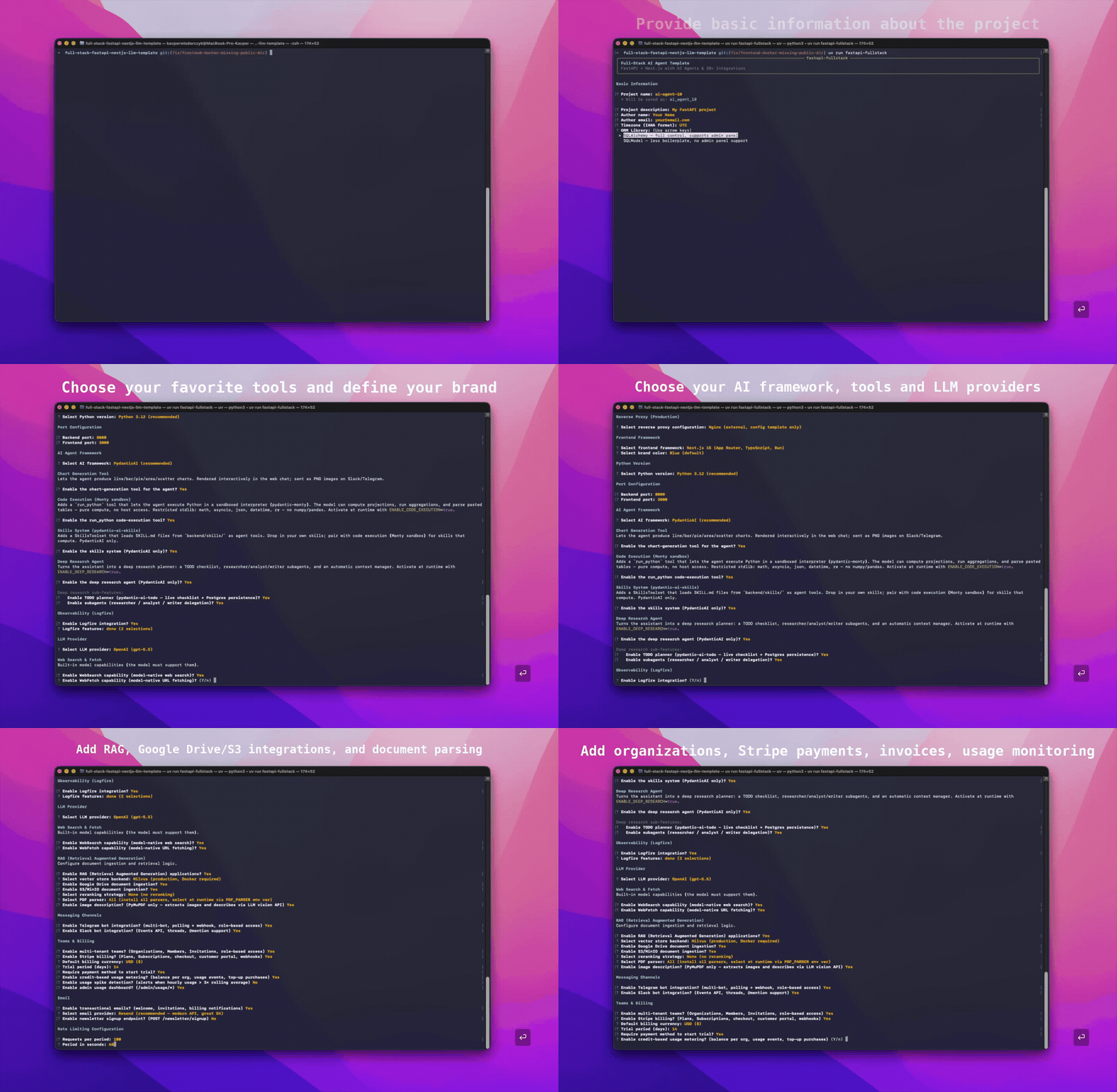
CLI generator — configure and scaffold a full-stack AI project in under 60 seconds:
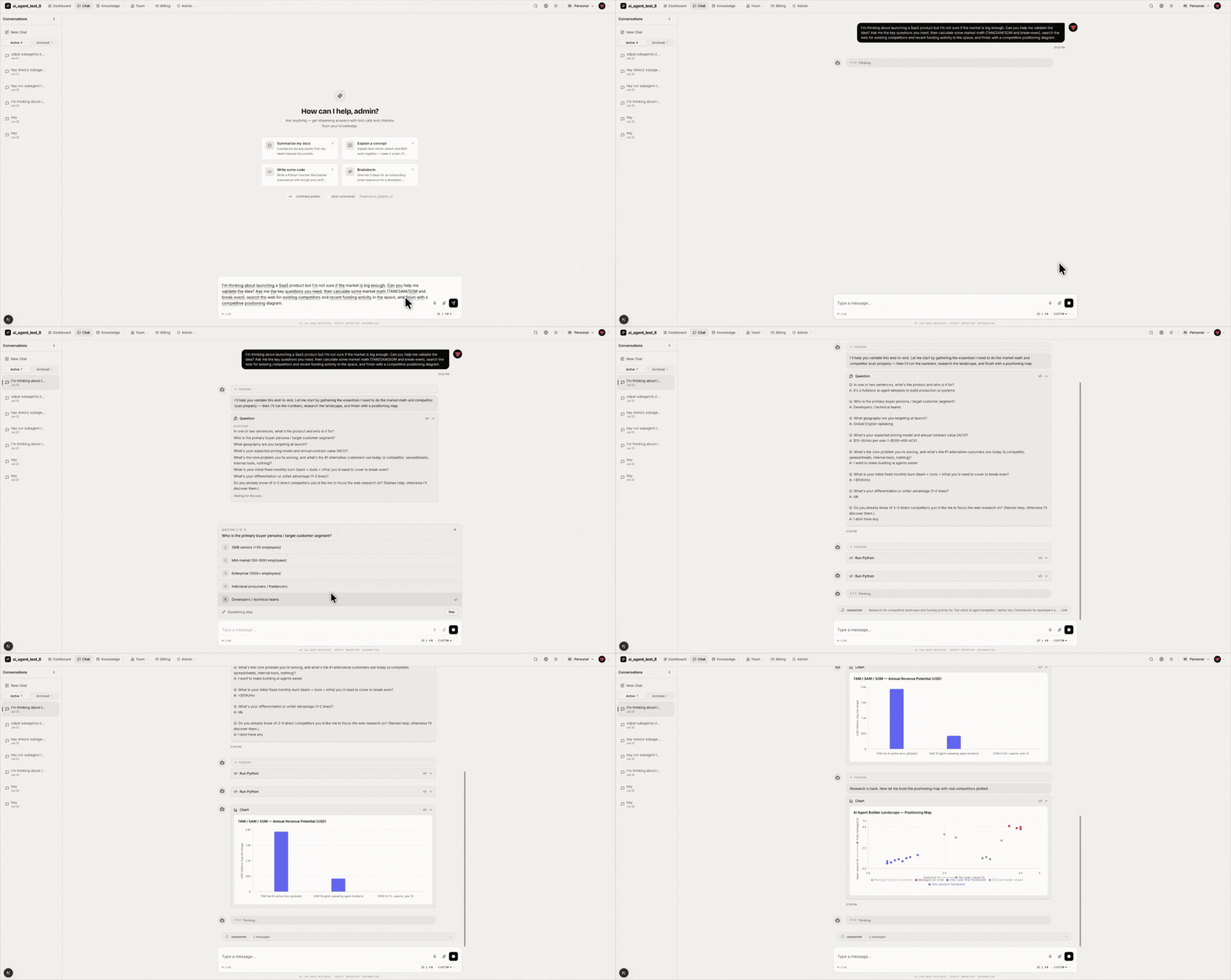
AI chat — streaming responses, tool calls, reasoning, and ask-user pauses:
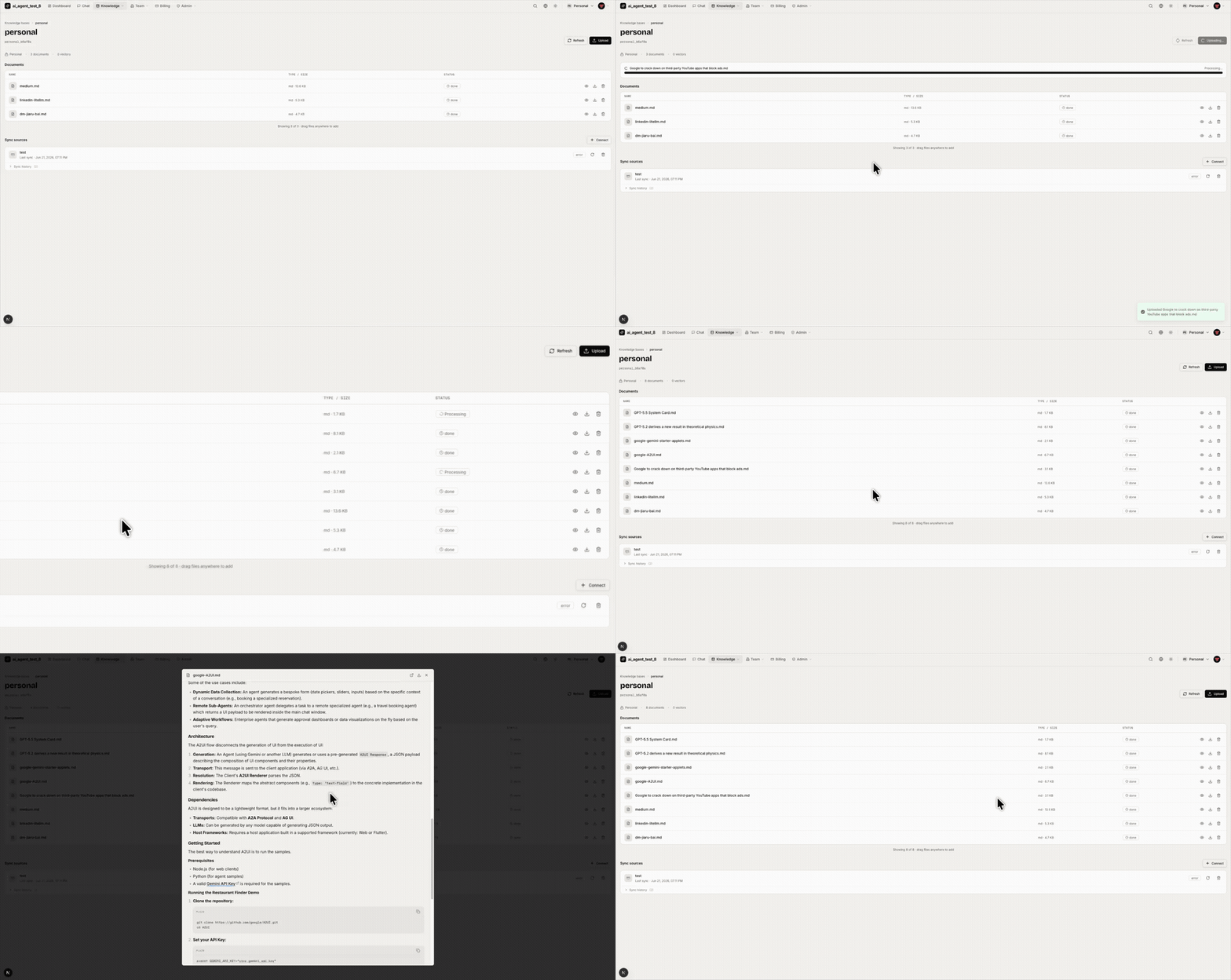
RAG ingestion — drop a document, watch it get chunked, embedded, and answered against:
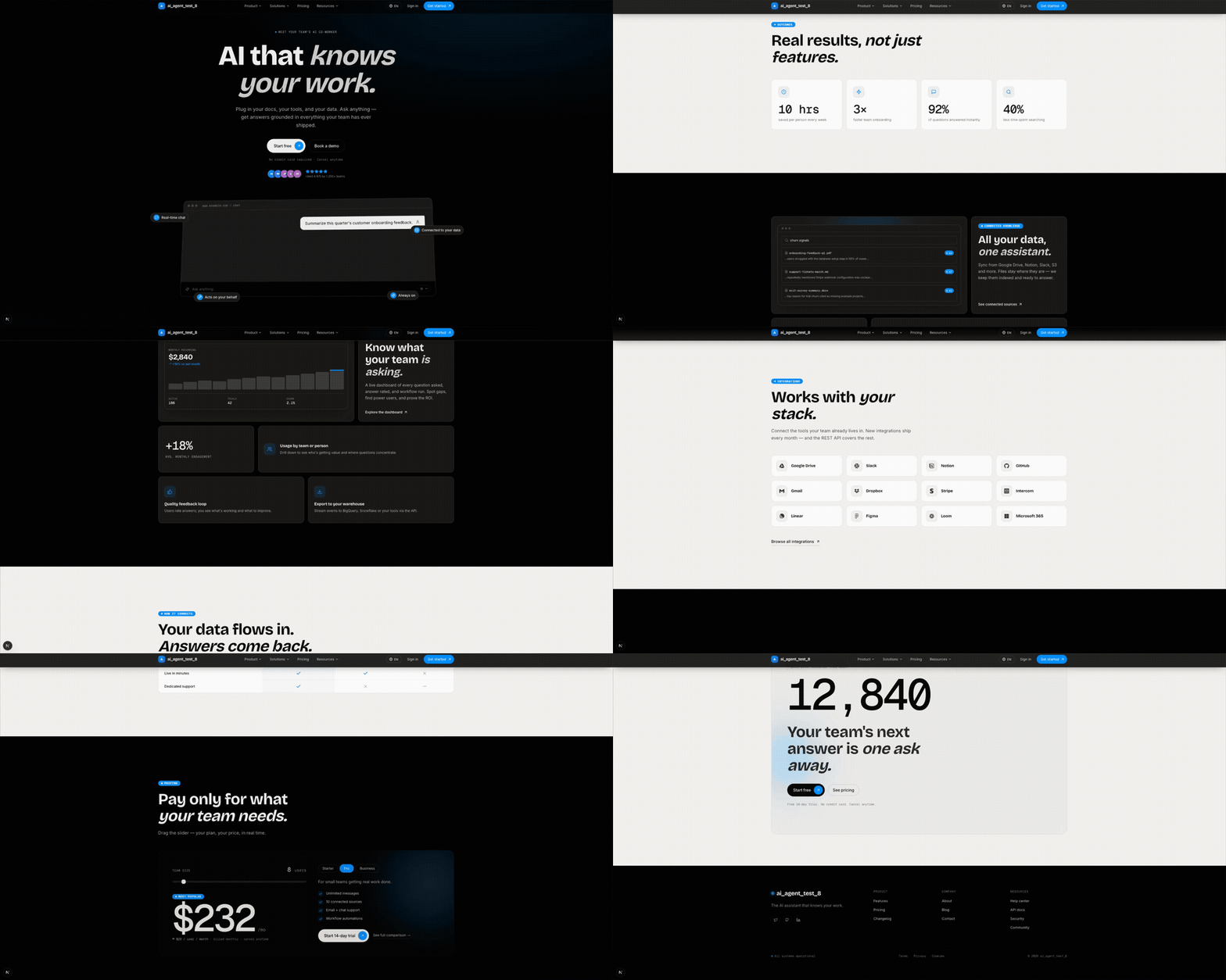
Generated marketing site — public landing page with hero, pricing, blog, and legal pages (enable_marketing_site):
📸 Screenshots
AI Chat
The chat UI streams responses over WebSocket and renders each tool call as a purpose-built card.
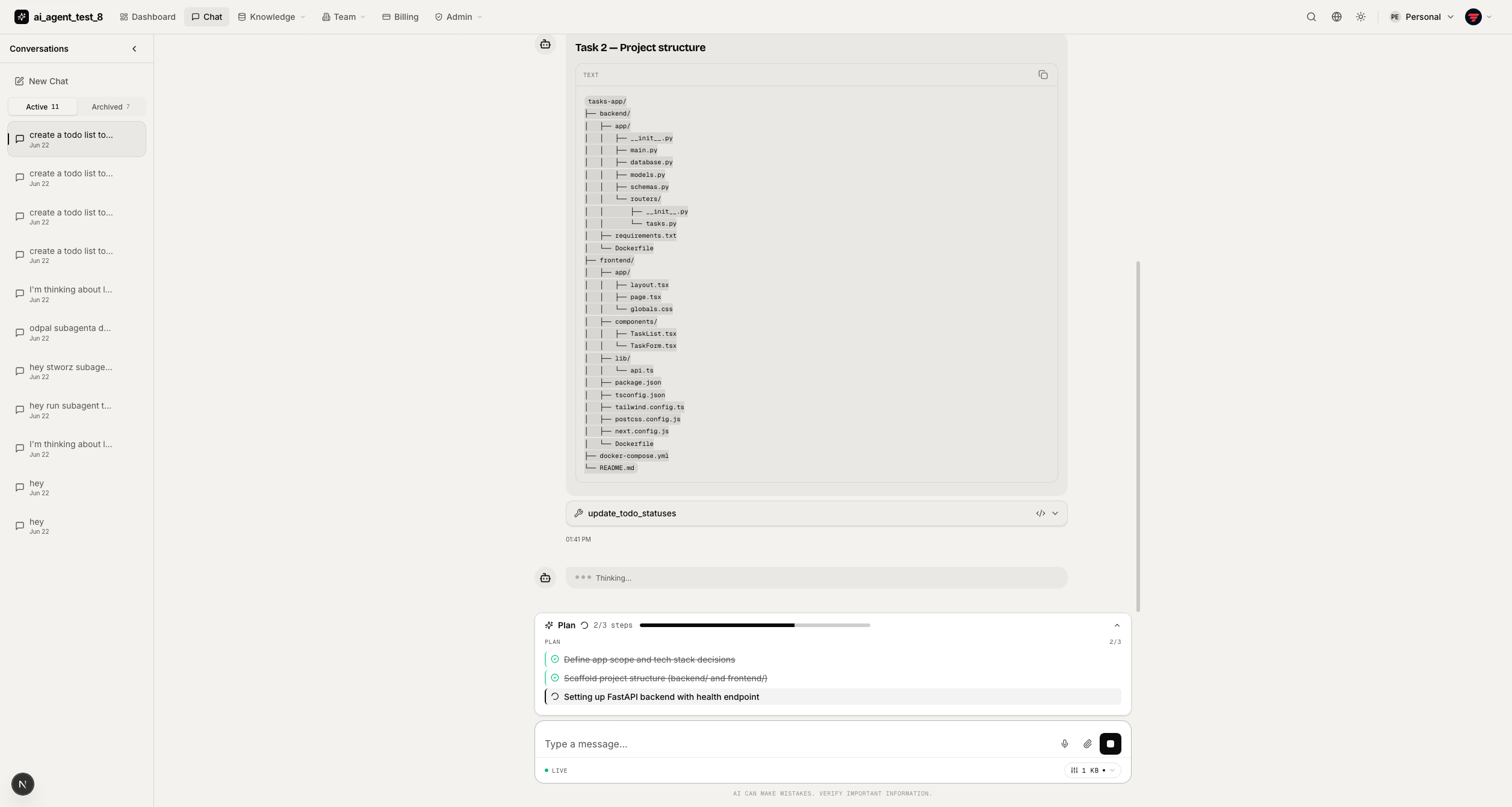
Plan & tasks — sticky checklist updating live as the agent works through steps.
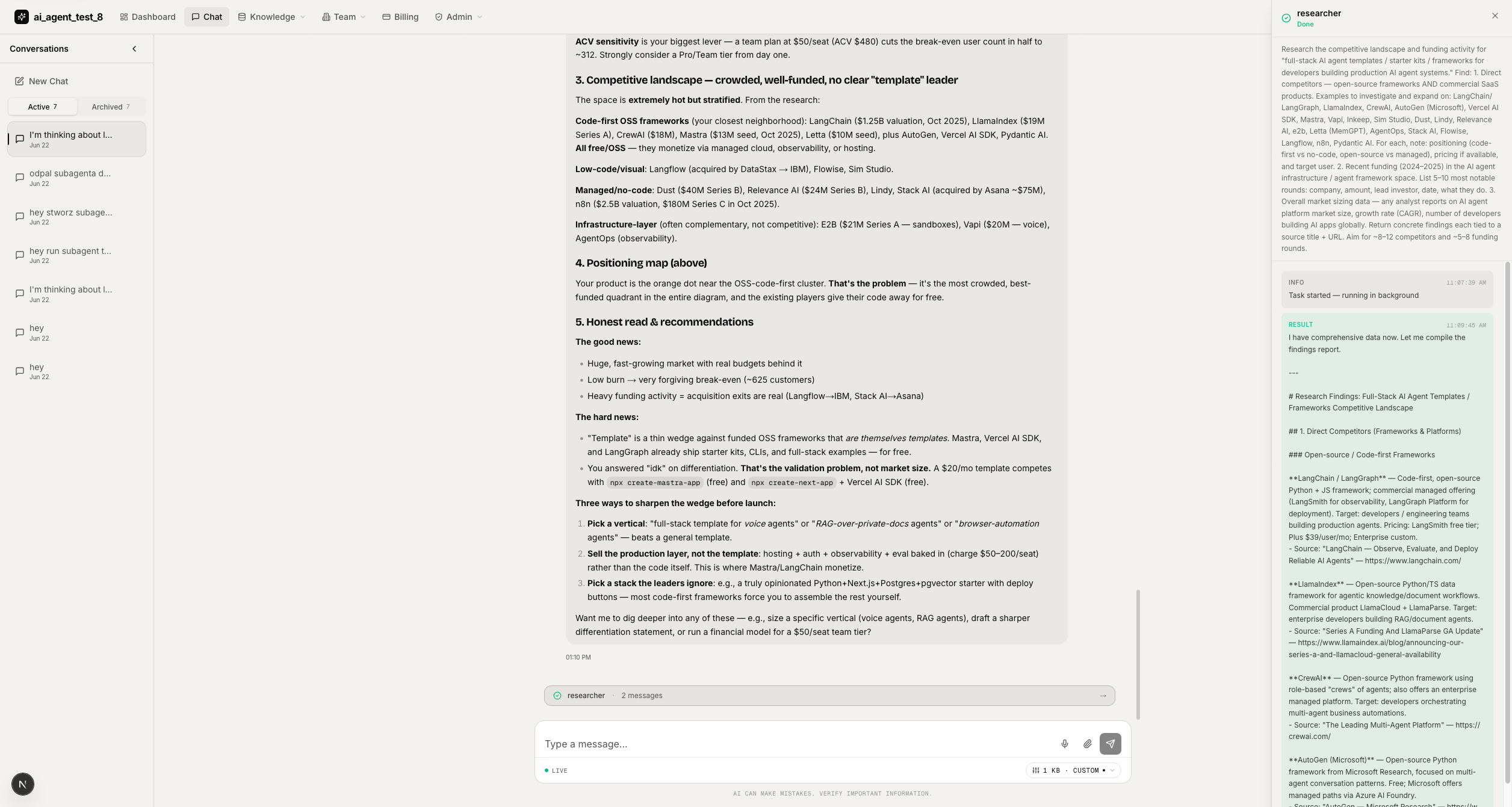
Subagents — live feed and side panel showing each subagent's status and messages.
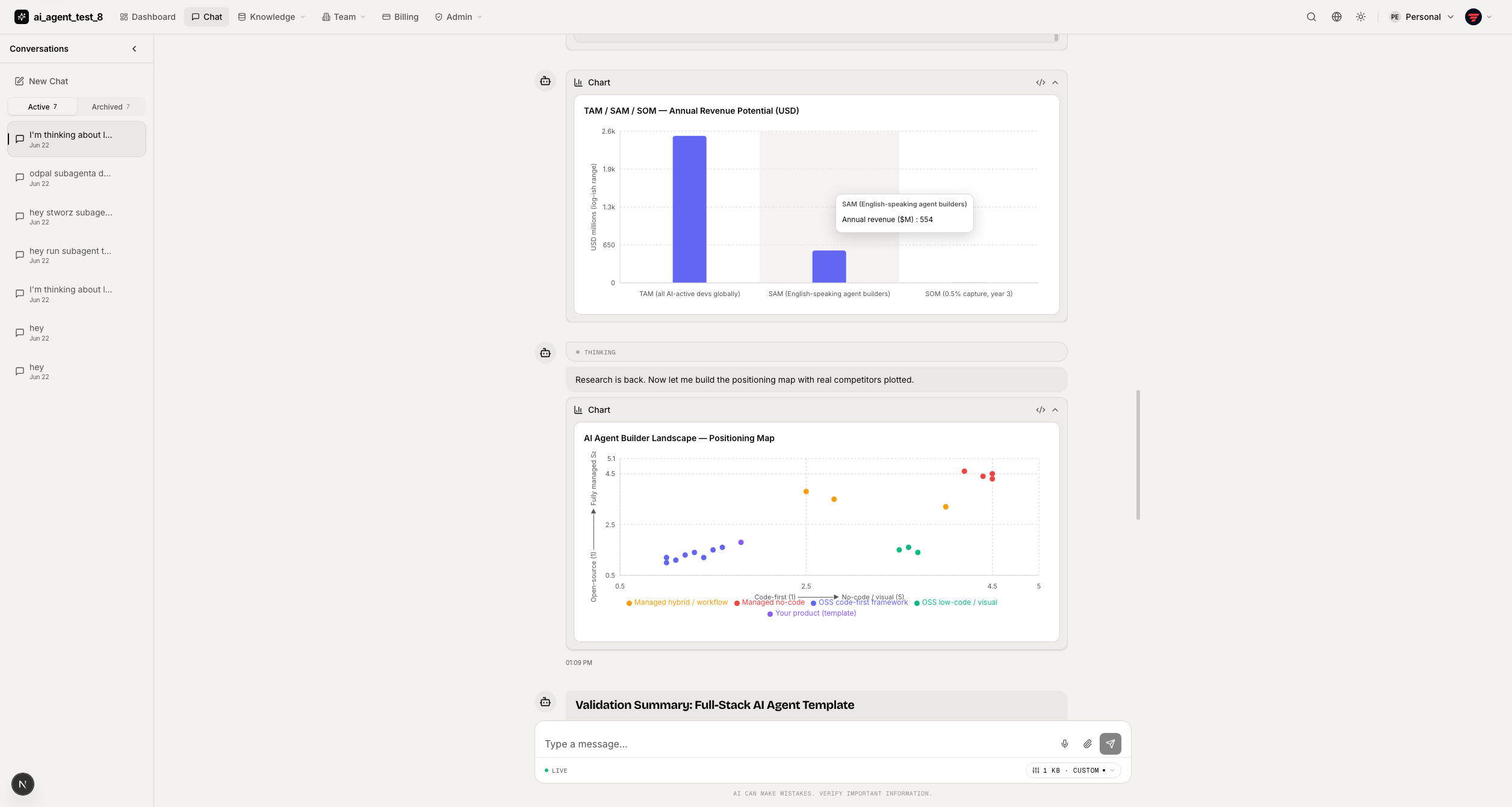
Charts — interactive bar/area/line/pie/scatter charts rendered inline.
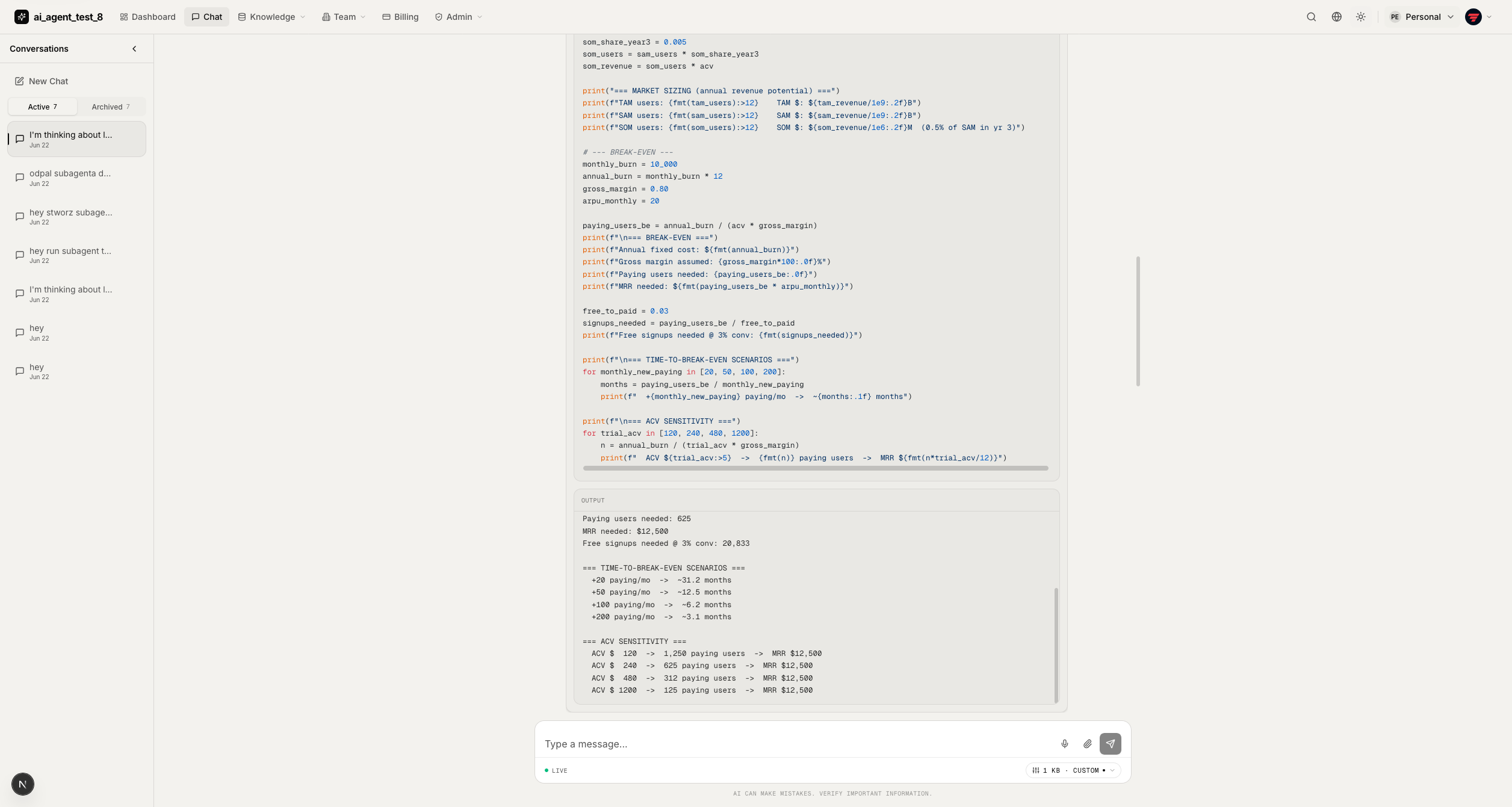
Code execution — run_python shows code + stdout/result in a collapsible card.
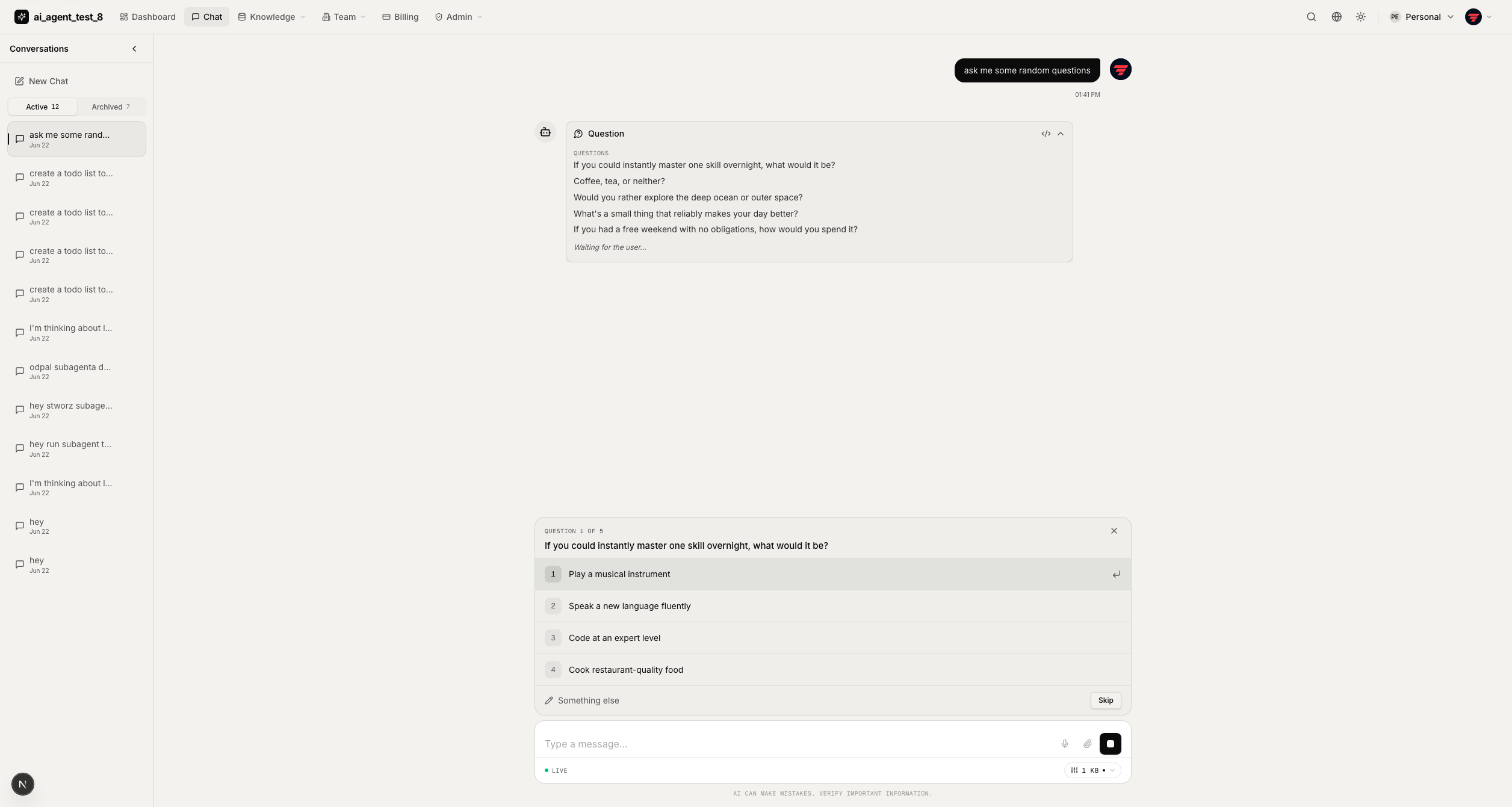
Ask user — agent pauses to ask clarifying questions; card keeps the full transcript.
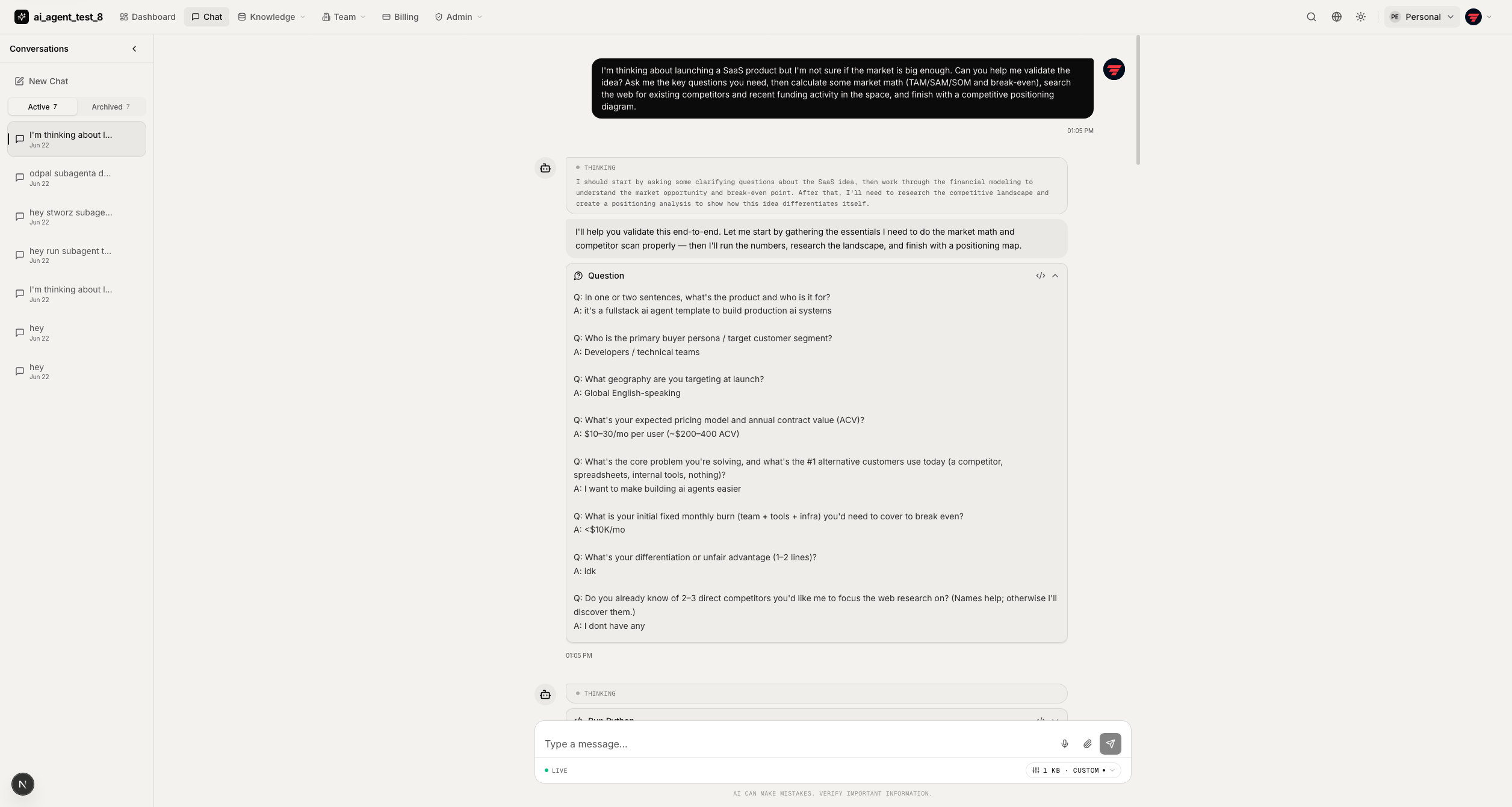
Reasoning — clean thinking view + answered-question history for long agent turns.
Auth & Dashboard
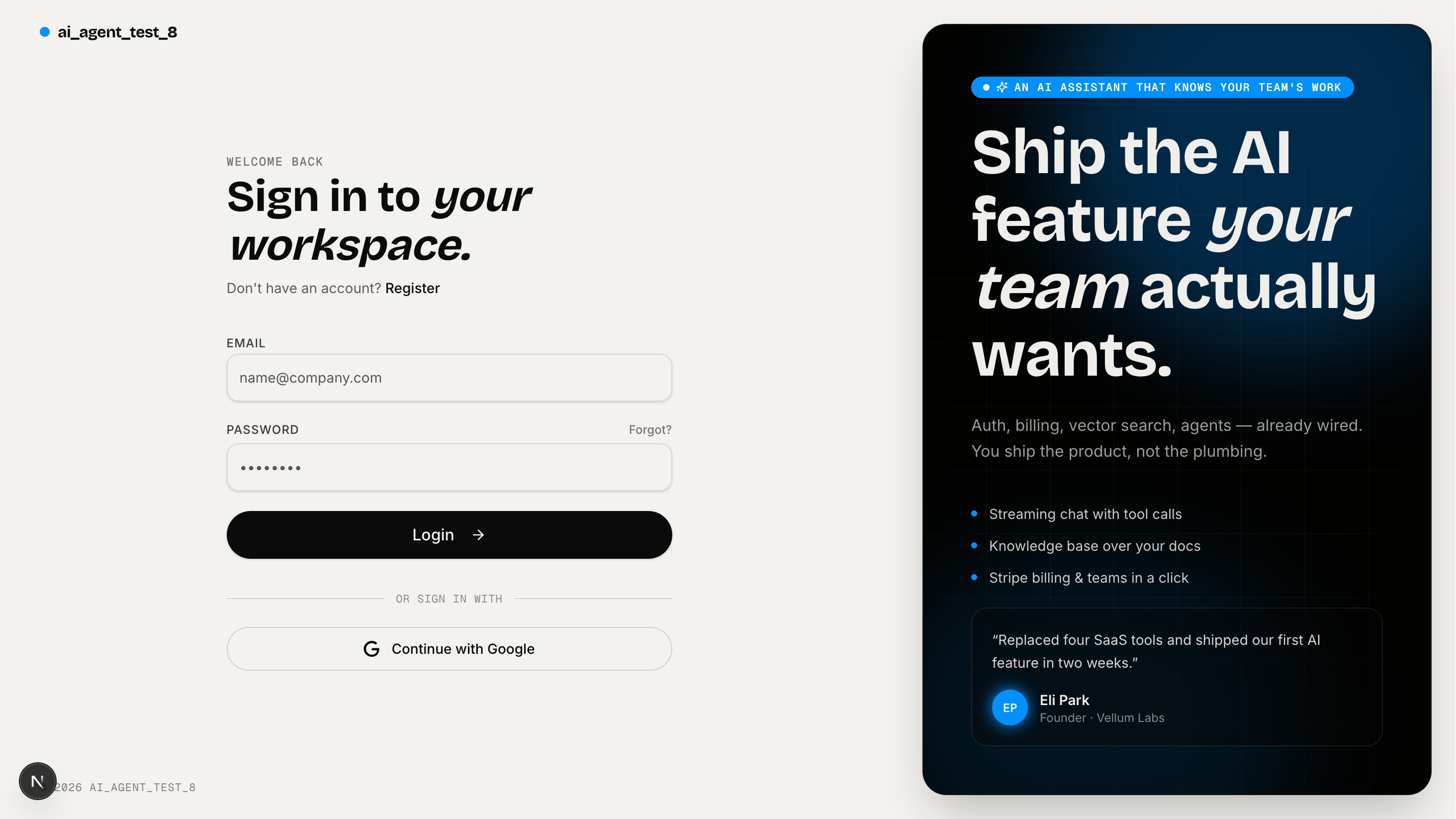
Login — split-screen with Google OAuth + email/password, HTTP-only cookie session.
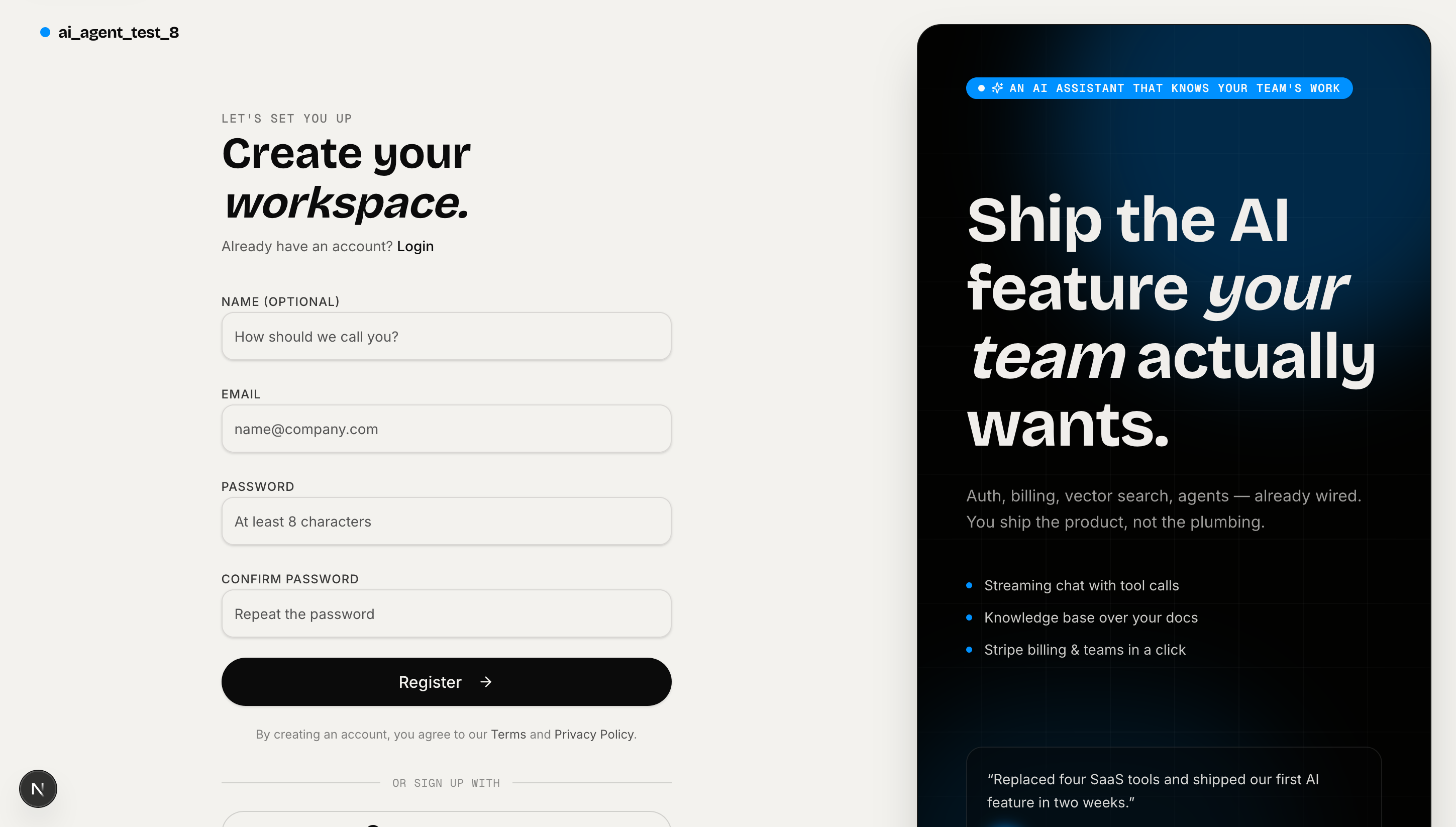
Register — same split-screen layout with confirm-password and terms acceptance.
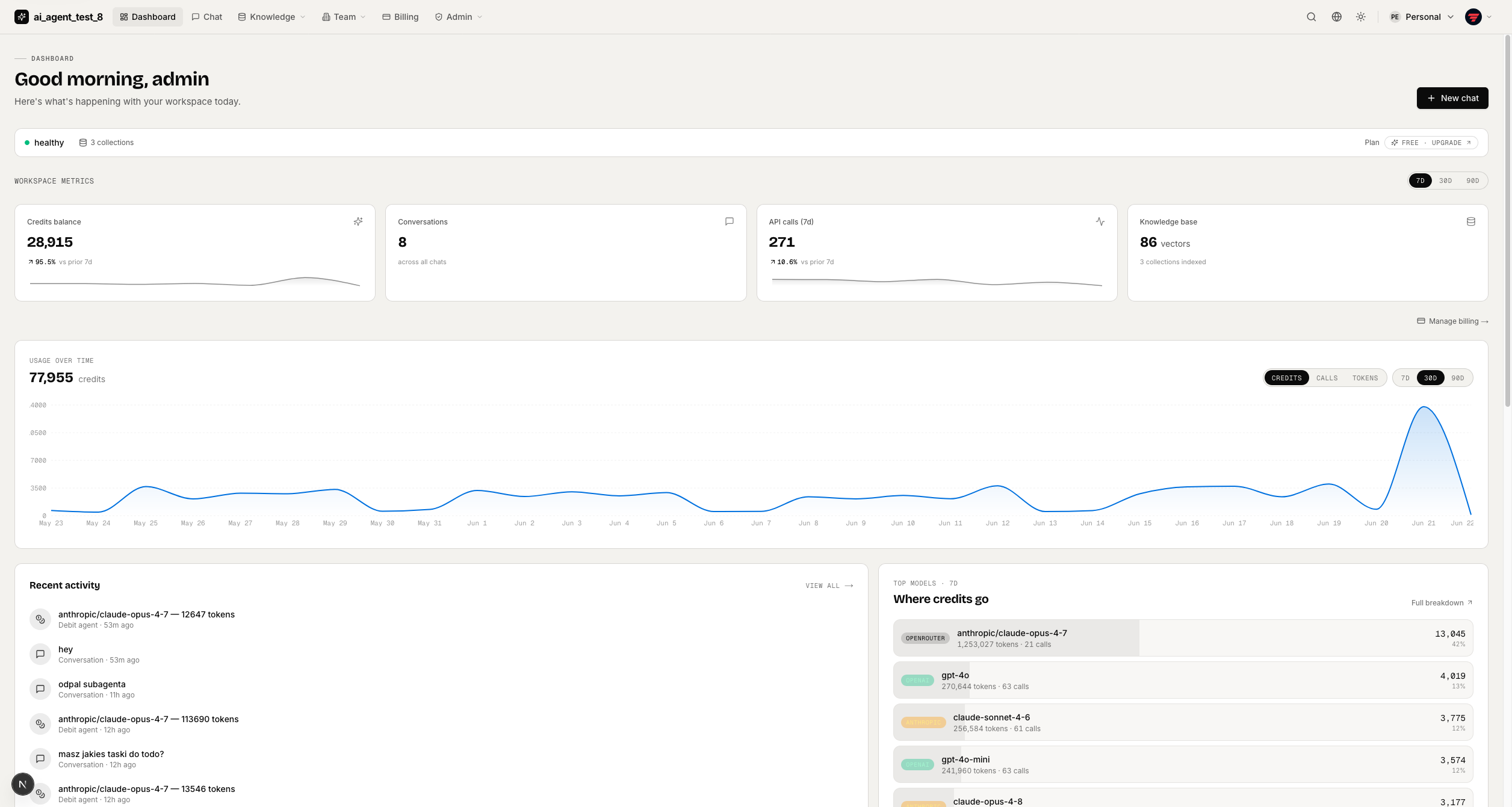
Dashboard (light) — stat cards, usage timeline, recent activity, onboarding banner.
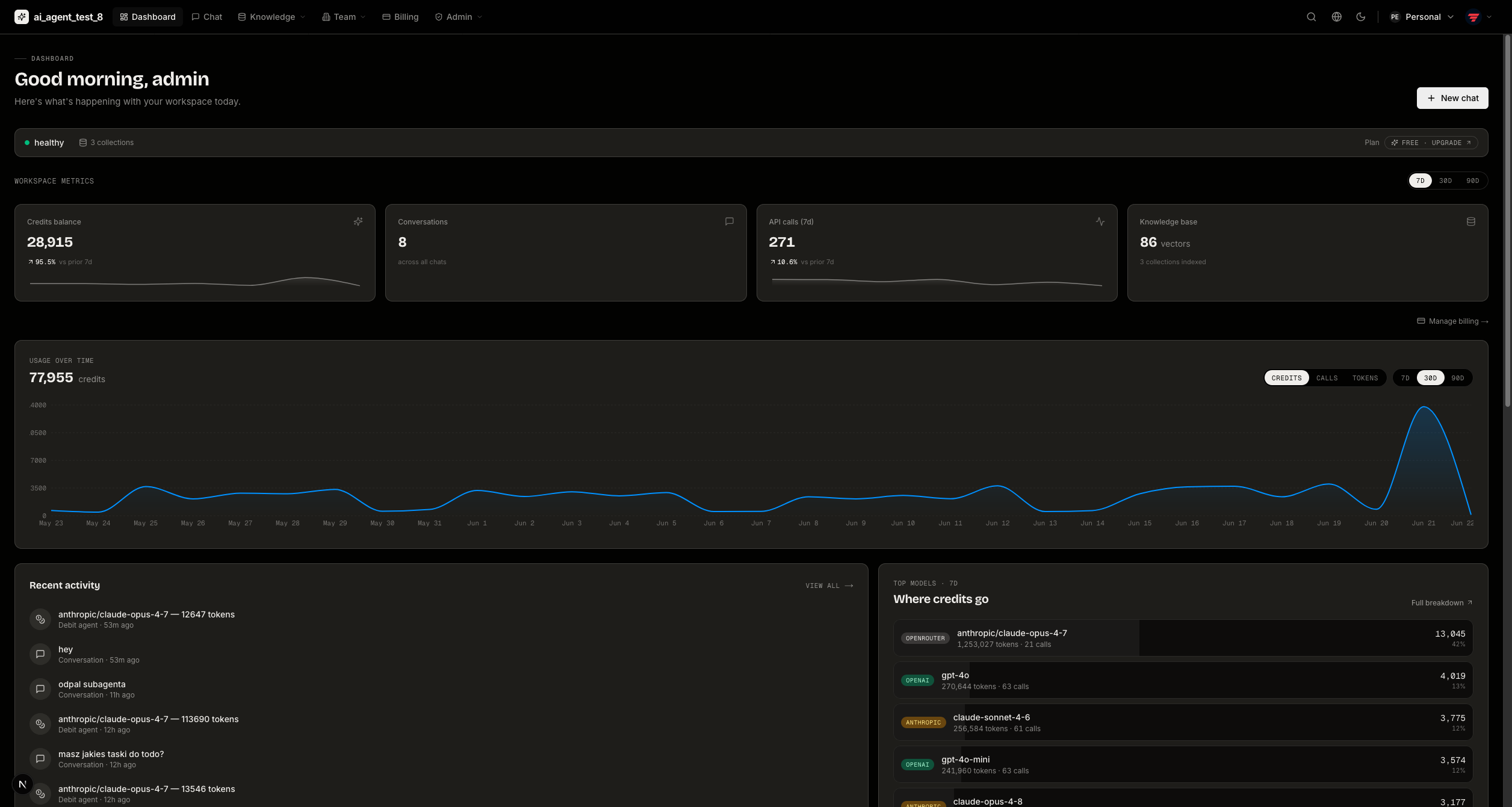
Dashboard (dark) — same view in dark theme; saved per-device.
Teams & Knowledge Bases
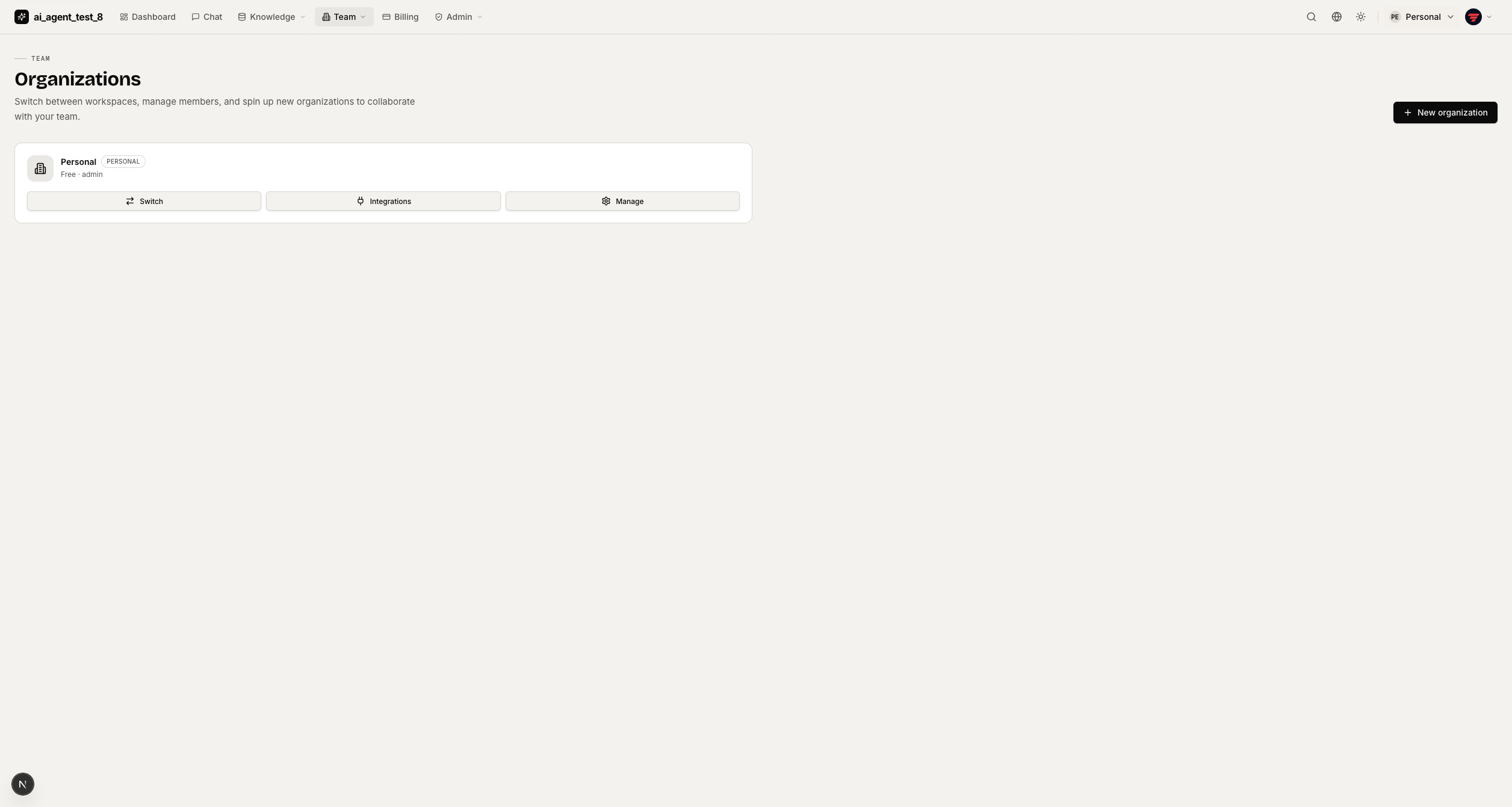
Workspaces — list of all orgs with plan tier and role; switch or create new workspace.
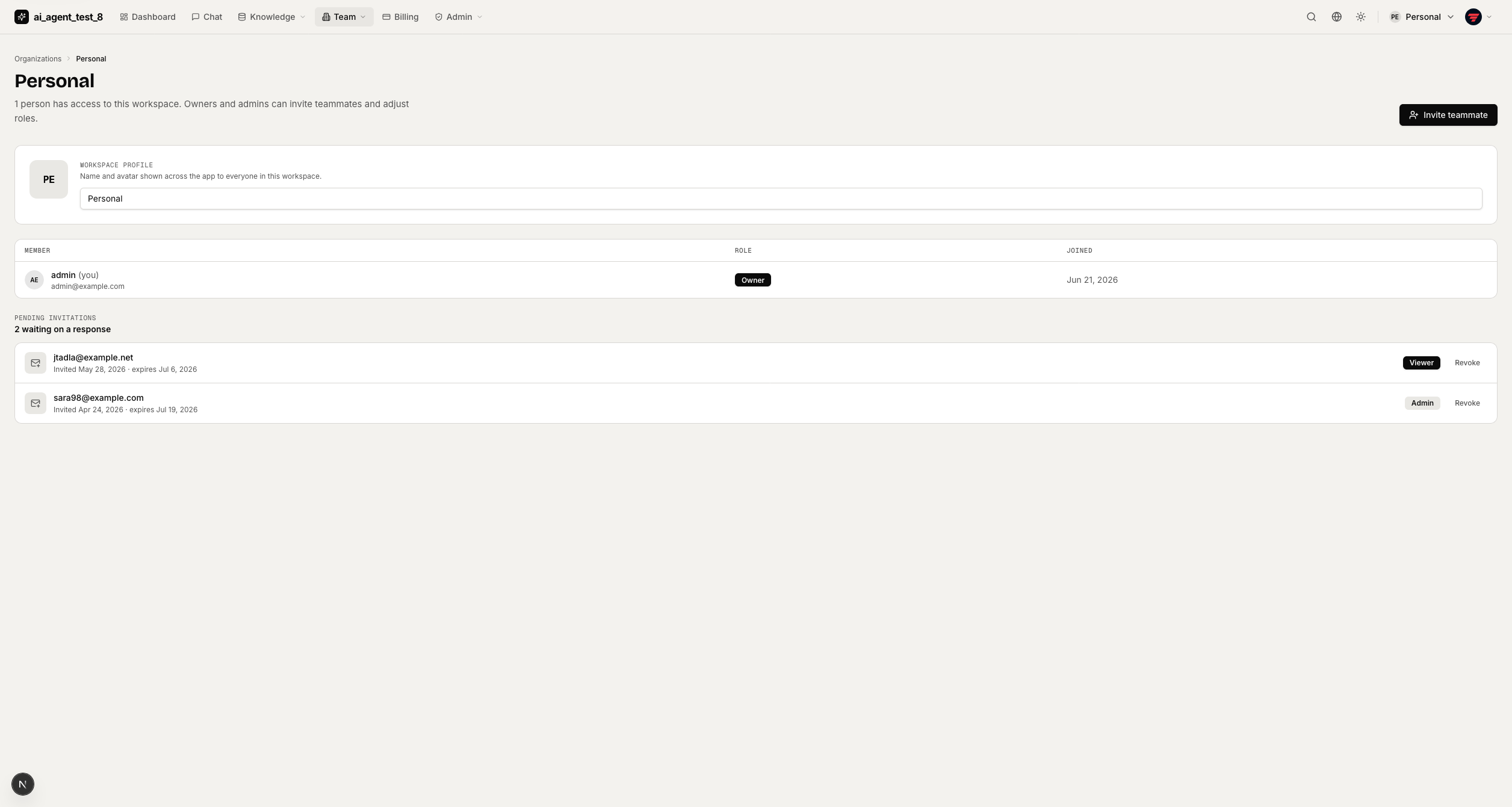
Team management — workspace profile, member list with roles, invite button.
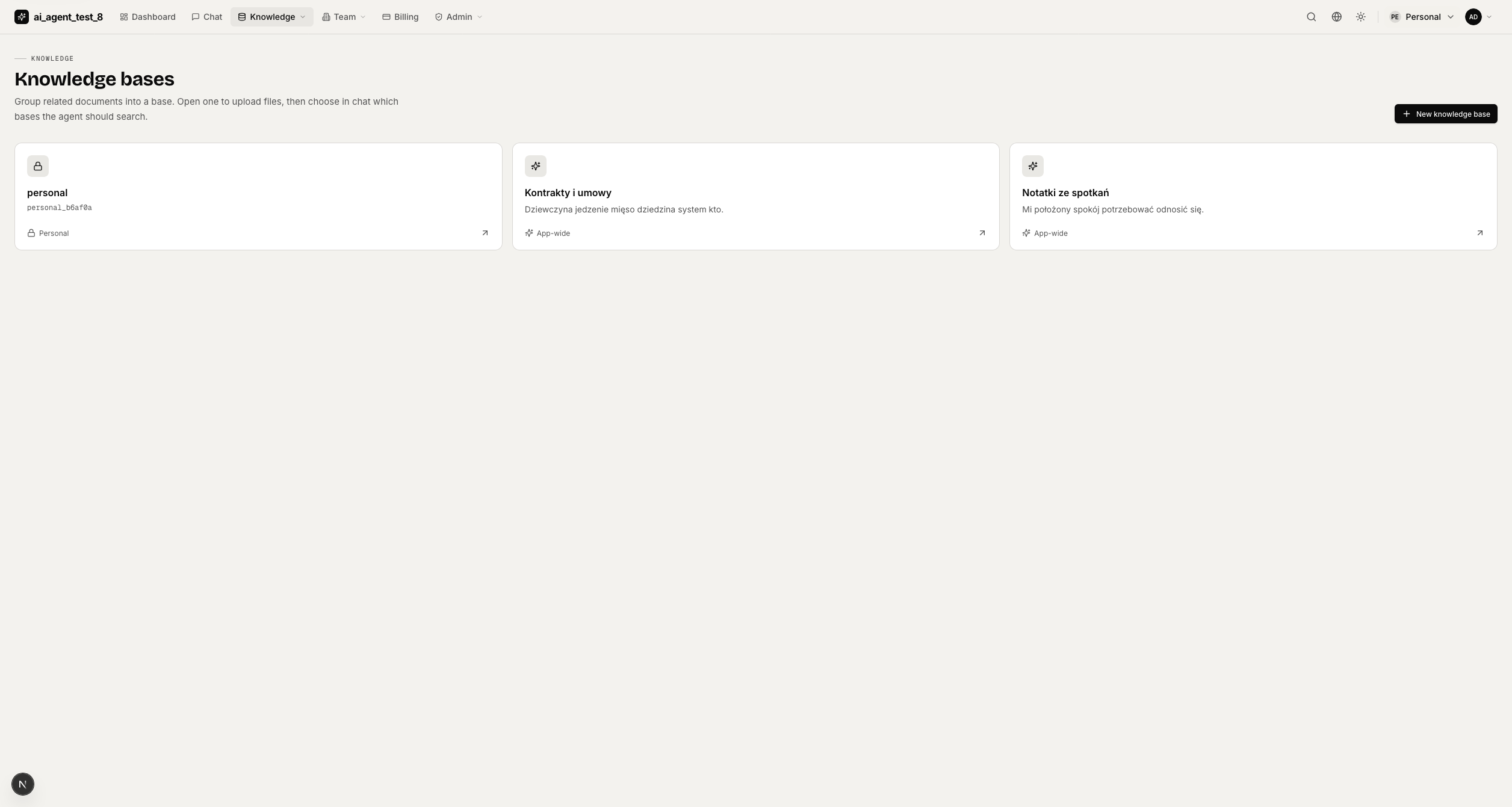
Knowledge bases — list of RAG collections; toggle active bases, upload documents.
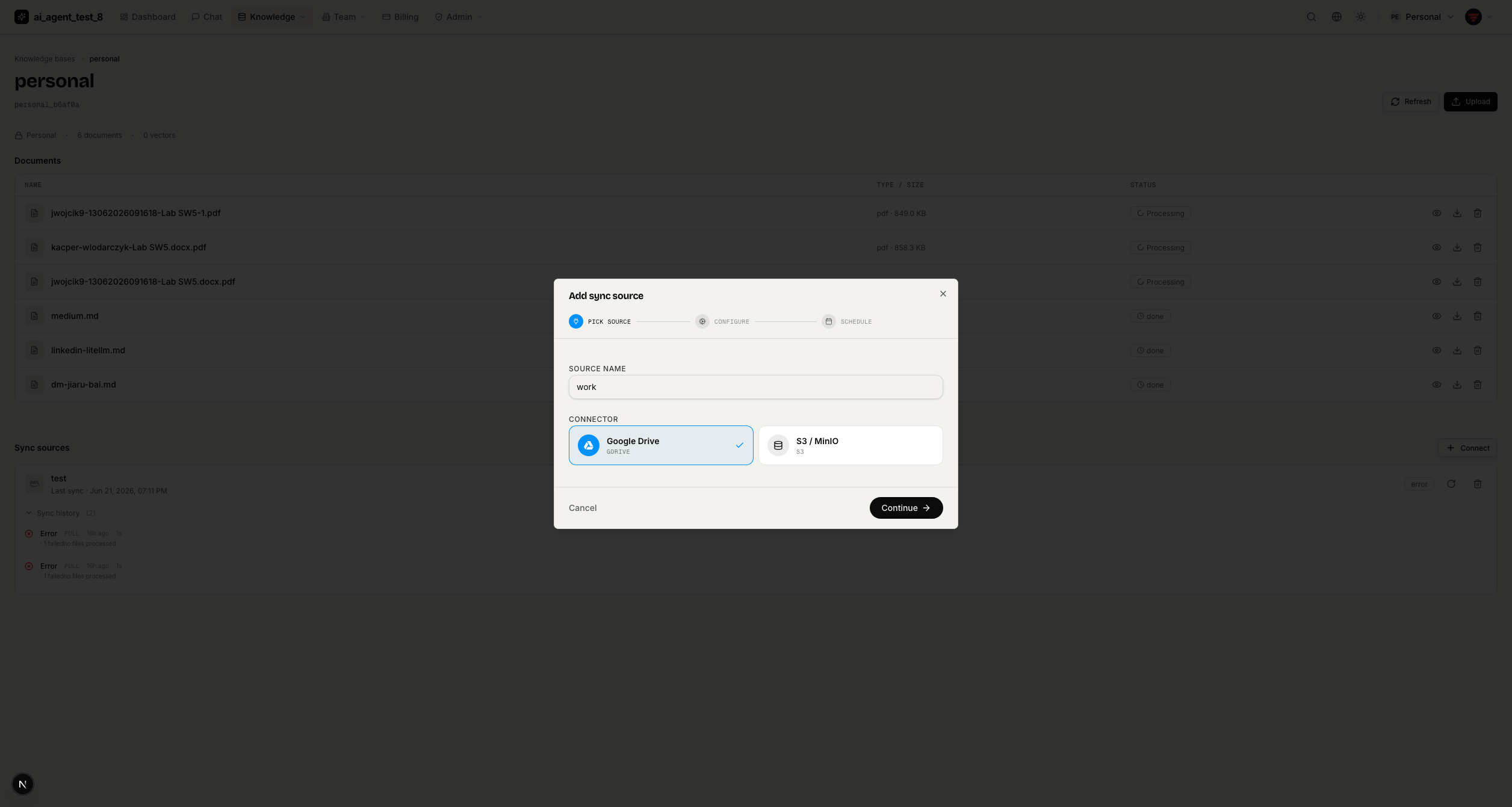
Documents & sync sources — preview files, manage Google Drive/S3 connectors, view run logs.
Billing & Usage
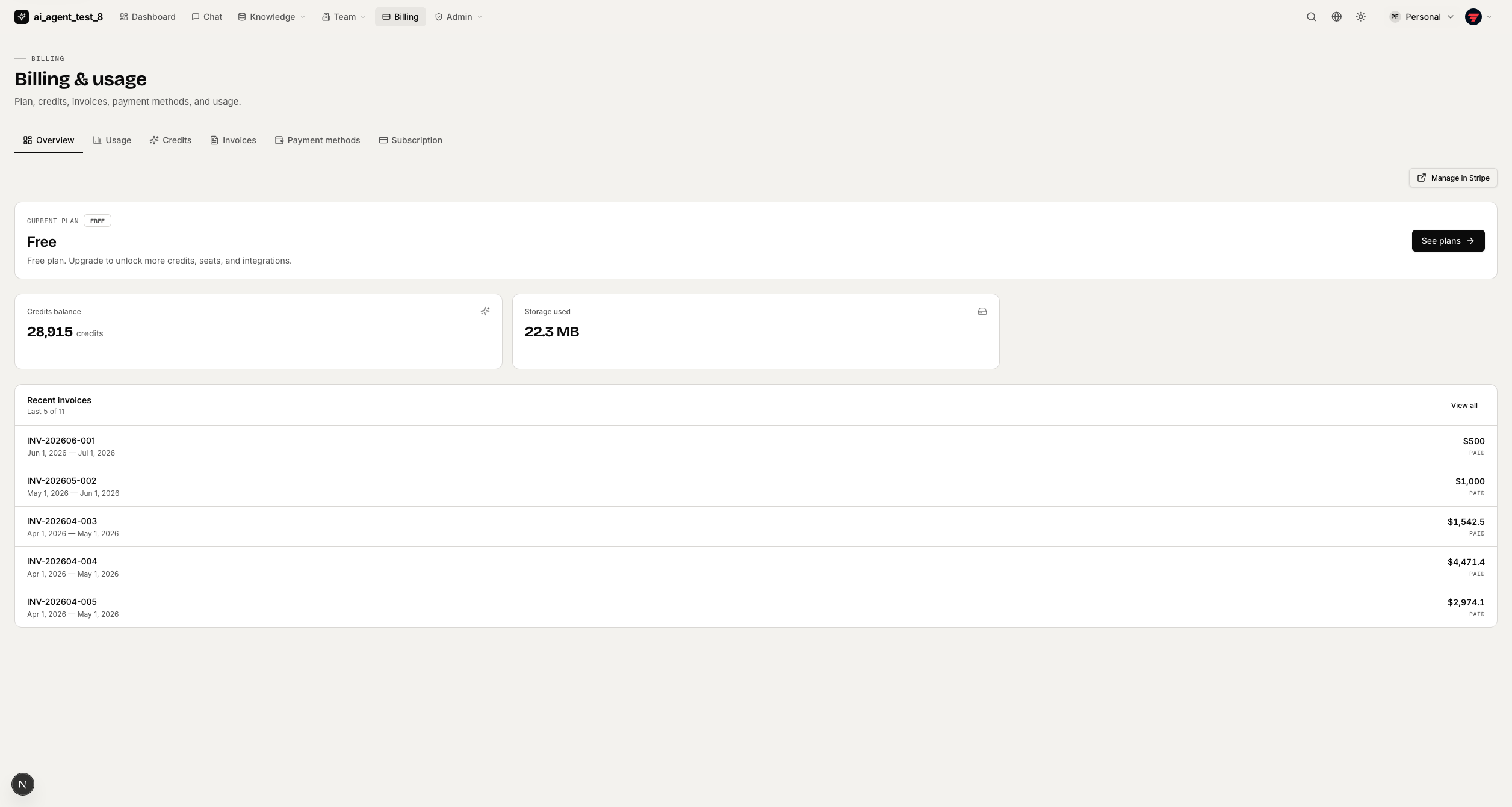
Billing overview — current plan, seats, storage usage, Customer Portal link.
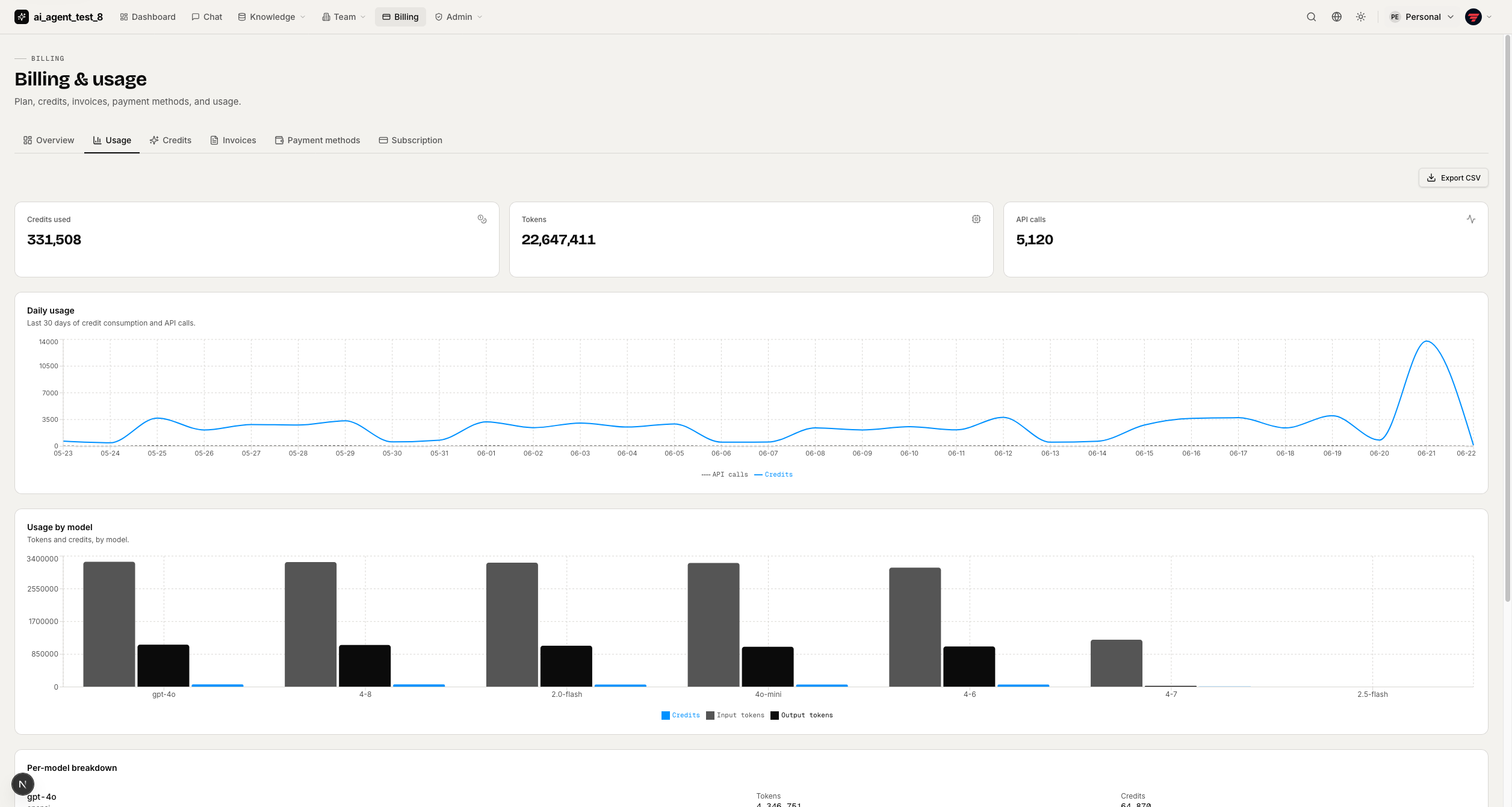
Usage charts — daily credits-spent + call-count charts, by-model token breakdown.
Credits — balance, immutable transaction ledger, usage sparkline.









