


Scan your whole stack


From OX Research Newsroom






Are you using gotranx?
Find out what’s in your code.
Scan your apps free in minutes (opens in a new tab)Latest version: v2.10.0
gotranx was last scanned on 23 Nov 2026 at version 2.10.0. Risk score 0 of 100. No malicious behavior was detected.
| Version | Published | Status |
|---|---|---|
| 2.10.0 LATEST | 23 Nov 2026 | No rules fired |
| 2.9.0 | 25 Oct 2026 | No rules fired |
| 2.8.0 | 21 Oct 2026 | No rules fired |
| 2.7.0 | 20 Oct 2026 | Not shown |
| 2.6.0 | 15 Oct 2026 | Not shown |
Findings for v2.10.0. The score is a capped sum of the weights of the rules that fired — not CVSS, not exploitability, and not a probability. It is not comparable across packages with different scan coverage.
The score describes 2.10.0; other versions have their own rules, not their own score.
The publisher’s own README, as collected from the registry.
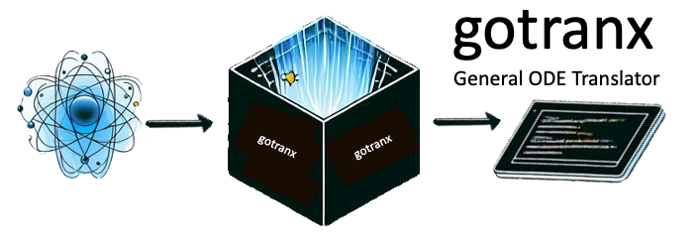
gotranx is the next generation General ODE translator. The general idea is that you write your ODE in a high level markup language and use gotranx to generate code for solving the ODE in different programming languages. gotranx uses sympy to create a symbolic representation of the ODE which is used to generate the jacobian and numerical schemes.
gotranx makes it also possible generate code from e.g CellML models using conversion tools from myokit.
Install with pip
python3 -m pip install gotranxor for the development version
python3 -m pip install git+https://github.com/finsberg/gotranxYou can also install gotranx using conda
conda install -c conda-forge gotranxDefine your ODE in a .ode file, e.g file.ode with the content
states(x=1, y=0)
parameters(a=1.0)

dx_dt = a * y
dy_dt = -x
which defines the ODE system
$$ \begin{align} \frac{dx}{dt} &= ay \ \frac{dy}{dt} &= -x \end{align} $$
with the initial conditions $x(0) = 1$ and $y(0) = 0$ and the parameter $a$ with a value of 1.0. Now generate code in python for solving this ODE with the explicit euler scheme using the command
gotranx ode2py file.ode --scheme explicit_euler -o file.pywhich will create a file file.py containing functions for solving the ODE.
The same ODE can be turned into C (ode2c), C++ (ode2cpp), CUDA (ode2cuda), Julia (ode2julia), a
ModelingToolkit system (ode2mtk), UFL (ode2ufl), Markdown (ode2md),
CellML (ode2cellml) or a CytoZoo
cell-model adapter (ode2cytozoo -- whose output needs a CytoZoo providing
resolve_parameter and primal, not yet released). Now you can solve the ode using the following code snippet
import file as model
import numpy as np
import matplotlib.pyplot as plt

s = model.init_state_values()
p = model.init_parameter_values()
dt = 1e-4  # 0.1 ms
T = 2 * np.pi
t = np.arange(0, T, dt)

x_index = model.state_index("x")
x = [s[x_index]]
y_index = model.state_index("y")
y = [s[y_index]]

for ti in t[1:]:
    s = model.explicit_euler(s, ti, dt, p)
    x.append(s[x_index])
    y.append(s[y_index])

plt.plot(t, x, label="x")
plt.plot(t, y, label="y")
plt.legend()
plt.show()
Alternatively, you can use a third-party ODE solver, e.g scipy.integrate.solve_ivp to solve the ODE by passing in the right-hand side function
import file as model
from scipy.integrate import solve_ivp
import numpy as np
import matplotlib.pyplot as plt

s = model.init_state_values()
p = model.init_parameter_values()
dt = 1e-4  # 0.1 ms
T = 2 * np.pi
t = np.arange(0, T, dt)

res = solve_ivp(
    model.rhs,
    (0, T),
    s,
    method="RK45",
    t_eval=t,
    args=(p,),
)

plt.plot(res.t, res.y.T)
plt.legend()
plt.show()
Note that this is a rather artificial example, so check out the demos in the documentation for more elaborate examples.
If you would like to have syntax highlighting in VS code for the .ode files, then you can check out the vscode extension found here: https://github.com/finsberg/gotranx-ode-vscode
Why should I use gotranx?
The main reasons to use gotranx are
How does it differ from scipy.integrate.solve_ivp?
scipy.integrate.solve_ivp is an ODE solver which takes as input a function defining the right-hand side. gotranx takes a high level representation of the ODE and can generate code for the right hand side. In other words, you can use scipy.integrate.solve_ivp to solve the ODE and use gotranx to generate the right hand side.
Automated tests can be found in the test folder. To run the tests please install the test dependencies
python3 -m pip install "gotranx[test]"or if you have cloned the repo locally you can do
python3 -m pip install ".[test]"To run the tests you should execute the following command
python3 -m pytestAlso note that the tests are run on every push and pull request to main using GitHub actions.
We use pre-commit to run a set of linters and formatters in order to ensure consistent code style. Developers should install the pre-commit hooks by first installing pre-commit
python3 -m pip install pre-commitand then install the pre-commit hooks
pre-commit installTo run the hooks on all the files you can do
pre-commit run --allFor further instructions see the contributing guide.
Note also that we run all hooks as a part of our continuous integration, and we are also using pre-commit.ci to update branches automatically that can fix issues automatically.
We have defined a set of benchmarks that run on every push to the main branch using codspeed. To monitor the performance over time you can check out the performance report.
To run the benchmarks locally you can install the pytest-codspeed plugin
python3 -m pip install pytest-codspeedand run
python3 -m pytest tests/ --codspeedYou can find more info at https://docs.codspeed.io/benchmarks/python
If you use gotranx in your research project we would appreciate if you could use the following citation
@article{Finsberg2024,
    doi = {10.21105/joss.07063},
    url = {https://doi.org/10.21105/joss.07063},
    year = {2024},
    publisher = {The Open Journal},
    volume = {9},
    number = {102},
    pages = {7063},
    author = {Henrik Finsberg and Johan Hake},
    title = {gotranx: General ODE translator},
    journal = {Journal of Open Source Software}
}MIT
Contributions are very welcomed, but please read the contributing guide first
Find threats in your stack.
OX Radar can check high-priority threats, like critical package CVEs, against your context.
Each incident is marked Detected or Not Detected with a remediation plan and proof all tracked in the Response Center.
The probe returned only these fields for this server — auth requirement, protocol and tool list weren’t observed, so they’re not shown (never guessed).
The publisher’s own links, as the registry reports them. These are not sources for the assessment on this page.