Ace Data Cloud for Langflow
The ACE Music integration provides Generate, Retrieve Task and Assets in the v0.1.5 aggregate and standalone wheels.
Use Ace Data Cloud chat models and service components in Langflow 1.12.5 or later. One Extension Bundle supplies a named Ace Data Cloud model provider and separate components for 17 image, video, audio, search, and face service families. The examples contain no credentials.
简体中文教程 · Current models and prices · Source
Version 0.1.4: install the aggregate or a single service using the wheels in the GitHub release. Official Langflow default inclusion remains under review.
Find the service you already know
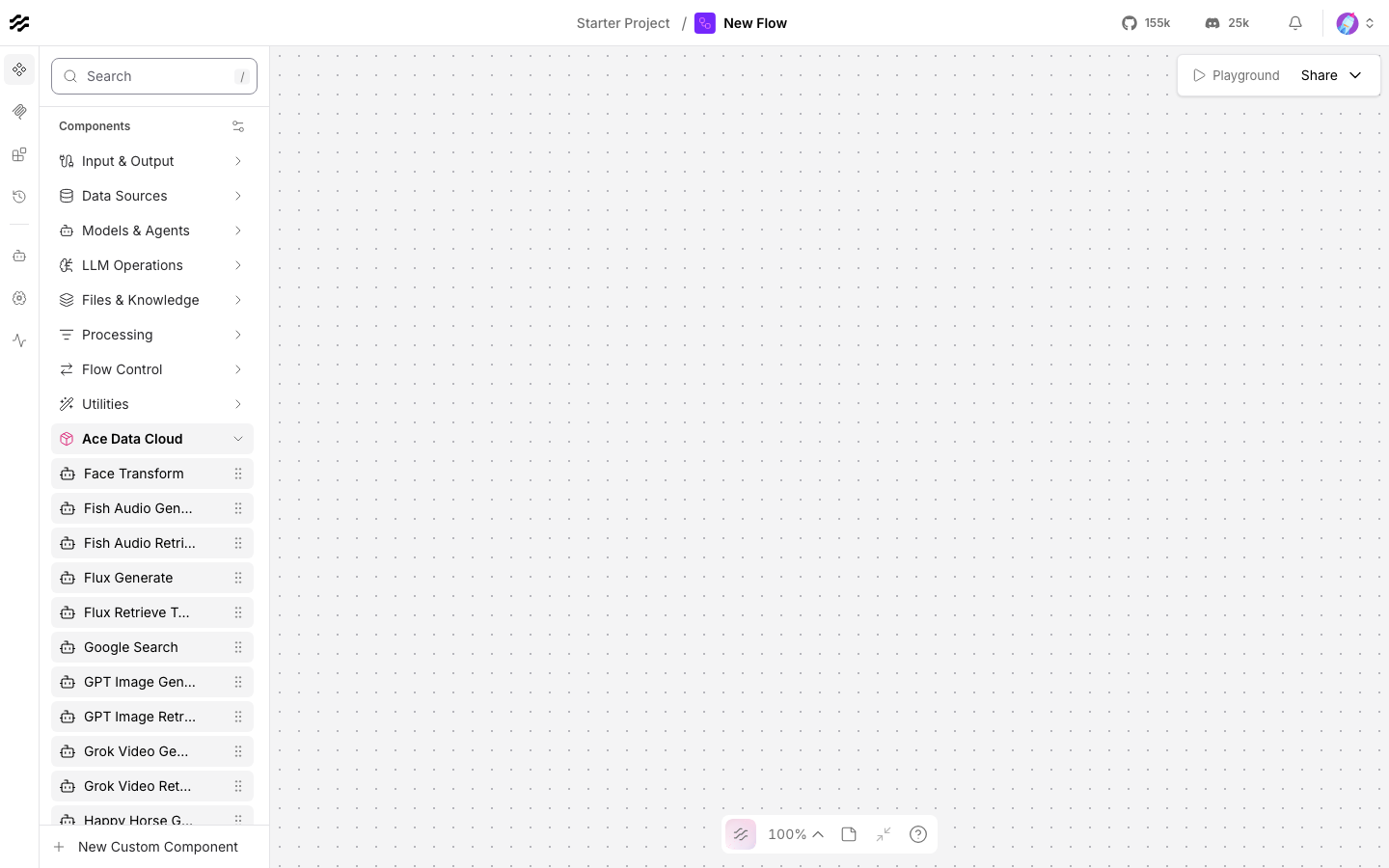
Search the component palette for suno, seedance, happyhorse, gpt image, or nano banana. The extension exposes independent Generate and Retrieve Task nodes with service-first labels ending by Ace Data Cloud, category-appropriate audio/video/image icons, and their own guide links. Existing ext:ace_data_cloud:<Class>@official saved-flow IDs are unchanged.
These integrations are provided by Ace Data Cloud and do not claim endorsement by the service owners. Historical screenshots below retain their original date, Langflow version and labels.
1. Install the extension
Install only one service
PyPI availability (verified 2026-11-07): the aggregate and all five service distributions are published at version 0.1.4. Install by the exact PyPI package/version below, or use the unchanged GitHub release wheels.
| Service |
Distribution |
Install in Langflow's Python environment |
| Suno |
lfx-acedatacloud-suno |
python -m pip install "lfx-acedatacloud-suno==0.1.4" |
| Seedance |
lfx-acedatacloud-seedance |
python -m pip install "lfx-acedatacloud-seedance==0.1.4" |
| HappyHorse |
lfx-acedatacloud-happyhorse |
python -m pip install "lfx-acedatacloud-happyhorse==0.1.4" |
| GPT Image |
lfx-acedatacloud-gpt-image |
python -m pip install "lfx-acedatacloud-gpt-image==0.1.4" |
| Nano Banana |
lfx-acedatacloud-nano-banana |
python -m pip install "lfx-acedatacloud-nano-banana==0.1.4" |
Each service package registers only Generate and Retrieve Task under Components → service name by Ace Data Cloud, with no chat provider or aggregate dependency. Restart an existing server after installation. Each wheel includes matching no-key flows in its Python package's examples/ directory.
Service flows use ext:ace_<service>:* IDs. Root examples/ keep aggregate ext:ace_data_cloud:* IDs and require the aggregate. All five packages can coexist; with the aggregate installed, both categories remain so saved flows keep their IDs. Installation does not migrate saved nodes.
Install the aggregate and native chat provider
uv venv --python 3.12
source .venv/bin/activate
uv pip install "langflow==1.12.6" "lfx-acedatacloud==0.1.4"
lfx extension list
langflow run
The v0.1.4 GitHub release provides the same six distributions as wheels and source archives. The aggregate wheel is lfx_acedatacloud-0.1.4-py3-none-any.whl. Install downloaded wheels in the server's Python environment, then restart. The aggregate exposes 17 generation actions, 15 task readers and the named Ace Data Cloud model provider under Components → Ace Data Cloud.
2. Create an API key with the right access
New account? Register and sign in first. If the Applications page has no General application yet, choose Initialize General Application, then continue with the key steps below.
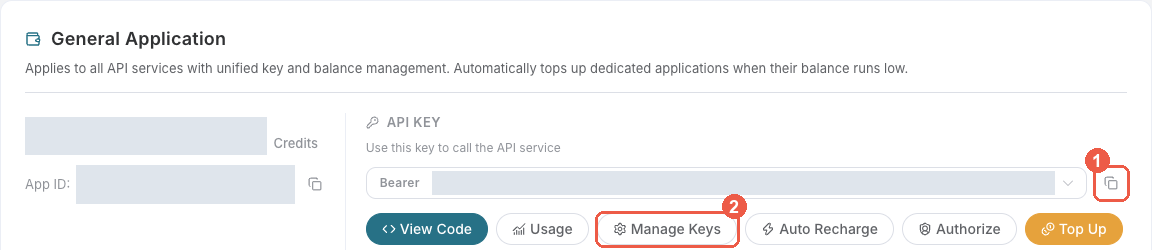
- Sign in to Ace Data Cloud → Applications and open General application. A general-application key can use the services your account has access to; a service-specific key is limited to that service.
- To reuse the selected key, click the copy icon marked 1 below. For a separate Langflow key, click Manage Keys marked 2, then Create.
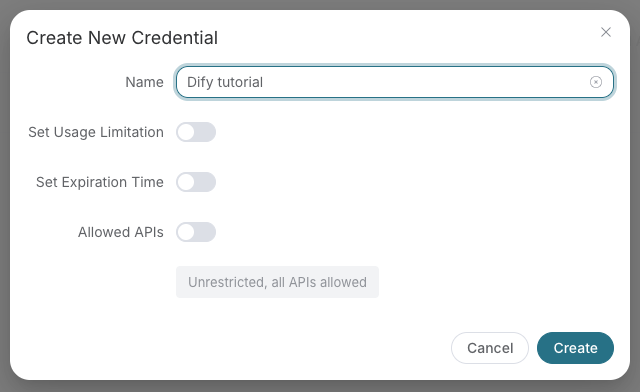
- Name the new key, for example
Langflow tutorial, and set expiration, usage and Allowed APIs restrictions as needed. Click Create, return to the list or application card, and copy the token.
- Check service access, current price and balance before a paid run. If Allowed APIs is enabled, include both routes used by the flow:
/openai/images/generations and /openai/tasks for GPT Image; /v1/models and /v1/chat/completions for the chat model. Copy only the token string. Do not prepend Bearer, use a platform management token, or put the key in a prompt, flow export or screenshot.
3. Store the key in Langflow
Choose your profile icon → Settings → Global Variables → Add New. Set Type to Credential, Name to ACEDATACLOUD_API_KEY, paste the token into Value, then choose Save Variable. The saved value is masked.
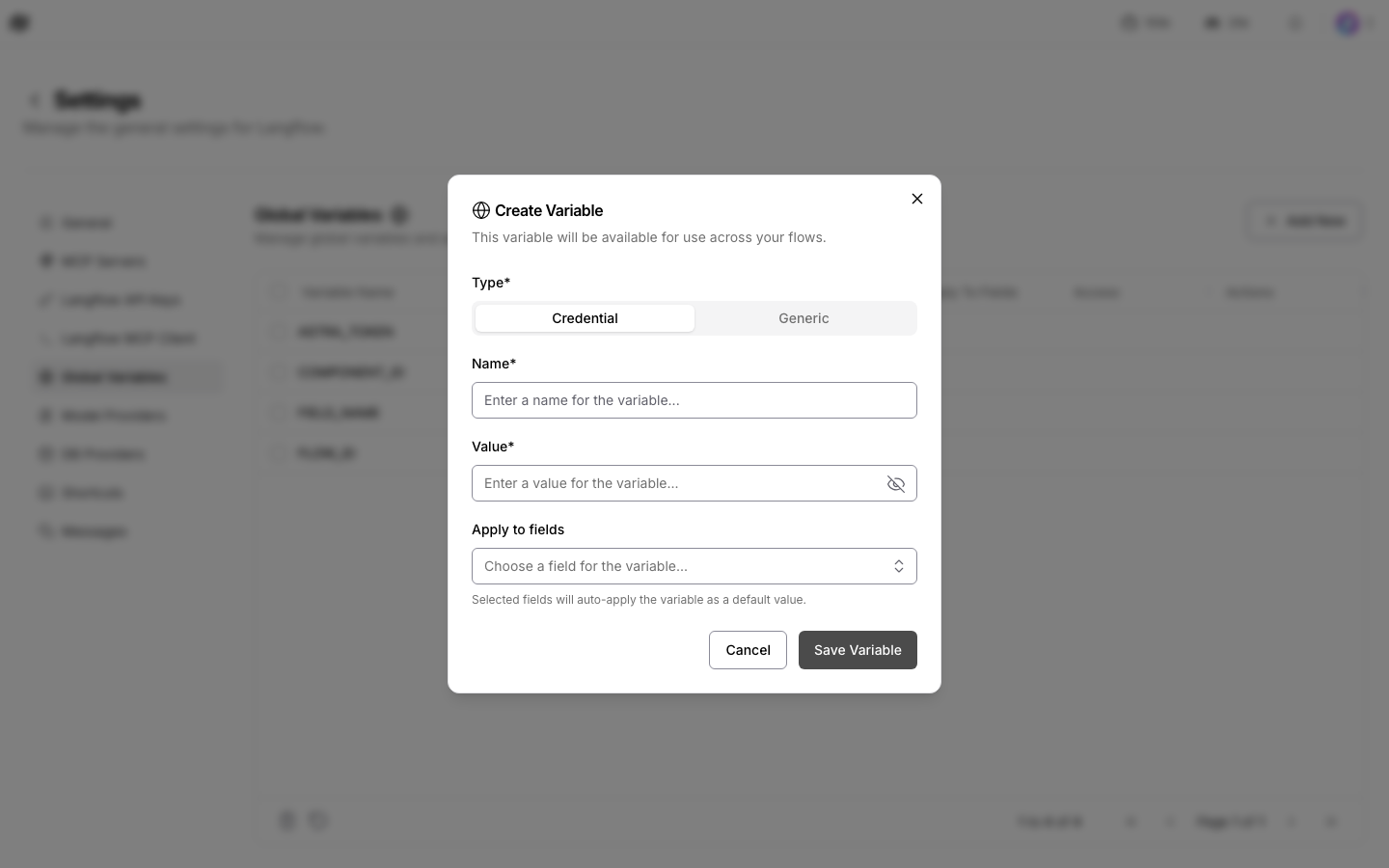
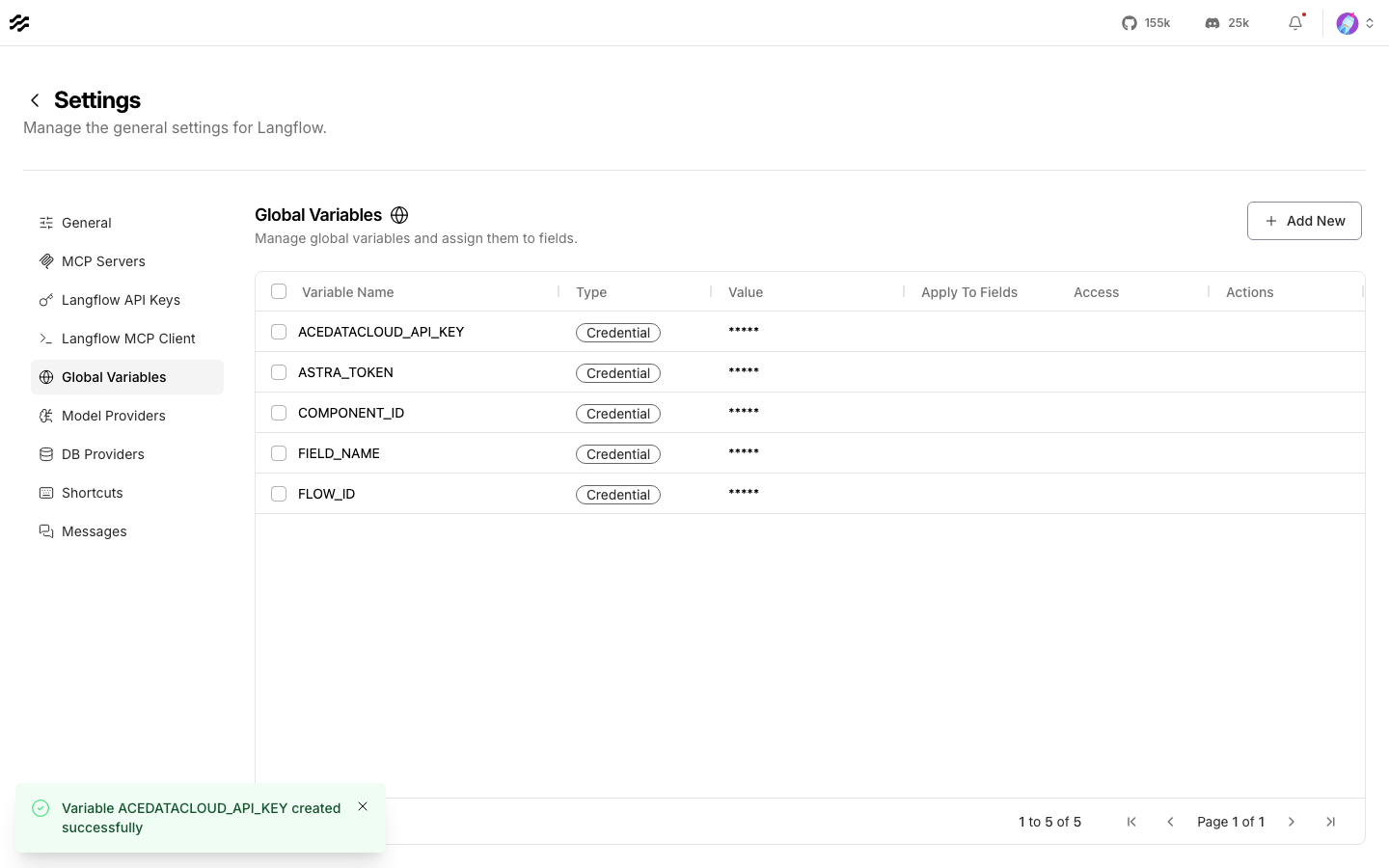
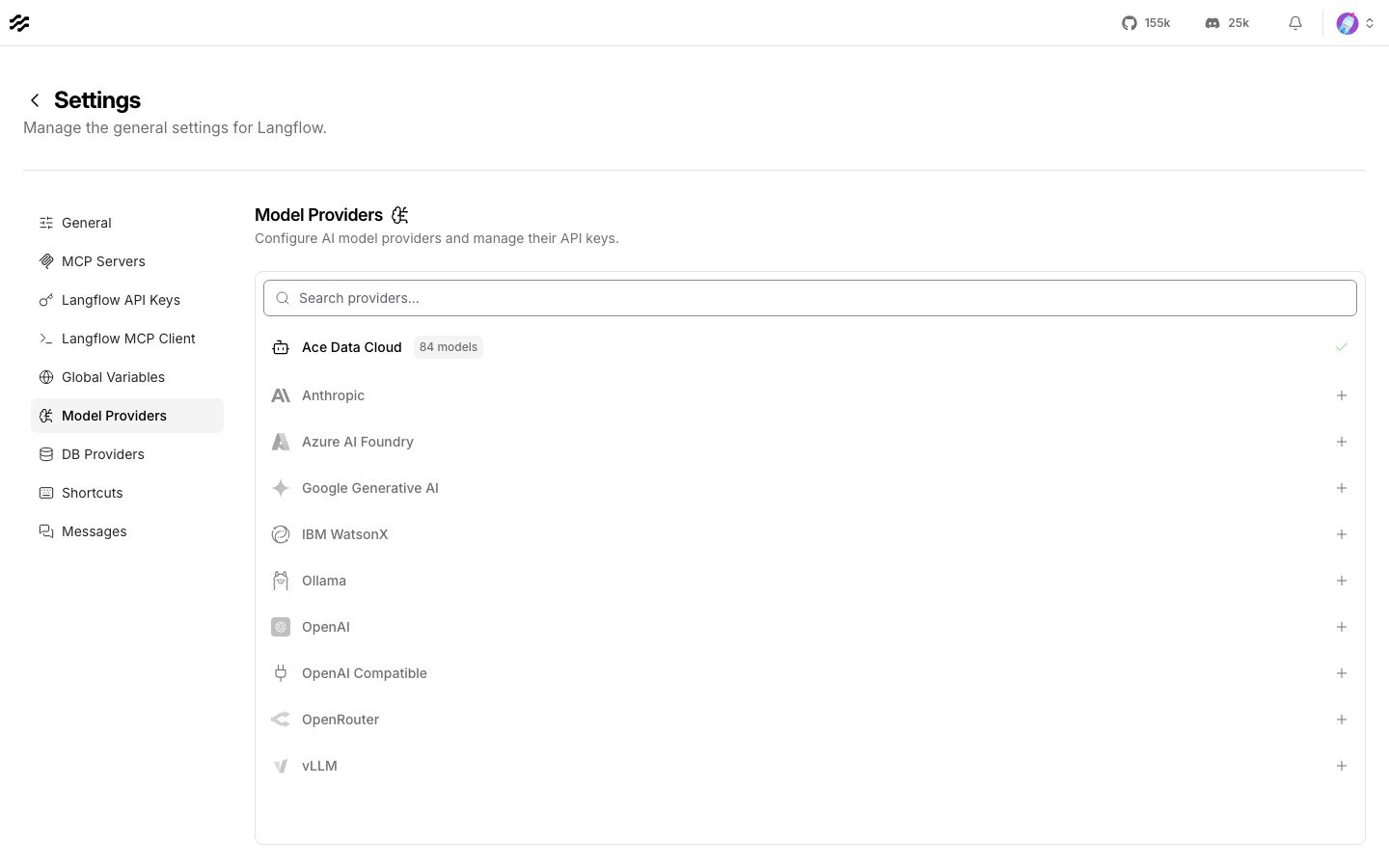
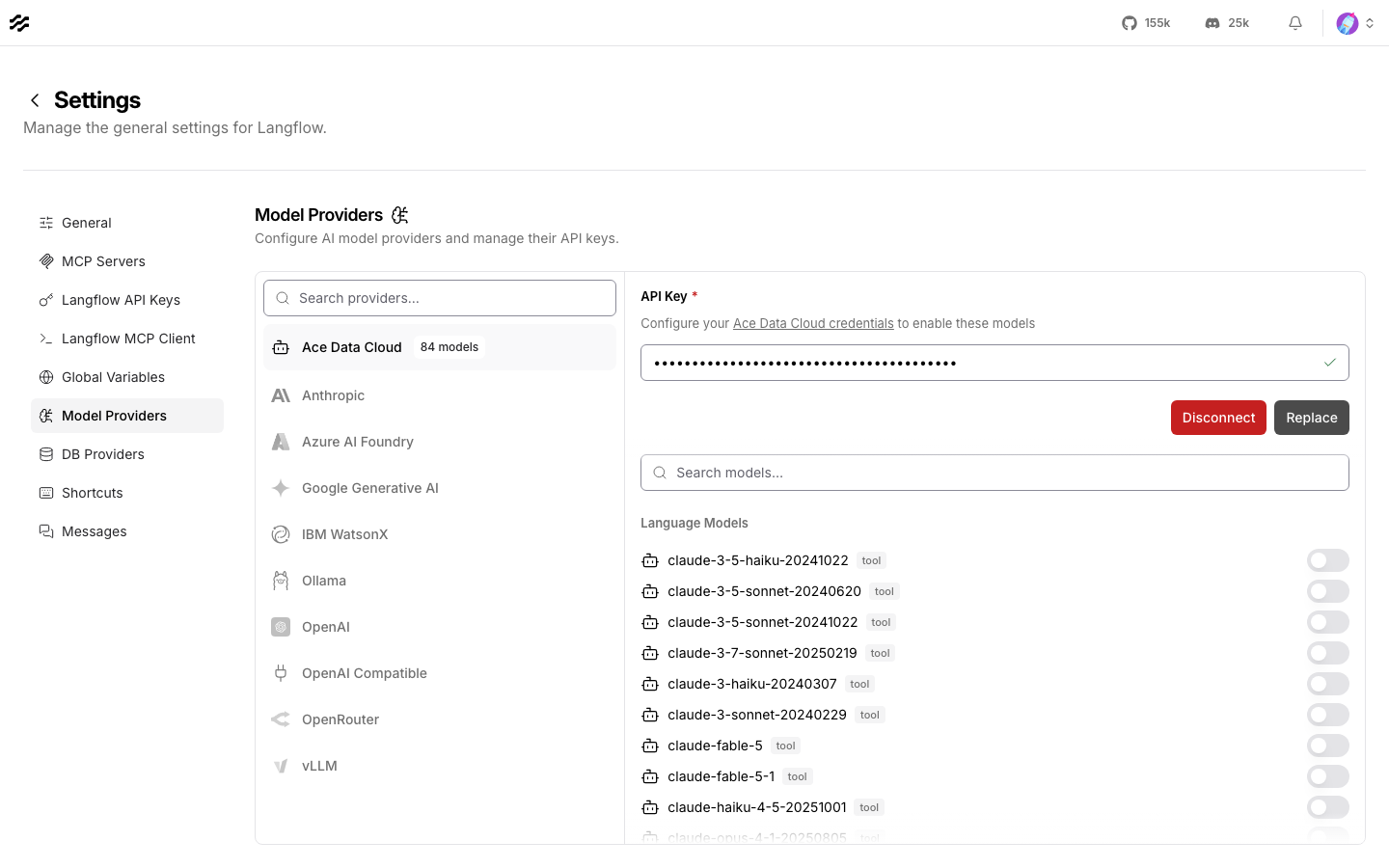
The same variable connects the named model provider. Open Settings → Model Providers → Ace Data Cloud and check the API Key shows as connected. Version 0.1.2 used the earlier 84-ID filter. Version 0.1.3 refreshes the list from the current public chat catalog and the models visible to your key, so new text models do not need a package update with this release. Enable the specific model you want to use.
On each service node, click the globe icon in Ace Data Cloud API key and select ACEDATACLOUD_API_KEY. The first GPT Image flow has two key fields: one on Generate and one on Retrieve Task. Bind both. A global variable reference saves the variable name in the flow; the token stays in Langflow's credential store. Before sharing an exported flow, inspect it for literal secrets. In our Langflow 1.12.5 test, enabling LANGFLOW_REMOVE_API_KEYS=true also removed this field's global-variable reference on reload; use the default setting for persistent binding and confirm the reference survives a reload.
4. Try the chat model provider
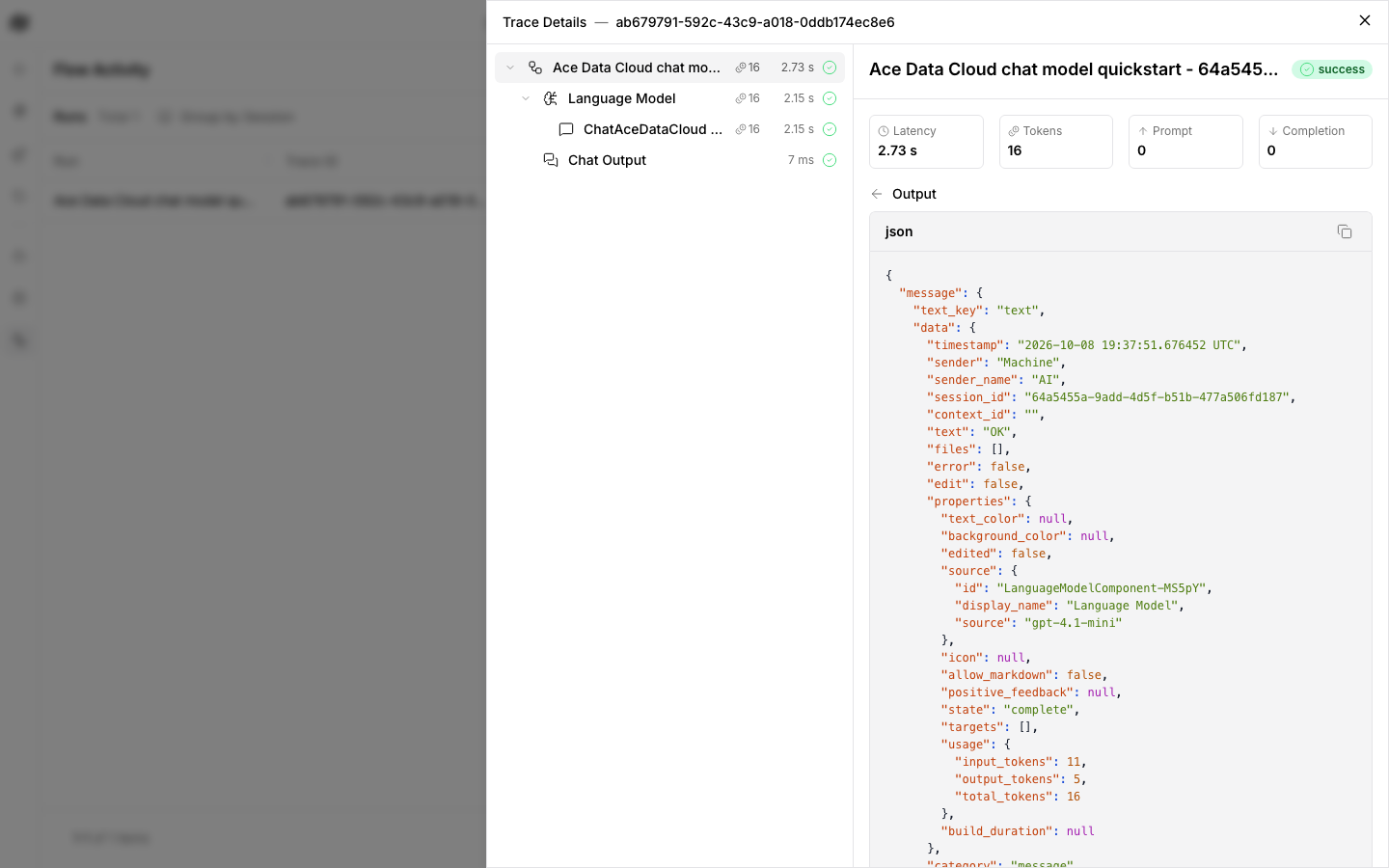
On the Projects page, click Upload a flow and select examples/chat_model.json. It has a Language Model node set to Ace Data Cloud → gpt-4.1-mini, connected to Chat Output. Its fixed input says Reply with exactly OK.. The API Key override is empty so Langflow uses the provider credential configured above. Click the Run component triangle on Chat Output once, then inspect the output or Traces.
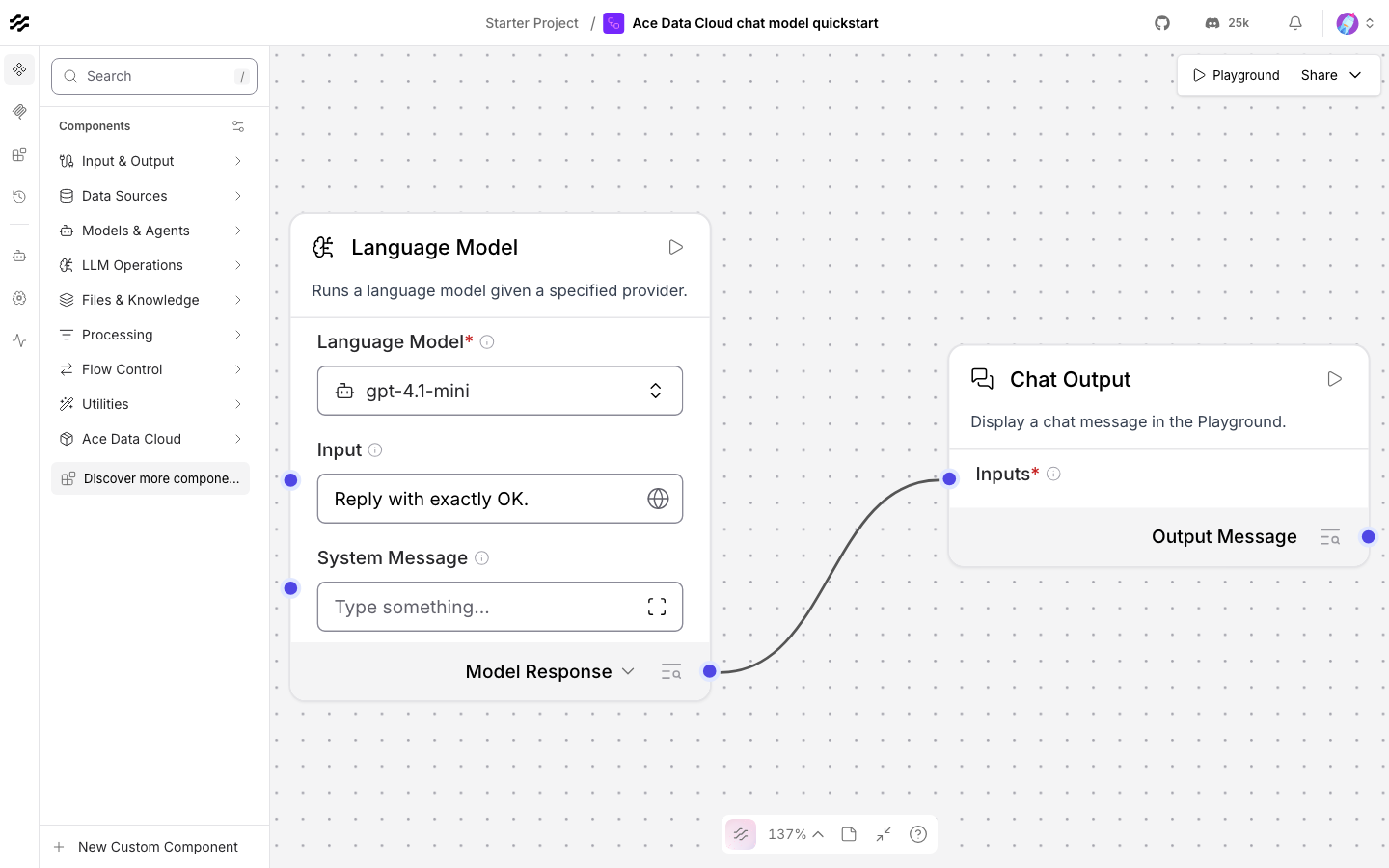
The recorded test returned OK using 11 input and 5 output tokens. The model and reply were verified in the flow trace and one matching Credits usage record. Your response and charge depend on the current model and account.
5. Generate one GPT Image and query the same task
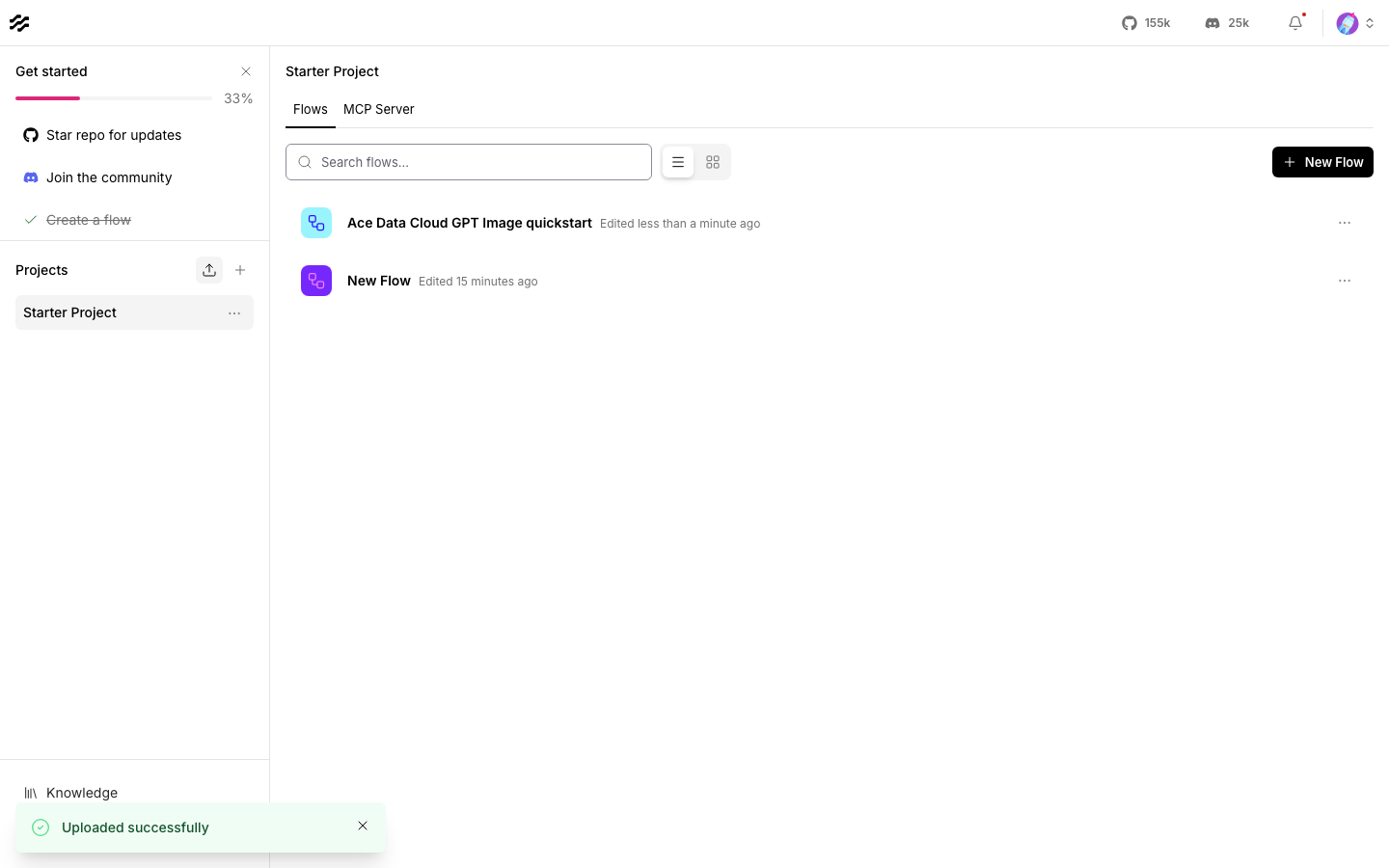
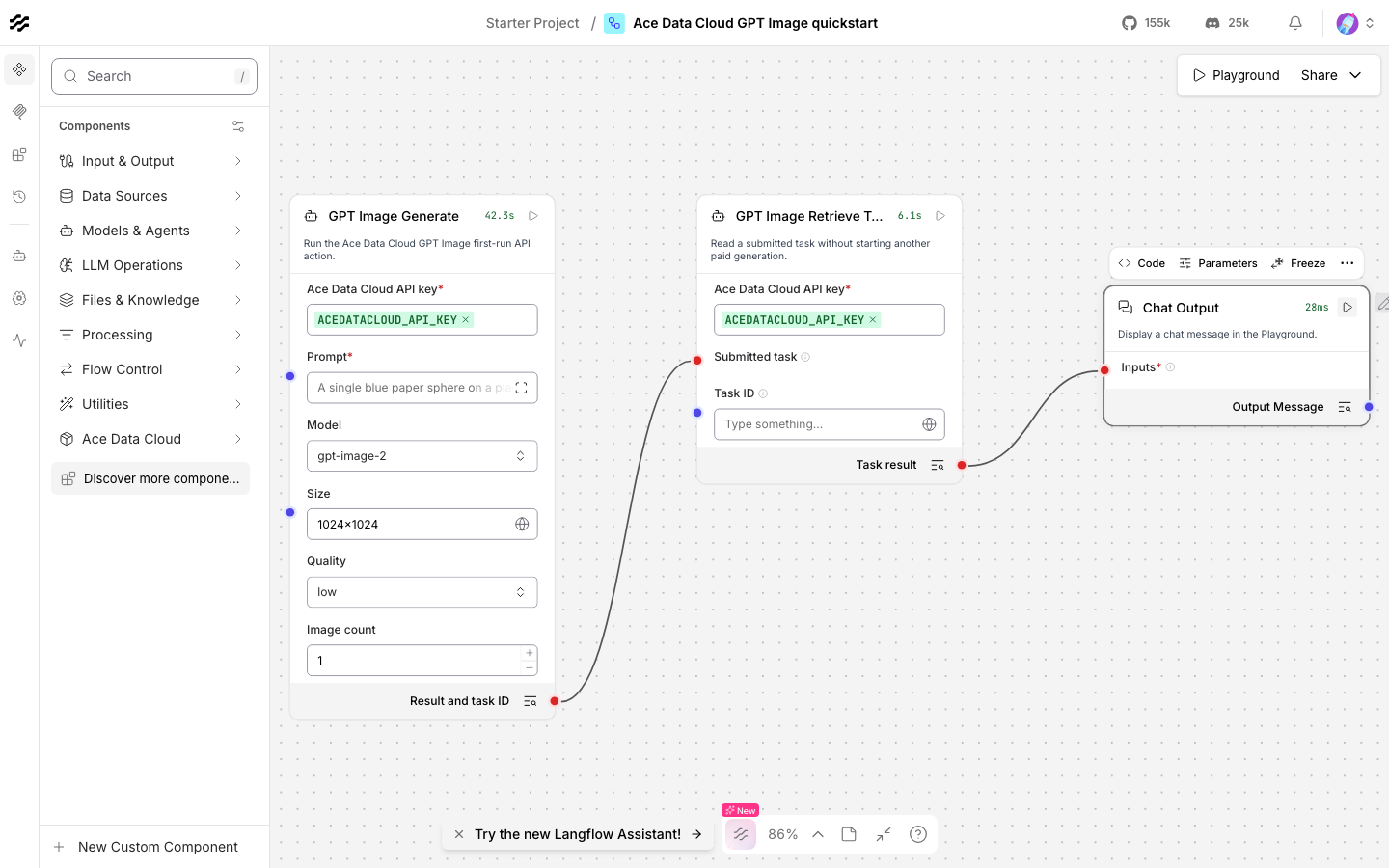
Upload examples/gpt_image.json. Langflow 1.12.5 accepted the no-key JSON and displayed this path:
GPT Image Generate → GPT Image Retrieve Task → Chat Output
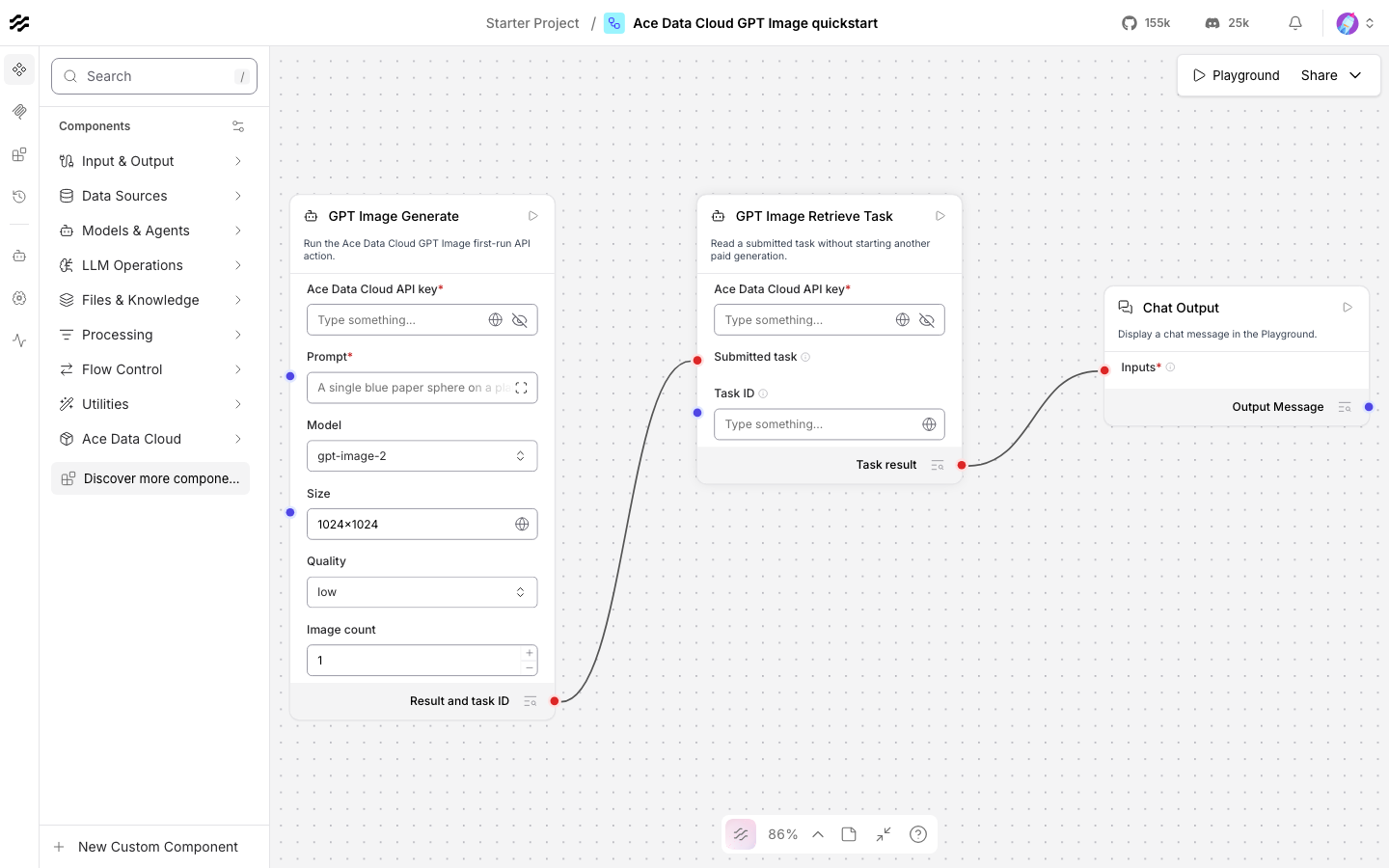
Bind ACEDATACLOUD_API_KEY to both Ace nodes. The example already sets these first-run values; leave other parameters empty:
| Field |
Value |
| Prompt |
A single blue paper sphere on a plain cream background, clean studio photograph, no text. |
| Model |
gpt-image-2 |
| Size |
1024x1024 |
| Quality |
low |
| Image count |
1 |
| Additional route parameters |
{"async": true} |
| Retrieve Task → Wait up to seconds |
240 |
In the editor, select Generate → Parameters → Add on Additional route parameters to inspect the prefilled async=true pair. It requests a task ID without waiting for the full media generation in the submit call.
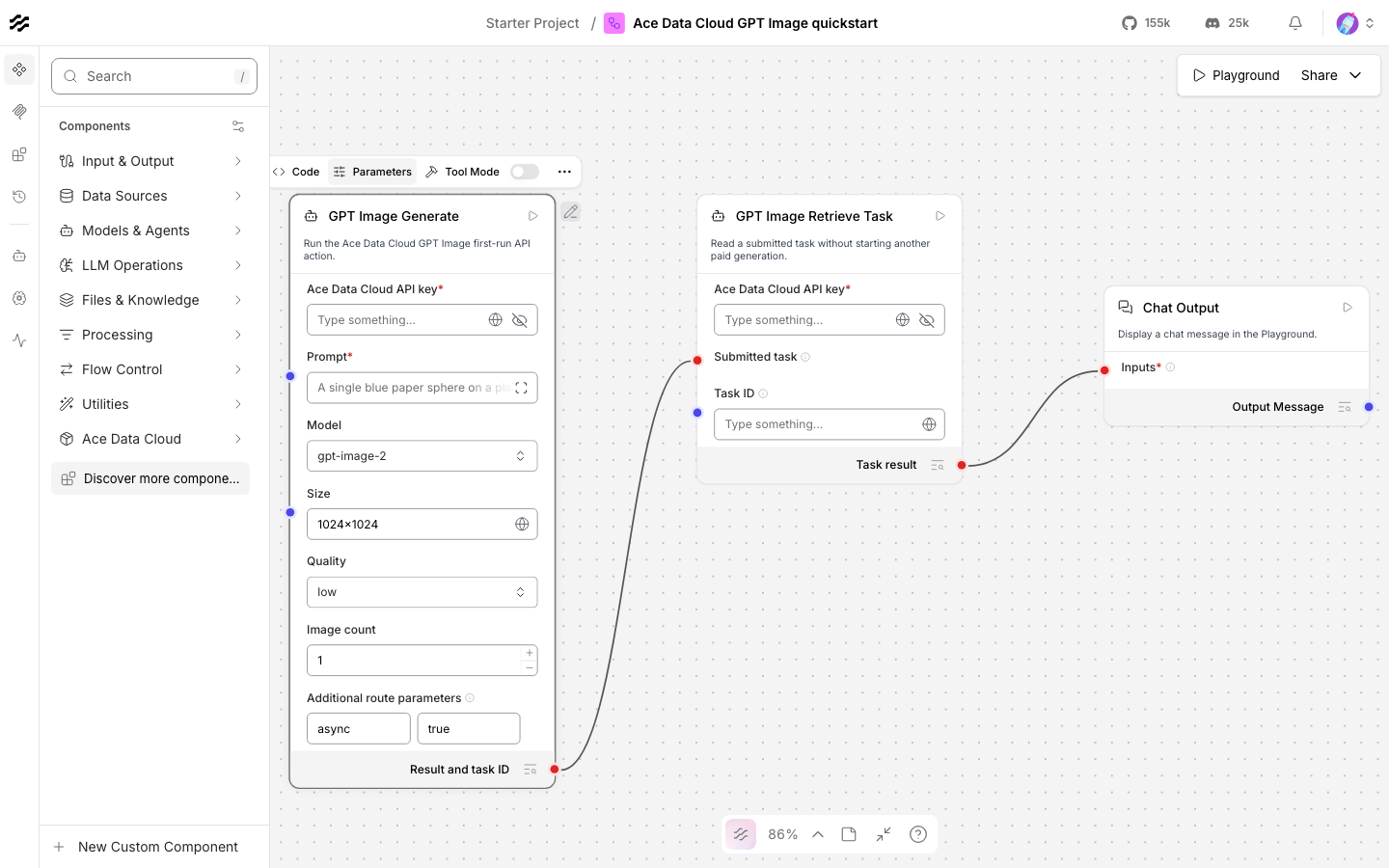
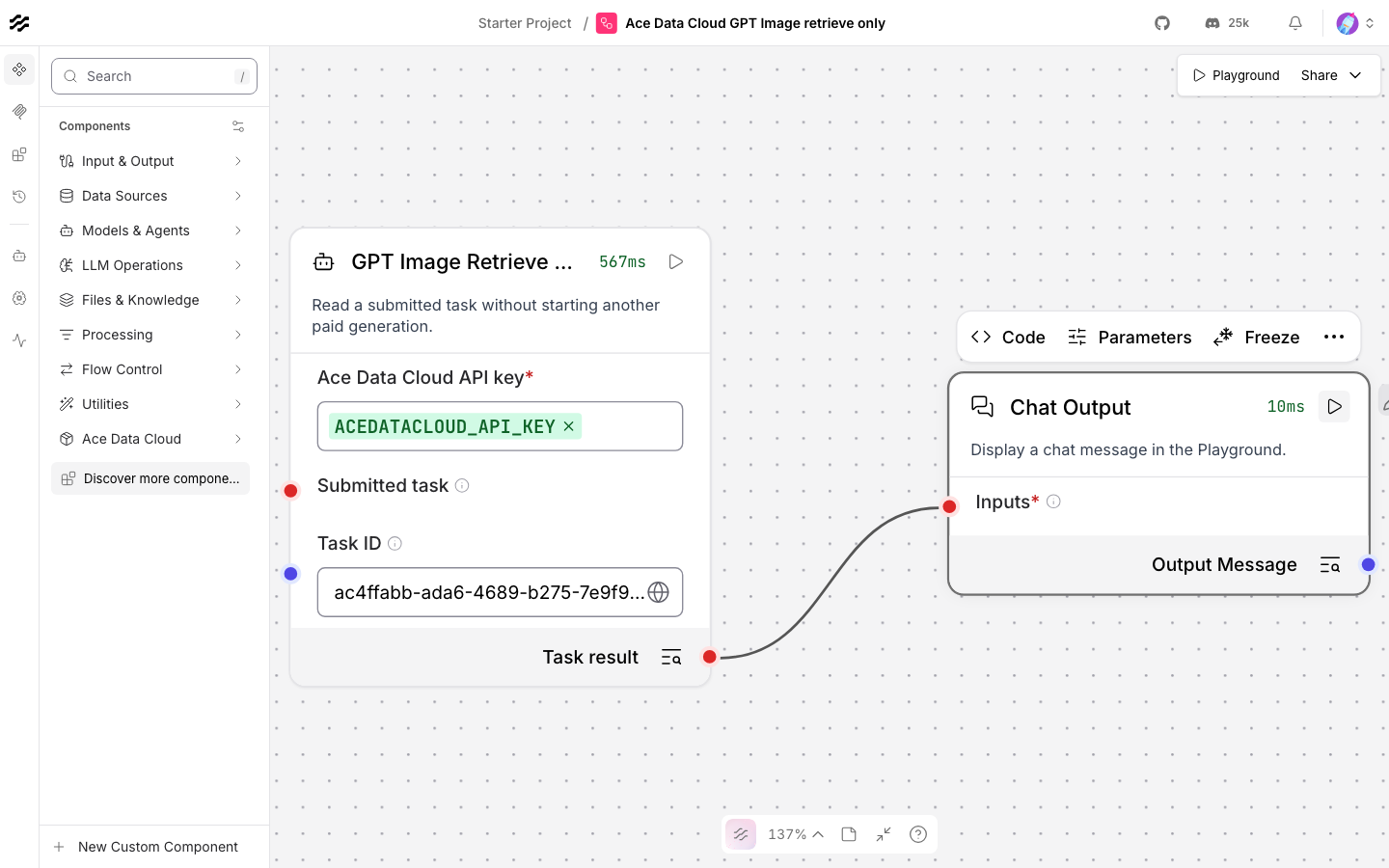
Click Run component on Chat Output once. Generate makes one paid submission and requests an immediate task ID. Its returned task_id is connected to Retrieve Task's Submitted task input. Retrieve Task uses only /openai/tasks and waits up to 240 seconds for that same ID. A green flow before the service task is terminal is not proof that the media is ready.
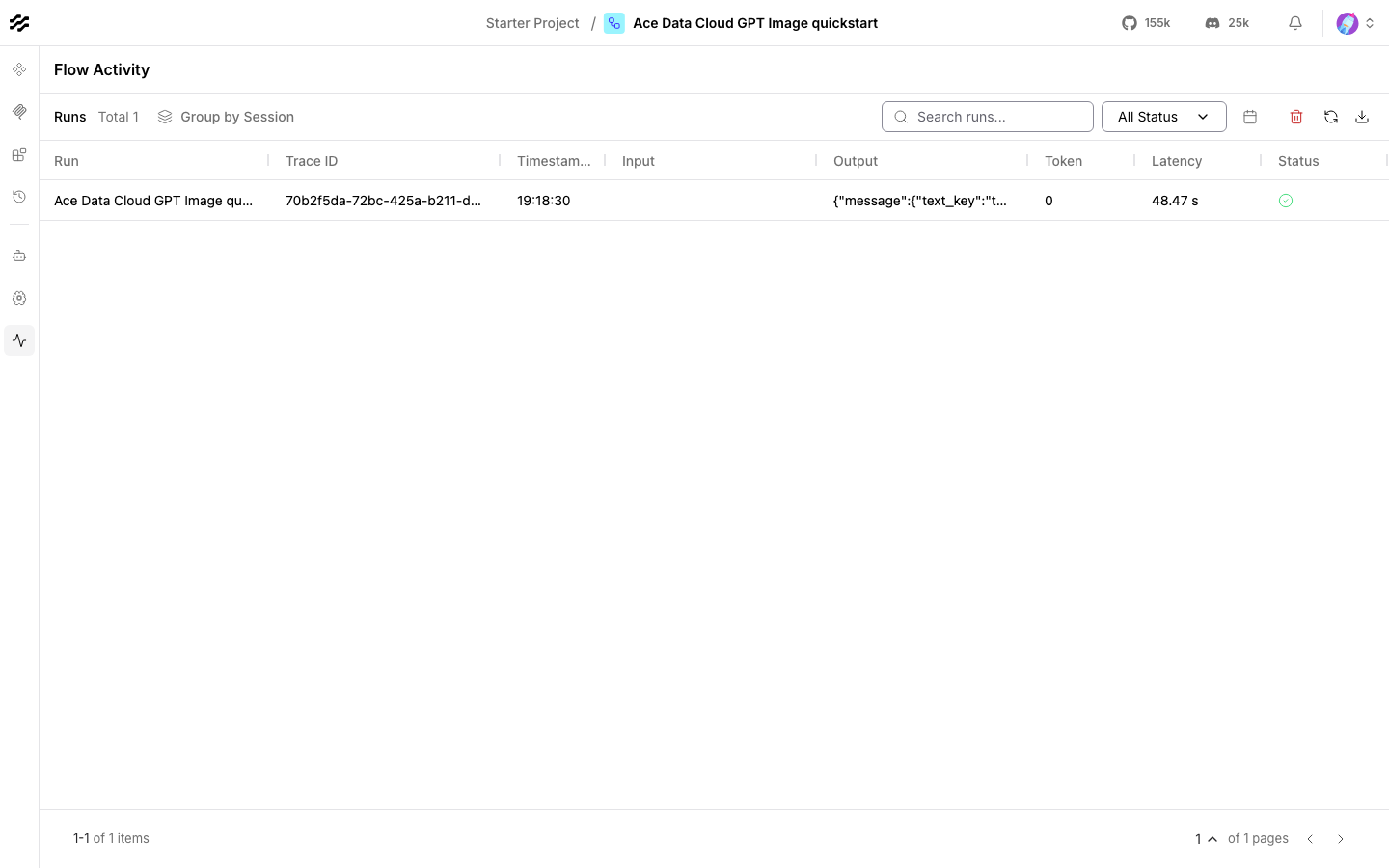
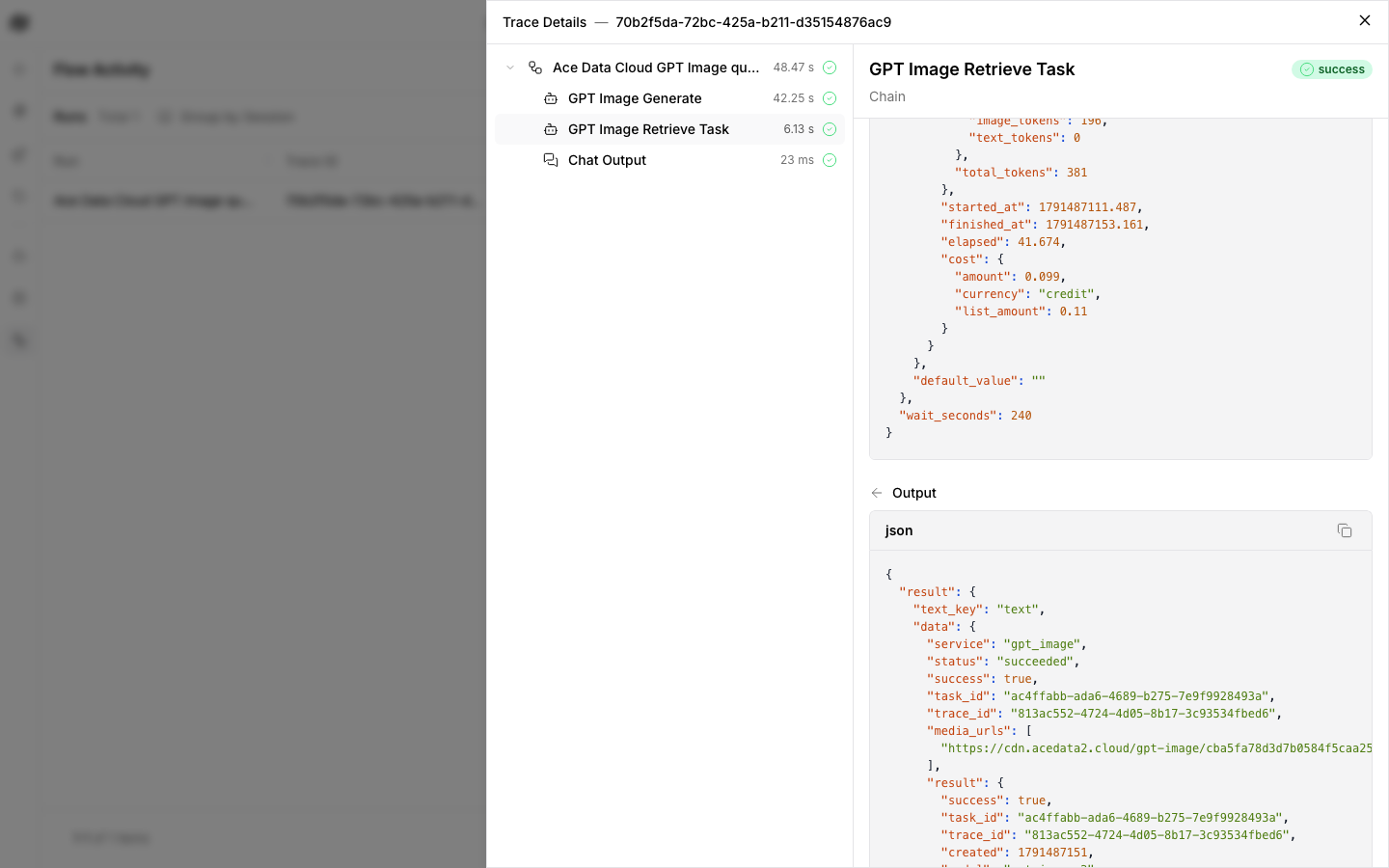
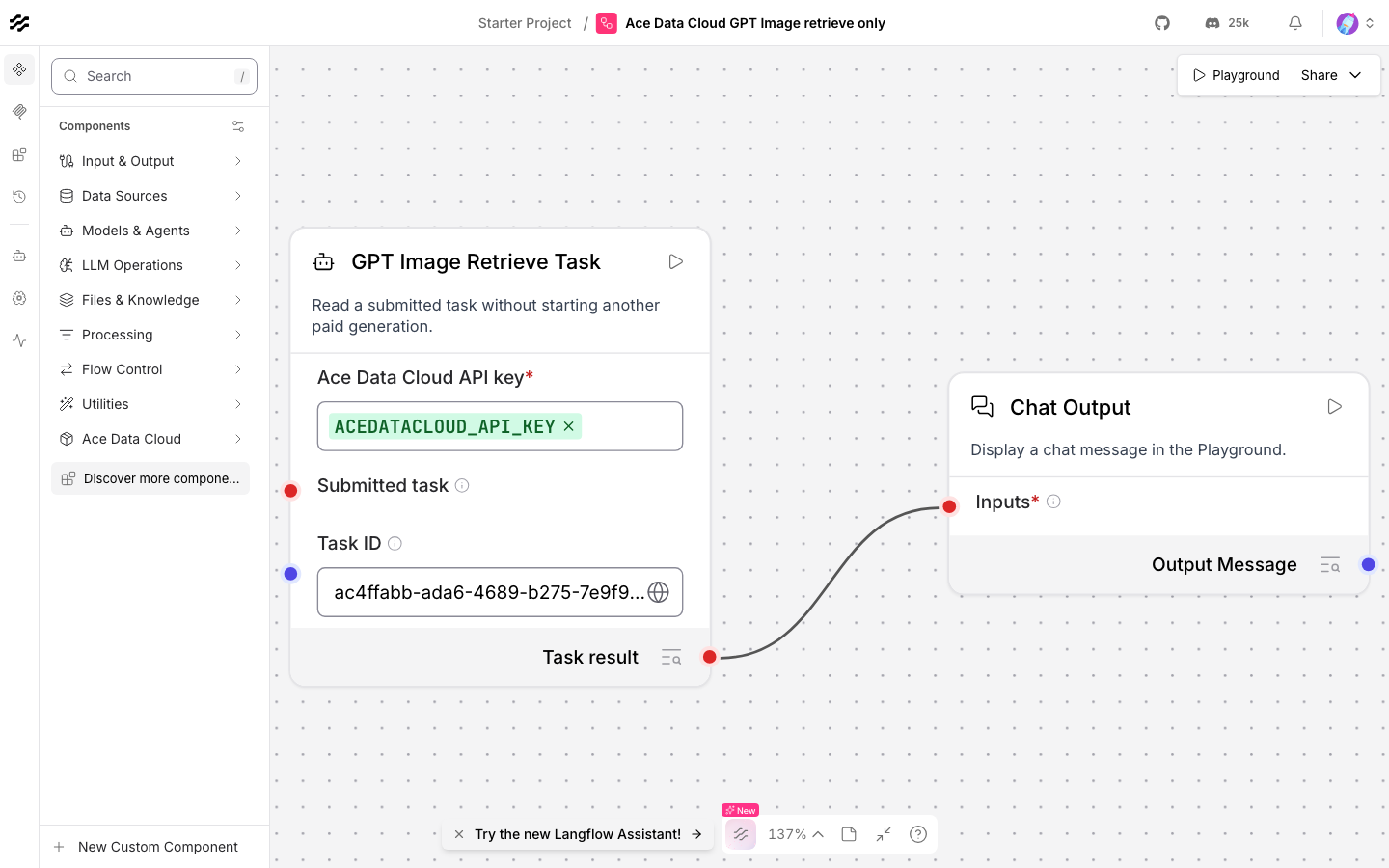
The real test returned status=succeeded, success=true, task ID ac4ffabb-ada6-4689-b275-7e9f9928493a, and one PNG URL. The returned media was opened over HTTPS and its response was 200 image/png.

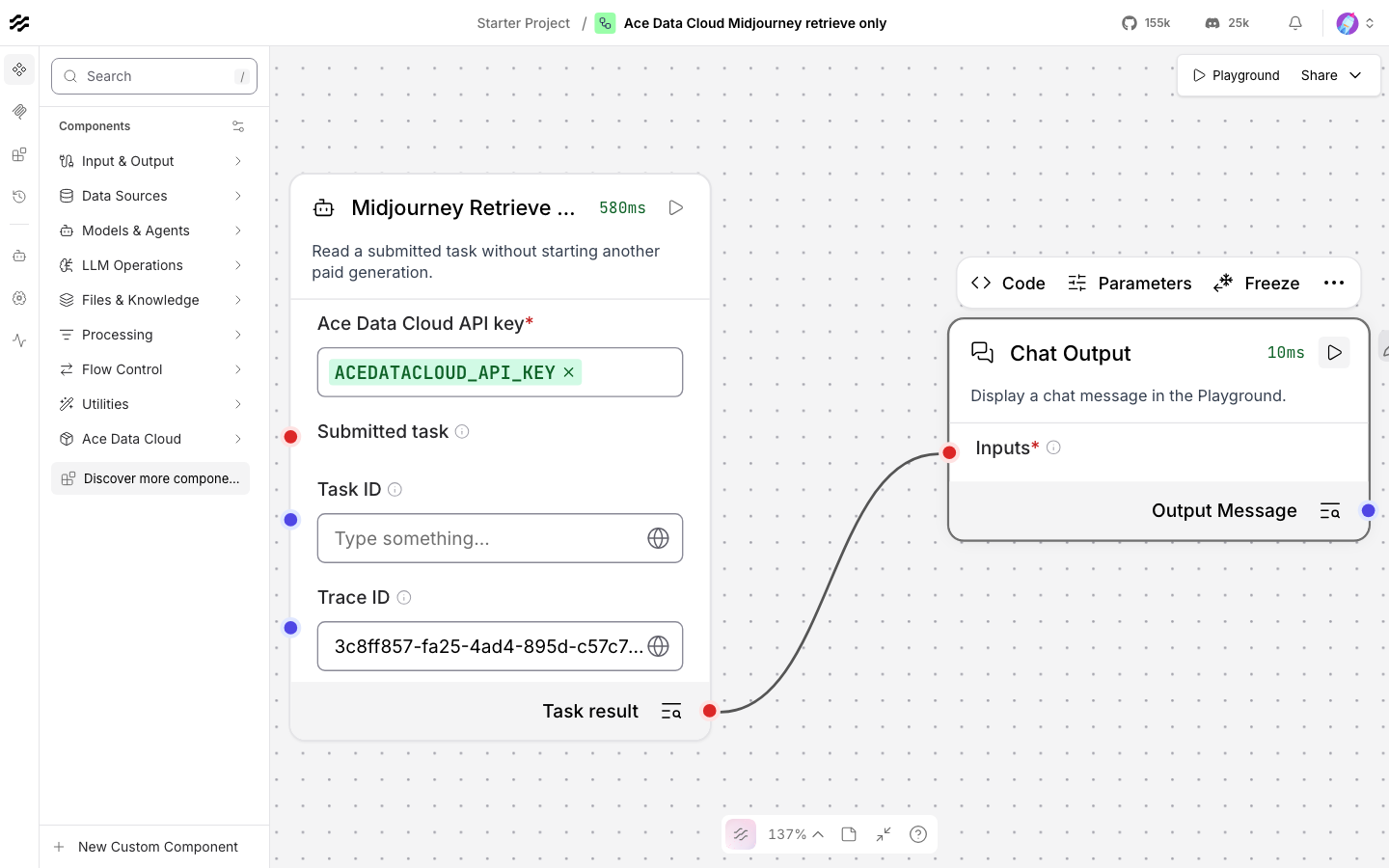
If the result is still pending, do not rerun the generation flow. That would submit another paid task. Import examples/retrieve_only/gpt_image.json, bind the same Credential variable, paste the original task ID into Task ID, and run Chat Output. This flow contains no generation node. Repeat this read-only flow until the task is terminal.
If a submission times out after the service accepted it, check Usage History before another submission. GPT Image, Midjourney, and Veo task readers also accept a Trace ID from request history when the task ID was not returned. For other services, recover the task ID from the original usage record or ask support with its trace ID. Query the recovered task; never regenerate only to learn its status.
6. Check the charge
In Ace Data Cloud → Usage History, filter to the relevant API, key, and time, then compare the task or trace ID. The completed GPT Image test had trace ID 813ac552-4724-4d05-8b17-3c93534fbed6; the platform returned one HTTP 200 usage record for that trace and deducted 0.099 Credits. Langflow's task output also reported cost.amount=0.099 in credit currency. This is evidence for that single test, not a fixed future price. Read your account's current package rate if you need a USD conversion.
The chat model example had one matching usage record for gpt-4.1-mini, 16 tokens, and 0.0000234636021 Credits. Sanitized run evidence keeps task, media, import, and billing readbacks separate.
Other service examples









